拼豆图纸生成器 - 用照片创作拼豆图纸

拼豆图纸生成器 - 用照片创作拼豆图纸

Photo Quick Conversion Perler Bead Patterns, supports saving and sharing, rich in functions

Creator
涛 张

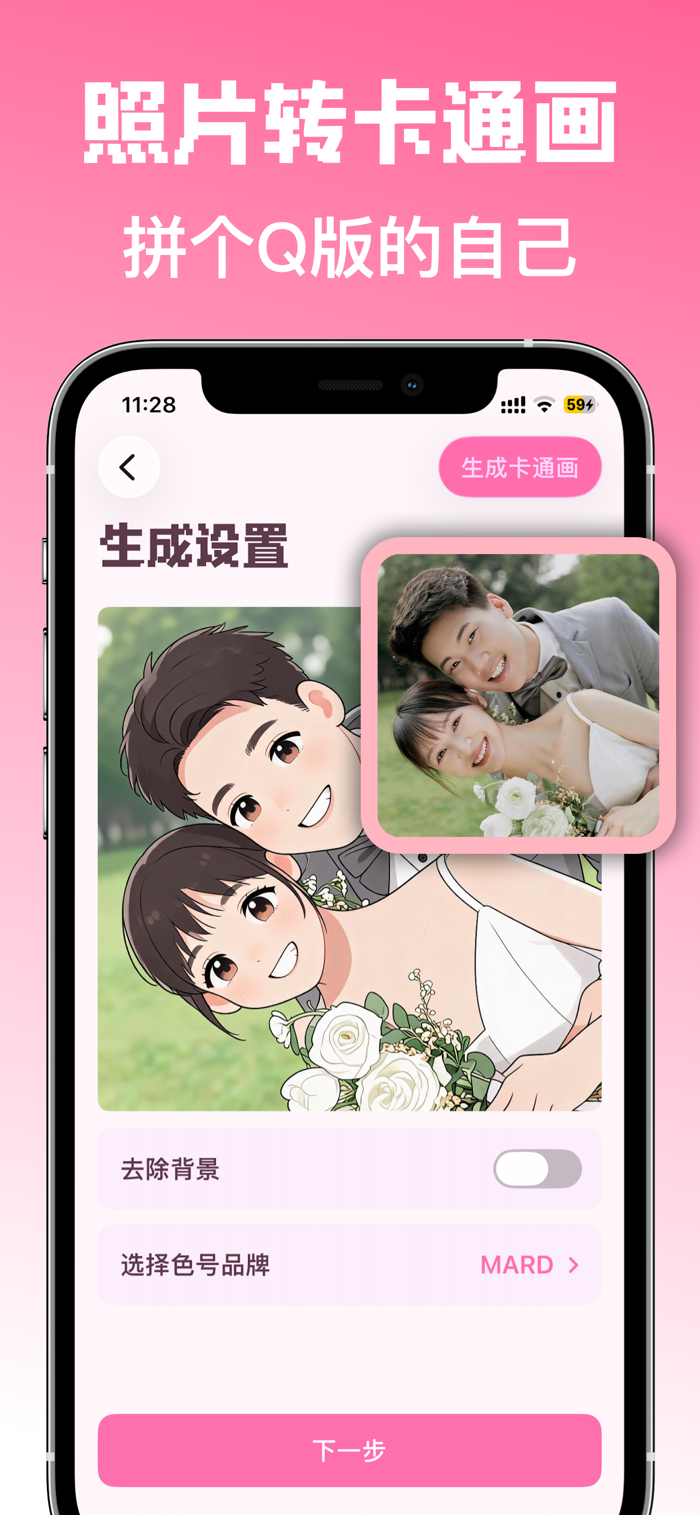
The pixel art drawing generator helps handicraft enthusiasts, parents and children, as well as advanced players turn their inspirations into pixel art. Its core functions include converting photos into drawings with one click, automatically matching color numbers and grid layouts; supporting intelligent background removal to make the main body more prominent; allowing free switching between various board grid numbers to make the drawing details more controllable; enabling clear preview and zooming, making it more intuitive to view details by zooming in; automatically counting the material list and calculating the required number of beads for each color number; the drawings can be exported and saved to the album for convenient printing and sharing. It is applicable to various scenarios such as making multiple pixel art works, parent-child creations, and advance usage planning. All functions can be used after subscription.

COMMUNITY PERKSMergeek 社区专属福利
独家限免 NEW每天发现一份惊喜
PRODUCT SCREENS / 3

点击查看界面细节

拼豆图纸生成器 - 用照片创作拼豆图纸 产品截图 1拼豆图纸生成器 - 用照片创作拼豆图纸 产品截图 2拼豆图纸生成器 - 用照片创作拼豆图纸 产品截图 3

Turning inspiration into pindou can be so simple.
The pindou drawing generator helps you quickly generate clear drawings from photos, and supports saving and sharing. It is suitable for handicraft lovers, parent-child creation, and advanced pindou players.

Core features
- One-click photo to drawing: Automatically match color numbers and grid layouts
- Background removal is easier: Support for intelligent background removal to make the subject more prominent
- Multiple board grid counts: Freely switch sizes for more controllable drawing details
- Clear preview and zoom: Support zooming in for a more intuitive view of details
- Material list statistics: Automatically calculate the number of beads required for each color number
- Drawing export and saving: Can be saved to the album for convenient printing and sharing

Suitable for use in these scenarios
- Making pindou works of pets, avatars, couple photos, cartoon characters
- Parent-child handicraft creation, quickly preparing executable drawings
- Planning the usage in advance for community submissions or street stall works

Our philosophy
Focus on making "creating pindou drawings" simple, good-looking, and practical.
From selecting a picture to getting a drawing, you can start creating in just a few steps.

Subscription information:

All the above functions can be used after subscribing.
• Subscription period: Monthly subscription
• After confirming the purchase, the fee will be immediately deducted from your iTunes account.
• You can go to "Settings > iTunes Account and App Store > Apple ID > Subscriptions" to manage your subscription and turn off auto-renewal.
• Unless you turn off auto-renewal at least 24 hours before the end of the current subscription period, the subscription will automatically renew.
• The renewal fee will be deducted from your account within 24 hours before the end of the current subscription period.
• After canceling the subscription, the subscription service will remain valid until the e…

版本

4.6.3

感谢大家的支持和喜爱,新版本大幅优化了拼豆图纸生成性能,支持图纸手动编辑,欢迎下载最新版本。

查看完整更新记录 ↗

你的真实体验,为其他用户提供宝贵参考,获得宝石奖励

REWARD MARKET100 宝石可兑换什么?

还没有公开评论,欢迎分享你的体验。

提交反馈

每一个想法,都让 Mergeek 更好一点。