Note: When in full screen, please use the shortcut keys to call the Folder Hub window.
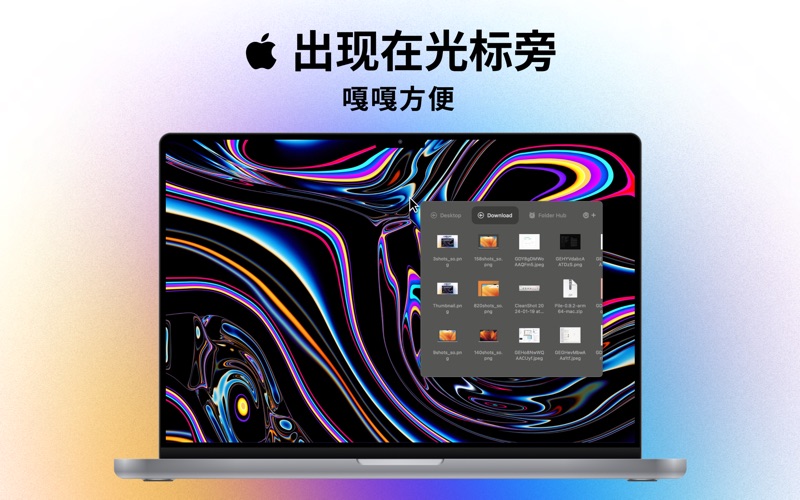
Folder Hub is an efficiency tool hidden under the notch of the Mac, used to quickly access files in the working directory without having to open folders layer by layer.
It solves several pain points in Mac interaction
Pain point 1:
Whenever I need to access files/folders on the desktop, I have to move the main window where I am currently working, expose the files/folders on the desktop, and then drag the working main window back after selecting the files. This is especially obvious on small-screen Macs.
Pain point 2:
There are multiple projects in my work. For the sake of convenience in management, I put them in Desktop - Project Folder - Each Project Folder. Every time I access them, I need to: Open the desktop folder - Open the project folder - Search for the files I need in the various sub-folders under the project folder. The opening path is very long.
Pain point 3:
Whenever I finish accessing a file, the opened Finder window will block the current window. Either I accidentally close it casually and have to open it again with the same path when I need to access it, or it will be blocked under the main window after the main working window is activated. When accessing it again, I often need to move the main window to expose it.
I have always hoped for a permanent window to access these files/folders, but the disadvantage is that it will block the main window of the current work. Therefore, I designed it to be shown when needed and hidden when not needed.
I don't want to use shortcut keys, nor do I want it to block the current main window. After thinking for a long time, I designed a very ingenious implementation method: When the mouse moves to the notch, the window of this app will be shown, and when the mouse moves out of the window of this app, it will hide. That is to say, it is a Mac software hidden under the notch.
To access files and folders under each project more quickly, you can create workspaces in this app, and each workspace represents a different project. All workspaces will be shown in the window of this app, and you can display the files/folders under the project by switching with the Tab key.
In this way, the access path changes from the previous Desktop Folder - Project Folder - Each Subdirectory to directly accessing the project subdirectory, greatly shortening the access path.
When you access the app again, just move the mouse to the notch, and it will still be the directory you visited last time, without having to worry about having to open it again with a very long path after the window is closed.
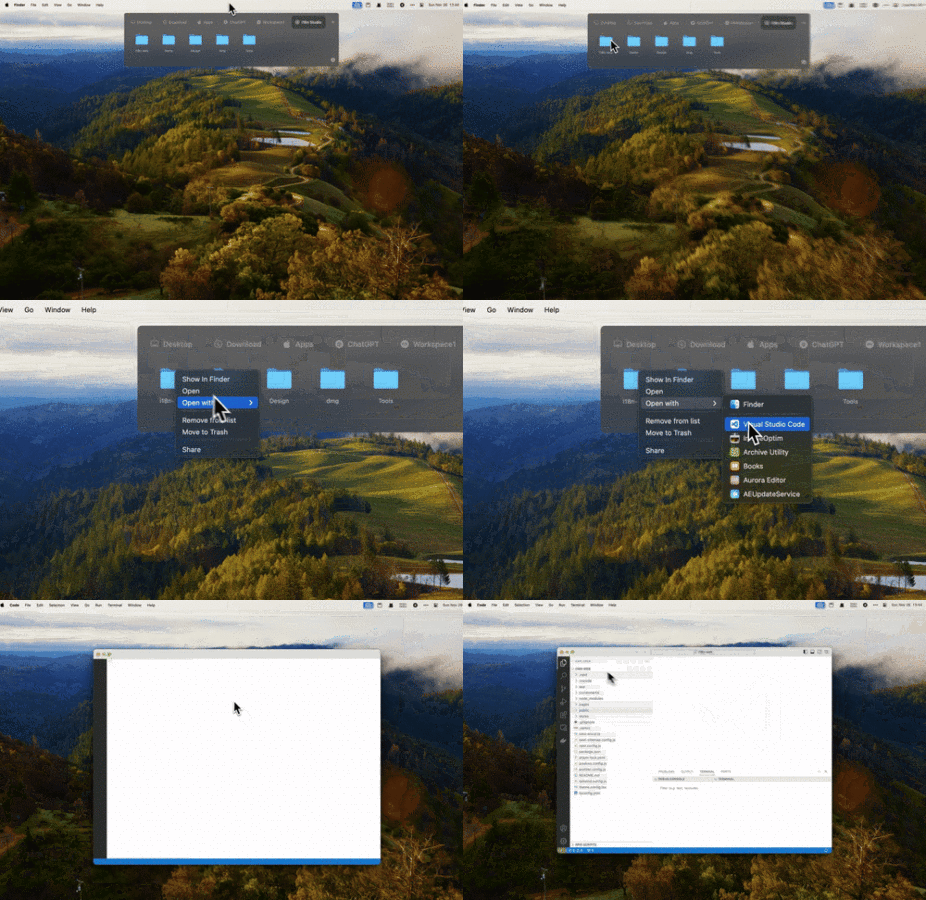
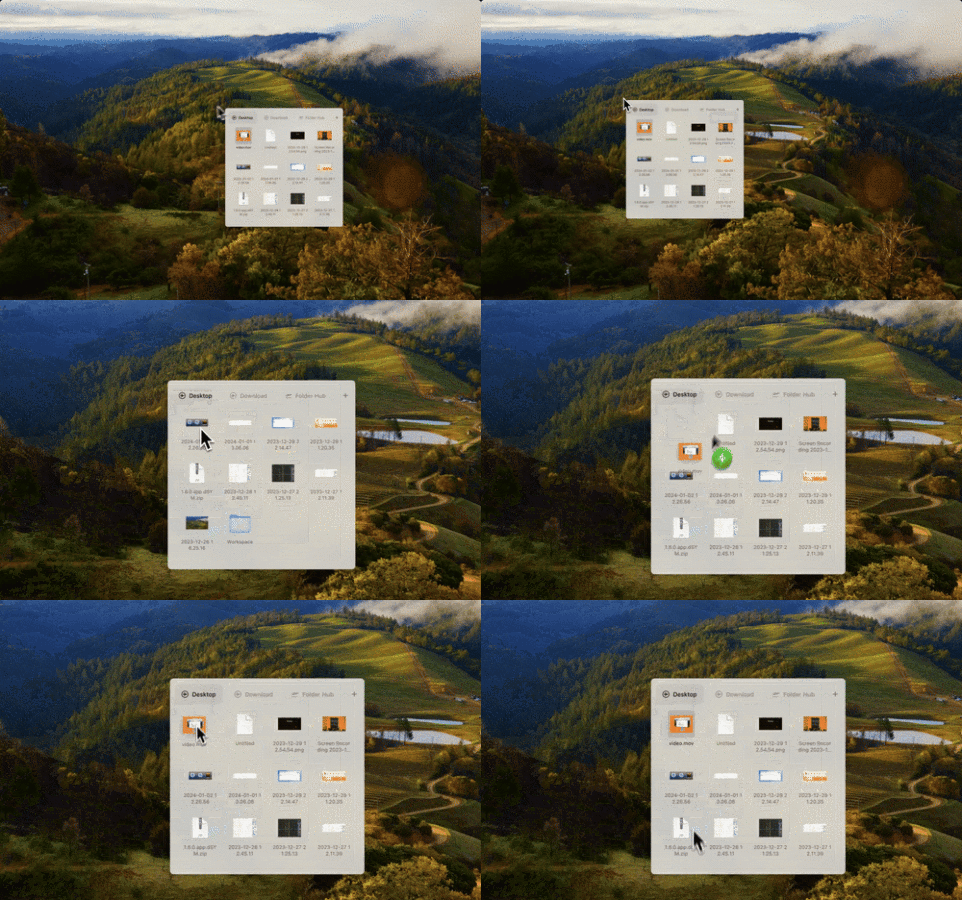
To make it more convenient to learn, its working behavior is similar to Finder. Double-click to open files/folders, right-click to show the menu. Better yet, you can drag the files in it to your main working window, such as dragging pictures to upload. Since it floats above all windows, you don't need to perform this stupid operation anymore: Move the working window to expose the desktop files - Drag and upload - Move back to the main window.
How to use it?
Move the mouse to the notch position, and the Folder Hub window will be shown.
Use the shortcut key cmd + option + →, and the Folder Hub window will be shown at the mouse position.
- Feature Features:
* Multi-monitor support
* Can呼出 the window to select files in full screen
* Drag folders/files to the working directory
* Folder navigation/jump
* Customize and create the working directory
* Pin
* Preview
* Share
* Move to Trash
* ShowInFinder
* Open with the specified App
* Cmd + click = Show in Finder
* Control + click = AirDrop
* Copy
* Paste
* Sorting method
Before subscribing to "Yearly", "Monthly", these 2 value-added services provided by "Folder Hub", please read the following terms carefully:
Services: Yearly, Monthly.
Pricing:
Yearly Plan: $7.99/Year
Monthly Plan: $0.99/Month
The above is a unified price setting. The price in different countries will change due to factors such as exchange rates. Please refer to the actual amount displayed in the APP.
And all prices are subject to change during promotional periods. When a price adjustment occurs, the new fee will be charged for your next subscription cycle.
If you purchase an account for automatic subscription membership, the fee will be deducted from your itunes account 24 hours before the expiration of the monthly subscription period. After the deduction is successful, the subscription period will be extended.
If you need to cancel the subscription, please manually

 +100宝石


 分享
分享













用户评价
立即分享产品体验
你的真实体验,为其他用户提供宝贵参考
💎 分享获得宝石
【分享体验 · 获得宝石 · 增加抽奖机会】
将你的产品体验分享给更多人,获得更多宝石奖励!
💎 宝石奖励
每当有用户点击你分享的体验链接并点赞"对我有用",你将获得:
🔗 如何分享
复制下方专属链接,分享到社交媒体、群聊或好友:
💡 小贴士
分享时可以添加你的个人推荐语,让更多人了解这款产品的优点!
示例分享文案:
"推荐一款我最近体验过的应用,界面设计很精美,功能也很实用。有兴趣的朋友可以看看我的详细体验评价~"
领取结果