Things 3

Things 3

To-do list

Creator
Cultured Code GmbH & Co. KG
平台
iOS
效率APP

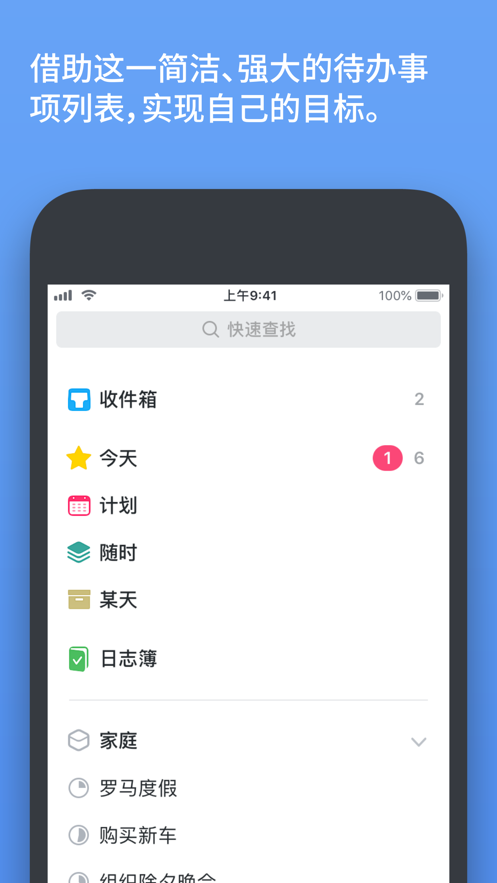
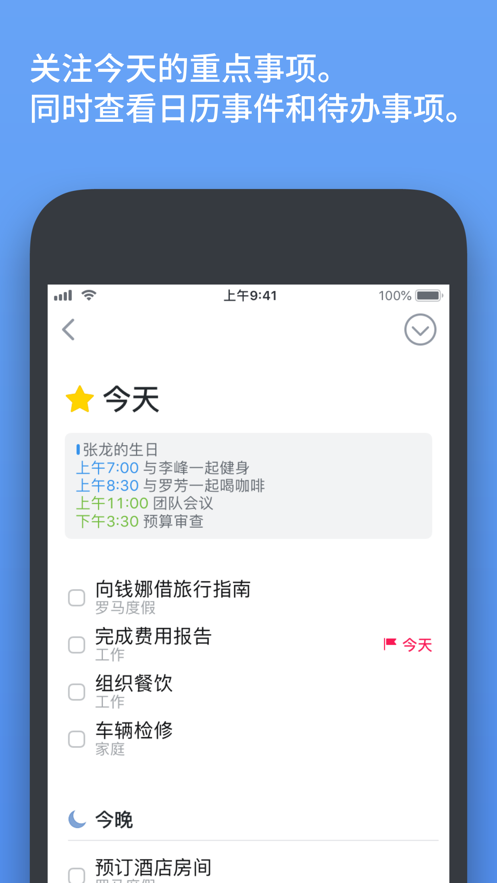
Things is a todo app for efficiently managing personal affairs, designed specifically to enhance work and life efficiency. Its core features include: 1. **Task Management**: Users can easily create, categorize, and schedule to-do items. Each task can be added with notes, tags, and timelines. 2. **Project Planning**: Users can set project goals and add to-do items to them, keeping projects organized with headings and due dates. 3. **Life Zones**: The app divides different parts of life into "zones" to help users maintain a holistic perspective when dealing with details. 4. **Schedule Management**: View to-do items and calendar events in the "Today" and "Plans" lists to clarify the task direction every day. In addition, Things comes with convenient features such as smart reminders, recurring tasks, quick search, and the magic plus sign, and supports the Apple Watch app to keep track of today's affairs at any time. Whether for individual users or team managers, they can achieve efficient goal management and task allocation through Things.
COMMUNITY PERKSMergeek 社区专属福利
独家限免 NEW每天发现一份惊喜
PRODUCT SCREENS / 6

点击查看界面细节

Things 3 产品截图 1Things 3 产品截图 2Things 3 产品截图 3Things 3 产品截图 4Things 3 产品截图 5Things 3 产品截图 6

Get things done! The award-winning Things app helps you plan your day, manage projects, and move steadily towards your goals step by step.

Besides its powerful features, the best thing is that it's extremely simple and convenient to use. Sort out the trivial matters in a short time, and both basic tasks and great life goals will immediately become well-organized. Then start focusing on the most important things today.

"Among all the apps we've tested, Things performs best in the combination of design and functionality. Besides having almost all the powerful features of other user apps, it also has a pleasant interface that will never interfere with your work."

—Wirecutter, The New York Times


Main Features

• Your To-Do List

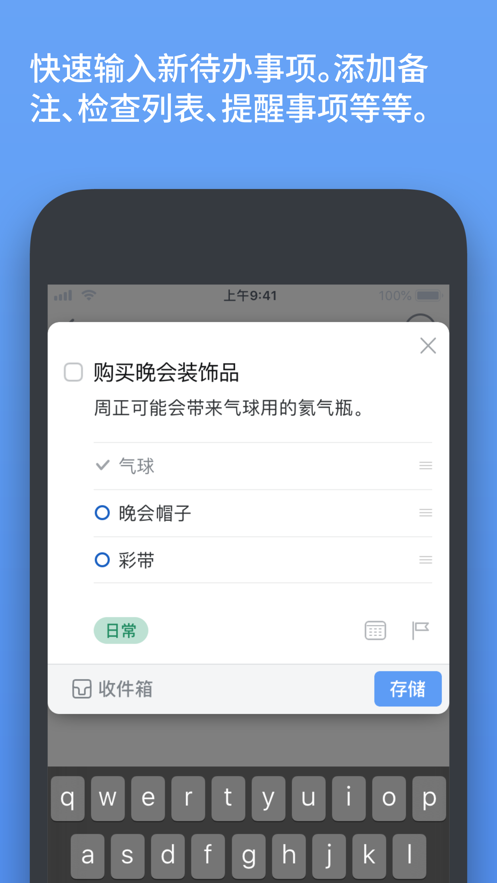
Built on the powerful "To-Do List" as the basic component — each to-do item is a small step towards great achievements. You can add notes, tags, schedule it, or break it down into smaller steps.

• Your Projects

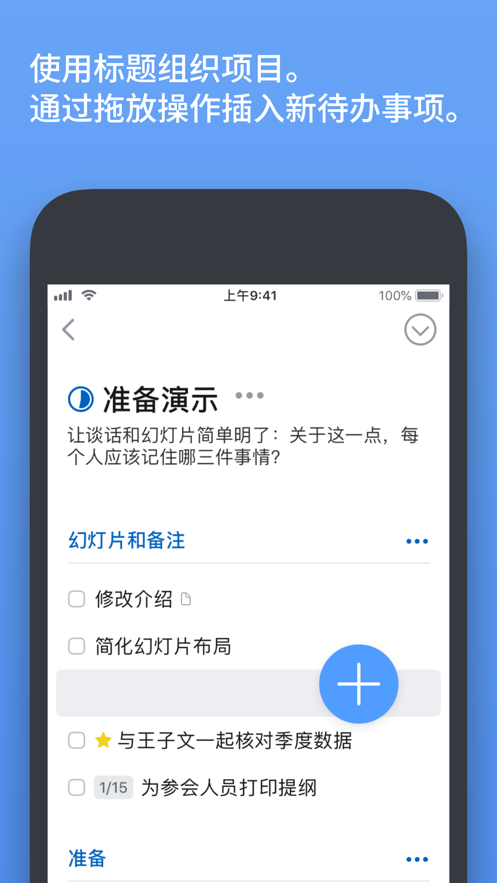
Create projects for any major goal and add to-do items to complete the goal. When planning, use headings to make the list more organized. There's also a place to write notes and you can set deadlines to keep track of the progress.

• Your Areas

Set different parts of your life as "Areas", such as work, family, finance, etc. This keeps everything in order and allows you to see the big picture while dealing with details.

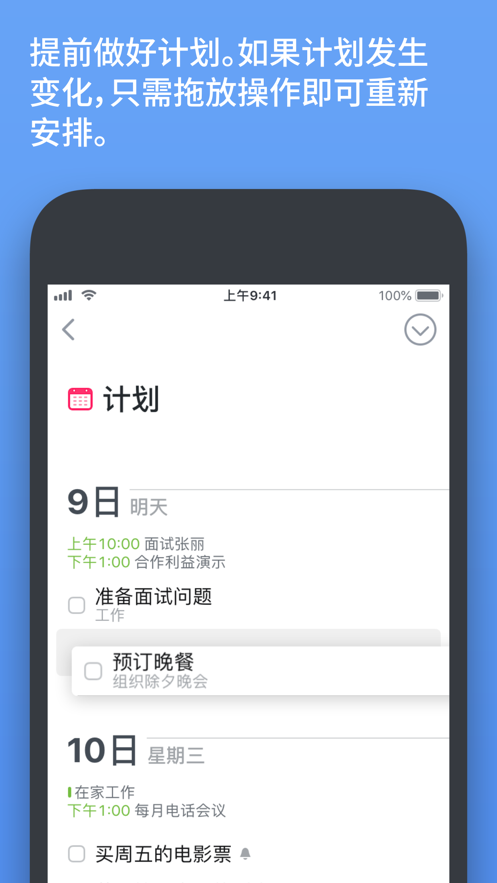
• Your Plans

All the contents of your schedule are neatly arranged in the "Today" and "Plans" lists, showing to-do items and calendar events. Every morning, check today's plan and decide what you want to do.


More Things You'll Love

After getting more familiar with it, you'll find that Things has many other useful features. Just to name a few here:

• Reminders — Things will automatically remind you after setting the time.

• Repeat — Automatically repeat to-do items according to the schedule you set.

• Tonight — Specifically allows you to plan for tonight.

• Calendar Integration — View events and to-do items at the same time.

•…

Cultured Code GmbH & Co. KG
版本

3.22.12

• 改进了稳定性,修复了错误。

THINGS 3.22

Things 已准备好迎接 iOS 和 watchOS 26,即将推出新 App 图标、全新界面、更多图标和小组件样式,以及针对 Apple Watch 推出控制按钮。

全新外观和感觉

• Things 的界面焕然一新,连边边角角都有新面貌。你会注意到窗口、对话和待办事项的圆角设计以及能反射和折射其周围事物的玻璃感按钮。
• Things 的图标获得重新设计,以更优雅地融入 iOS 26。还是熟悉的感觉,你肯定一眼就能认出这是 Things。
• 图标和小组件样式:除了深色和不同色调的样式外,iOS 26 还推出了玻璃般的透明样式,能够显出底下的墙纸。如要在 iPhone 上更改样式,请长按主屏幕,然后依次轻点“编辑”>“自定义”。

Apple Watch 上的控制按钮

Things 方便的新建待办事项控制项现可在 Apple Watch 上使用。按下侧边按钮来显示控制中心,然后轻点“编辑”。控制按钮可让你通过轻扫、输入或语音快速新建待办事项。

我们希望你能享受在 iOS 26 和 watchOS 26 上使用 Things!

查看完整更新记录 ↗

你的真实体验,为其他用户提供宝贵参考,获得宝石奖励

REWARD MARKET100 宝石可兑换什么?

还没有公开评论,欢迎分享你的体验。

广告
广告

提交反馈

每一个想法,都让 Mergeek 更好一点。