









加入 Mergeek 福利群
扫码添加小助手,精彩福利不错过!
若不方便扫码,请在 Mergeek 公众号,回复 群 即可加入
- 精品限免
- 早鸟优惠
- 众测送码
 Recordia
Recordia lets you record audio directly from the menu bar or with a global keyboard shortcut. This can be useful for recording voice memos, song ideas, meetings, lectures, interviews, phone calls, voice-overs, and more. ■ Features - Record compressed or lossless audio - Customizable keyboard shortcuts to start/stop and pause/resume recording - Change input device - Unlimited recording duration - Stereo - Input monitoring - Set default output directory - Optionally show the recording in Finder when done - Easily copy and share the previous recording - Launch at login preference - Choose between multiple menu bar icons - Record system audio (See FAQ below) - Shortcuts support Technical details: It records at 48 kHz to either M4A (AAC, 256 kbps, compressed) or WAV (PCM, 16-bit, uncompressed). The recording is stereo if the input device supports it, otherwise mono. ■ FAQ ‣ How can I record system audio? Click “Record System Audio” in Recordia and follow the instructions. ‣ How can I preview the recording when done? First, ensure the “Show recording in Finder after saving” preference is enabled. When the recording is shown in Finder, press the Space key to preview it. ‣ How can I trim the recording when done? Preview the recording as described above and then click the trim button. ‣ How can I sync recordings to iCloud? Choose “iCloud Drive” as the output directory. ‣ Why 48 kHz and not 44.1 kHz? 48 kHz is the standard for audio in today's video production. It's also the internal production standard for many audio production companies. 44.1 kHz was popularized by music CDs. ■ Support Click the feedback button in the app.
Recordia lets you record audio directly from the menu bar or with a global keyboard shortcut. This can be useful for recording voice memos, song ideas, meetings, lectures, interviews, phone calls, voice-overs, and more. ■ Features - Record compressed or lossless audio - Customizable keyboard shortcuts to start/stop and pause/resume recording - Change input device - Unlimited recording duration - Stereo - Input monitoring - Set default output directory - Optionally show the recording in Finder when done - Easily copy and share the previous recording - Launch at login preference - Choose between multiple menu bar icons - Record system audio (See FAQ below) - Shortcuts support Technical details: It records at 48 kHz to either M4A (AAC, 256 kbps, compressed) or WAV (PCM, 16-bit, uncompressed). The recording is stereo if the input device supports it, otherwise mono. ■ FAQ ‣ How can I record system audio? Click “Record System Audio” in Recordia and follow the instructions. ‣ How can I preview the recording when done? First, ensure the “Show recording in Finder after saving” preference is enabled. When the recording is shown in Finder, press the Space key to preview it. ‣ How can I trim the recording when done? Preview the recording as described above and then click the trim button. ‣ How can I sync recordings to iCloud? Choose “iCloud Drive” as the output directory. ‣ Why 48 kHz and not 44.1 kHz? 48 kHz is the standard for audio in today's video production. It's also the internal production standard for many audio production companies. 44.1 kHz was popularized by music CDs. ■ Support Click the feedback button in the app.
第一时间掌握精选限免应用/游戏信息
自定义喜欢的应用/游戏的价格变动
了解内购应用/游戏的限免或降价活动
查看应用/游戏价格历史等待合适时机再出手
第一时间收到价格通知不错过省钱机会

扫码下载 Follow
 Noted
Noted
笔记与录音的完美结合,录音同时生成文字,后面还会记录下一个时间戳,可以凭着这个时间直接跳转重温,笔记...

 轻备忘
轻备忘
「保持简单」是轻备忘的生活态度。拒绝繁重与复杂,致力于快速记录与回顾,打造如轻风拂面、水过无痕的使用...
 Muse AI
创作一首音乐已经越来越简单,有了 AI 的辅助,质量更加有保障,Muse AI 可以让一个零经验用户...
 155
155
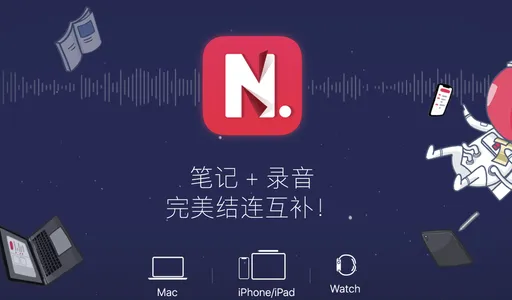

笔记与录音的完美结合,录音同时生成文字,后面还会记录下一个时间戳,可以凭着这个时间直接跳转重温,笔记...
5
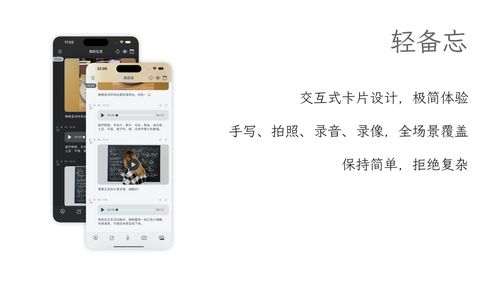
「保持简单」是轻备忘的生活态度。拒绝繁重与复杂,致力于快速记录与回顾,打造如轻风拂面、水过无痕的使用...
35

创作一首音乐已经越来越简单,有了 AI 的辅助,质量更加有保障,Muse AI 可以让一个零经验用户...
天天发现优质应用
 到主屏幕
到主屏幕


产品名
这项是必须填的哦~可用平台
产品链接
这项是必须填的哦~产品一句话介绍
这项是必须填的哦~开发者邮箱
你也可以发送更多的产品故事到 hi@mergeek.com
我们会让你的产品被更多用户看到!
产品名
这项是必须填的哦~可用平台
产品链接
这项是必须填的哦~产品一句话介绍
这项是必须填的哦~开发者邮箱
你也可以发送更多的产品故事到 hi@mergeek.com
我们会让你的产品被更多用户看到!
已经成功发送到你的邮箱了,请注意查收
你成为这个产品的发现者啦,说说你的推荐语吧!