











加入 Mergeek 福利群
扫码添加小助手,精彩福利不错过!
若不方便扫码,请在 Mergeek 公众号,回复 群 即可加入
- 精品限免
- 早鸟优惠
- 众测送码
 SCSnapShot
Basic photo application which allows for zooming, panning, and framing/cropping of both image preview and capture. Images can be cropped immediately after capture and before saving to Photos. Zooming is not limited to the center of the camera image, even while previewing - especially useful when device is mounted on a tripod. Allows burst capture of images (action shots) simply by pressing and holding the shutter. You can crop an image to the five standard frame sizes of 3x5, 4x6, 5x7, 11x14, 4x5, or dynamically create your own (long press then drag within image). Moreover, a frame can be adjusted for fine tuning. Lastly, image zoom, pan, and crop area can be locked to prevent accidental changes before saving image; long press either the frame or lock buttons to toggle between the locked and unlocked state.
Captured images can be rotated and mirrored using simple gestures (rotation gesture and two-finger swipe either horizontally or vertically). Additionally, a two-finger double tap undoes any applied rotation or mirroring. Captured images automatically rotate with the device in addition to any applied rotation.
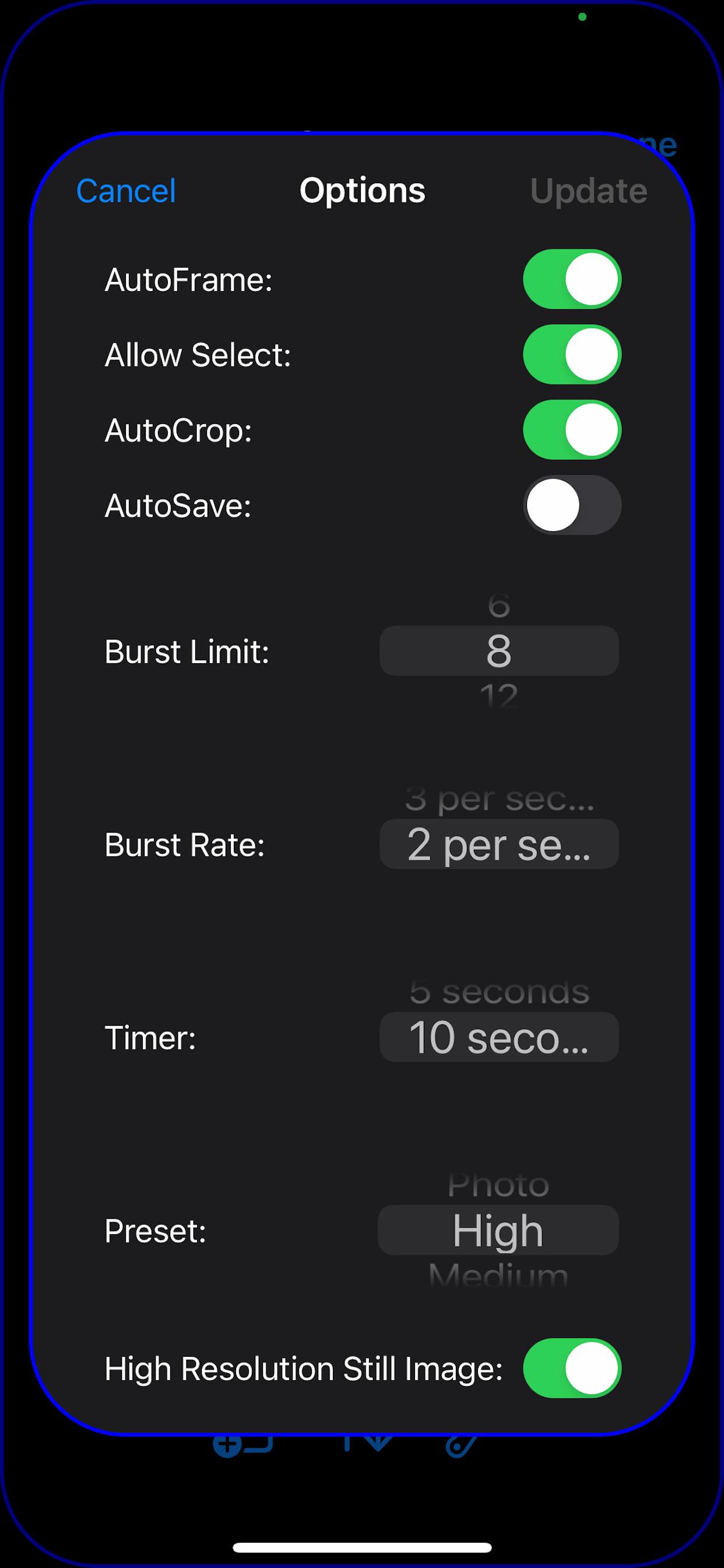
Application provides the ability to select a camera preset to establish the preview quality - and thus control the memory impact of the app on the overall system. Moreover, an option has been added to request that the captured image be of photo quality, regardless of the preview preset being used - though it may not make a functional difference on some older iPhones/iPads. Lastly, it is possible to place a camera in 'select' mode, allowing full control over image compression, resolution, and frame rate.
Single shot images (tapping the shutter button) are of a higher resolution typically (device dependent) than those produced by a set of action shots (shots taken by holding down on the shutter button). Single shots use the still image photo resolution while the action shots are produced via the video preview resolution. Single shots can be captured and first displayed and manipulated before saving, or automatically saved ('Settings' option 'AutoSave') which allows previewing to be uninterrupted. Action shots are always automatically saved, of course.
The exposure and focus dynamically adjust relative to the area zoomed-in on, rather than the preview image as a whole. This results in better exposures and focus for that part of the image most important to you.
SCSnapShot has been designed around the capturing of images which can subsequently be quickly rotated, mirrored, and cropped as needed. At this point separate image editing tools are necessary to perform all other image manipulation that might be desired after capturing and then saving images to Photos.
Basic photo application which allows for zooming, panning, and framing/cropping of both image preview and capture. Images can be cropped immediately after capture and before saving to Photos. Zooming is not limited to the center of the camera image, even while previewing - especially useful when device is mounted on a tripod. Allows burst capture of images (action shots) simply by pressing and holding the shutter. You can crop an image to the five standard frame sizes of 3x5, 4x6, 5x7, 11x14, 4x5, or dynamically create your own (long press then drag within image). Moreover, a frame can be adjusted for fine tuning. Lastly, image zoom, pan, and crop area can be locked to prevent accidental changes before saving image; long press either the frame or lock buttons to toggle between the locked and unlocked state.
Captured images can be rotated and mirrored using simple gestures (rotation gesture and two-finger swipe either horizontally or vertically). Additionally, a two-finger double tap undoes any applied rotation or mirroring. Captured images automatically rotate with the device in addition to any applied rotation.
Application provides the ability to select a camera preset to establish the preview quality - and thus control the memory impact of the app on the overall system. Moreover, an option has been added to request that the captured image be of photo quality, regardless of the preview preset being used - though it may not make a functional difference on some older iPhones/iPads. Lastly, it is possible to place a camera in 'select' mode, allowing full control over image compression, resolution, and frame rate.
Single shot images (tapping the shutter button) are of a higher resolution typically (device dependent) than those produced by a set of action shots (shots taken by holding down on the shutter button). Single shots use the still image photo resolution while the action shots are produced via the video preview resolution. Single shots can be captured and first displayed and manipulated before saving, or automatically saved ('Settings' option 'AutoSave') which allows previewing to be uninterrupted. Action shots are always automatically saved, of course.
The exposure and focus dynamically adjust relative to the area zoomed-in on, rather than the preview image as a whole. This results in better exposures and focus for that part of the image most important to you.
SCSnapShot has been designed around the capturing of images which can subsequently be quickly rotated, mirrored, and cropped as needed. At this point separate image editing tools are necessary to perform all other image manipulation that might be desired after capturing and then saving images to Photos.
第一时间掌握精选限免应用/游戏信息
自定义喜欢的应用/游戏的价格变动
了解内购应用/游戏的限免或降价活动
查看应用/游戏价格历史等待合适时机再出手
第一时间收到价格通知不错过省钱机会

扫码下载 Follow
 黑马简历
黑马简历
黑马简历是一款专为职场人士和求职者设计的智能简历助手,旨在帮助用户快速打造专业、高效的求职简历。通过...

 睡眠岛
睡眠岛
睡眠岛 — 听着入睡,醒来看报告。 海量助眠音视频,入睡后自动停播;同时自动记录睡眠阶段、鼾声与梦话...
 ProKnockOut
ProKnockOut 是一款强大的图像处理工具,以智能抠图为核心,集成了图片合成、人像美容、照片编...
 54
54


黑马简历是一款专为职场人士和求职者设计的智能简历助手,旨在帮助用户快速打造专业、高效的求职简历。通过...
4

睡眠岛 — 听着入睡,醒来看报告。 海量助眠音视频,入睡后自动停播;同时自动记录睡眠阶段、鼾声与梦话...
83
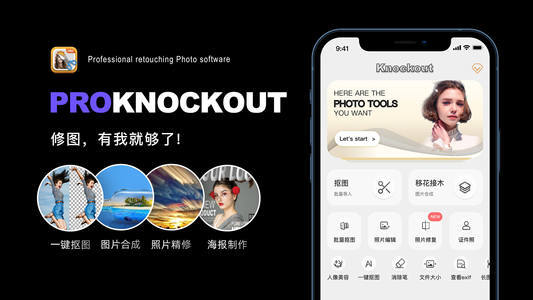

ProKnockOut 是一款强大的图像处理工具,以智能抠图为核心,集成了图片合成、人像美容、照片编...
天天发现优质应用
 到主屏幕
到主屏幕


产品名
这项是必须填的哦~可用平台
产品链接
这项是必须填的哦~产品一句话介绍
这项是必须填的哦~开发者邮箱
你也可以发送更多的产品故事到 hi@mergeek.com
我们会让你的产品被更多用户看到!
产品名
这项是必须填的哦~可用平台
产品链接
这项是必须填的哦~产品一句话介绍
这项是必须填的哦~开发者邮箱
你也可以发送更多的产品故事到 hi@mergeek.com
我们会让你的产品被更多用户看到!
已经成功发送到你的邮箱了,请注意查收
你成为这个产品的发现者啦,说说你的推荐语吧!