Turn ordinary photos and video into real HDR that glows.
MakeHDR converts any JPEG, PNG or HEIC into a true gain-map HDR photo, and turns standard video clips into genuine HDR video. Your photos light up on iPhone, Instagram and Google Photos. Your video plays as real HDR in Photos, QuickTime, Safari and Chrome.
No AI. No invented detail.
MakeHDR does not generate, upscale or hallucinate anything. It computes real HDR from the light already in your file — a standards-based gain map (ISO 21496-1 + Adobe XMP, the same format Apple and Google use). The result is your photo, with the highlights it always had, finally allowed to shine.
Everything stays on your device.
Your photos and videos are never uploaded. Conversion happens entirely on your iPhone, iPad or Mac, using Apple's own media frameworks. No cloud, no queue, no account required to start.
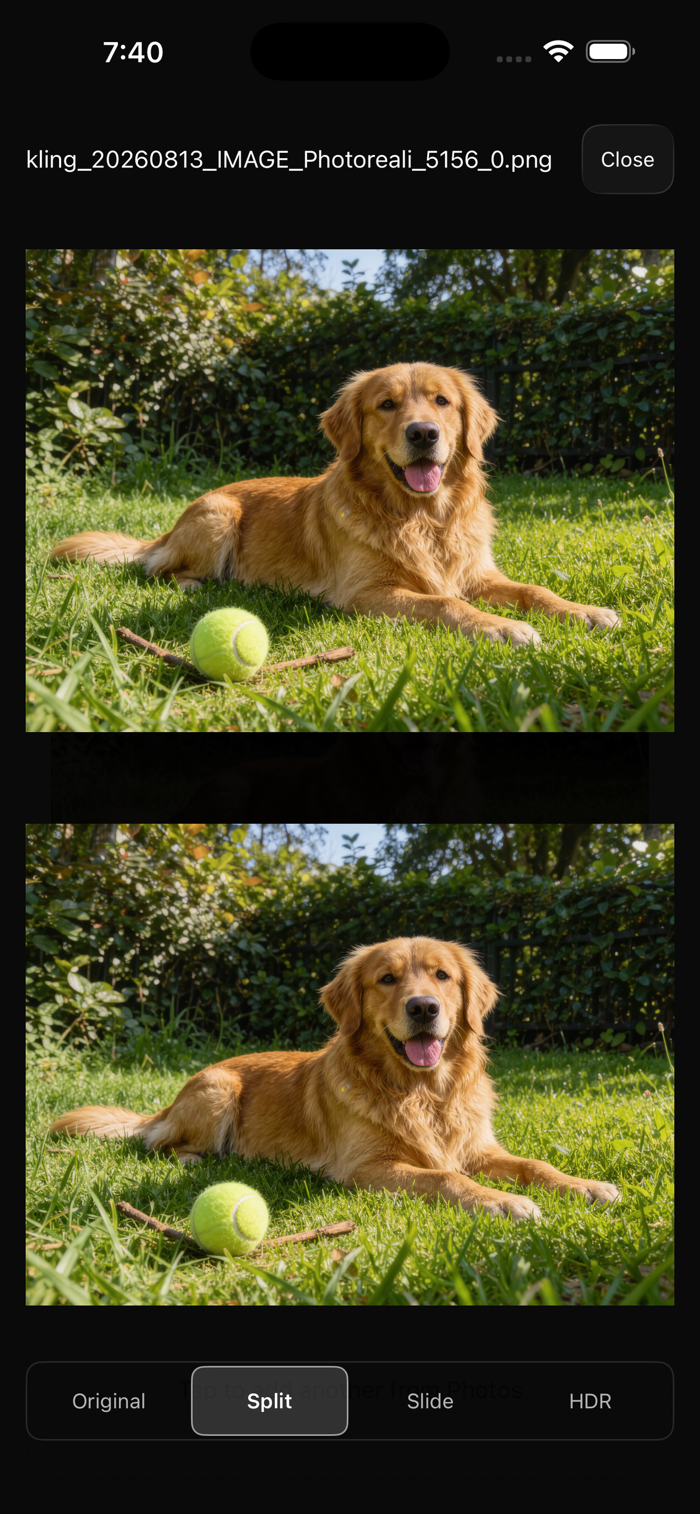
About the screenshots above
HDR is literally brightness, so what you see above depends on the screen you are reading this on. The test that settles it takes a minute and costs nothing: convert one of your own photos — the free tier needs no account — and open the result in Photos on an HDR display. The highlights go past white; the rest of the picture does not move.
WHAT YOU GET
• One-click auto HDR — drop a file, get real HDR in seconds
• See the difference — slide, split or full-screen comparison against the original
• Manual control — fine-tune the HDR strength to taste
• True HDR video — hardware-encoded with Apple VideoToolbox
• Full 4K and beyond — no resolution cap, no thermal throttling
• PQ or HLG — pick the HDR transfer your delivery needs
• Batch processing — convert a whole shoot at once
• Standard files — normal JPEG and MP4 that work everywhere
WORKS EVERYWHERE, FALLS BACK GRACEFULLY
An Ultra HDR photo is still a normal photo. On an HDR screen the highlights punch; on any other screen it displays as a regular image. Nothing breaks, nothing looks strange. The same is true of the video: real HDR where it's supported, normal video everywhere else.
FREE TO USE
Convert as much as you want, free, forever. Every export carries a small watermark. Go Pro to remove it.
ONE PAYMENT. YOURS FOREVER.
MakeHDR Pro is a single purchase. Nothing renews, and there is nothing to cancel.
• Unlimited exports with no watermark
• iPhone, iPad and Mac — one purchase covers all of them
• Every future update
• The web converter at makehdr.com is included
Your MakeHDR account works across the app and the web converter — sign in once, use it anywhere.
Support: support@makehdr.com
Privacy Policy: https://makehdr.com/privacy
Terms: https://makehdr.com/terms


 +100宝石


 分享
分享











用户评价
立即分享产品体验
你的真实体验,为其他用户提供宝贵参考
💎 分享获得宝石
【分享体验 · 获得宝石 · 增加抽奖机会】
将你的产品体验分享给更多人,获得更多宝石奖励!
💎 宝石奖励
每当有用户点击你分享的体验链接并点赞"对我有用",你将获得:
🔗 如何分享
复制下方专属链接,分享到社交媒体、群聊或好友:
💡 小贴士
分享时可以添加你的个人推荐语,让更多人了解这款产品的优点!
示例分享文案:
"推荐一款我最近体验过的应用,界面设计很精美,功能也很实用。有兴趣的朋友可以看看我的详细体验评价~"
关注 Mergeek 公众号
领奖遇到问题?联系小门助手