


 +100宝石






产品功能
Transform your iPhone or iPad into a fully featured Mac trackpad with gestures support.
This app was written by a single person and was featured by 9to5Mac, Redmond Pie, AppAdvice, MacMagazine and more.
REVIEWS
“I’ve tried many similar apps before, but none of them worked as well as El Trackpad. Besides not having any notable lag, the app lets the user perform the same gestures as you can do on Apple’s Magic Trackpad.”
— 9to5Mac
“What makes El Trackpad so impressive here is the fact that it appears to be lag-free and works identically to an actual Apple Magic Trackpad, which is super awesome.”
— Redmond Pie
“If you’ve ever used a Magic Trackpad or the built-in version on any MacBook model, you’ll be right at home with the app.”
— AppAdvice
“This app transforms the iPhone/iPad into a complete trackpad for Macs, with multi-touch support and everything.”
— MacMagazine
DESCRIPTION
Move the mouse cursor with the slide of a finger and smoothly navigate through your content with inertial scrolling. Pinch to zoom, rotate with your fingers and much more. Control your Mac in real-time with no lag.
El Trackpad works like magic and has the features and touch gestures that you expect from a touchpad for a Mac computer.
GET STARTED
- Download and Install El trackpad on your iOS/iPadOS device and on your Mac.
- Enable accessibility features on the Mac app when prompted. This is required to control the mouse cursor.
- Connect the devices via USB cable.
SUPPORTED GESTURES
- Tap to click: Tap with one finger to click
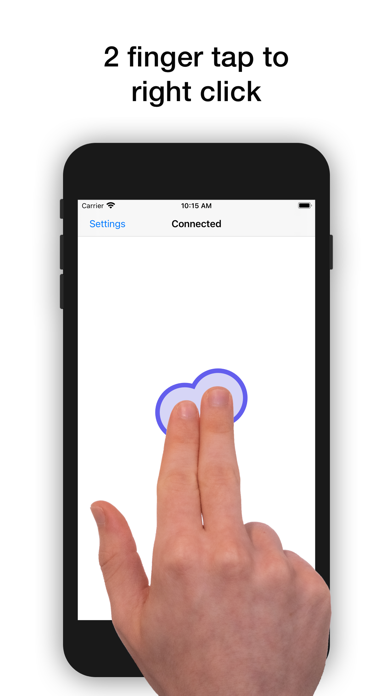
- Secondary click: Tap with two fingers to right click
- Smart zoom: Double-tap with two fingers to zoom in and out
- Scroll: Slide two fingers to scroll
- Zoom: Pinch with two fingers to zoom
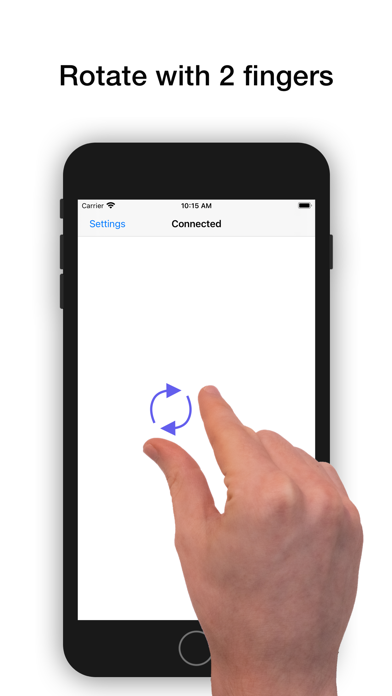
- Rotate: Move two fingers around each other to rotate
- Three-finger drag: Use three fingers to drag items on the screen
- Look up: Tap with three fingers to look up a word
- Show desktop: Spread your thumb and four fingers to show the desktop
- Launchpad: Pinch with your whole hand to show Launchpad
- Mission Control: Swipe up with four fingers to open mission control
- App Exposé: Swipe down with four fingers to open App Exposé
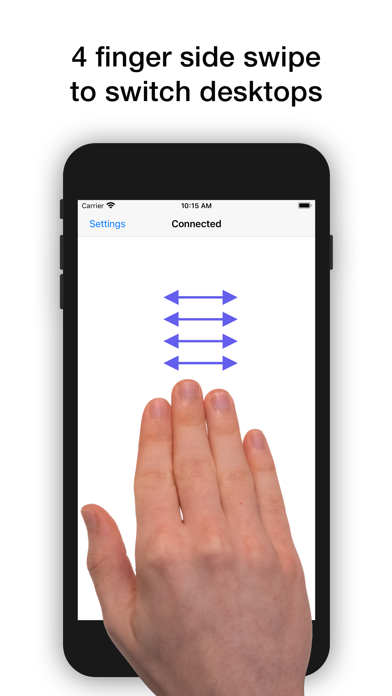
- Swipe between desktops: Swipe left or right with four fingers to move between full-screen apps or desktops
ADDITIONAL INFO
El Trackpad can be downloaded for free and offers a 7-day free trial with full functionality. After that, gestures with 2 fingers or more will no longer be recognized. At any time, you may unlock the app forever with a one-time in-app purchase.
分享「」体验,参与「」抽奖!
分享 1~3 张你对这个产品最满意的截图或效果图
分享「」体验,参与「」抽奖!
用你的故事点亮社区✨!你的真实体验,将会永久展示在 官方主页 📌,为其他朋友提供宝贵参考 💡。立即分享吧!🚀
请为产品评分
请选择问题回答,为大家提供宝贵参考
选择要回答的问题
温馨提示
你尚未上传产品截图。
上传截图可立即获得宝石积分奖励!
如果你赶时间,也可稍后修改评论,补上截图领取宝石。
温馨提醒
你尚未添加产品截图
⚠️ 不添加截图将降低抽奖权重

感谢参加,你已成功参加!
为了确保你能及时收到审核结果和领奖码通知

扫描二维码关注 Mergeek 公众号
在后台回复 「获奖通知」
完成上述操作,即可保障奖励发放成功









用户评价
立即分享产品体验
你的真实体验,为其他用户提供宝贵参考
💎 分享获得宝石
【分享体验 · 获得宝石 · 增加抽奖机会】
将你的产品体验分享给更多人,获得更多宝石奖励!
💎 宝石奖励
每当有用户点击你分享的体验链接并点赞"对我有用",你将获得:
🔗 如何分享
复制下方专属链接,分享到社交媒体、群聊或好友:
💡 小贴士
分享时可以添加你的个人推荐语,让更多人了解这款产品的优点!
示例分享文案:
"推荐一款我最近体验过的应用,界面设计很精美,功能也很实用。有兴趣的朋友可以看看我的详细体验评价~"
关注 Mergeek 公众号
领奖遇到问题?联系小门助手