


 +100宝石



产品功能
Large files taking up space or making sharing difficult? File Compressor: Smart Batch helps you reduce file size for photos, videos, audio and documents in one batch.
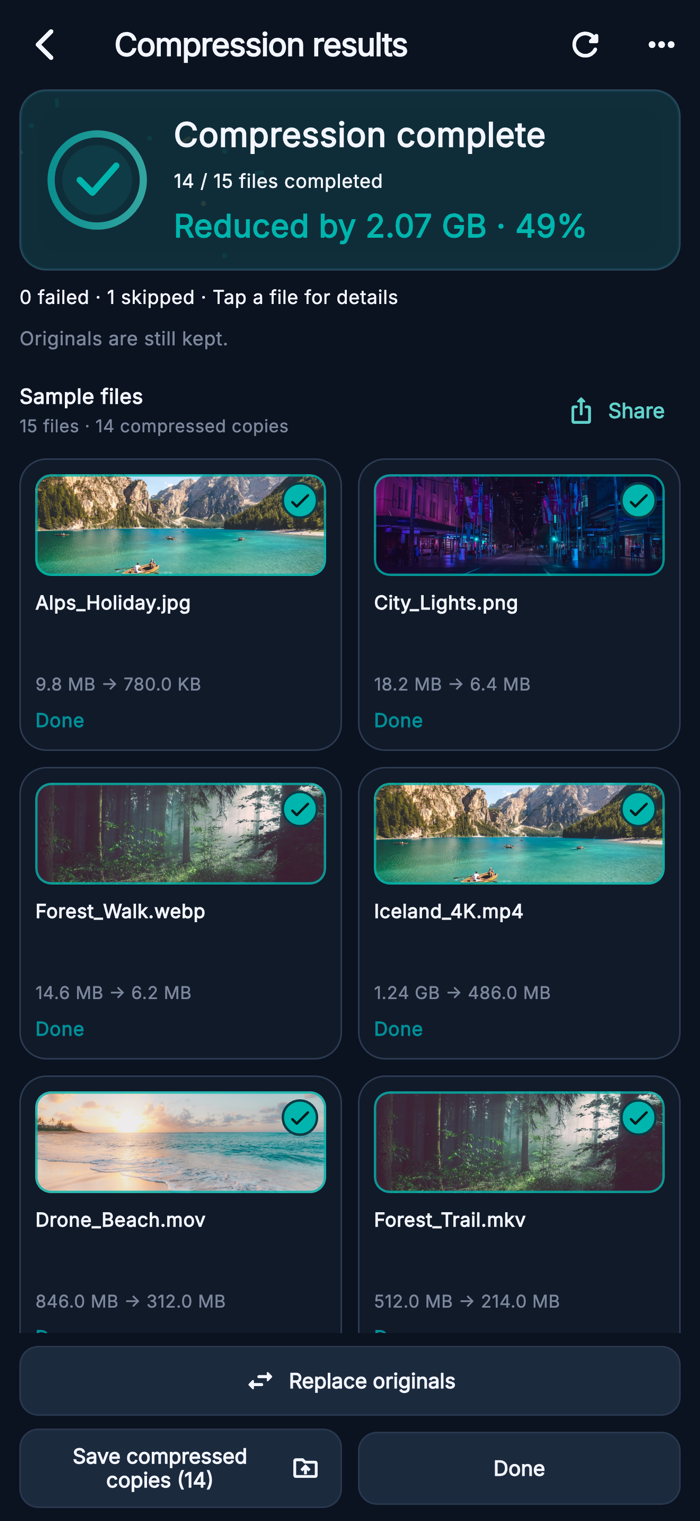
Select your files, choose a compression level and review the results. See the original size, compressed size and percentage reduced, then save or share the files you need.
• Compress multiple files
Select several files from a thumbnail grid and process them together. Filter by file type, search by name, and sort by largest, newest or name to find where to start.
• Photo and video compression
Make supported photos and videos smaller with quality and size controls. Choose a preset or adjust the available image quality, video resolution and codec settings for your device.
• PDF compression with optional OCR
Create a smaller PDF by converting its pages to compressed images and rebuilding the document. Enable OCR to add recognized text for search and copying. This mode keeps the original file; interactive forms, links and digital signatures are not preserved. Results depend on the document and selected quality.
• Audio and documents
Compress supported audio to M4A/AAC. Use lossless GZIP compression for documents and other readable files, including text, spreadsheets, logs and backups. GZIP creates individual .gz files that need to be extracted before opening.
• Understand your storage
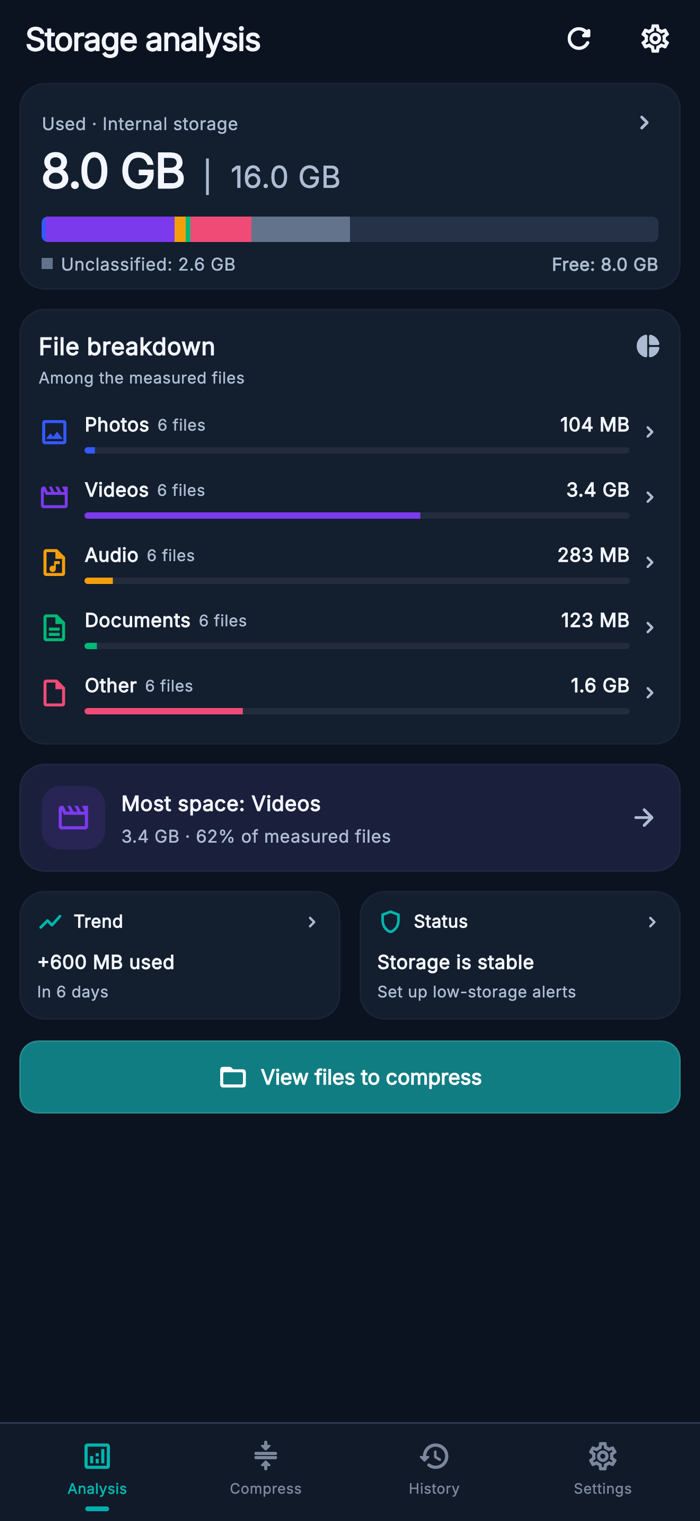
See total, used and available device storage, with a color breakdown of accessible file types. Find large files and enable low-storage reminders to help you decide what to review next.
• Review, keep and share
Keep compressed copies separately, or choose to replace eligible originals after confirmation. View results in a history organized by batch, rename groups, reopen files and share one file or several together.
• Process files on your device
Compression and OCR process file contents on your device. A dark interface, compact grids and layouts that adapt to phones and tablets keep your files easy to browse.
Compression results vary by file, settings and device support. The app keeps a compressed output only when it is smaller than the source. Creating a compressed copy alone does not free device storage while the original remains.
Choose your files. Compare the results. Share smaller copies.
Terms of Use: https://www.apple.com/legal/internet-services/itunes/dev/stdeula/
https://sites.google.com/view/batchcompres-policy/trang-ch%E1%BB%A7
分享「」体验,参与「」抽奖!
分享 1~3 张你对这个产品最满意的截图或效果图
分享「」体验,参与「」抽奖!
用你的故事点亮社区✨!你的真实体验,将会永久展示在 官方主页 📌,为其他朋友提供宝贵参考 💡。立即分享吧!🚀
请为产品评分
请选择问题回答,为大家提供宝贵参考
选择要回答的问题
温馨提示
你尚未上传产品截图。
上传截图可立即获得宝石积分奖励!
如果你赶时间,也可稍后修改评论,补上截图领取宝石。
温馨提醒
你尚未添加产品截图
⚠️ 不添加截图将降低抽奖权重

感谢参加,你已成功参加!
为了确保你能及时收到审核结果和领奖码通知

扫描二维码关注 Mergeek 公众号
在后台回复 「获奖通知」
完成上述操作,即可保障奖励发放成功





用户评价
立即分享产品体验
你的真实体验,为其他用户提供宝贵参考
💎 分享获得宝石
【分享体验 · 获得宝石 · 增加抽奖机会】
将你的产品体验分享给更多人,获得更多宝石奖励!
💎 宝石奖励
每当有用户点击你分享的体验链接并点赞"对我有用",你将获得:
🔗 如何分享
复制下方专属链接,分享到社交媒体、群聊或好友:
💡 小贴士
分享时可以添加你的个人推荐语,让更多人了解这款产品的优点!
示例分享文案:
"推荐一款我最近体验过的应用,界面设计很精美,功能也很实用。有兴趣的朋友可以看看我的详细体验评价~"
关注 Mergeek 公众号
领奖遇到问题?联系小门助手