Less is more, when it’s done right. NeatNotes gives you only what you need to organize and take notes quickly.
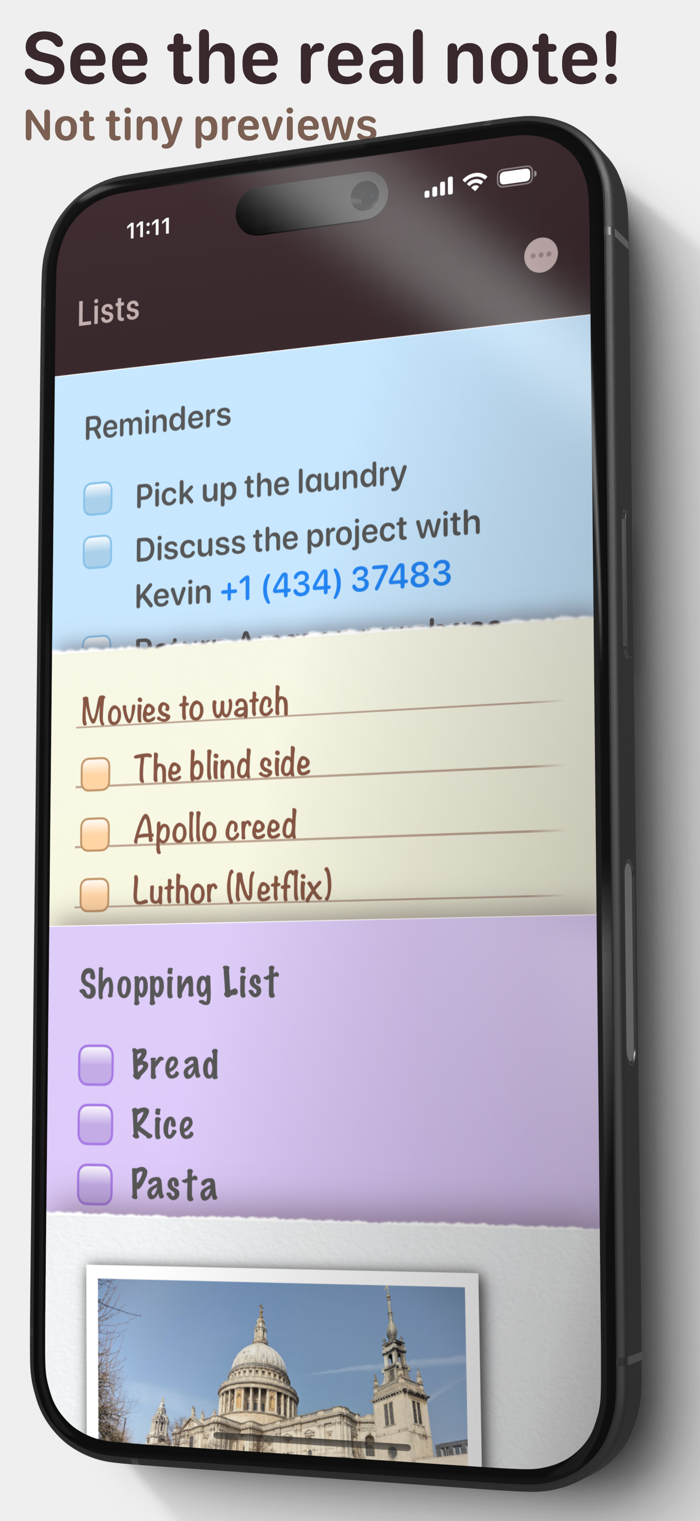
While other apps show you a really tiny preview, with NeatNotes you can see the real note before you open it. This makes the app more fun and easier to find your notes.
Make your notes personal with three different note styles. * A plain note, with extensive formatting options. * A sticky note, with large fonts, colors and checklists. * A lined note for that nostalgic yellow pad.
Notes with Calculations You can type a simple math expression in your notes and the answer will be suggested under it. Write out a list of numbers and the total is suggested above the keyboard. NeatNotes also lets you do spreadsheet like calculations. You can reuse a number by dragging and dropping it. This creates a reference to that number. Use it in a math expression. When you update the original all the references and related calculations update automatically.
Widgets that make sense. You can see your notes on your Home Screen with widgets. You can navigate your note by paragraph, check off checklist items, open links and even see photos in your notes.
Create Multiple Reminders. Make any paragraph a reminder.
Just tap the bell icon on the keyboard and you can set the date and time of the reminder. It will ring and notify you on the lock screen. When you tap the reminder, it will open the note and take you to the paragraph where you set it.
Smart Stacks. All notes apps let you search your notes, but Smart Stacks takes it to the next level.
Smart Stacks automatically groups notes that share a trait, into one stack — like notes with contact info, or notes with checklists. You can also enter any word, and it’ll create a stack, with all the notes that contains the word.
Photos and Readable links.
You can add photos to your notes from your phone camera or photo library. You can even copy and paste them from another app like Safari.
When you copy and paste a link, it automatically gets a readable title. So instead of seeing a complicated URL you see the title. This makes it easier for you to understand what the link is about rather than having to visit the link every time.
No account needed. Use iCloud to Store and Sync. You don’t need to create another account. Just download the app and start using it. All your notes are automatically stored in iCloud and synced to other devices in your account.
Privacy
Your notes are extremely personal and we can't see them. In fact we don't even store them. Apple does in iCloud.
We recommend that you turn on "Advanced Data Protection" in your iCloud settings, if you wish to prevent even Apple from having access to your notes.


 +100宝石

 分享
分享









用户评价
立即分享产品体验
你的真实体验,为其他用户提供宝贵参考
💎 分享获得宝石
【分享体验 · 获得宝石 · 增加抽奖机会】
将你的产品体验分享给更多人,获得更多宝石奖励!
💎 宝石奖励
每当有用户点击你分享的体验链接并点赞"对我有用",你将获得:
🔗 如何分享
复制下方专属链接,分享到社交媒体、群聊或好友:
💡 小贴士
分享时可以添加你的个人推荐语,让更多人了解这款产品的优点!
示例分享文案:
"推荐一款我最近体验过的应用,界面设计很精美,功能也很实用。有兴趣的朋友可以看看我的详细体验评价~"
关注 Mergeek 公众号
领奖遇到问题?联系小门助手