


 +100宝石




产品功能
Silicon Scope is a system monitor for iPhone and iPad that shows what your hardware is actually doing, in real time, and measures it when you want a number instead of a graph.
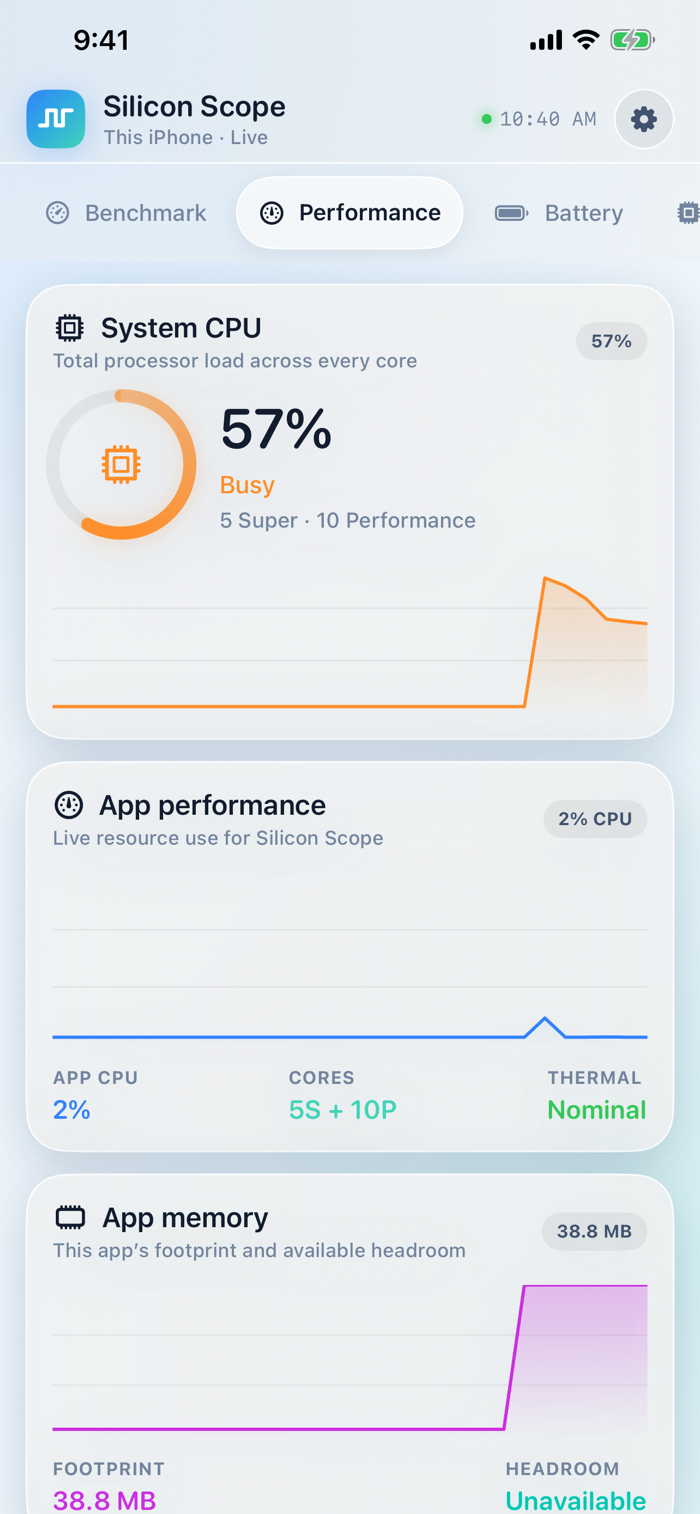
See total processor load and a live graph for every logical core, split by performance and efficiency cluster so you can tell which kind of core is doing the work. Watch memory, storage, battery, and network activity update as they happen.
LIVE MONITORING
- System-wide CPU load with a graph per logical core
- Performance and efficiency core clusters identified separately
- Network throughput, local IP and IPv6 address, and interface details
- Storage capacity and available space
- Battery charge, state, Low Power Mode, and thermal state
- Metal graphics device capabilities and this app's allocation
- Live thread list for the app itself, with names and CPU share
BENCHMARK
- Integer throughput and single-core floating point
- Multi-core scaling across every core
- Memory bandwidth
- Metal compute throughput on the GPU
A run takes a few seconds and reports raw units, GFLOPS, GB/s, and operations per second, alongside an index score.
TRACK RESULTS OVER TIME
Every run is kept on device, up to the most recent 100. A chart plots any single category across your runs, so you can see whether this device is holding its performance or losing it. The run log lists each result with the change from the run before it.
The thermal state and Low Power Mode at the time of each run are recorded with the result and shown in the log, because both change what the numbers mean. Throttled runs are marked in the chart so a hot-device result is never mistaken for a fair comparison.
Scores are anchored to fixed constants, which makes repeat runs on one device comparable. They are not calibrated against other devices and do not correspond to any third-party benchmark.
BUILT FOR BOTH
One app for iPhone and iPad. On iPad the tile grid widens and the layout keeps a readable column instead of stretching across the display. Every size of text is supported: the entire interface scales with your Dynamic Type setting, and dense rows reflow rather than truncate at accessibility sizes.
Six appearances are included: Light, Ocean, Violet, Mint, Sunset, and Graphite. Refresh interval, chart history, units, and layout density are all adjustable.
PRIVACY
Silicon Scope makes no network requests. Nothing is uploaded, no account is required, and there is no analytics, tracking, or advertising of any kind. Every reading stays on your device.
A NOTE ON WHAT iOS ALLOWS
iOS does not give apps access to other apps' processes, so the thread list covers Silicon Scope itself rather than the whole system. iOS also keeps GPU utilization and battery capacity and cycle count private, so the Graphics section reports Metal device capabilities and this app's allocation, and the Battery section reports charge, state, and thermal condition. Everything shown is measured on device, and anything iOS does not report is labeled rather than estimated.
分享「」体验,参与「」抽奖!
分享 1~3 张你对这个产品最满意的截图或效果图
分享「」体验,参与「」抽奖!
用你的故事点亮社区✨!你的真实体验,将会永久展示在 官方主页 📌,为其他朋友提供宝贵参考 💡。立即分享吧!🚀
请为产品评分
请选择问题回答,为大家提供宝贵参考
选择要回答的问题
温馨提示
你尚未上传产品截图。
上传截图可立即获得宝石积分奖励!
如果你赶时间,也可稍后修改评论,补上截图领取宝石。
温馨提醒
你尚未添加产品截图
⚠️ 不添加截图将降低抽奖权重

感谢参加,你已成功参加!
为了确保你能及时收到审核结果和领奖码通知

扫描二维码关注 Mergeek 公众号
在后台回复 「获奖通知」
完成上述操作,即可保障奖励发放成功






用户评价
立即分享产品体验
你的真实体验,为其他用户提供宝贵参考
💎 分享获得宝石
【分享体验 · 获得宝石 · 增加抽奖机会】
将你的产品体验分享给更多人,获得更多宝石奖励!
💎 宝石奖励
每当有用户点击你分享的体验链接并点赞"对我有用",你将获得:
🔗 如何分享
复制下方专属链接,分享到社交媒体、群聊或好友:
💡 小贴士
分享时可以添加你的个人推荐语,让更多人了解这款产品的优点!
示例分享文案:
"推荐一款我最近体验过的应用,界面设计很精美,功能也很实用。有兴趣的朋友可以看看我的详细体验评价~"
关注 Mergeek 公众号
领奖遇到问题?联系小门助手