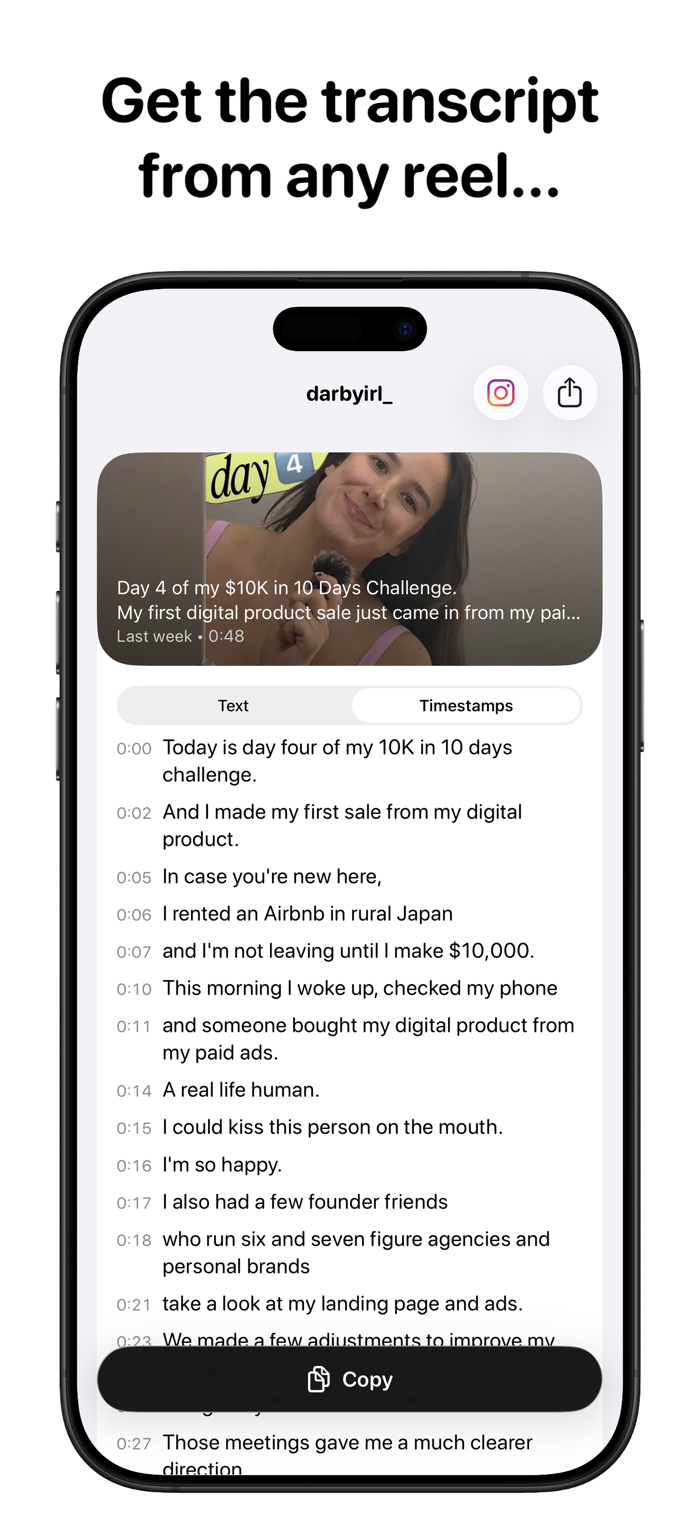
Comment @transcriptfromreel on any Instagram Reel and get the full transcript in seconds. Or paste a reel link directly inside the app.
Whether you want to save what someone said or just read instead of listen. Two ways to bring a reel in, then the transcript is waiting for you.
How It Works
Tag a reel
1. Comment @transcriptfromreel on any reel.
2. Open the app. Your transcript is ready.
3. Copy it, share it, or read it with timestamps.
Paste a link
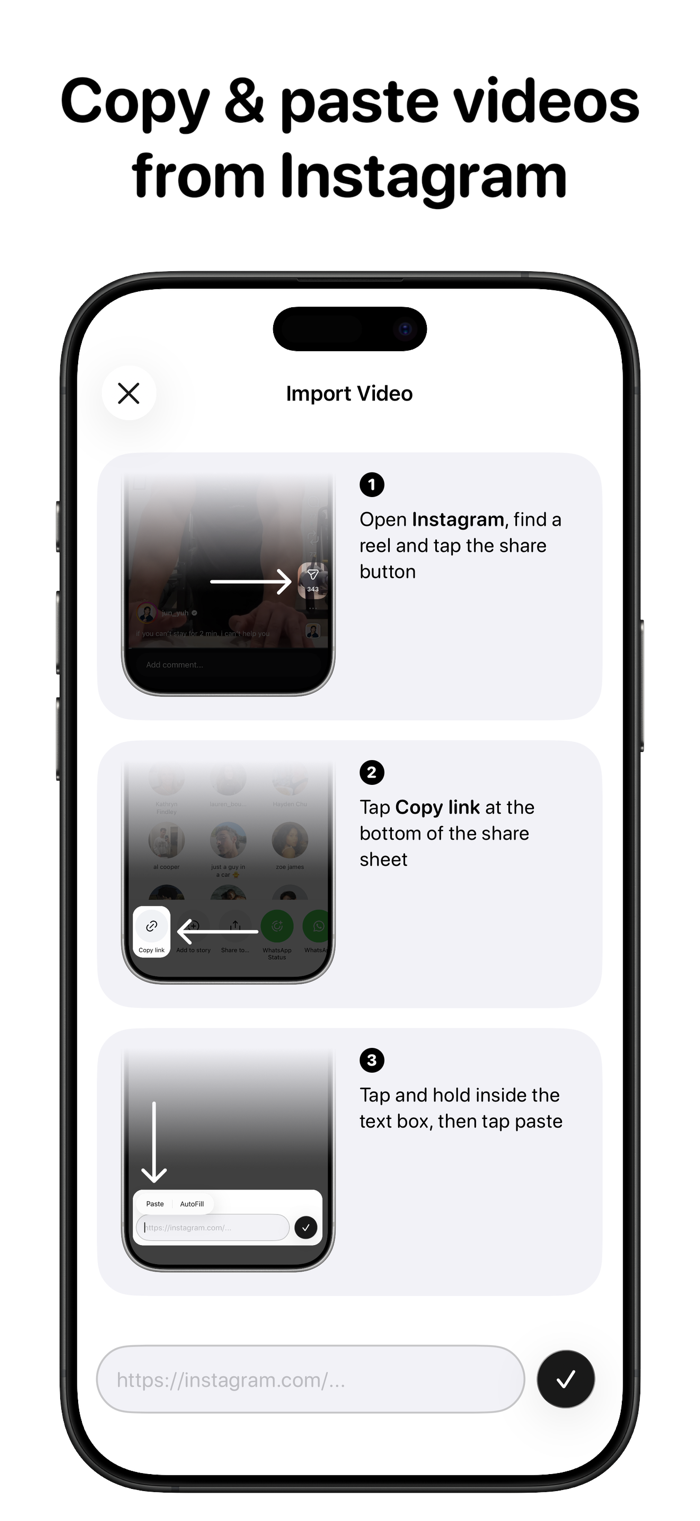
1. Copy a reel link from Instagram's share sheet.
2. Open the app and tap Import Video.
3. Paste. Your transcript is ready.
Features
- Accurate speech-to-text in seconds.
- Two ways to import a reel. Tag it on Instagram or paste a link in the app.
- Plain text or timestamped view. Toggle between clean text and segment-by-segment timestamps.
- One-tap copy. Paste your transcript anywhere.
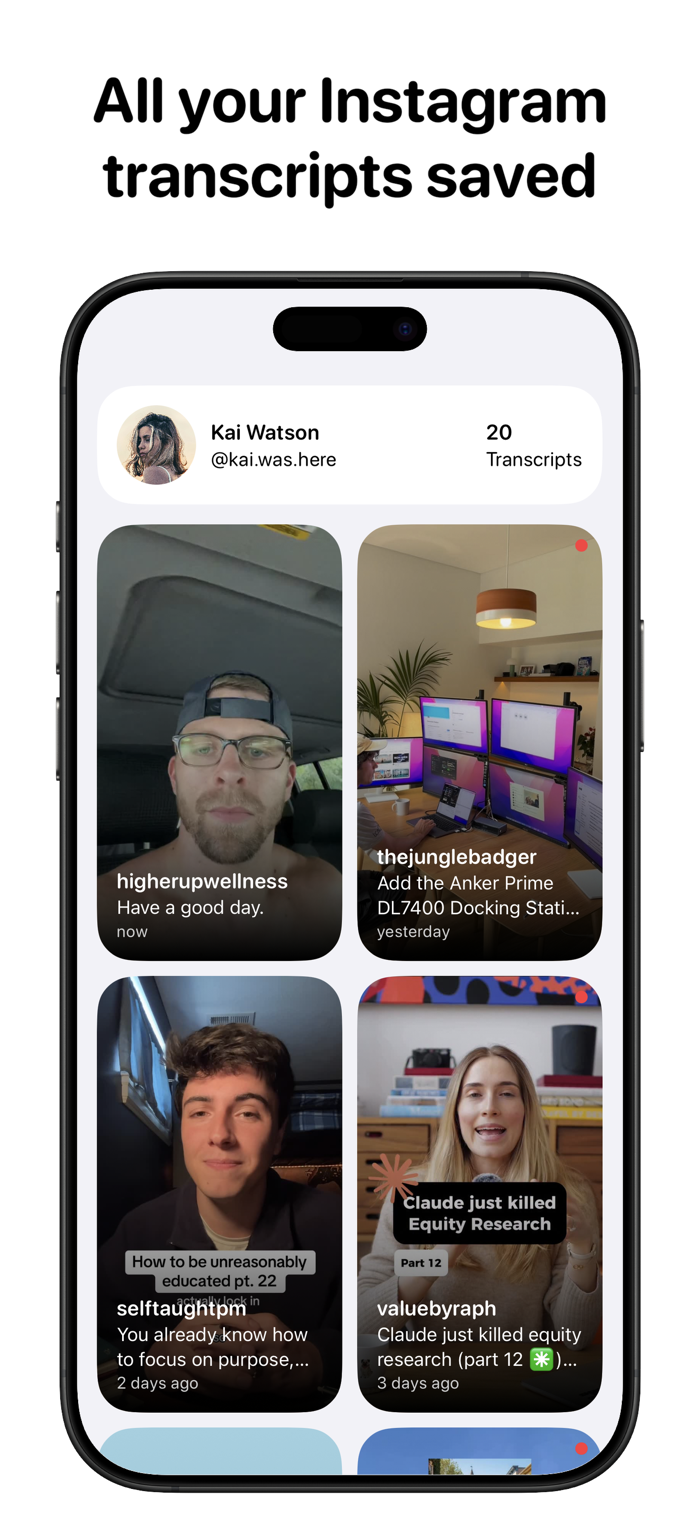
- All your transcripts in one place. Browse every reel you've tagged or imported with thumbnails and captions.
Your Library
Every reel you tag or import stays in the app. Open it anytime to read the transcript, copy a quote or share the text. No re-watching to find what was said.
Privacy policy: https://transcriptfromreel.com/privacy
Terms of use: https://transcriptfromreel.com/terms
Subscription terms of use: https://www.apple.com/legal/internet-services/itunes/dev/stdeula/


 +100宝石


 分享
分享

















用户评价
立即分享产品体验
你的真实体验,为其他用户提供宝贵参考
💎 分享获得宝石
【分享体验 · 获得宝石 · 增加抽奖机会】
将你的产品体验分享给更多人,获得更多宝石奖励!
💎 宝石奖励
每当有用户点击你分享的体验链接并点赞"对我有用",你将获得:
🔗 如何分享
复制下方专属链接,分享到社交媒体、群聊或好友:
💡 小贴士
分享时可以添加你的个人推荐语,让更多人了解这款产品的优点!
示例分享文案:
"推荐一款我最近体验过的应用,界面设计很精美,功能也很实用。有兴趣的朋友可以看看我的详细体验评价~"
关注 Mergeek 公众号
领奖遇到问题?联系小门助手