Elevate your writing in every app with KAI - the ultimate AI-powered smart keyboard extension that serves as your personal professional editor, translator, and brainstorm partner.
KAI AI Keyboard is free to download. Access to advanced AI writing and translation features requires an active KAI Pro subscription (available via monthly or yearly auto-renewing in-app purchases).
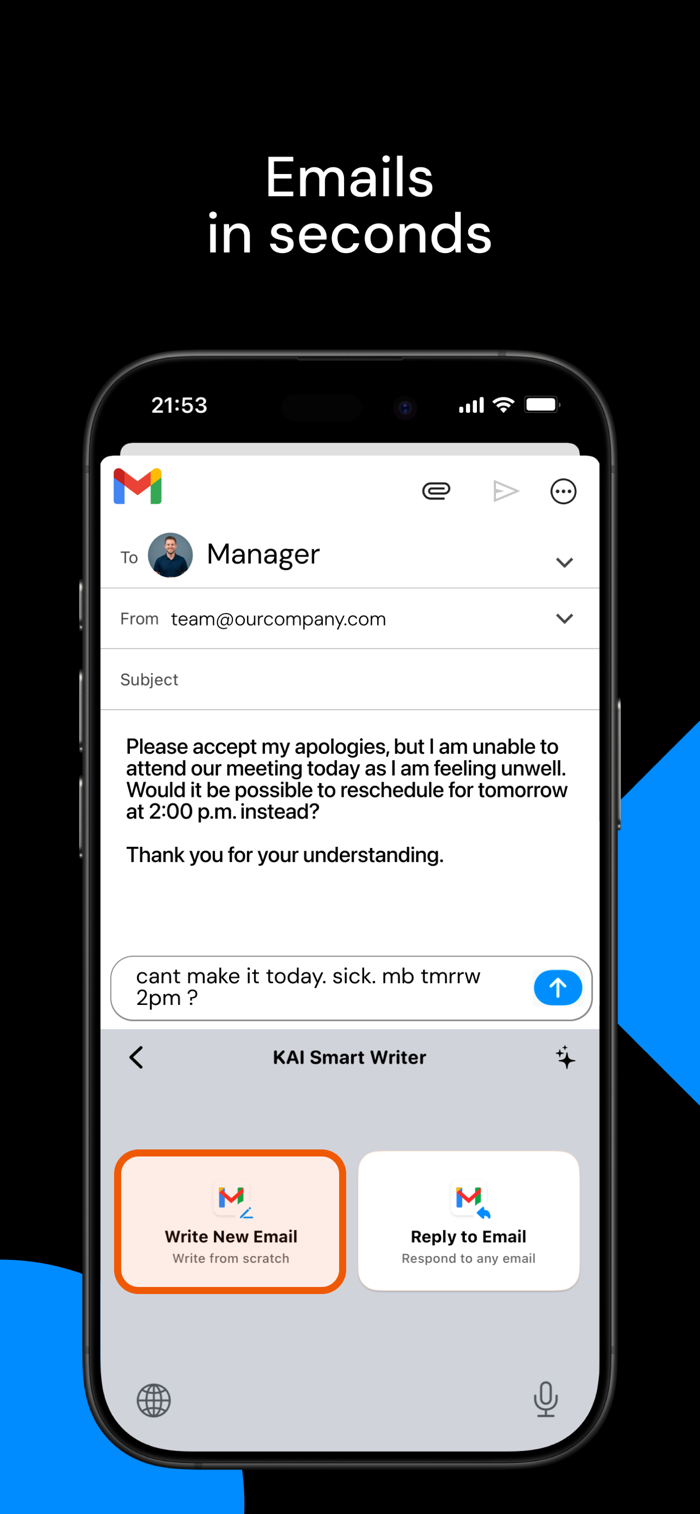
Tired of spelling mistakes, awkward phrasing, or getting stuck on what to write? KAI integrates advanced artificial intelligence directly into your iOS keyboard. Whether you are drafting a work email on Outlook, crafting a LinkedIn post, chatting on iMessage, or tweeting on X, KAI instantly refines your text with a single tap.
No switching apps, no copying and pasting. Just pure writing magic.
KEY AI SUPERPOWERS:
- Fix Grammar and Spelling: Instantly scan and correct typos, grammatical slips, and awkward syntax.
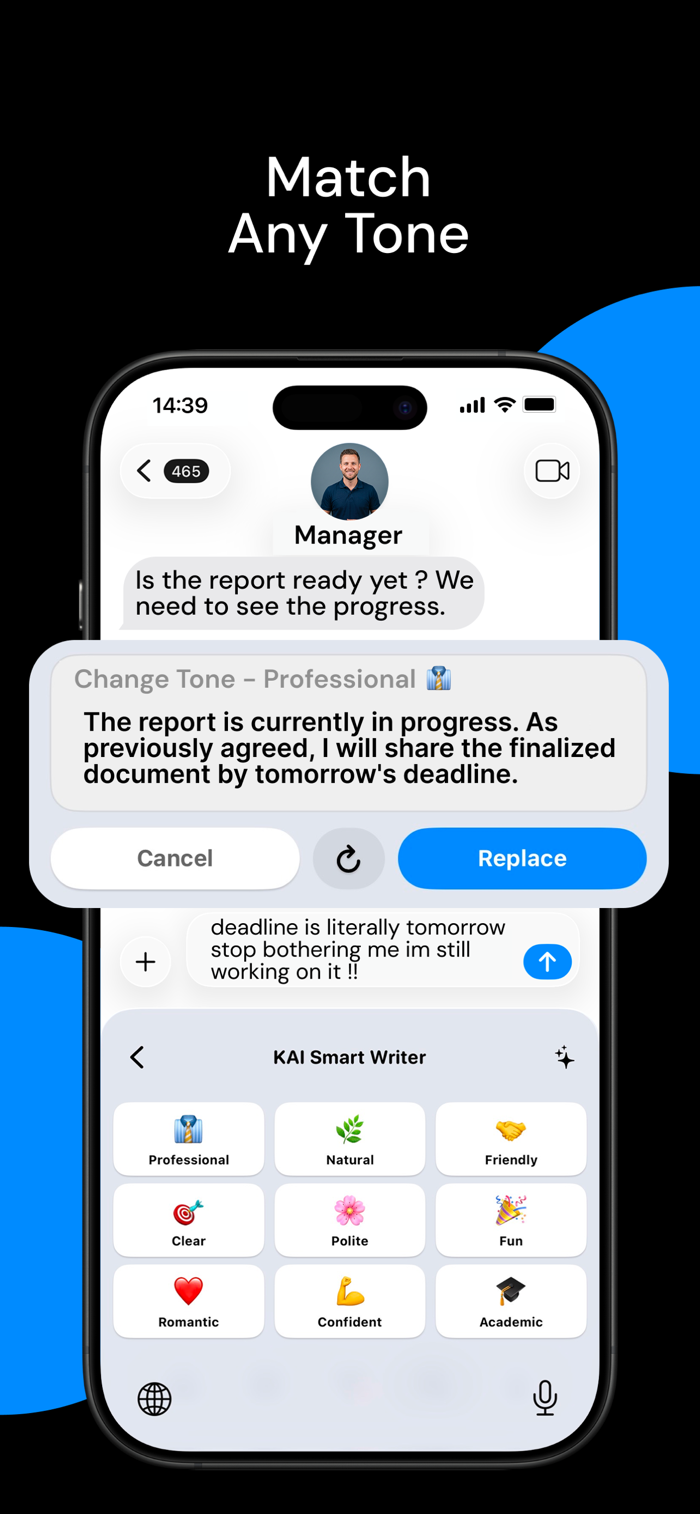
- Tone Adjuster: Match your mood and context. Shift your message's writing tone instantly between Professional, Natural, Casual, Polite, Clear, or Fun.
- Global Translator: Translate anything you type into over 30 languages (including English, Spanish, French, German, Turkish, Arabic, and more) natively as you type.
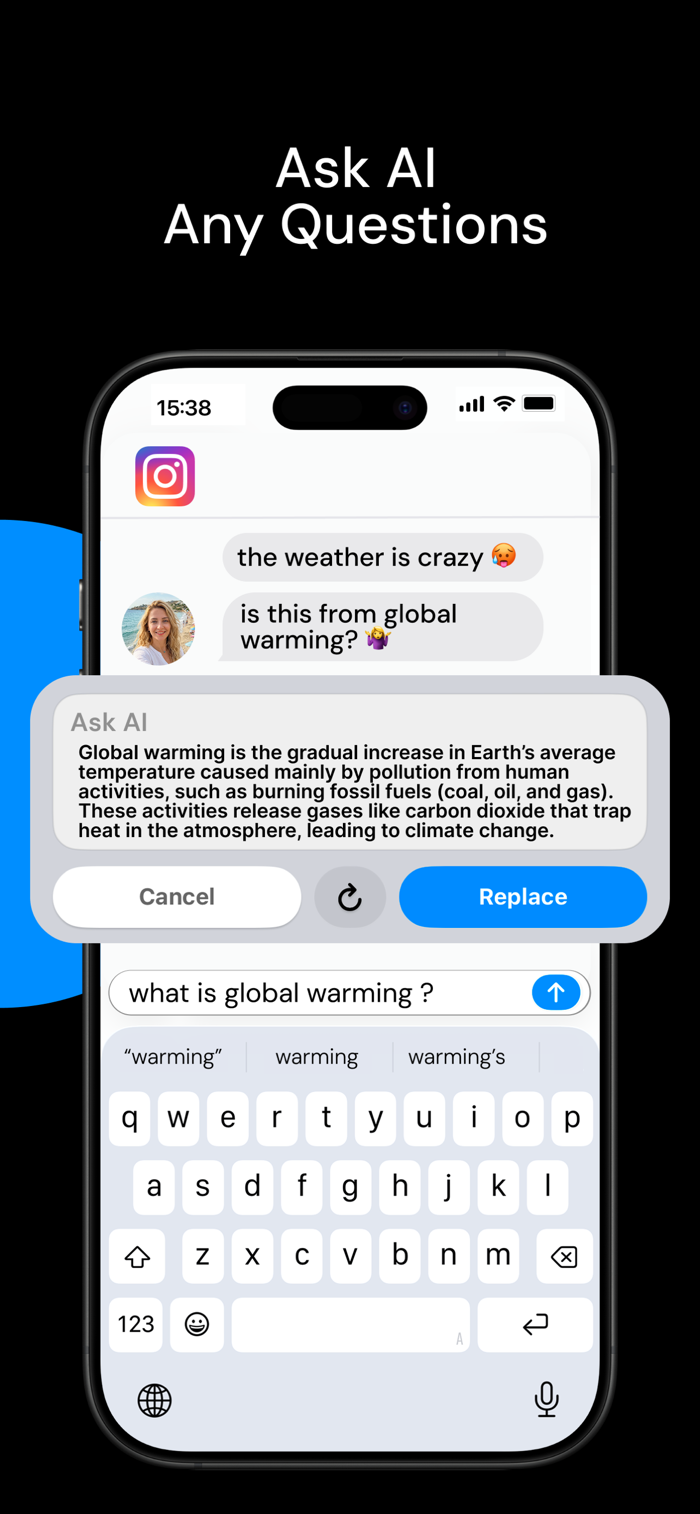
- Ask AI and Brainstorm: Stuck on an idea? Ask KAI a question or brainstorm topics directly from your keyboard.
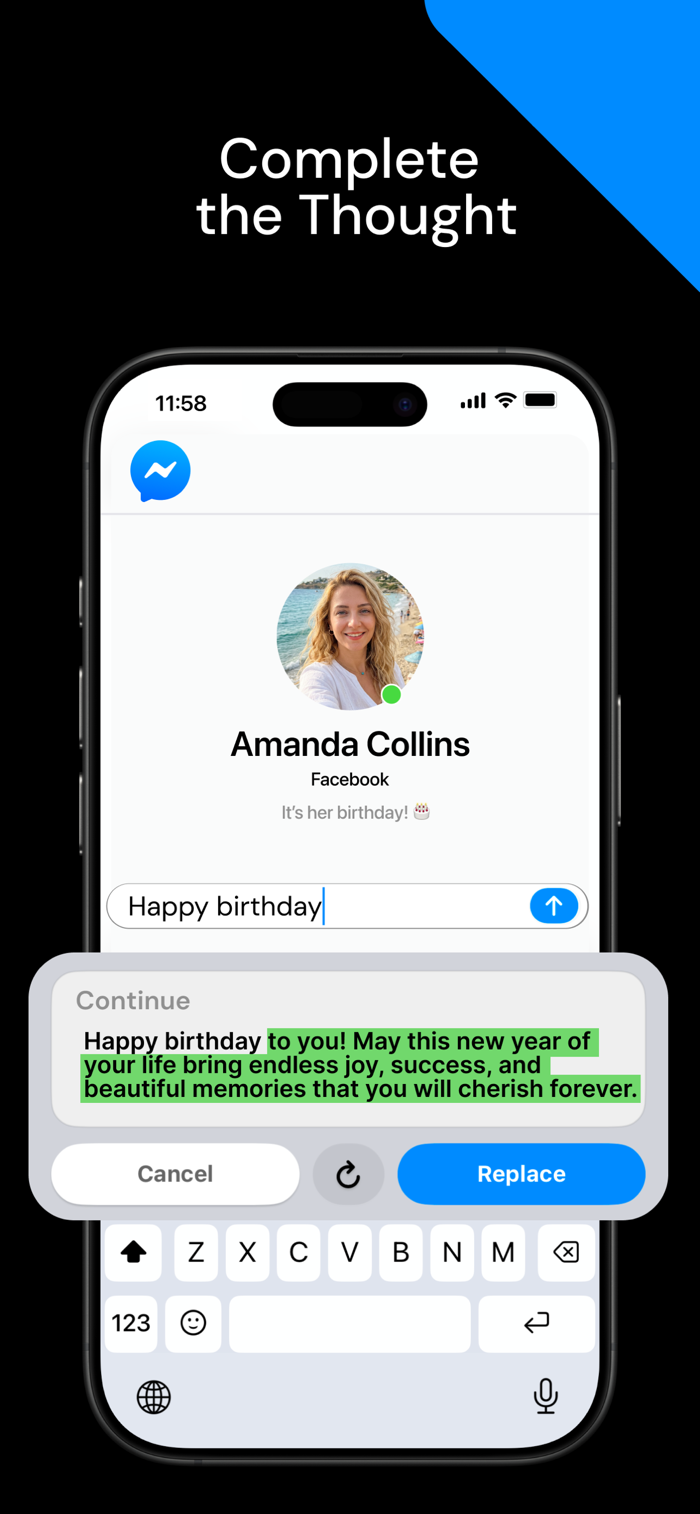
- Continue Writing: Start a sentence and let KAI's smart auto-complete expand or finish it for you.
- Text Shortener: Condense long paragraphs into clear messages without losing meaning.
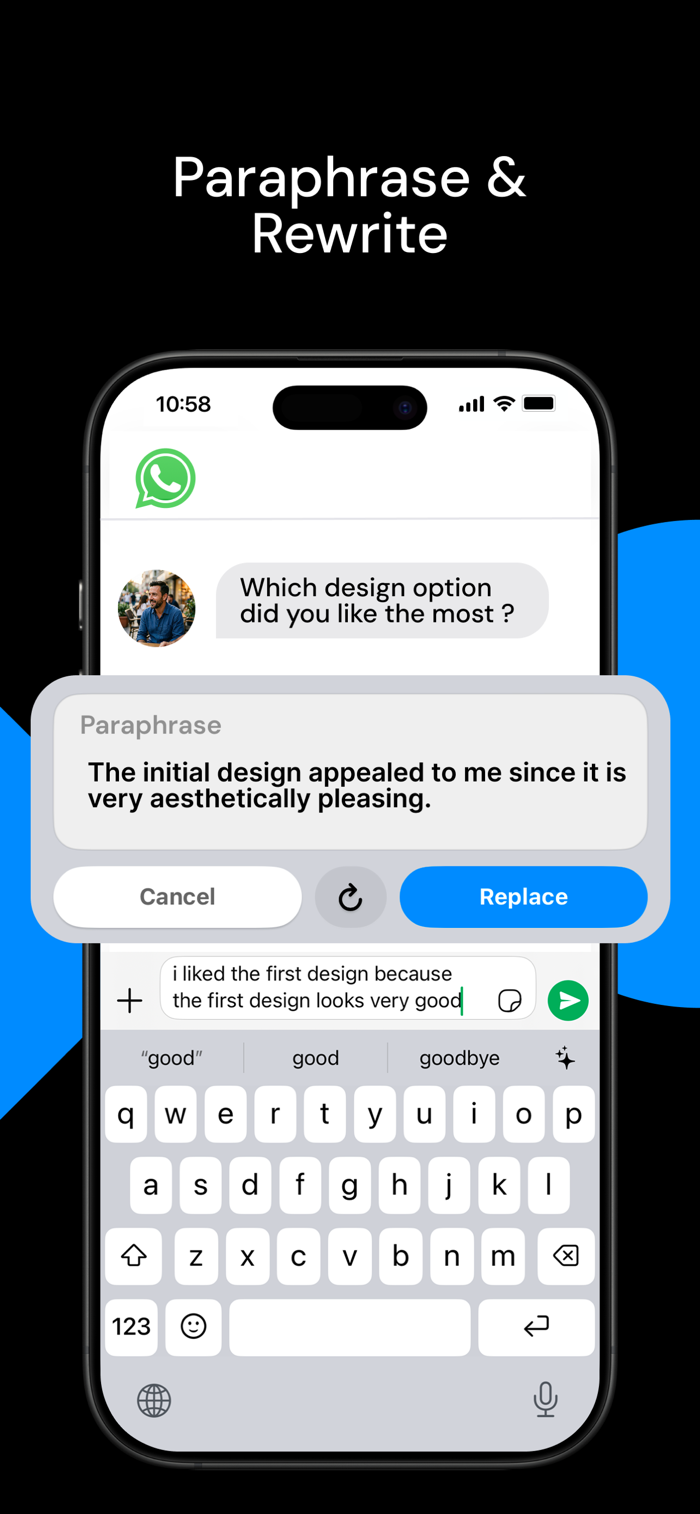
- Paraphrase and Rephrase: Rewrite thoughts using different words for ultimate flow.
PREMIUM CRAFTED THEMES
Make your keyboard match your aesthetic. Choose from beautifully designed premium visual themes including Ocean, Forest, Sunset, Sakura, and sleek System dark/light modes.
PRIVACY FIRST COMMITMENT
Your privacy is our highest priority. KAI is built with a secure, privacy-first architecture:
- We never log, save, or store your typed keystrokes.
- We cannot access sensitive input fields such as passwords or credit cards.
- Apple's "Allow Full Access" prompt is a standard procedure required for internet-enabled custom keyboard extensions to connect to AI servers. KAI only processes your text temporarily when you tap an AI feature.
EASY 1-MINUTE SETUP:
1. Go to Settings > General > Keyboard > Keyboards.
2. Tap "Add New Keyboard" and select KAI.
3. Tap KAI and switch on "Allow Full Access".
4. While typing, hold the Globe icon and select KAI!
Support & FAQs: https://kai-keyboard.netlify.app
Support Email: kaikeyboard@gmail.com
Terms of Use: https://kai-keyboard.netlify.app/terms
Privacy Policy: https://kai-keyboard.netlify.app/privacy


 +100宝石


 分享
分享














用户评价
立即分享产品体验
你的真实体验,为其他用户提供宝贵参考
💎 分享获得宝石
【分享体验 · 获得宝石 · 增加抽奖机会】
将你的产品体验分享给更多人,获得更多宝石奖励!
💎 宝石奖励
每当有用户点击你分享的体验链接并点赞"对我有用",你将获得:
🔗 如何分享
复制下方专属链接,分享到社交媒体、群聊或好友:
💡 小贴士
分享时可以添加你的个人推荐语,让更多人了解这款产品的优点!
示例分享文案:
"推荐一款我最近体验过的应用,界面设计很精美,功能也很实用。有兴趣的朋友可以看看我的详细体验评价~"
关注 Mergeek 公众号
领奖遇到问题?联系小门助手