Most time trackers are built for billing. Flows is built for understanding your day.
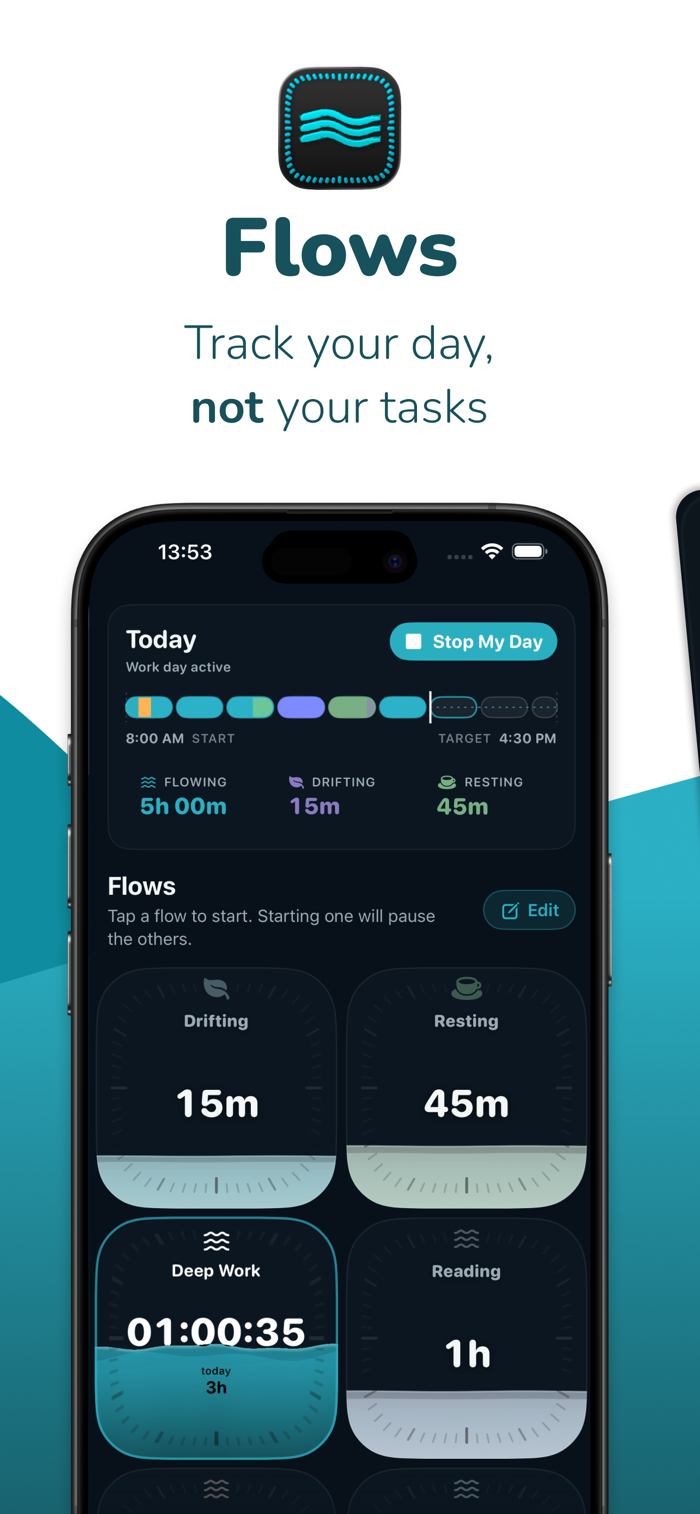
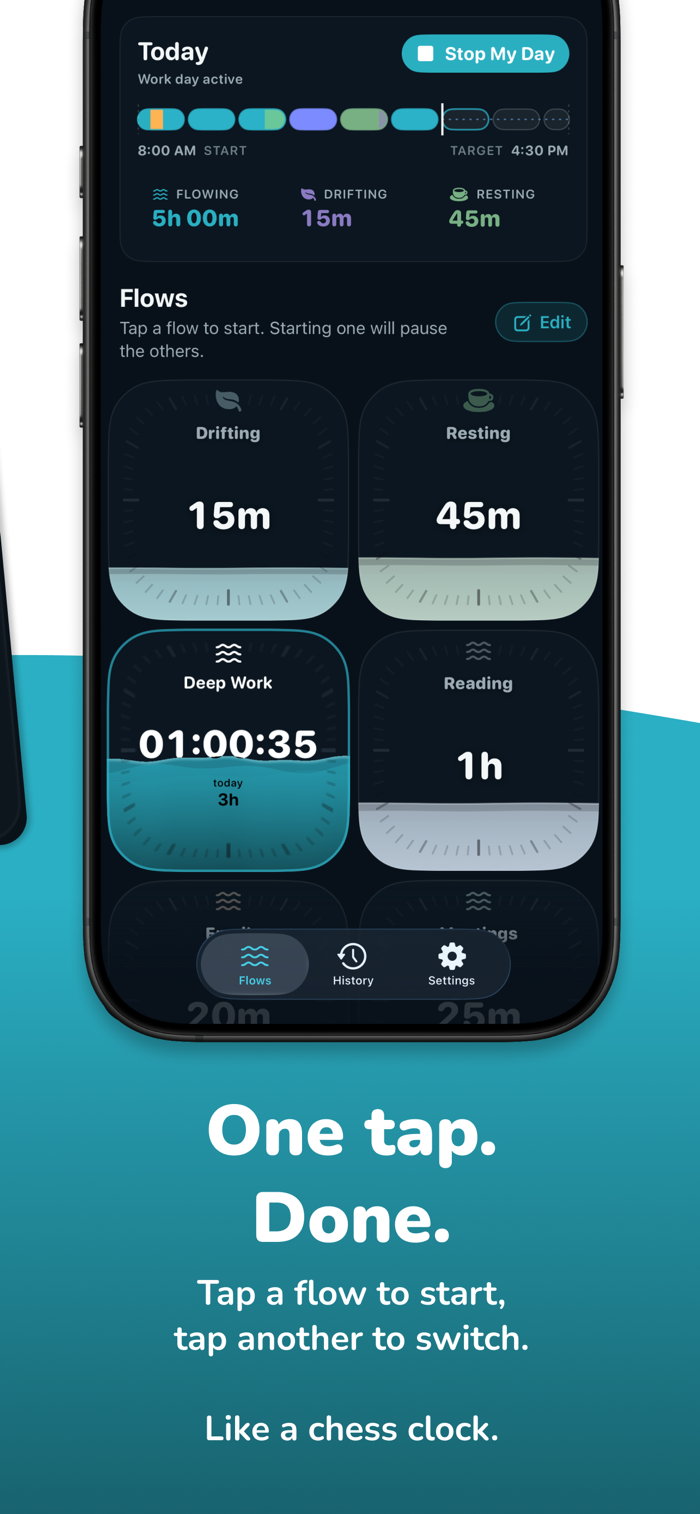
Tap a card to start tracking. Tap another to switch. That’s it.
No projects, no timers to manage, no descriptions to fill in.
Create your own flows: broad categories like Deep Work, Meetings, Admin, Resting, whatever matches how you actually spend your time. Flows records it and shows it back to you in a way that makes sense at a glance.
Because work isn’t just what was on screen. And your day is more than a timesheet.
DRIFTING
Not every minute gets deliberately assigned.
Step away. Forget to tap. Take a break. Lose half an hour.
Flows doesn’t treat that as a gap or a failure. It becomes Drifting, a built-in flow that quietly catches the time you didn’t claim.
Move it later if you want. Leave it if it belongs there.
Most trackers punish missing time. Flows treats it as part of the day.
SEE YOUR WHOLE DAY AT ONCE
The day-bar is a coloured ribbon showing every minute of your day in the flow it belongs to.
No spreadsheets. No reports to decode.
Just the shape of the day, visible at a glance.
FIX THINGS WITHOUT BREAKING ANYTHING
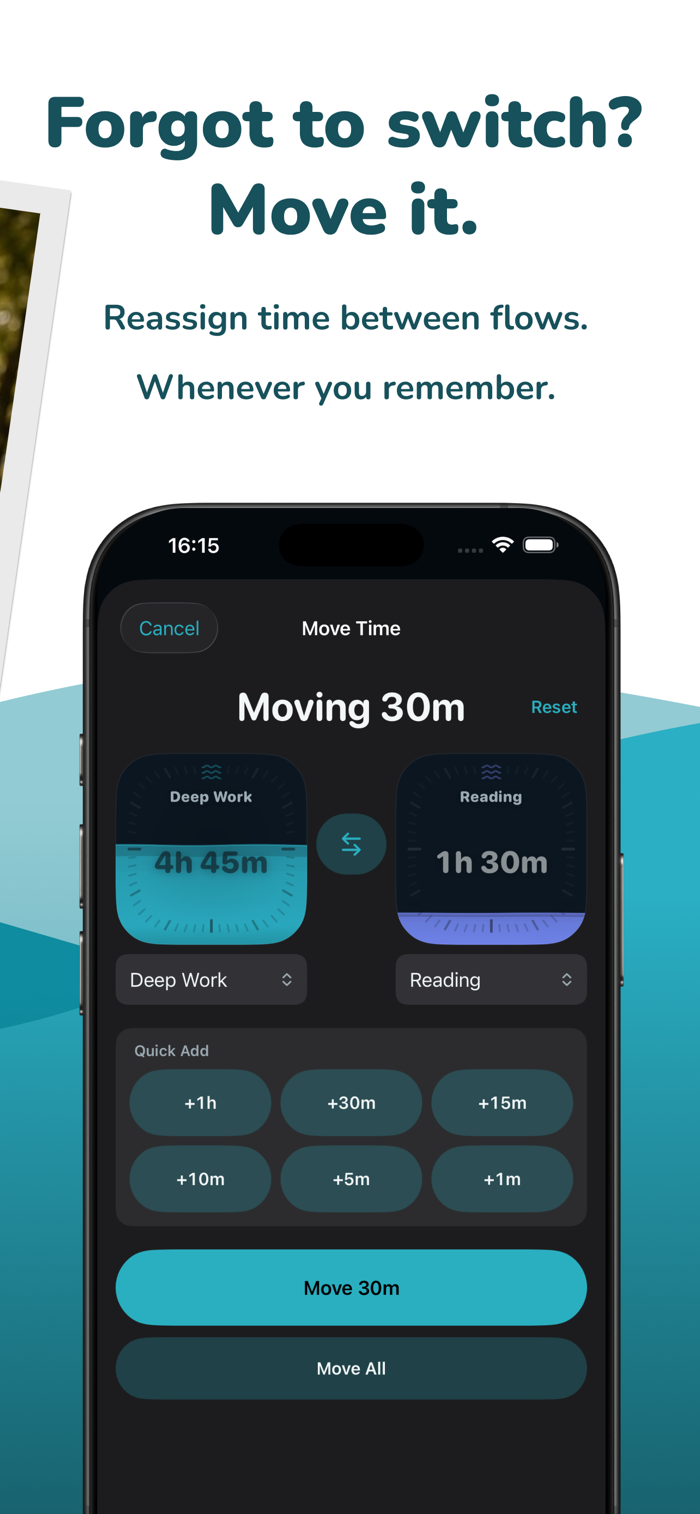
Forgot to switch?
Long-press a flow card to move time from one flow to another after the fact.
Long-press any segment in the day-bar to see its history: what it was, what changed, and how it got there.
N...


 +100宝石

 分享
分享
















用户评价
立即分享产品体验
你的真实体验,为其他用户提供宝贵参考
💎 分享获得宝石
【分享体验 · 获得宝石 · 增加抽奖机会】
将你的产品体验分享给更多人,获得更多宝石奖励!
💎 宝石奖励
每当有用户点击你分享的体验链接并点赞"对我有用",你将获得:
🔗 如何分享
复制下方专属链接,分享到社交媒体、群聊或好友:
💡 小贴士
分享时可以添加你的个人推荐语,让更多人了解这款产品的优点!
示例分享文案:
"推荐一款我最近体验过的应用,界面设计很精美,功能也很实用。有兴趣的朋友可以看看我的详细体验评价~"
关注 Mergeek 公众号
领奖遇到问题?联系小门助手