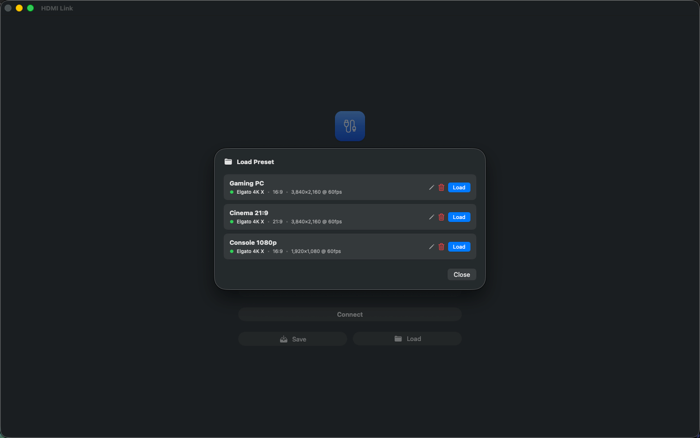
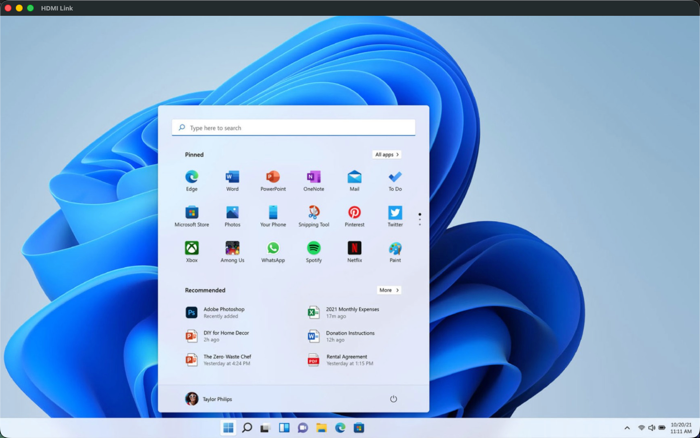
HDMI Link brings the picture from any HDMI device straight onto your Mac, iPad, and Apple Vision Pro. Whether you’re monitoring a camera feed, previewing gameplay, reviewing a laptop’s output, or connecting any HDMI source, HDMI Link gives you a clean, responsive, low-latency view — in a resizable window on macOS and iPad, or floating in your space on visionOS.
How it connects
• Mac & iPad: plug a standard USB-C / UVC HDMI capture card directly into your device. The signal appears instantly — no extra hardware required.
• Apple Vision Pro: capture runs through the Developer Strap. Both generations are supported:
– Developer Strap Gen 2 → resolutions up to 4K at 120 Hz
– Developer Strap Gen 1 → up to 1080p at 60 Hz
Just connect your capture card, launch HDMI Link, and your signal appears right away — perfect for monitoring, testing, presenting, and creating real-time content.
Audio
• On Mac and iPad, HDMI Link plays your capture card’s audio, with a selectable input source and volume control.
• On Apple Vision Pro, Apple does not yet allow audio pass-through. As soon as Apple adds it to the APIs, I’ll ship a free update; for now I recommend headphones connected to the HDMI device.
Flexible aspect-ratio control
Crop the incoming image to custom formats such as 21:9 to remove unused areas or match cinematic and ultrawide content perfectly.
Stereoscopic 3D on Apple Vision Pro
Watch side-by-side or ...


 +100宝石


 分享
分享













用户评价
立即分享产品体验
你的真实体验,为其他用户提供宝贵参考
💎 分享获得宝石
【分享体验 · 获得宝石 · 增加抽奖机会】
将你的产品体验分享给更多人,获得更多宝石奖励!
💎 宝石奖励
每当有用户点击你分享的体验链接并点赞"对我有用",你将获得:
🔗 如何分享
复制下方专属链接,分享到社交媒体、群聊或好友:
💡 小贴士
分享时可以添加你的个人推荐语,让更多人了解这款产品的优点!
示例分享文案:
"推荐一款我最近体验过的应用,界面设计很精美,功能也很实用。有兴趣的朋友可以看看我的详细体验评价~"
关注 Mergeek 公众号
领奖遇到问题?联系小门助手