
 Network Doctor: WiFi Tools


App Introduction
App 介绍
 4.5
4.5
Network Doctor is a clean Wi-Fi and network diagnostics toolbox for iPhone. ▶ Check current network status, local IP, public IP and TCP latency ▶ Scan reachable devices on your local network ▶ Run approximate speed tests for download, upload, latency and jitter ▶ Use DNS lookup, DNS speed test, port scan and Whois / IP info tools ▶ Discover local Bonjour services such as web, printer and media services ▶ Save diagnostic history locally ▶ Export reports as PDF, CSV or text ▶ No account required and no cloud upload Use it to understand your current connection, find reachable devices on your local network, test internet speed, check TCP latency, resolve DNS records, scan common ports, look up IP/domain information, browse Bonjour services, and export local diagnostic reports. Whether your Wi-Fi feels slow, a device is hard to find, DNS is acting strange, or you simply want a quick network check, Network Doctor gives you the essential tools in one simple app. Key Features ◉ Network Health Dashboard View your current connection, internal IP, public IP, DNS status, latency, and latest speed test result. ◉ LAN Scanner Find reachable devices on your local network using TCP connection probes. See detected services such as web, file sharing, and other reachable TCP ports. ◉ Speed Test Measure approximate download speed, upload speed, latency, and jitter using real network data. ◉ TCP Ping / Latency Check connection timing to a host and port. Designed for iOS using TCP connection timing instead of ICMP ping. ◉ DNS Lookup Resolve A, AAAA, MX, TXT, and NS records for domains. ◉ DNS Speed Test Compare DNS-over-HTTPS response timing and see which resolver responds faster. ◉ Port Scan Check common, web, mail, or custom TCP ports for a specific host. ◉ Whois / IP Info Look up domain and IP information for quick network reference. ◉ Bonjour Browser Discover local Bonjour services such as web, printer, media, and file sharing services. ◉ History & Reports Save diagnostic records and export reports as PDF, CSV, or text through the iOS share sheet. ◉ Privacy Friendly Network Doctor does not require an account. Reports are generated locally. LAN scan and Bonjour browsing only start when you choose to run them. The app does not collect MAC addresses or vendor tracking information. Network tests may use network data, and speed tests send random test data only for measurement. Results are approximate and can vary based on your Wi-Fi, router, ISP, endpoint availability, and current network conditions.
Network Doctor is a clean Wi-Fi and network diagnostics toolbox for iPhone. ▶ Check current network status, local IP, public IP and TCP latency ▶ Scan reachable devices on your local network ▶ Run approximate speed tests for download, upload, latency and jitter ▶ Use DNS lookup, DNS speed test, port scan and Whois / IP info tools ▶ Discover local Bonjour services such as web, printer and media services ▶ Save diagnostic history locally ▶ Export reports as PDF, CSV or text ▶ No account required and no cloud upload Use it to understand your current connection, find reachable devices on your local network, test internet speed, check TCP latency, resolve DNS records, scan common ports, look up IP/domain information, browse Bonjour services, and export local diagnostic reports. Whether your Wi-Fi feels slow, a device is hard to find, DNS is acting strange, or you simply want a quick network check, Network Doctor gives you the essential tools in one simple app. Key Features ◉ Network Health Dashboard View your current connection, internal IP, public IP, DNS status, latency, and latest speed test result. ◉ LAN Scanner Find reachable devices on your local network using TCP connection probes. See detected services such as web, file sharing, and other reachable TCP ports. ◉ Speed Test Measure approximate download speed, upload speed, latency, and jitter using real network data. ◉ TCP Ping / Latency Check connection timing to a host and port. Designed for iOS using TCP connection timing instead of ICMP ping. ◉ DNS Lookup Resolve A, AAAA, MX, TXT, and NS records for domains. ◉ DNS Speed Test Compare DNS-over-HTTPS response timing and see which resolver responds faster. ◉ Port Scan Check common, web, mail, or custom TCP ports for a specific host. ◉ Whois / IP Info Look up domain and IP information for quick network reference. ◉ Bonjour Browser Discover local Bonjour services such as web, printer, media, and file sharing services. ◉ History & Reports Save diagnostic records and export reports as PDF, CSV, or text through the iOS share sheet. ◉ Privacy Friendly Network Doctor does not require an account. Reports are generated locally. LAN scan and Bonjour browsing only start when you choose to run them. The app does not collect MAC addresses or vendor tracking information. Network tests may use network data, and speed tests send random test data only for measurement. Results are approximate and can vary based on your Wi-Fi, router, ISP, endpoint availability, and current network conditions.

第一时间掌握精选限免应用/游戏信息
自定义喜欢的应用/游戏的价格变动
了解内购应用/游戏的限免或降价活动
查看应用/游戏价格历史等待合适时机再出手
第一时间收到价格通知不错过省钱机会


扫码下载 Follow
更多极客玩法


 化学方程式
化学方程式
化学方程式安卓版于 2011 年问世,至今已有十余年啦!在广大网友的积极贡献和我们的悉心维护下,如今...

 语音通知
语音通知
这一款“会说话”的提醒软件,它在 AppStore 里的名字很直白,就叫做“语音通知”!因为它的核心...
 睡宝 Sleepal
一款极简设计、专注于睡眠追踪和科学分析睡眠质量的 APP,用简单的表达,读懂睡眠的深浅、质量,如何改...
Geek Stories
极客玩法
更多极客玩法
Selected Solutions
精选产品
 100
100



化学方程式安卓版于 2011 年问世,至今已有十余年啦!在广大网友的积极贡献和我们的悉心维护下,如今...
74

这一款“会说话”的提醒软件,它在 AppStore 里的名字很直白,就叫做“语音通知”!因为它的核心...
4
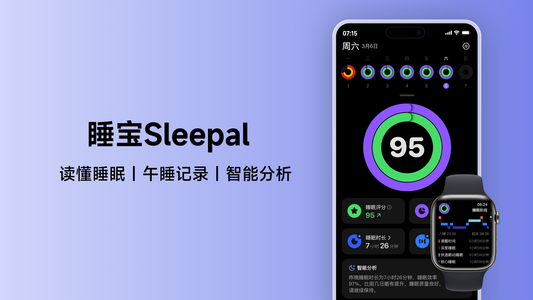
一款极简设计、专注于睡眠追踪和科学分析睡眠质量的 APP,用简单的表达,读懂睡眠的深浅、质量,如何改...
天天发现优质应用
 到主屏幕
到主屏幕






你成为这个产品的发现者啦,说说你的推荐语吧!