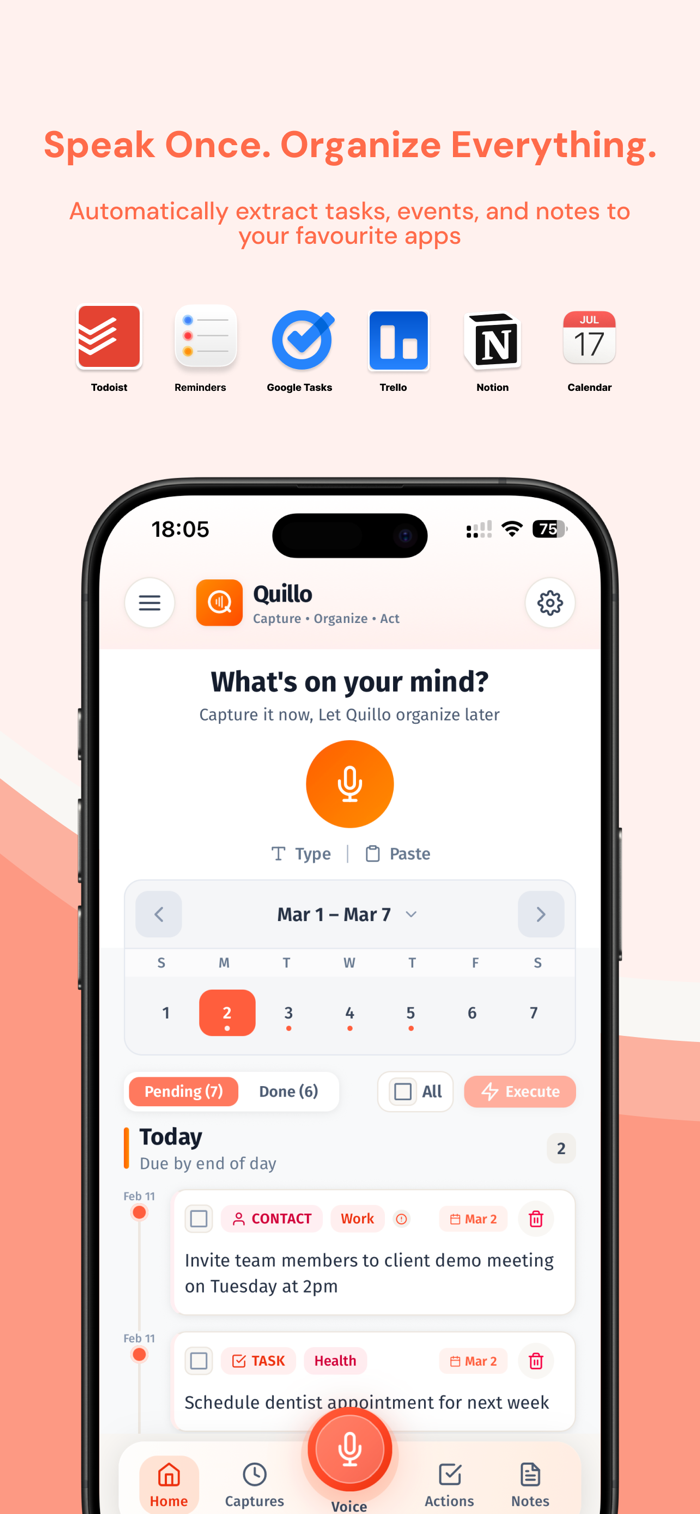
Quillo is an AI voice notes app for iOS that turns speech into tasks, events, reminders, and lists-then routes them to the right apps with one tap. You always review and confirm before anything is sent.
Capture however you think:
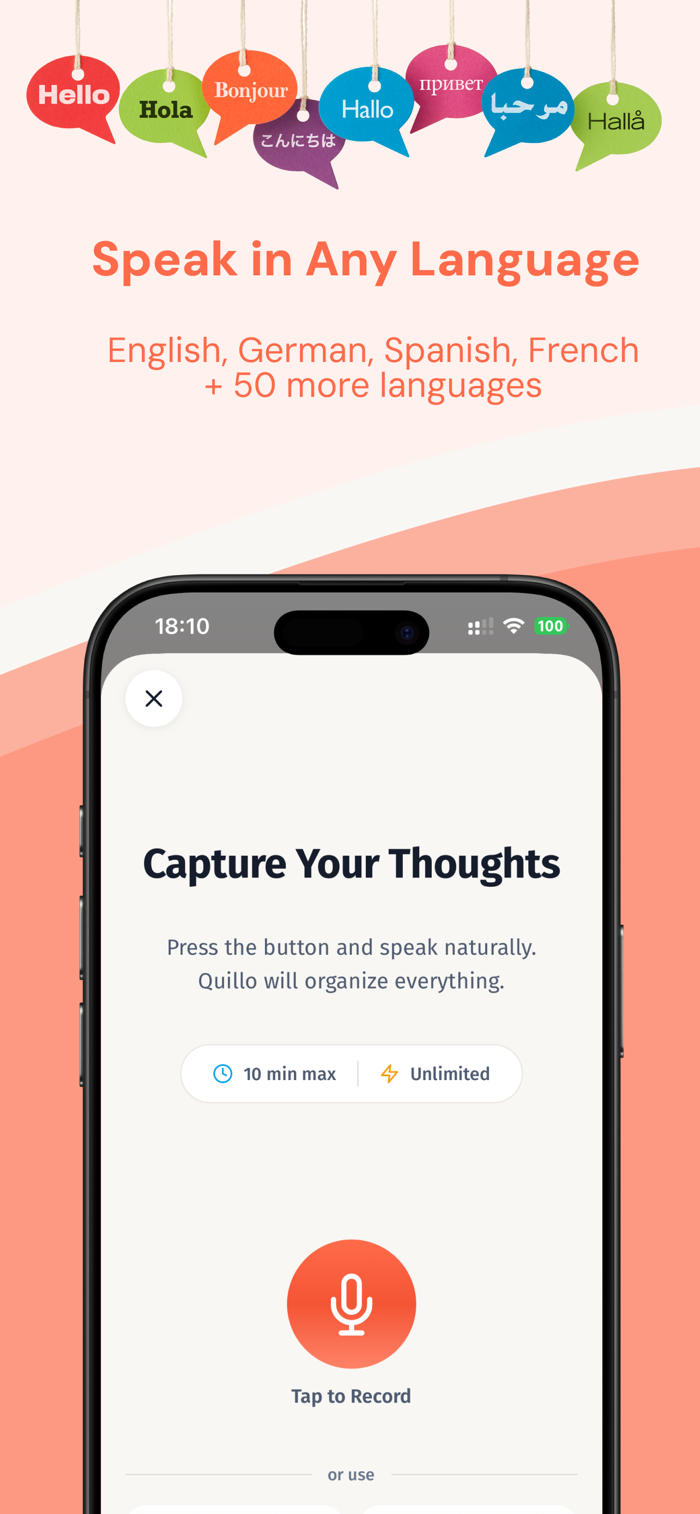
- Voice: ramble naturally and let the AI organize
- Text: type freely in your own words
- Paste: drop in meeting notes or messages and extract action items
How it works:
1. Capture your thoughts in seconds
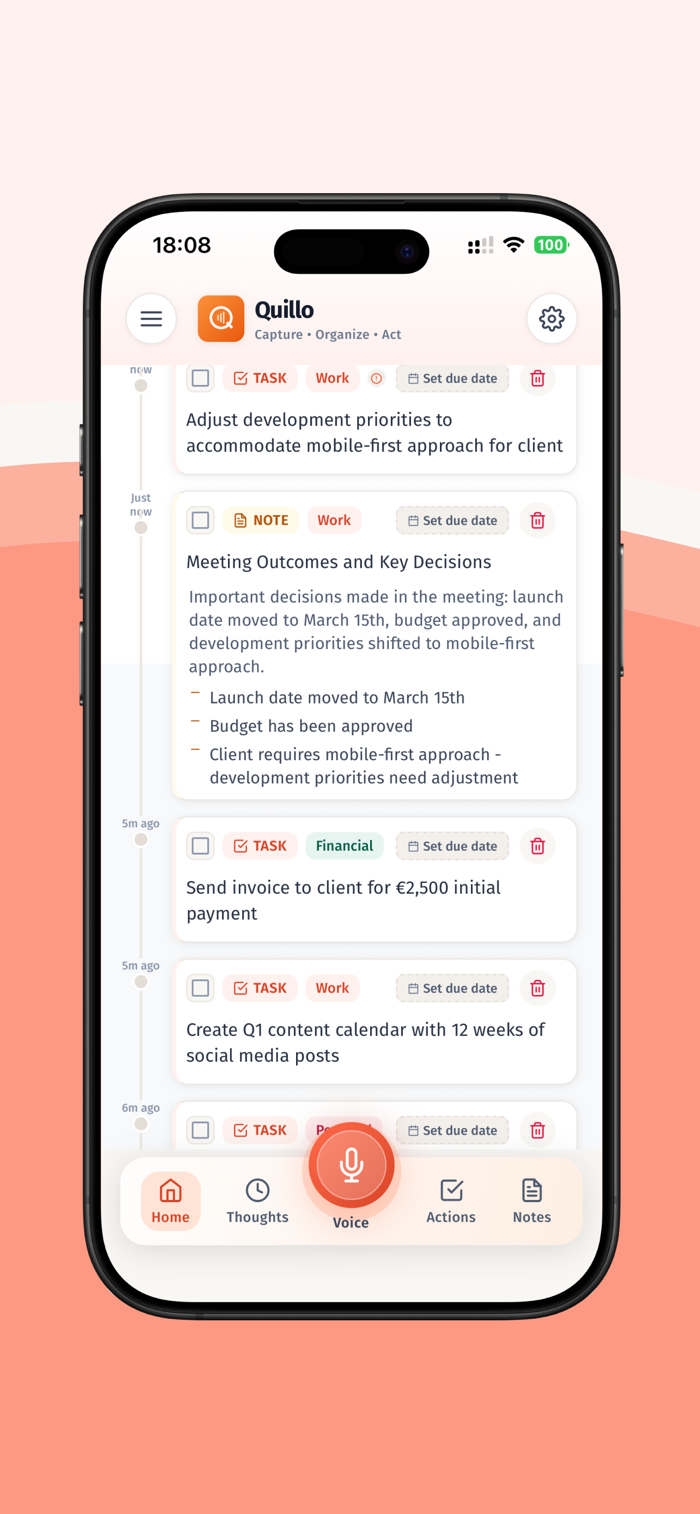
2. Quillo extracts tasks, events, reminders, and lists
3. Review and confirm before sending
AI that understands intent:
- Smart deadline detection when you say a date or time
- Priority recognition for phrases like "urgent" or "when I have time"
- Multi-action extraction from a single recording
- Context hints that help categorize tasks, events, and lists
- Contact hints when you say "email Sarah" or "call Alex"
What Quillo can extract:
- Tasks with due dates and priorities
- Calendar events with times and locations
- Reminders and follow-ups
- Shopping lists and simple lists
Integrations:
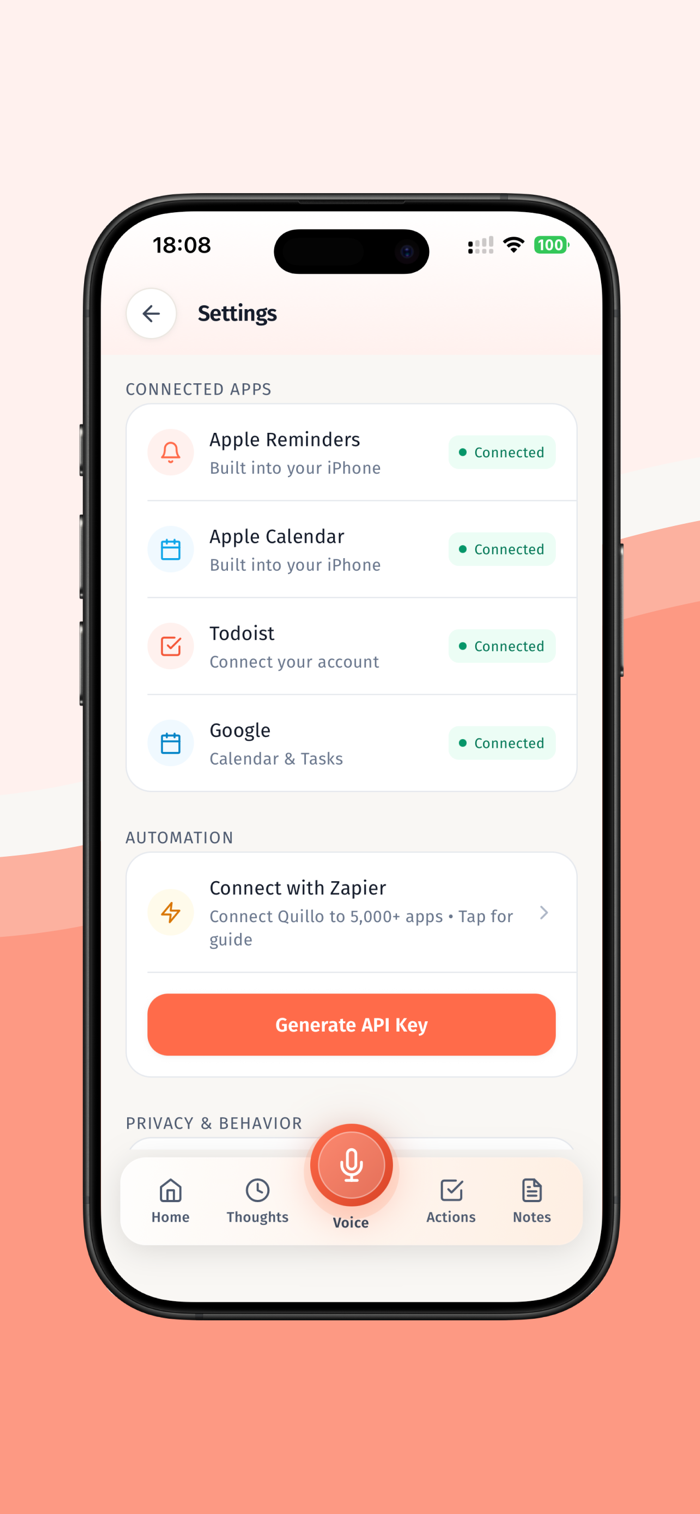
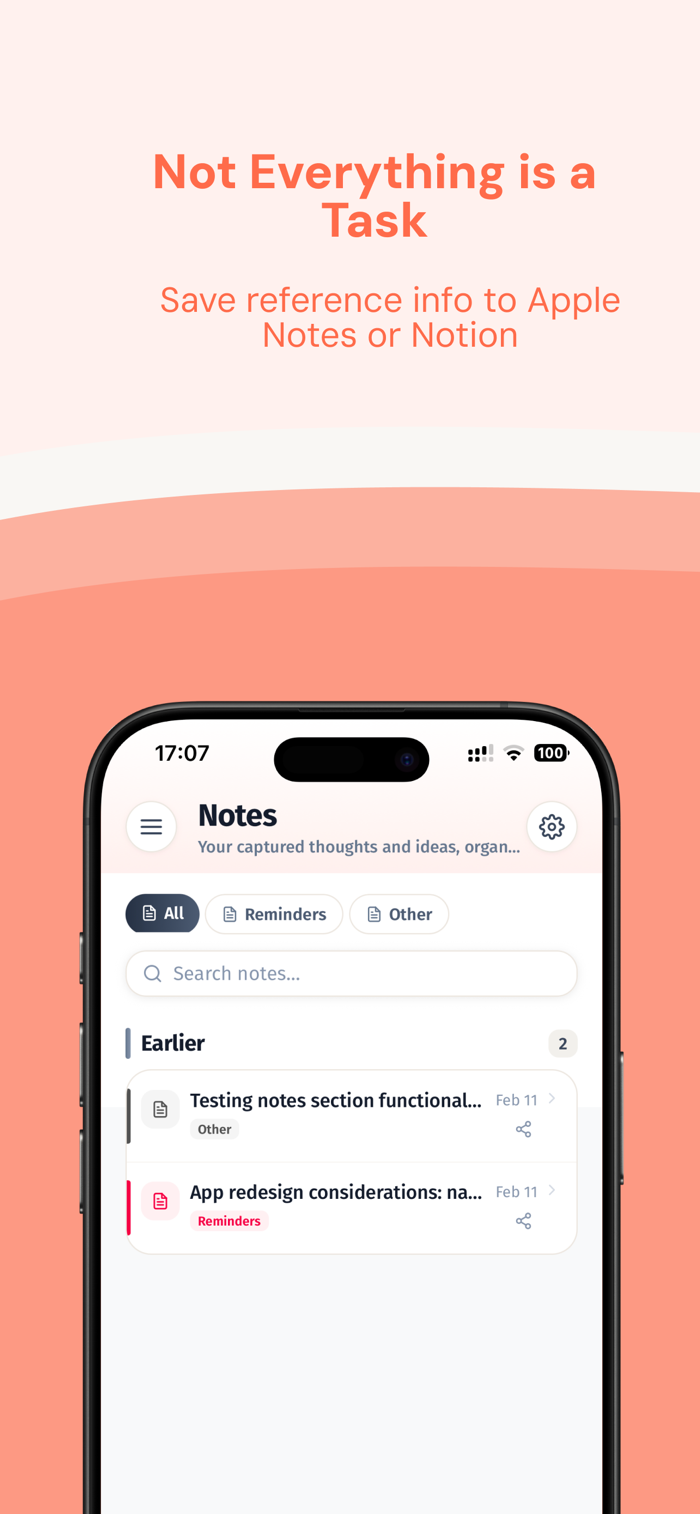
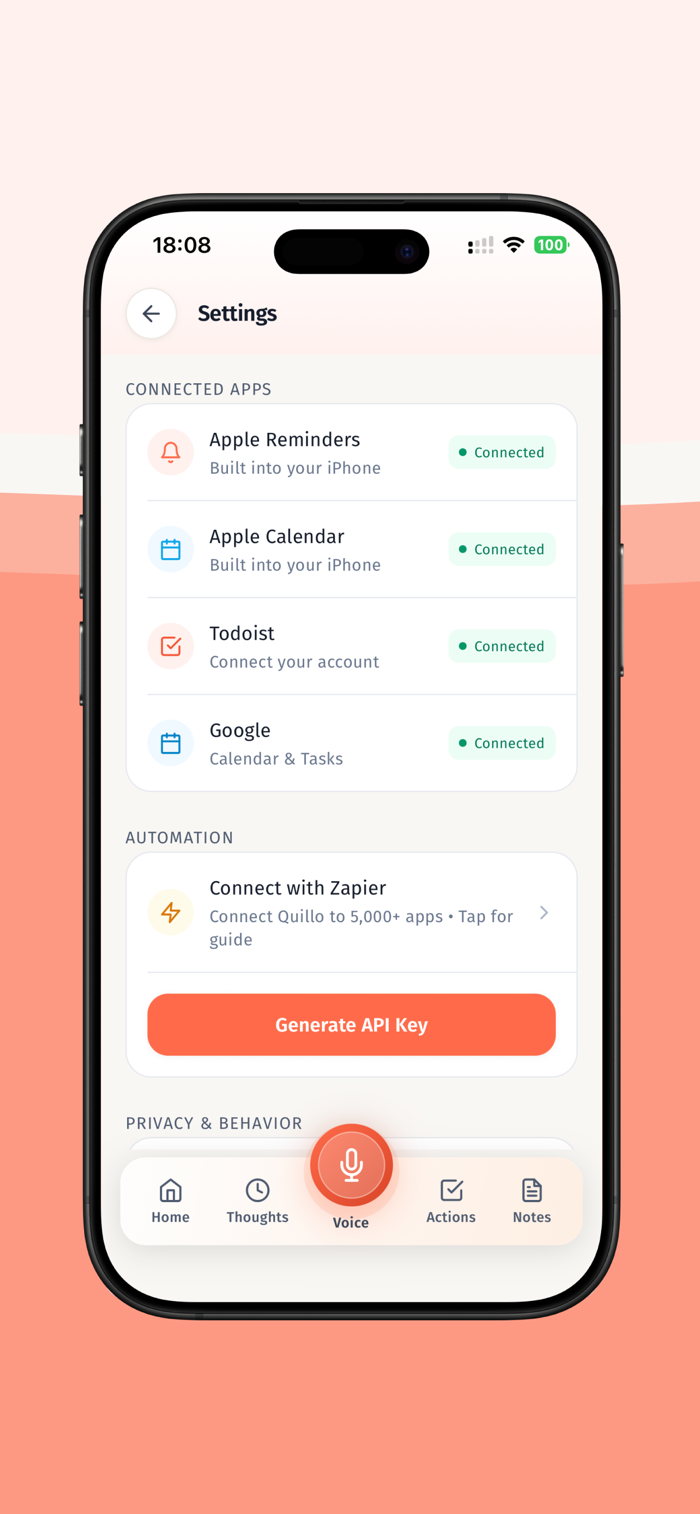
Apple Reminders, Apple Calendar, Apple Notes, Google Calendar, Google Tasks, Todoist, Trello, Notion.
Routing and control:
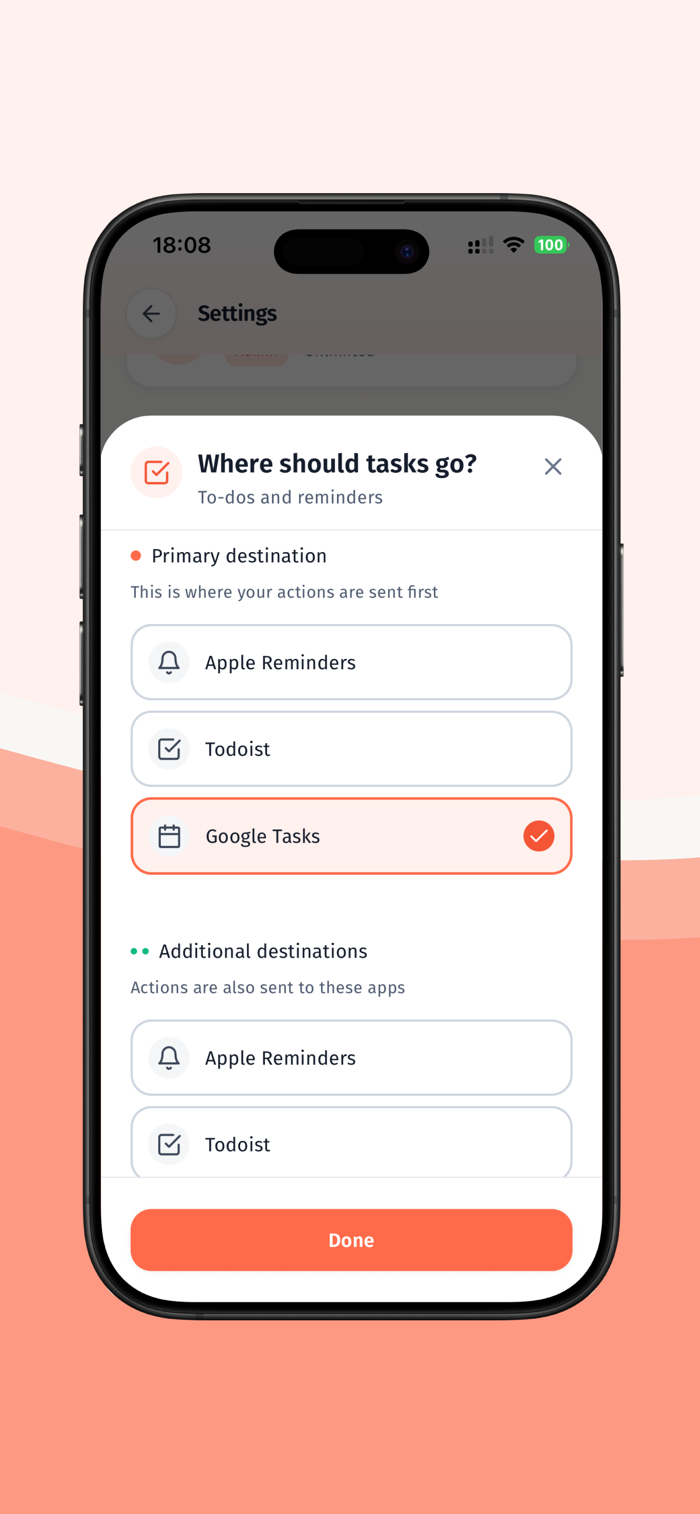
- Review screen lets you edit, delete, or reroute any item
- Send all items at once or pick individually
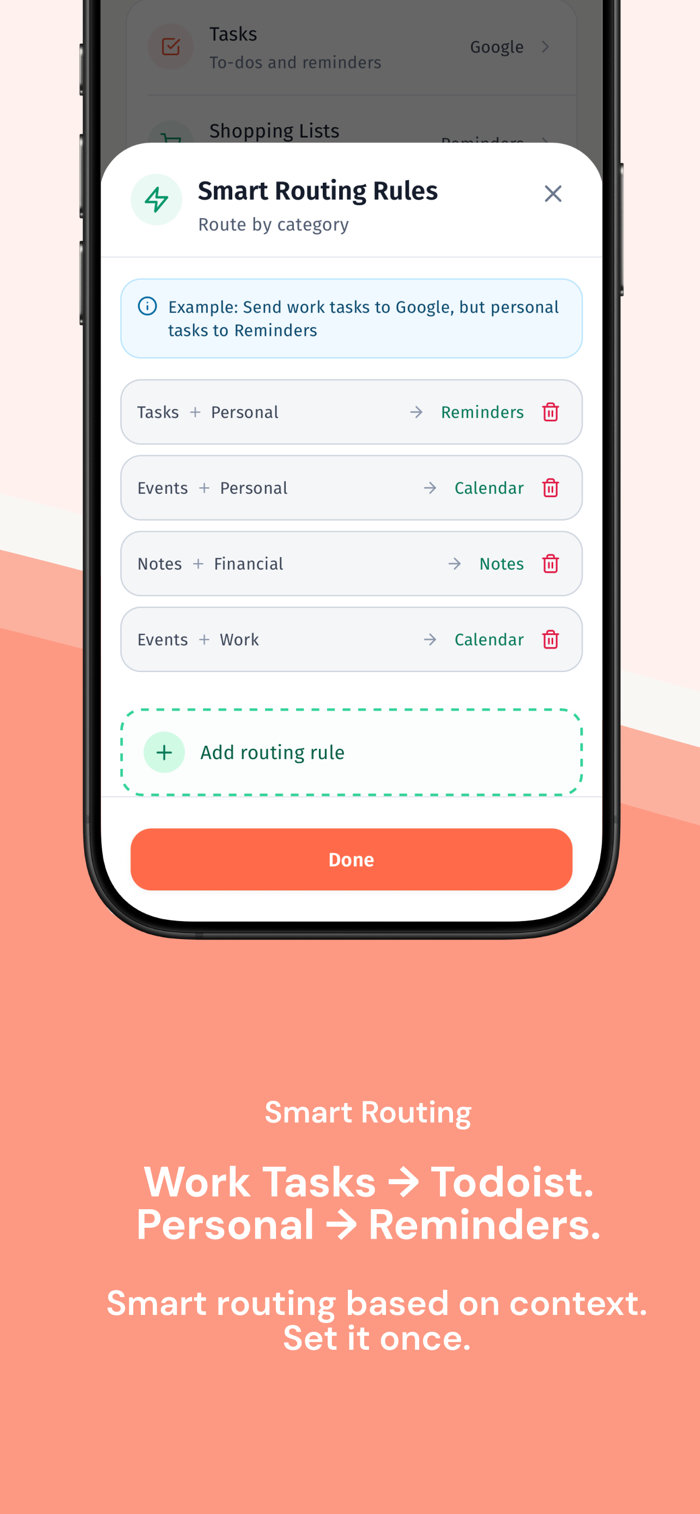
- Smart routing rules in Pro let you map work tasks to one app and personal tasks to another
- Route by keywords, priority, or category
- Multi-destination routing for power users
Apple Watch support:
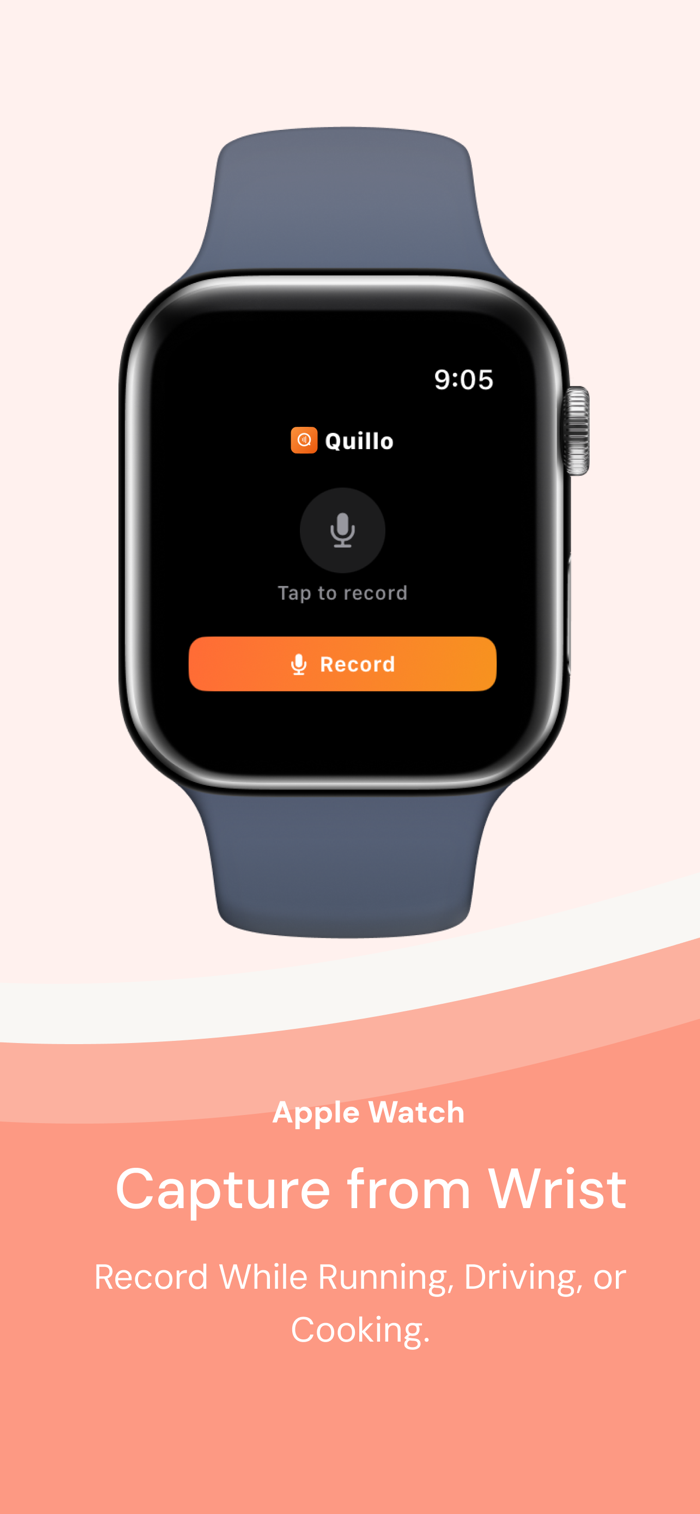
Record from your wrist, sync to iPhone, and process with one tap. Great for walking, driving, or mid-meeting.
Add Quillo to your watch face to see pending actions and start recording instantly.
Widgets and fast capture:
Use widgets or lock screen access to start a capture without opening the app.
Built for people who think faster than they type:
- Busy professionals capturing follow-ups after meetings
- Families coordinating schedules, errands, and shopping
- Freelancers tracking deliverables, deadlines, and invoices
- Neurodivergent users who need frictionless capture
Real examples:
- "Book a flight next month and remind me to renew my passport."
- "Schedule a design review for Friday and add the invoice to my to-do list."
- "Pick up milk, reorder filters, and call the electrician tomorrow."
Why people choose Quillo:
- One recording can become multiple organized actions
- You control where each item goes
- No manual sorting, no app hopping
- Works with the tools you already use
- Capture when you are on the move
- Clear review before anything is executed
Quillo vs. typical voice assistants:
Voice assistants handle one command at a time with specific phrasing. Quillo lets you speak naturally, extract multiple actions from one capture, and review everything before sending.
Setup in minutes:
Quillo works immediately with Apple Reminders and Apple Calendar. Connecting other apps like Todoist or Google Calendar is optional and takes seconds.
Offline capture:
Record offline and Quillo will process when you are back online. AI processing requires an internet connection.
Privacy-first by design:
Audio files and transcripts are encrypted. Audio can be auto-deleted after processing. Data is not sold or shared.
Free and Pro plans:
Start free with 5 captures per month and no credit card. Free includes voice, text, and paste capture, all integrations, and voice notes up to 30 seconds. Pro unlocks unlimited captures, longer recordings up to 10 minutes, auto processing, priority processing, advanced routing rules, smart learning patterns, unlimited destinations, recordings available for 30 days, and priority support.
Use Quillo for meeting followups errands shopping lists travel planning and quick reminders. If you can say it, Quillo can route it.
Get started in seconds and keep your existing system intact-Quillo simply makes it faster.
---
LEGAL & PRIVACY
Terms of Use (EULA): https://tryquillo.com/terms
Privacy Policy: https://tryquillo.com/privacy
Support: support@tryquillo.com

 +100宝石


 分享
分享






















用户评价
立即分享产品体验
你的真实体验,为其他用户提供宝贵参考
💎 分享获得宝石
【分享体验 · 获得宝石 · 增加抽奖机会】
将你的产品体验分享给更多人,获得更多宝石奖励!
💎 宝石奖励
每当有用户点击你分享的体验链接并点赞"对我有用",你将获得:
🔗 如何分享
复制下方专属链接,分享到社交媒体、群聊或好友:
💡 小贴士
分享时可以添加你的个人推荐语,让更多人了解这款产品的优点!
示例分享文案:
"推荐一款我最近体验过的应用,界面设计很精美,功能也很实用。有兴趣的朋友可以看看我的详细体验评价~"
领取结果