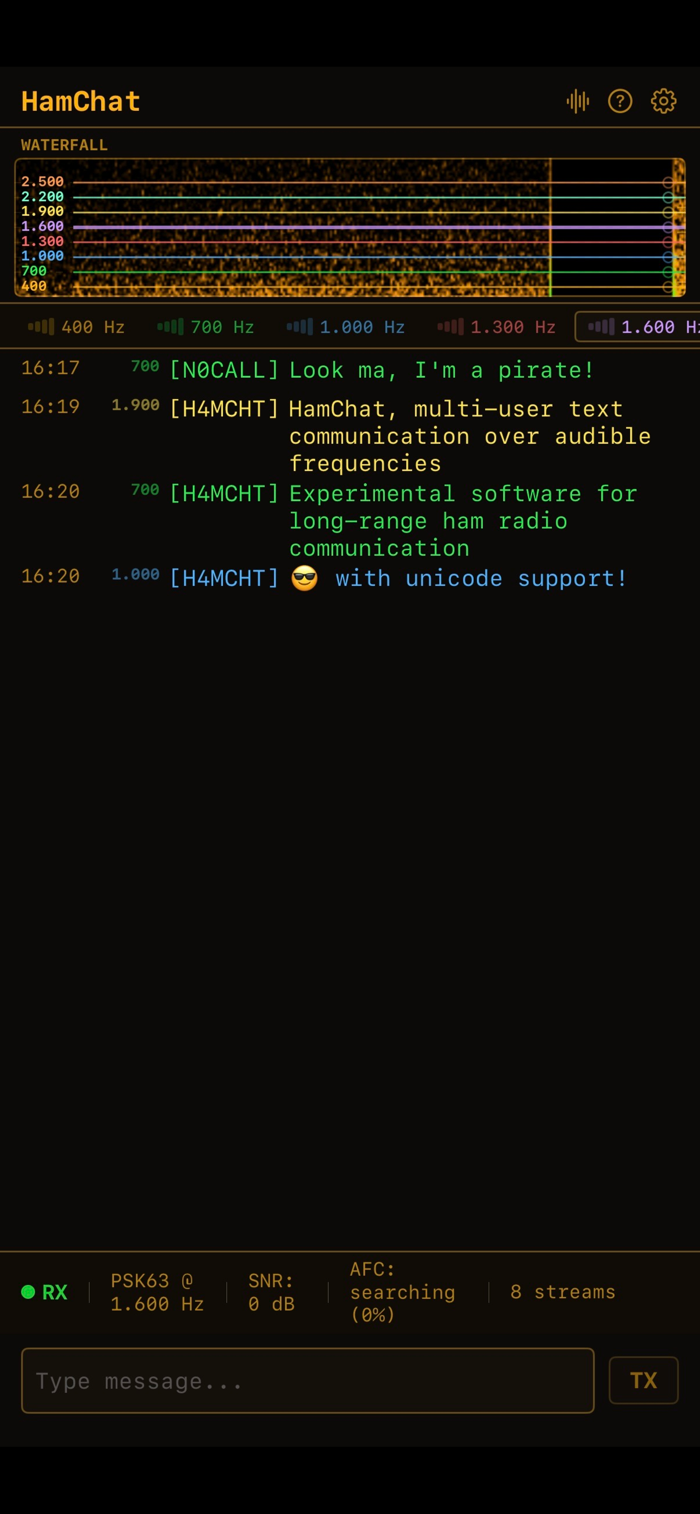
HamChat is a free Morse Code decoder and encoder. Think fldigi, made simple, made for your iOS device. It's a IRC-style chat app that sends and receives text messages as modulated audio, using real ham radio digital modes. Type a message, press Enter, and it goes out your speaker as Olivia, PSK31, MFSK, or Morse code signal. Anyone listening decodes it and sees your text appear in real time.
DIGITAL MODES
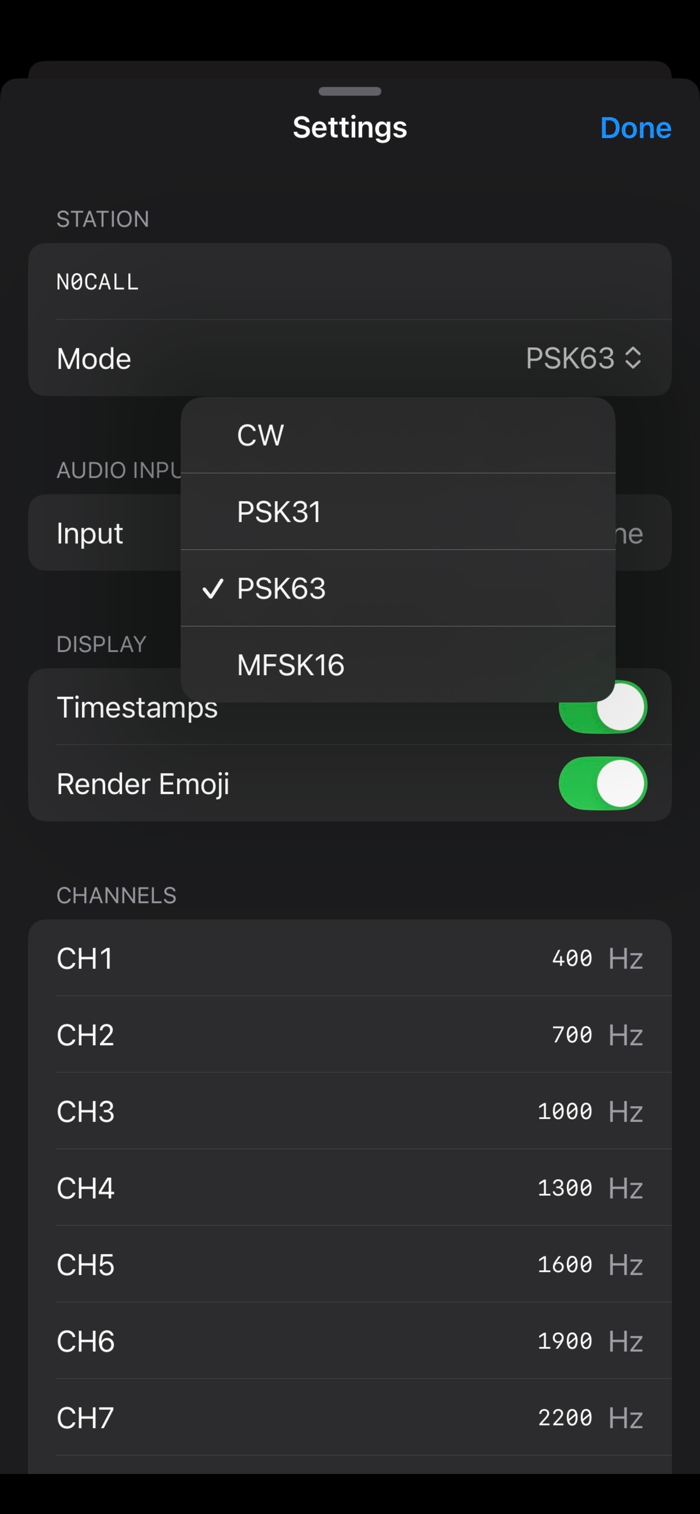
PSK31 -- The modern classic. Phase-shift keying at 31.25 baud. Fits in just 31 Hz of bandwidth. Efficient Varicode encoding means common letters transmit faster than rare ones. The gold standard for keyboard-to-keyboard ham radio chat.
PSK63 -- Same as PSK31 but twice as fast. Use when you have bandwidth to spare and want snappier conversation.
MFSK16 -- Multi-frequency shift keying with forward error correction. Decodes reliably at signal levels below the noise floor. The robust choice for difficult conditions.
CW / Morse -- The original digital mode, since 1895. On-off keying of a single tone with adaptive speed detection. HamChat auto-detects incoming CW speed from 5 to 40 WPM. CW transmit is free -- no purchase required.
Olivia -- Like MFSK, extremely resistant against fading or channel noise.
MULTI-STREAM DECODING
Monitor up to 8 frequencies simultaneously. Each channel gets its own color-coded tab in the stream bar. Click the waterfall to tune. Messages from all channels appear interleaved in the chat log so you never miss a QSO.
WATERFALL DISPLAY
Real-time FFT spectrogram shows signal activity before text appears. See PSK31 as a narrow bright line, MFSK16 as a bouncing tone, CW as dit-dah patterns. Click anywhere to set your TX frequency.
SYSTEM AUDIO INPUT (macOS only)
Decode directly from webSDR, SDR software, or any other audio source without hardware. Uses ScreenCaptureKit to tap all system audio output -- bypasses the built-in mic's noise cancellation entirely.
HOW TO USE
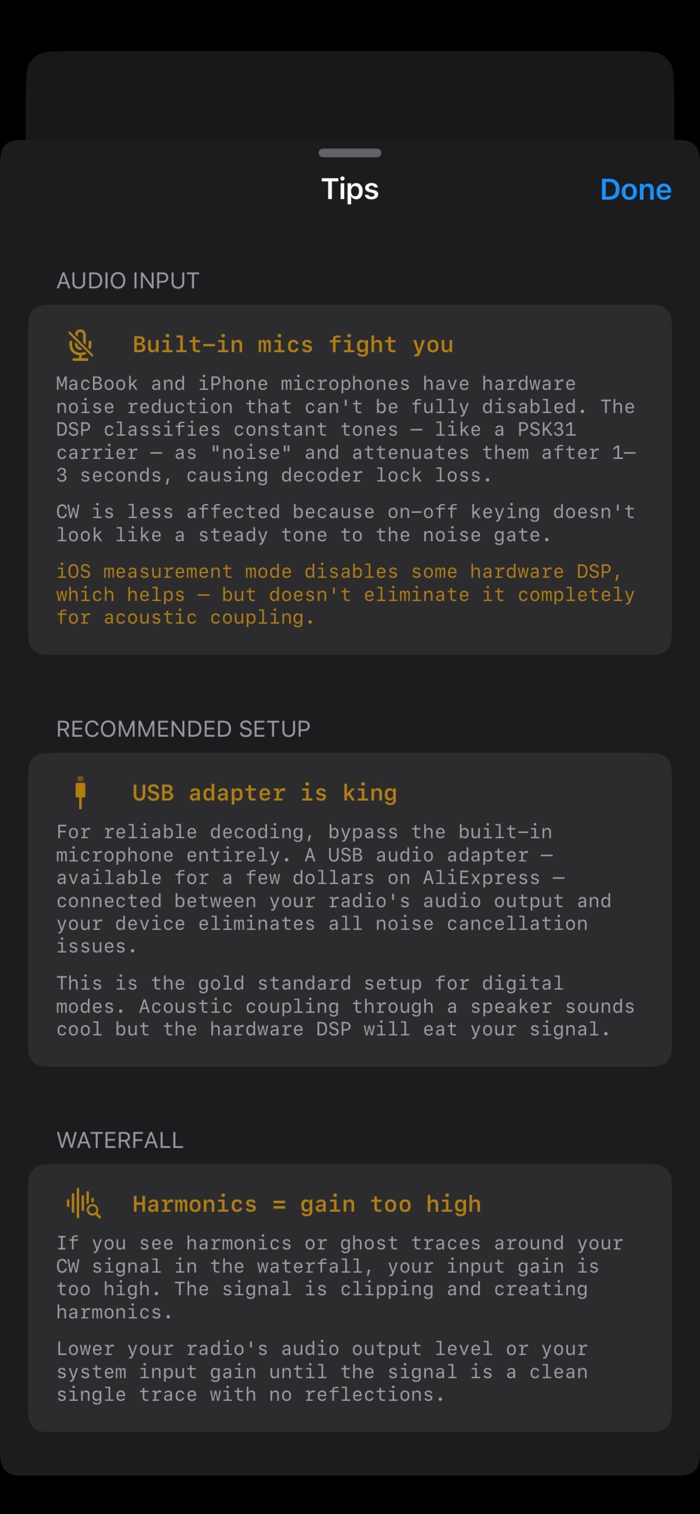
Note that the noise suppression algorithms on modern Apple devices will fight you when transmitting data over audio. A CW or PSK signal sounds like noise, and not like a human voice, so the MacBook, iPhone or iPad dutifully tries to filter it out. It's highly recommended to use a cheap USB-C sound card to receive and transmit.
Across a room: One device transmits through speakers, another listens on the mic. No radio needed, no license required.
With a radio: Connect via USB audio interface for clean digital audio. HamChat becomes a full digital mode terminal for your transceiver.
From the web: Use System Audio input to decode live signals from webSDR receivers around the world.
THE VIBE
Hackerman aesthetic. Amber phosphor text on anthracite black. Monospace everything. Think 1985 BBS terminal that somehow has a waterfall display.
TECHNICAL DETAILS
- Native Swift/SwiftUI -- no Electron, no web views, no external dependencies
- Apple Accelerate/vDSP for all DSP and FFT processing
- Costas loop carrier recovery with AFC for PSK modes
- Rate-1/2 convolutional FEC with Viterbi decoder for MFSK16
- Adaptive CW speed tracking with bimodal histogram classification
- 44100 Hz sample rate, real-time processing
PRIVACY
No accounts, no analytics, no network calls, no tracking. Audio is processed locally in real time. Nothing leaves your device... except the audio you transmit.
PRICING
Receive on all modes: free, always.
CW transmit: free, always -- it's the OG mode.
PSK31/PSK63/MFSK16 transmit: one-time purchase.
Built by a ham radio operator. 73!

 +100宝石


 分享
分享


















用户评价
立即分享产品体验
你的真实体验,为其他用户提供宝贵参考
💎 分享获得宝石
【分享体验 · 获得宝石 · 增加抽奖机会】
将你的产品体验分享给更多人,获得更多宝石奖励!
💎 宝石奖励
每当有用户点击你分享的体验链接并点赞"对我有用",你将获得:
🔗 如何分享
复制下方专属链接,分享到社交媒体、群聊或好友:
💡 小贴士
分享时可以添加你的个人推荐语,让更多人了解这款产品的优点!
示例分享文案:
"推荐一款我最近体验过的应用,界面设计很精美,功能也很实用。有兴趣的朋友可以看看我的详细体验评价~"
关注 Mergeek 公众号
领奖遇到问题?联系小门助手