Electrical Diagram Maker is a practical tool for creating electrical schematics, automotive wiring diagrams, control circuits, installation drawings, and technical documentation on iPhone, iPad, and Mac.
Create professional diagrams using ready-to-use symbols, clean 90-degree wiring, customizable wire colors, editable labels, wire size markings, project title blocks, and PDF export.
Designed for electricians, automotive technicians, panel builders, engineers, students, installers, and anyone who needs to create or document electrical systems quickly.
KEY FEATURES
- Create electrical schematics and automotive wiring diagrams
- Start electrical or automotive projects with dedicated symbols and templates
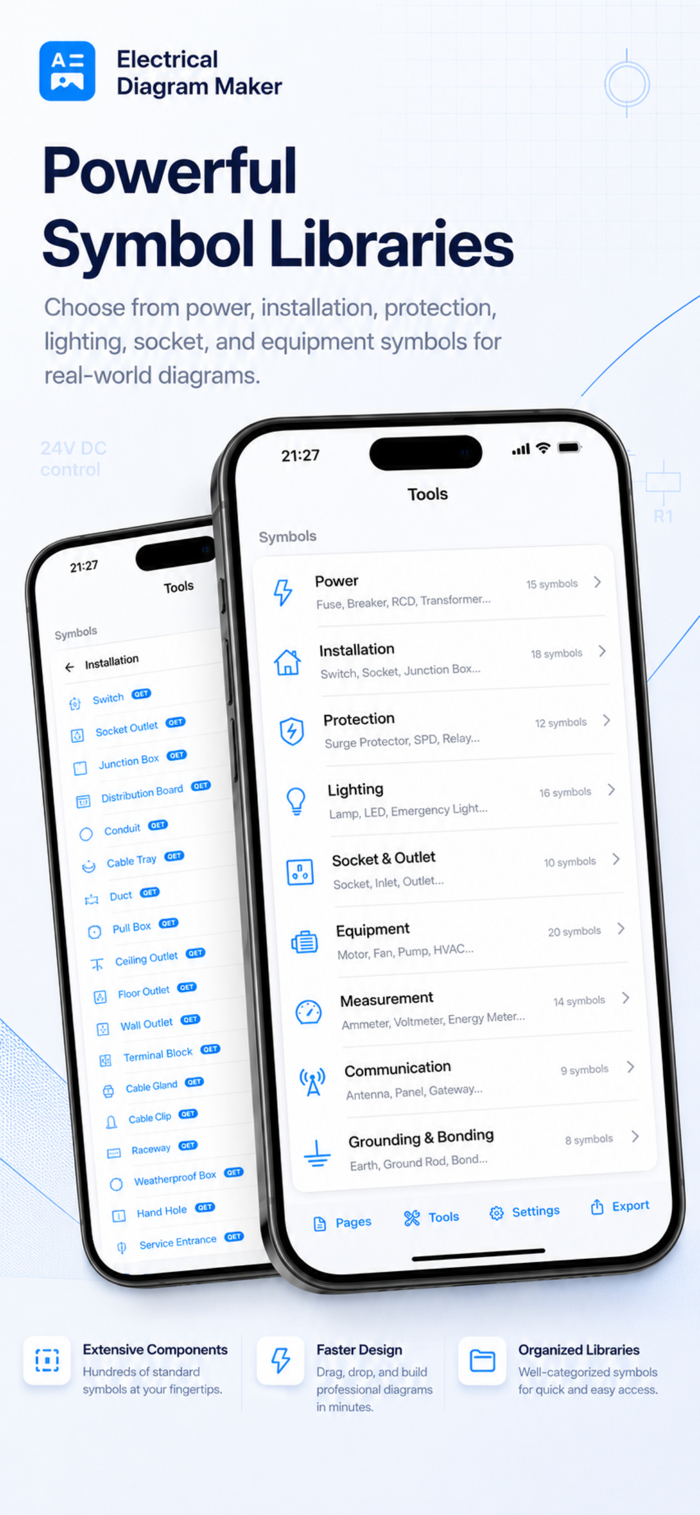
- Add symbols for power, control, PLC, terminals, motors, lighting, sockets, appliances, circuit breakers, RCD/FID devices, cabinets, junction boxes, solar systems, and more
- Use automotive batteries, fuses, relays, switches, sensors, actuators, ECUs, grounds, and multi-pin connectors
- Add male and female automotive connectors with 2, 4, 6, 8, 12, 16, or 20 pins
- Draw clean 90-degree wire connections with editable routing points
- Move individual wiring points to adjust the wire path
- Display wire crossings that are not electrically connected
- Customize wire colors for easier circuit identification
- Show wire sizes directly on the diagram using AWG and mm² labels
- Add and edit custom text labels


 +100宝石

 分享
分享










用户评价
立即分享产品体验
你的真实体验,为其他用户提供宝贵参考
💎 分享获得宝石
【分享体验 · 获得宝石 · 增加抽奖机会】
将你的产品体验分享给更多人,获得更多宝石奖励!
💎 宝石奖励
每当有用户点击你分享的体验链接并点赞"对我有用",你将获得:
🔗 如何分享
复制下方专属链接,分享到社交媒体、群聊或好友:
💡 小贴士
分享时可以添加你的个人推荐语,让更多人了解这款产品的优点!
示例分享文案:
"推荐一款我最近体验过的应用,界面设计很精美,功能也很实用。有兴趣的朋友可以看看我的详细体验评价~"
关注 Mergeek 公众号
领奖遇到问题?联系小门助手