













加入 Mergeek 福利群
扫码添加小助手,精彩福利不错过!
若不方便扫码,请在 Mergeek 公众号,回复 群 即可加入
- 精品限免
- 早鸟优惠
- 众测送码
 Touch Portal
 3.7
3.7
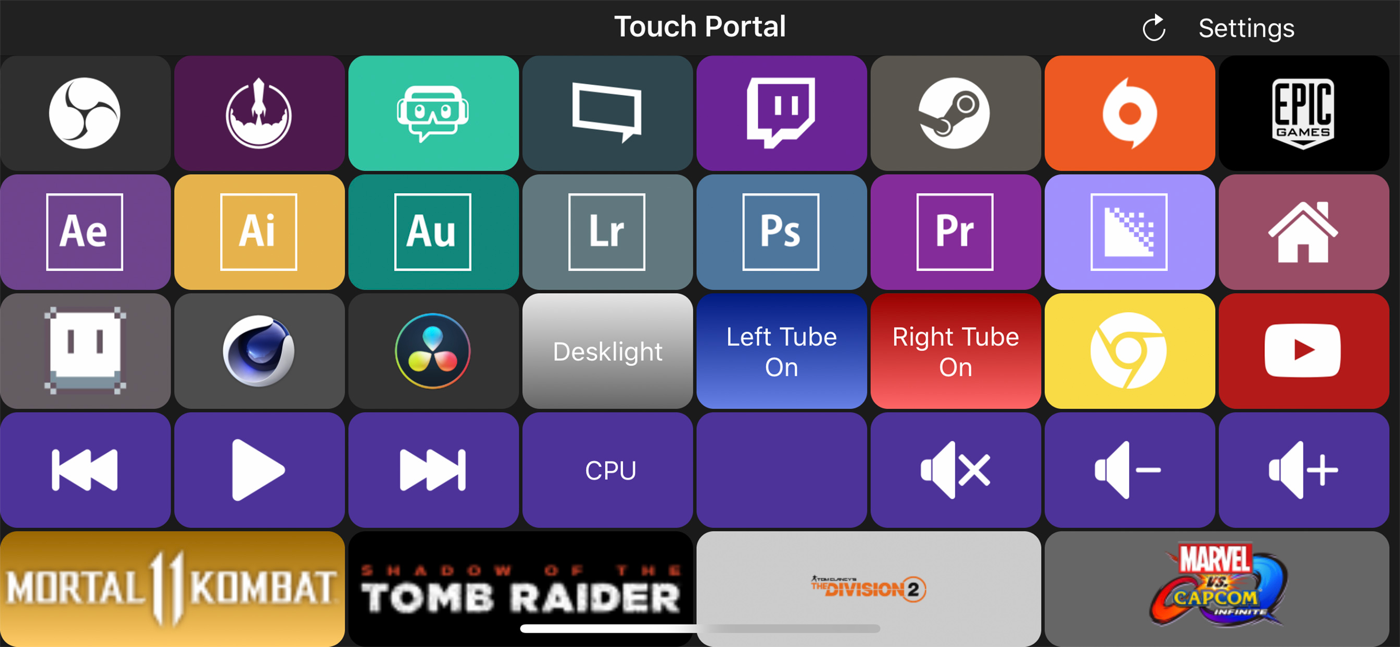
Touch Portal is the #1 All-in-One Remote Control Macro and Stream app for Phones and Tablets with a deck of buttons as a board on your desk and workspace.
You will get the following features:
- OBS STUDIO INTEGRATION (OBS web-socket required)
- STREAMLABS OBS INTEGRATION
- STREAMELEMENTS OBS.LIVE INTEGRATION (OBS web-socket required)
- ADOBE PHOTOSHOP INTEGRATION
- ADOBE LIGHTROOM CLASSIC INTEGRATION
- REMOTE CONTROL PC AND/OR MAC
- XSPLIT INTEGRATION
- TWITCH INTEGRATION
- HOME AUTOMATION
- PHILIPS HUE INTEGRATION
- MACRO BUTTONS
- SMART TOUCH BUTTONS
- CUSTOMIZABLE LOOK AND FEEL
- COMMUNITY-DRIVEN DEVELOPMENT
Touch Portal is a companion app to control a PC or a Mac by using a deck of buttons to improve the workflow & productivity of game streamers, content creators and professionals.
Touch Portal gives you all the essential controls you’d need, we keep adding more features every update! With Touch Portal you are allowed up to 110 unique buttons per page for the Pro version, not to mention you could use the pages to even increase this!
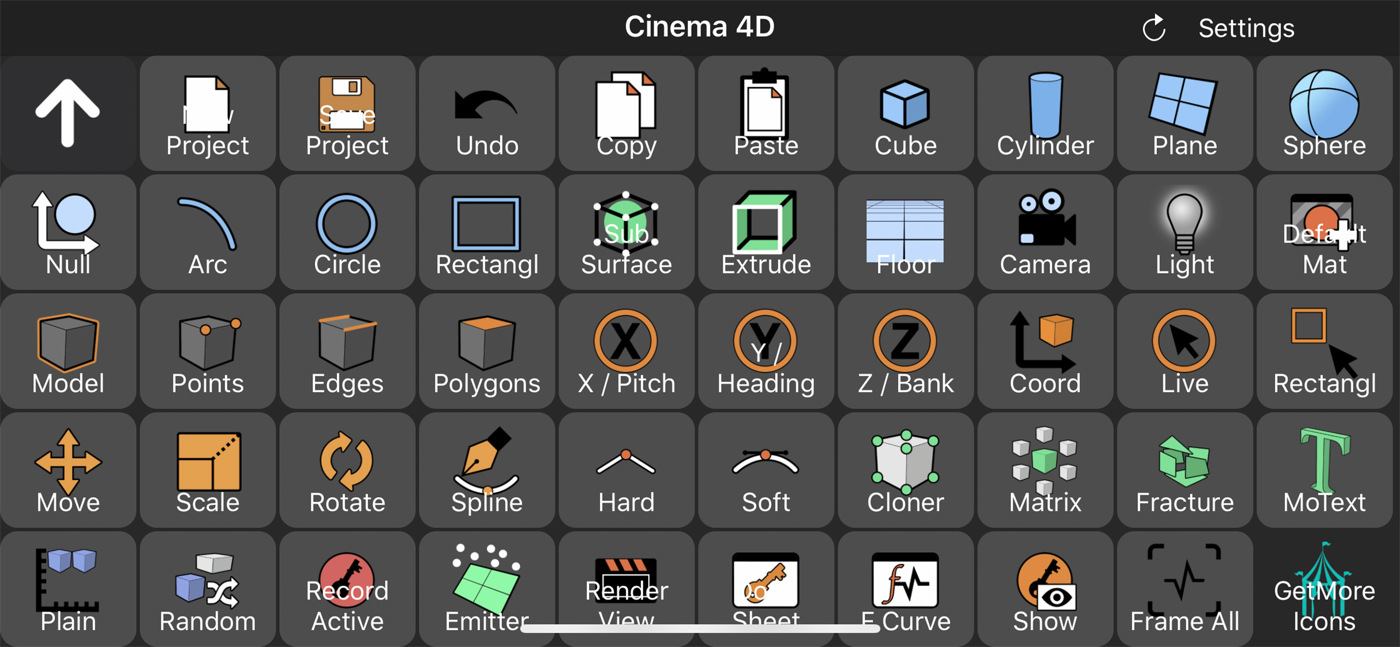
Use it as a Macro Deckboard or Shortcut Board for your video and photo editing software and edit faster and more efficient.
Use cases:
- Game streamers:
Stream your games while having total control of your broadcast overlays with a deck of buttons.
- Video editors:
Edit your videos faster, easier and smarter with a fully customizable page with the buttons you use most often on your Touch Portal deck. Create macros and shortcut buttons to optimize your workflow.
- Photo editors:
Edit your photos faster, you don't have to learn all the shortcuts the photo editing software gives you, just add the action you want to the "Touch Portal Desktop" app and start editing.
- Professionals:
Create your own customizable page to improve your productivity and workflow. The app is an extension of your keyboard, with much more features.
IMPORTANT!:
* You need to download the "Touch Desktop" app on your PC or your Mac to use this app. Please go to our website to download it from our website.
https://www.touch-portal.com/
Please join us at our Discord server for the fastest help. We are daily available on discord, our community is also willing to help you further with your Touch Portal experience.
Discord server: https://discord.gg/MgxQb8r
Touch Portal is the #1 All-in-One Remote Control Macro and Stream app for Phones and Tablets with a deck of buttons as a board on your desk and workspace.
You will get the following features:
- OBS STUDIO INTEGRATION (OBS web-socket required)
- STREAMLABS OBS INTEGRATION
- STREAMELEMENTS OBS.LIVE INTEGRATION (OBS web-socket required)
- ADOBE PHOTOSHOP INTEGRATION
- ADOBE LIGHTROOM CLASSIC INTEGRATION
- REMOTE CONTROL PC AND/OR MAC
- XSPLIT INTEGRATION
- TWITCH INTEGRATION
- HOME AUTOMATION
- PHILIPS HUE INTEGRATION
- MACRO BUTTONS
- SMART TOUCH BUTTONS
- CUSTOMIZABLE LOOK AND FEEL
- COMMUNITY-DRIVEN DEVELOPMENT
Touch Portal is a companion app to control a PC or a Mac by using a deck of buttons to improve the workflow & productivity of game streamers, content creators and professionals.
Touch Portal gives you all the essential controls you’d need, we keep adding more features every update! With Touch Portal you are allowed up to 110 unique buttons per page for the Pro version, not to mention you could use the pages to even increase this!
Use it as a Macro Deckboard or Shortcut Board for your video and photo editing software and edit faster and more efficient.
Use cases:
- Game streamers:
Stream your games while having total control of your broadcast overlays with a deck of buttons.
- Video editors:
Edit your videos faster, easier and smarter with a fully customizable page with the buttons you use most often on your Touch Portal deck. Create macros and shortcut buttons to optimize your workflow.
- Photo editors:
Edit your photos faster, you don't have to learn all the shortcuts the photo editing software gives you, just add the action you want to the "Touch Portal Desktop" app and start editing.
- Professionals:
Create your own customizable page to improve your productivity and workflow. The app is an extension of your keyboard, with much more features.
IMPORTANT!:
* You need to download the "Touch Desktop" app on your PC or your Mac to use this app. Please go to our website to download it from our website.
https://www.touch-portal.com/
Please join us at our Discord server for the fastest help. We are daily available on discord, our community is also willing to help you further with your Touch Portal experience.
Discord server: https://discord.gg/MgxQb8r
第一时间掌握精选限免应用/游戏信息
自定义喜欢的应用/游戏的价格变动
了解内购应用/游戏的限免或降价活动
查看应用/游戏价格历史等待合适时机再出手
第一时间收到价格通知不错过省钱机会

扫码下载 Follow
 日历规划 环形日历
现代日历将时间切割成均匀的方格,但自然从不是这样运作的——CircleTime让日历重新连接时间的自...

 ToChart
一款本地化、安全、极简的数据分析工具,所有数据处理均在您的设备上完成,绝不离开本地。Windows、...
 试试双拼
试试双拼
试试双拼是 App Store 上第一款双拼输入法练习软件,通过这个软件你能方便的学习双拼规则,练习...
 7
7


现代日历将时间切割成均匀的方格,但自然从不是这样运作的——CircleTime让日历重新连接时间的自...
9


一款本地化、安全、极简的数据分析工具,所有数据处理均在您的设备上完成,绝不离开本地。Windows、...
9

试试双拼是 App Store 上第一款双拼输入法练习软件,通过这个软件你能方便的学习双拼规则,练习...
天天发现优质应用
 到主屏幕
到主屏幕


产品名
这项是必须填的哦~可用平台
产品链接
这项是必须填的哦~产品一句话介绍
这项是必须填的哦~开发者邮箱
你也可以发送更多的产品故事到 hi@mergeek.com
我们会让你的产品被更多用户看到!
产品名
这项是必须填的哦~可用平台
产品链接
这项是必须填的哦~产品一句话介绍
这项是必须填的哦~开发者邮箱
你也可以发送更多的产品故事到 hi@mergeek.com
我们会让你的产品被更多用户看到!
已经成功发送到你的邮箱了,请注意查收
你成为这个产品的发现者啦,说说你的推荐语吧!