









加入 Mergeek 福利群
扫码添加小助手,精彩福利不错过!
若不方便扫码,请在 Mergeek 公众号,回复 群 即可加入
- 精品限免
- 早鸟优惠
- 众测送码
 Universal Clipboard : Clipbox
 4.5
4.5
Clipbox is a powerful clipboard manager with a rich feature set to help you type less and boost your productivity. Text Capture lets you grab text from anywhere on your screen, instantly.
A modern look and design that feels right at home in the latest versions of macOS.
Text Capture
• Text capture lets you extract text from Images, PDFs, Videos, Web Pages etc...
• You can active Text capture by using the keyboard shortcut or from the menu bar.
• Just select the area with the text you want to detect.
• Detected text is directly copied to the clipboard.
• A Notification shows up at the bottom right corner of
your screen with the recognised text.
• You can tap the Notification to directly edit the text to add a description in Snippet editor.
Quick search
• Search through your entire clipboard history to find just what you need in an instant.
• Find clips based on their date.
• You can find clips by using either the clip's text or its description.
• The app launches with the search bar active, so you can directly start your search.
Stack Paste
• Paste lists with ease.
• Stack paste can be accessed from the mini clipboard.
Edit clips
• Add or remove text from your clips.
• To edit a clip, right click on a clip and choose edit.
Add Description
• Add descriptions to passwords and URLs in order to identify them later.
• Descriptions replace the copied text in the Clipbox window. However over the clip to show its text.
And More...
• Pause Clipboard: Pause clipboard recording if don't want the app to save the copied text for a period of time. You can turn this on later to start saving copied text again.
• Copy current date: Copy current date and time to clipboard with just a click. Date format can be customised from preferences.
• Keyboard shortcuts: Easy to learn and easy to use keyboard shortcuts to increase your productivity even further.
Terms of use: https://www.apple.com/legal/internet-services/itunes/dev/stdeula/
Privacy Policy: https://sites.google.com/view/thirtynineapps-privacy/home
Clipbox is a powerful clipboard manager with a rich feature set to help you type less and boost your productivity. Text Capture lets you grab text from anywhere on your screen, instantly.
A modern look and design that feels right at home in the latest versions of macOS.
Text Capture
• Text capture lets you extract text from Images, PDFs, Videos, Web Pages etc...
• You can active Text capture by using the keyboard shortcut or from the menu bar.
• Just select the area with the text you want to detect.
• Detected text is directly copied to the clipboard.
• A Notification shows up at the bottom right corner of
your screen with the recognised text.
• You can tap the Notification to directly edit the text to add a description in Snippet editor.
Quick search
• Search through your entire clipboard history to find just what you need in an instant.
• Find clips based on their date.
• You can find clips by using either the clip's text or its description.
• The app launches with the search bar active, so you can directly start your search.
Stack Paste
• Paste lists with ease.
• Stack paste can be accessed from the mini clipboard.
Edit clips
• Add or remove text from your clips.
• To edit a clip, right click on a clip and choose edit.
Add Description
• Add descriptions to passwords and URLs in order to identify them later.
• Descriptions replace the copied text in the Clipbox window. However over the clip to show its text.
And More...
• Pause Clipboard: Pause clipboard recording if don't want the app to save the copied text for a period of time. You can turn this on later to start saving copied text again.
• Copy current date: Copy current date and time to clipboard with just a click. Date format can be customised from preferences.
• Keyboard shortcuts: Easy to learn and easy to use keyboard shortcuts to increase your productivity even further.
Terms of use: https://www.apple.com/legal/internet-services/itunes/dev/stdeula/
Privacy Policy: https://sites.google.com/view/thirtynineapps-privacy/home
第一时间掌握精选限免应用/游戏信息
自定义喜欢的应用/游戏的价格变动
了解内购应用/游戏的限免或降价活动
查看应用/游戏价格历史等待合适时机再出手
第一时间收到价格通知不错过省钱机会

扫码下载 Follow
 FliTik翻页时钟
FliTik翻页时钟是一款经过精美设计的翻页时钟App。使用它之后,您的iOS设备将在瞬间变成一个精...

 ProKnockOut
ProKnockOut 是一款强大的图像处理工具,以智能抠图为核心,集成了图片合成、人像美容、照片编...
 Telo
Telo
Telo是你的AI健康助手,帮你把Apple健康和Apple Watch里的数据变成每天看得懂的身体...
 57
57


FliTik翻页时钟是一款经过精美设计的翻页时钟App。使用它之后,您的iOS设备将在瞬间变成一个精...
83
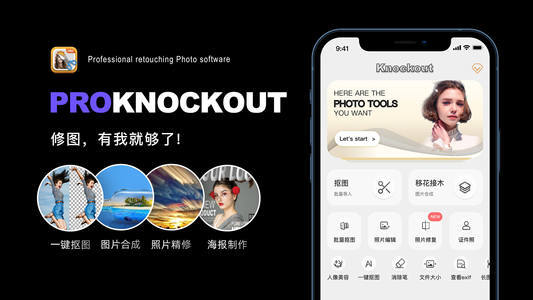

ProKnockOut 是一款强大的图像处理工具,以智能抠图为核心,集成了图片合成、人像美容、照片编...
64


Telo是你的AI健康助手,帮你把Apple健康和Apple Watch里的数据变成每天看得懂的身体...
天天发现优质应用
 到主屏幕
到主屏幕


产品名
这项是必须填的哦~可用平台
产品链接
这项是必须填的哦~产品一句话介绍
这项是必须填的哦~开发者邮箱
你也可以发送更多的产品故事到 hi@mergeek.com
我们会让你的产品被更多用户看到!
产品名
这项是必须填的哦~可用平台
产品链接
这项是必须填的哦~产品一句话介绍
这项是必须填的哦~开发者邮箱
你也可以发送更多的产品故事到 hi@mergeek.com
我们会让你的产品被更多用户看到!
已经成功发送到你的邮箱了,请注意查收
你成为这个产品的发现者啦,说说你的推荐语吧!