














加入 Mergeek 福利群
扫码添加小助手,精彩福利不错过!
若不方便扫码,请在 Mergeek 公众号,回复 群 即可加入
- 精品限免
- 早鸟优惠
- 众测送码
 Reframe – Photo Layout Editor
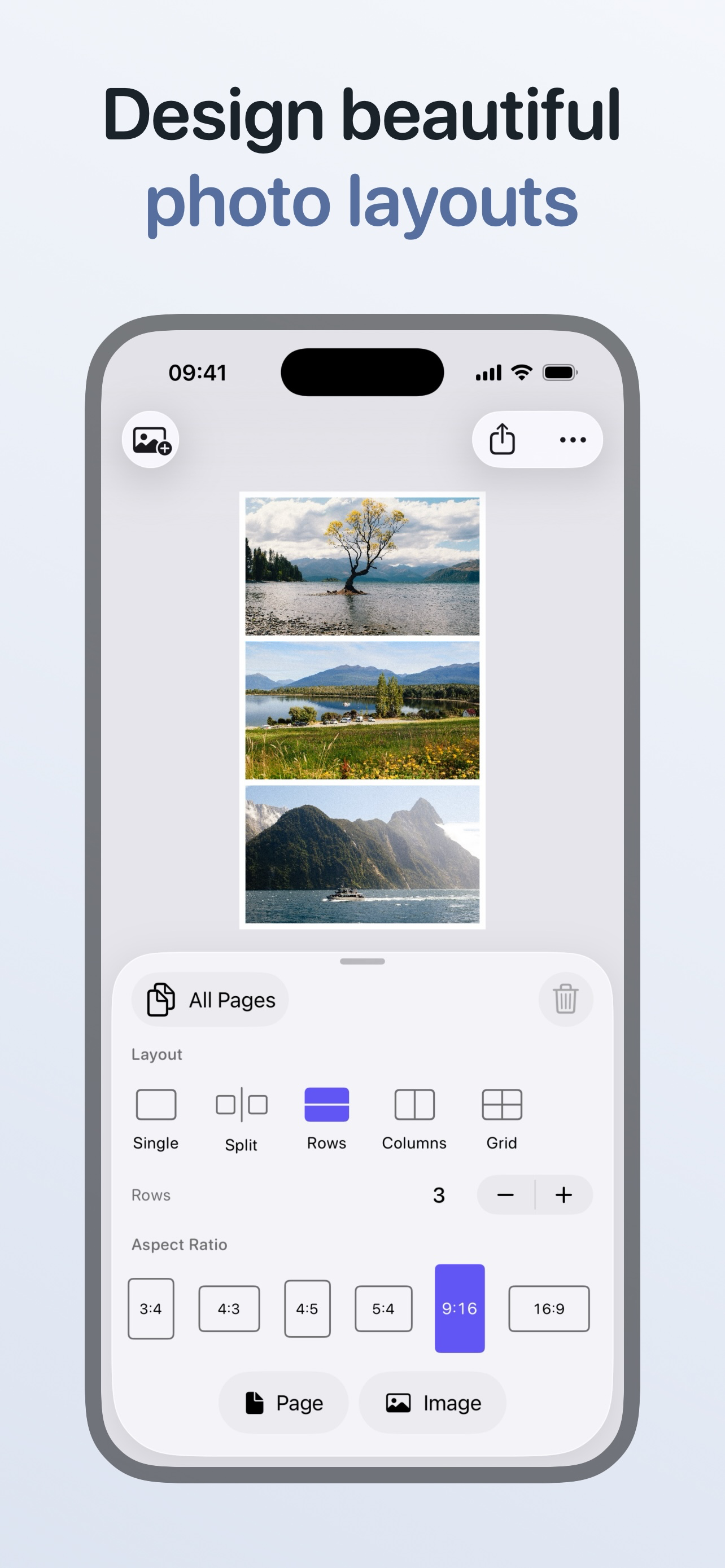
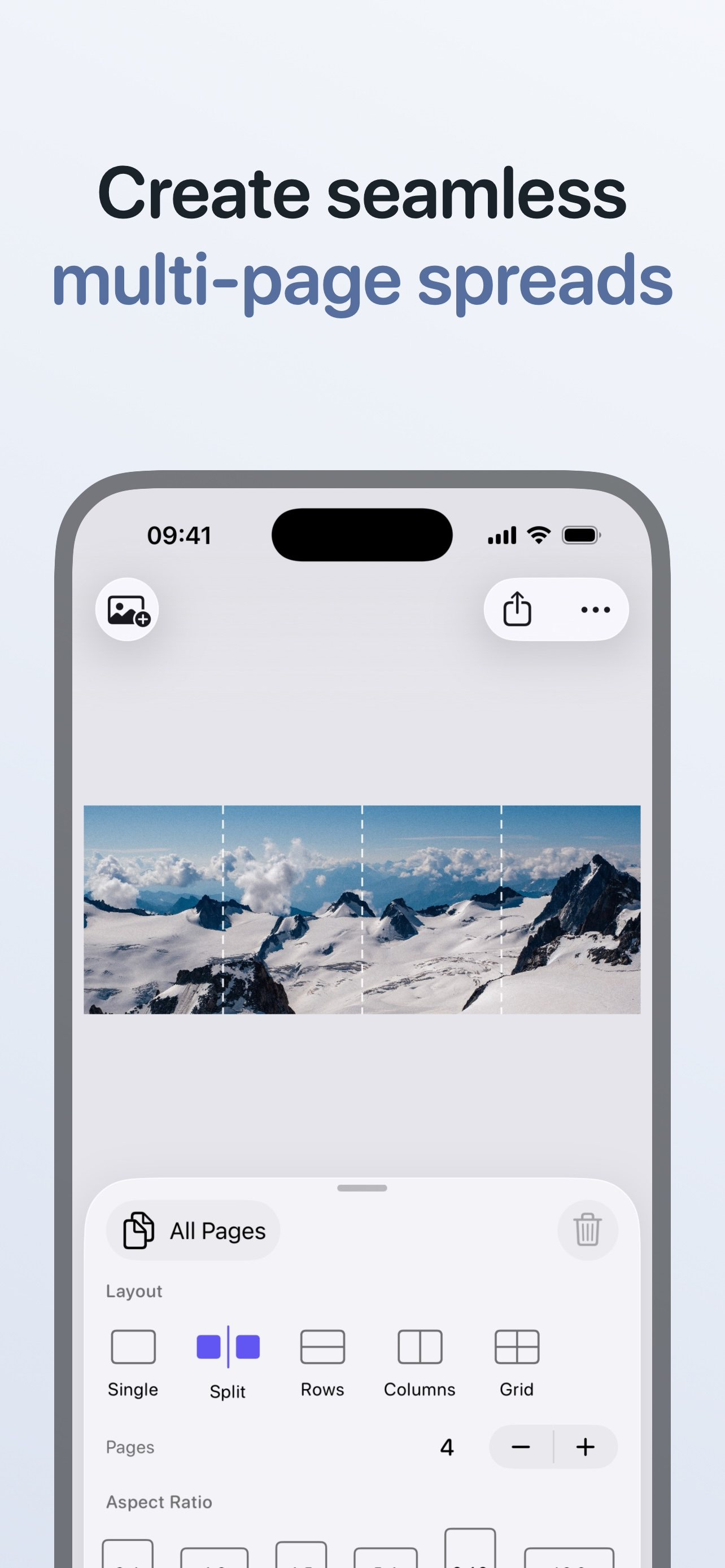
Reframe makes it easy to create polished image layouts for posts, carousels, and multi-page spreads in just a few taps. No subscriptions. No ads. CHOOSE A LAYOUT Start with a layout that matches your idea. Use Single to showcase one standout image. Use Split to turn one image into a seamless multi-page spread that swipes across a carousel. Use Rows or Columns to create before and after shots or showcase multiple photos together. Use Grid to display a collection or photo series. CUSTOMISE THE PAGE Match your layout to any platform or style. Pick the aspect ratio you need so your post fits where you’re uploading. Adjust frame size to create breathing room around your images. Choose a background colour that complements your photos. Add a clean border for a polished, gallery-style finish. APPLY SETTINGS YOUR WAY Keep every page consistent with shared settings. Or customise individual pages when you need more control. FILL THE FRAME Mix vertical, horizontal, and square photos in one layout without worrying about cropping (unless you want to!). Toggle Fill Page so your images expand to use all available space. Tap any image to select it, then drag to fine-tune the crop so the focus is exactly where you want it. PREVIEW YOUR LAYOUT Minimise the controls with one swipe and let your layout fill the screen. Review the final look before you export and post. ARRANGE YOUR SEQUENCE Plan your story from first swipe to last. Reorder the photos and pages in your carousel to plan the sequence before exporting. EASY EXPORT Export every page at once with a single tap. Smart sizing options determine the best resolution for preserving the details in your photos, or go fully custom and set the exact long or short edge size you need. Optionally include your photo’s original metadata. Choose JPEG for best compatibility or HEIC for smaller files with excellent image quality. PRIVATE PHOTO PICKER Reframe uses the built-in iOS photo picker. Only the photos you explicitly select are shared with the app, keeping the rest of your library private. DESIGNED FOR iOS Reframe feels fast and responsive on iPhone, with smooth animations and subtle haptic feedback that makes editing layouts feel effortless and precise.
Reframe makes it easy to create polished image layouts for posts, carousels, and multi-page spreads in just a few taps. No subscriptions. No ads. CHOOSE A LAYOUT Start with a layout that matches your idea. Use Single to showcase one standout image. Use Split to turn one image into a seamless multi-page spread that swipes across a carousel. Use Rows or Columns to create before and after shots or showcase multiple photos together. Use Grid to display a collection or photo series. CUSTOMISE THE PAGE Match your layout to any platform or style. Pick the aspect ratio you need so your post fits where you’re uploading. Adjust frame size to create breathing room around your images. Choose a background colour that complements your photos. Add a clean border for a polished, gallery-style finish. APPLY SETTINGS YOUR WAY Keep every page consistent with shared settings. Or customise individual pages when you need more control. FILL THE FRAME Mix vertical, horizontal, and square photos in one layout without worrying about cropping (unless you want to!). Toggle Fill Page so your images expand to use all available space. Tap any image to select it, then drag to fine-tune the crop so the focus is exactly where you want it. PREVIEW YOUR LAYOUT Minimise the controls with one swipe and let your layout fill the screen. Review the final look before you export and post. ARRANGE YOUR SEQUENCE Plan your story from first swipe to last. Reorder the photos and pages in your carousel to plan the sequence before exporting. EASY EXPORT Export every page at once with a single tap. Smart sizing options determine the best resolution for preserving the details in your photos, or go fully custom and set the exact long or short edge size you need. Optionally include your photo’s original metadata. Choose JPEG for best compatibility or HEIC for smaller files with excellent image quality. PRIVATE PHOTO PICKER Reframe uses the built-in iOS photo picker. Only the photos you explicitly select are shared with the app, keeping the rest of your library private. DESIGNED FOR iOS Reframe feels fast and responsive on iPhone, with smooth animations and subtle haptic feedback that makes editing layouts feel effortless and precise.
第一时间掌握精选限免应用/游戏信息
自定义喜欢的应用/游戏的价格变动
了解内购应用/游戏的限免或降价活动
查看应用/游戏价格历史等待合适时机再出手
第一时间收到价格通知不错过省钱机会

扫码下载 Follow
 Vibeknow
VibeKnow 是全球首个 AI 知识视频创作平台,主打”一键把文档变视频”。无需剪辑技能、无需出...

 Cardify
Cardify 是面向 K12 学生和家长的 AI 错题本。拍照或导入作业、试卷错题,自动识别题目与...
 Emote AI 生活管理笔记
Emote 笔记重置版已上线,带来多重全新体验:笔记架构全面升级,融合笔记、AI 与日程管理,打造高...
 84
84


VibeKnow 是全球首个 AI 知识视频创作平台,主打”一键把文档变视频”。无需剪辑技能、无需出...
98


Cardify 是面向 K12 学生和家长的 AI 错题本。拍照或导入作业、试卷错题,自动识别题目与...
45


Emote 笔记重置版已上线,带来多重全新体验:笔记架构全面升级,融合笔记、AI 与日程管理,打造高...
天天发现优质应用
 到主屏幕
到主屏幕


产品名
这项是必须填的哦~可用平台
产品链接
这项是必须填的哦~产品一句话介绍
这项是必须填的哦~开发者邮箱
你也可以发送更多的产品故事到 hi@mergeek.com
我们会让你的产品被更多用户看到!
产品名
这项是必须填的哦~可用平台
产品链接
这项是必须填的哦~产品一句话介绍
这项是必须填的哦~开发者邮箱
你也可以发送更多的产品故事到 hi@mergeek.com
我们会让你的产品被更多用户看到!
已经成功发送到你的邮箱了,请注意查收
你成为这个产品的发现者啦,说说你的推荐语吧!