An app for creating hand-drawn-style text as seen on Showa-era signs and advertisements.
■ 8 Showa Styles
- Enamel Signs
- Aggressive Lettering
- Handwritten Notice Boards
- Movie Posters
- Jidaigeki Film Typography
- Public Bath Paint
- Shopping District Price Tags
- Round Showa Fonts
■ Detailed Adjustments
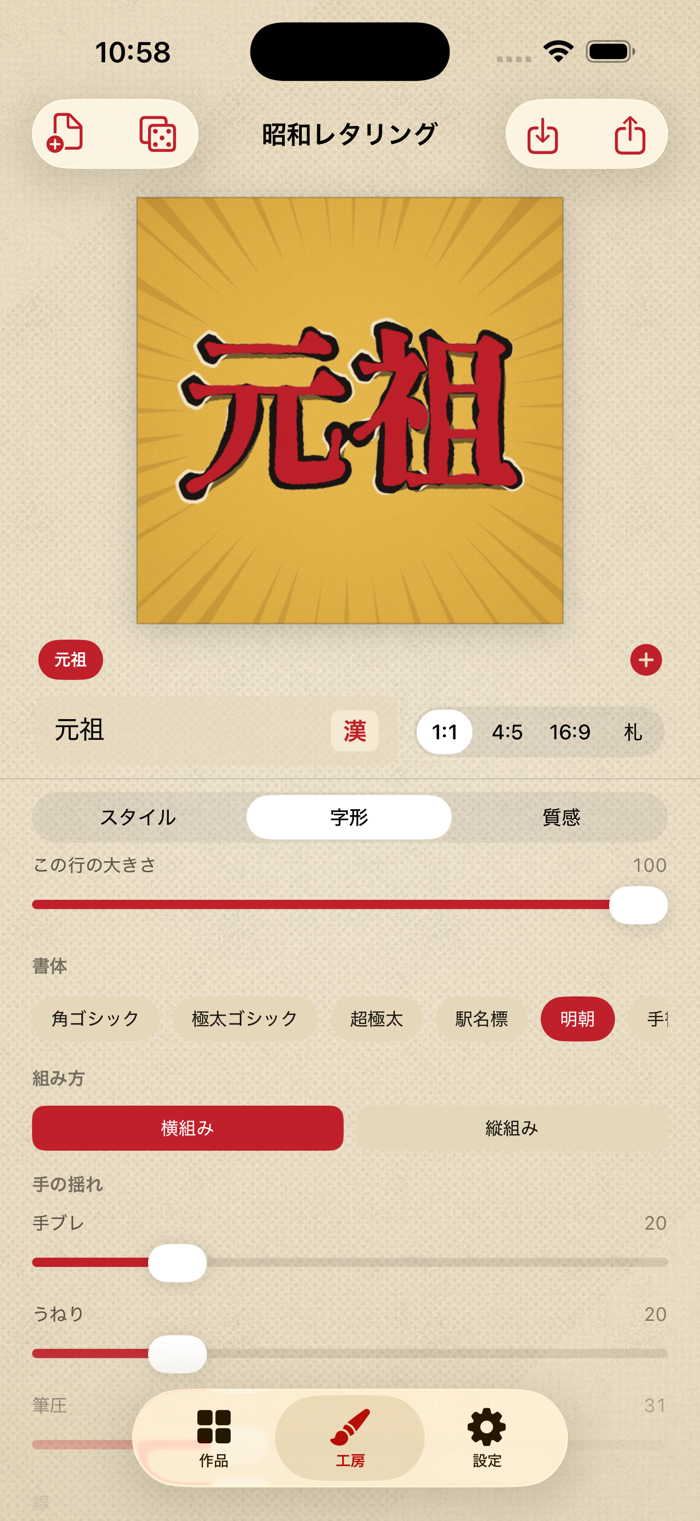
Adjust hand tremor, wavy lines, pen pressure, thickness, stops and hooks, roughness, tears, full character fill, elongated/flat proportions, sharpness of corners, retained white-out effects, size irregularity, line sway, character spacing, line spacing, and tilt. Texture options include fading, misregistration, halftone dots, paper yellowing, graininess, and radial lines.
■ Combine Any Number of Lines
Add lines to change fonts, colors, and vertical/horizontal layouts per line. Layer multiple lines together like a real sign to create a single composition.
■ Compare and Choose
Press the dice button to generate eight variations of rewritten characters for the same input. Simply tap your favorite design.
■ Save Your Works
Saved text can be reopened and edited at any time (up to 30 designs). Reordering is also freely available.
■ Export Options
Choose from 1:1, 4:5, 16:9, or tall formats to export as images. Selectable transparent PNG backgrounds allow you to layer your designs in other apps.
■ Create Without a Japanese Keyboard (For International Users)
Tap the "Kan" button to open a list of common Kanji and Katakana characters frequently used on signs.
■ Additional Features
- Fully offline. No internet connection, ads, or account required.
- Switch between Japanese and English display.
- All bundled fonts are open-source under the SIL Open Font License 1.1.