产品功能

应用市场介绍

Basketball Stats Assistant - Record and share your basketball statistics. Analyze your basketball games
Record and share your basketball statistics. Analyze your basketball games
Basketball Stats Assistant will help you easily and intuitively record and analyze the statistics of your basketball team.
Explore the automatically generated team and player reports that allow you to analyze advanced basketball statistics, helping you improve continuously.
Fast and intuitive recording system (drag-and-drop)
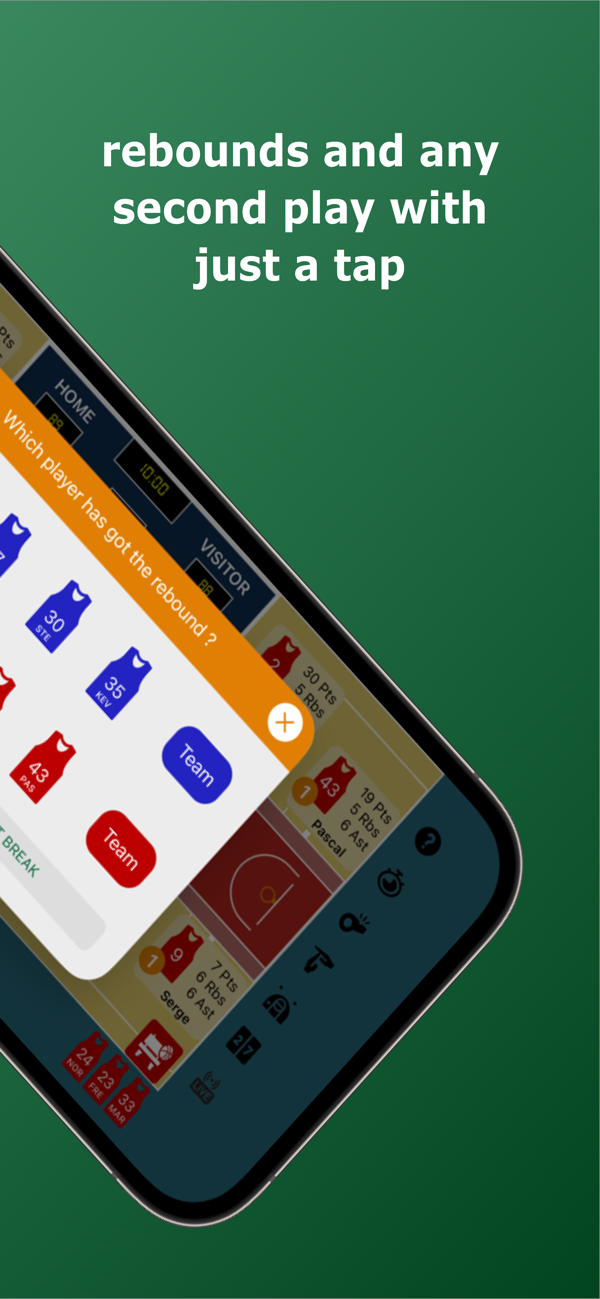
When you drag any action to a player on the court, the system will save the statistics, and you won't miss a single second of the game.
After a made shot, a missed shot, a foul by your team or the opposing team, and a steal or a turnover, a dialog box will appear on the screen, so you can just click to record the score of the second game.
Quickly record the game time and edit it at any time to keep it in sync with the scoreboard time.
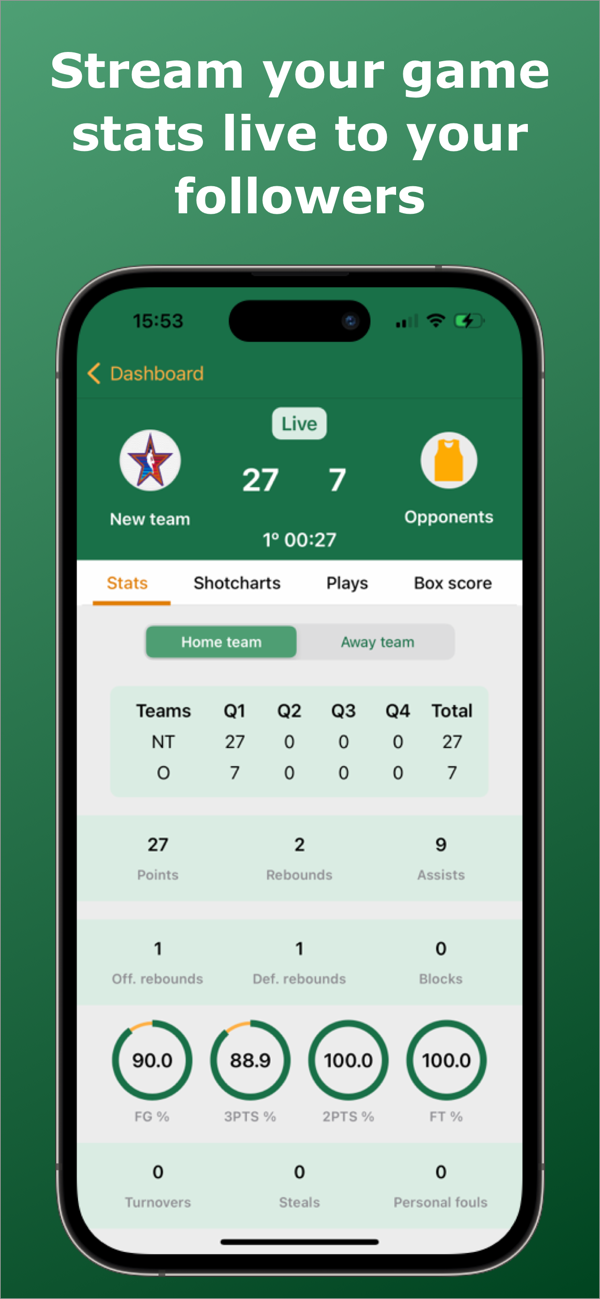
View the team and player statistics during the game.
Quickly correct mistakes and edit the shooting location after the game if necessary.
Statistics collected
Scoreboard (made shots, missed shots, and percentages)
Free throws
Points
Assists
Rebounds
Fouls and being fouled
Steals
Turnovers
Blocks
Dead ball time
Game time
Reports
Game report
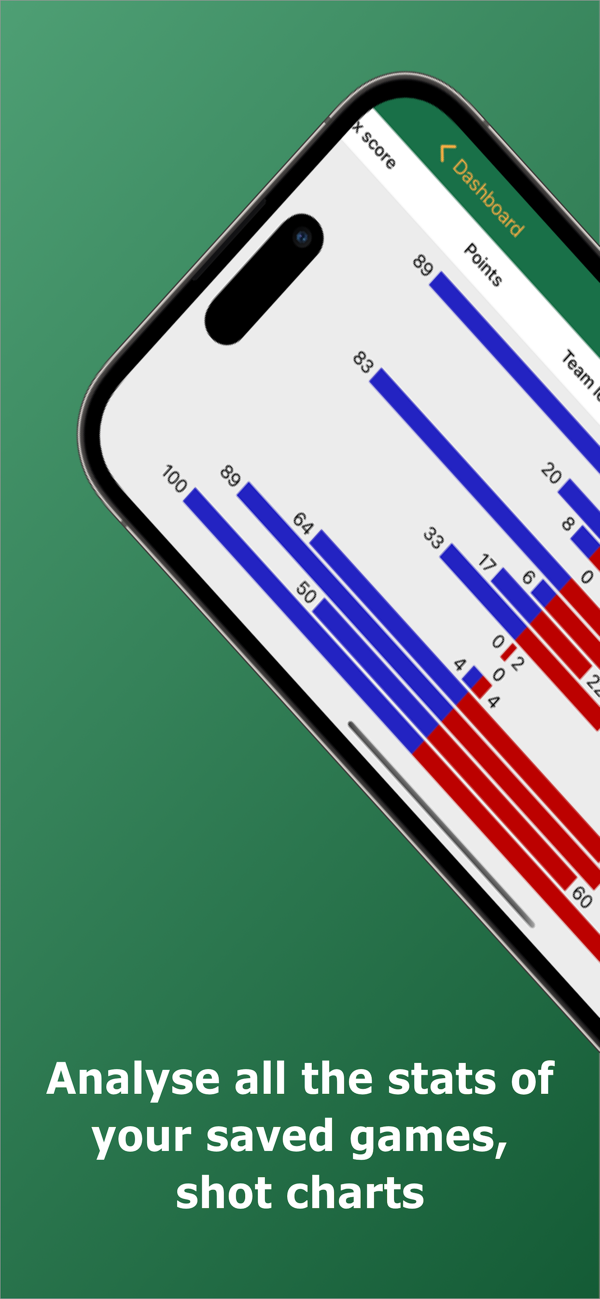
Shot chart by player and their corresponding shots
Statistical comparison table by team
Point differential chart
Summary of each game
Statistical tables of two teams and total statistics
Efficiency
Plus-minus statistics (+/-)
Player's season report
Season shot chart and percentage table
Statistical table by contract and date
Best statistics of the season based on the statistics
Team's season report
Season shot chart and percentage table of the entire team
Statistical table by contract and date
Best statistical data of the entire team's season based on the statistics
Best players of the season based on the statistics
Advanced shooting, ball control, rebounding, and scoring statistics. (eFG%, TSA, TS%, FTR)
Scoreboard and time
Use the middle button to control and easily master the time. If there is an error in the game time or scoreboard, click on the scoreboard and quickly edit it.
Quickly view the game result and team foul data.
Share basketball statistics
Share the team link with players and other coaches so they can also analyze the season's statistics. They just need to log in to the app and click on the team link you shared with them. Whenever a game is backed up, they will receive a notification containing the game data and its statistics.
Tips
While watching and recording the game statistics, you can drag any player to the center of the court to view that player's statistics.
Drag any action to the center of the court, or click on the question mark in the left menu to understand the meaning of that action.
Cancel the last action of any player by dragging the cancel symbol (red icon with a white cross).
Permissions:
Log in to the storage area to save game statistics and automatic reports.
The Internet saves your data in the cloud
Log in with Google
Save all your teams and games in the cloud.
Share your team link with your coach and players so they can also analyze the statistics.
You can restore the data on other devices (including iOS) as long as you log in with the same account.

收起

用户评价

立即分享产品体验

你的真实体验,为其他用户提供宝贵参考

宝石
评论可得 100 宝石
宝石随心兑换应用高级会员,每周更新 前往查看 >>
活动动态 0 人参加
查看更多评论