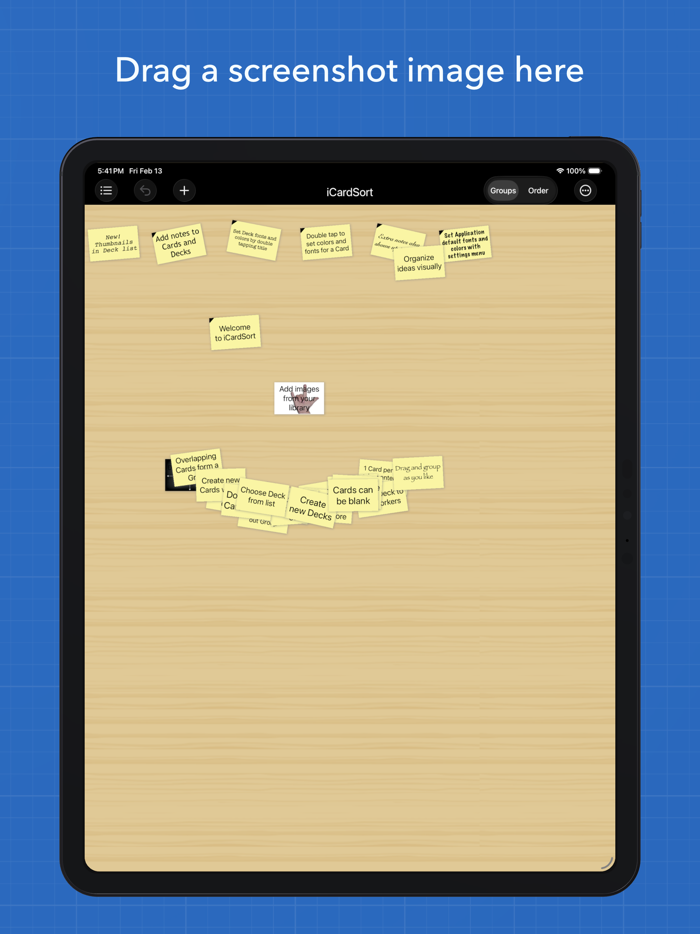
iCardSort turns your iPad into a hands-on card sorting workspace. Drag cards on an open tabletop, group them by topic, or rank them by priority — the classic card sorting method, reimagined for touch.
ORGANIZE YOUR WAY
Work in Group mode to cluster related ideas, or switch to Order mode to rank by importance. Cards that touch automatically form visual stacks, making patterns emerge naturally.
GREAT FOR TEAMS AND CLASSROOMS
Teachers use iCardSort for vocabulary exercises, categorization tasks, and group discussions. Product teams use it for feature prioritization, sprint planning, and stakeholder workshops. Hand the iPad around, or share decks afterward — no accounts or setup required.
SHARE AND EXPORT
Send decks via AirDrop, email, Messages, or any app that supports file sharing. Export multiple decks at once as a .icardsortz archive to keep your work backed up and portable.
MAKE IT YOURS
Customize card colors, fonts, text size, and backgrounds — per card or per deck. Choose from bundled patterns or use your own photos as a tabletop background.
POWERFUL GESTURES
Double-tap to add a card. Two-finger double-tap to add many at once. Drag to move, pinch to zoom, long-press a stack to fan it out. Every interaction feels natural.
ALSO GREAT FOR
• UX research and information architecture
• Brainstorming and visual outlining
• Workshop facilitation and design sprints
• Study aids and flash card activities

 +100宝石


 分享
分享





















用户评价
立即分享产品体验
你的真实体验,为其他用户提供宝贵参考
💎 分享获得宝石
【分享体验 · 获得宝石 · 增加抽奖机会】
将你的产品体验分享给更多人,获得更多宝石奖励!
💎 宝石奖励
每当有用户点击你分享的体验链接并点赞"对我有用",你将获得:
🔗 如何分享
复制下方专属链接,分享到社交媒体、群聊或好友:
💡 小贴士
分享时可以添加你的个人推荐语,让更多人了解这款产品的优点!
示例分享文案:
"推荐一款我最近体验过的应用,界面设计很精美,功能也很实用。有兴趣的朋友可以看看我的详细体验评价~"
领取结果