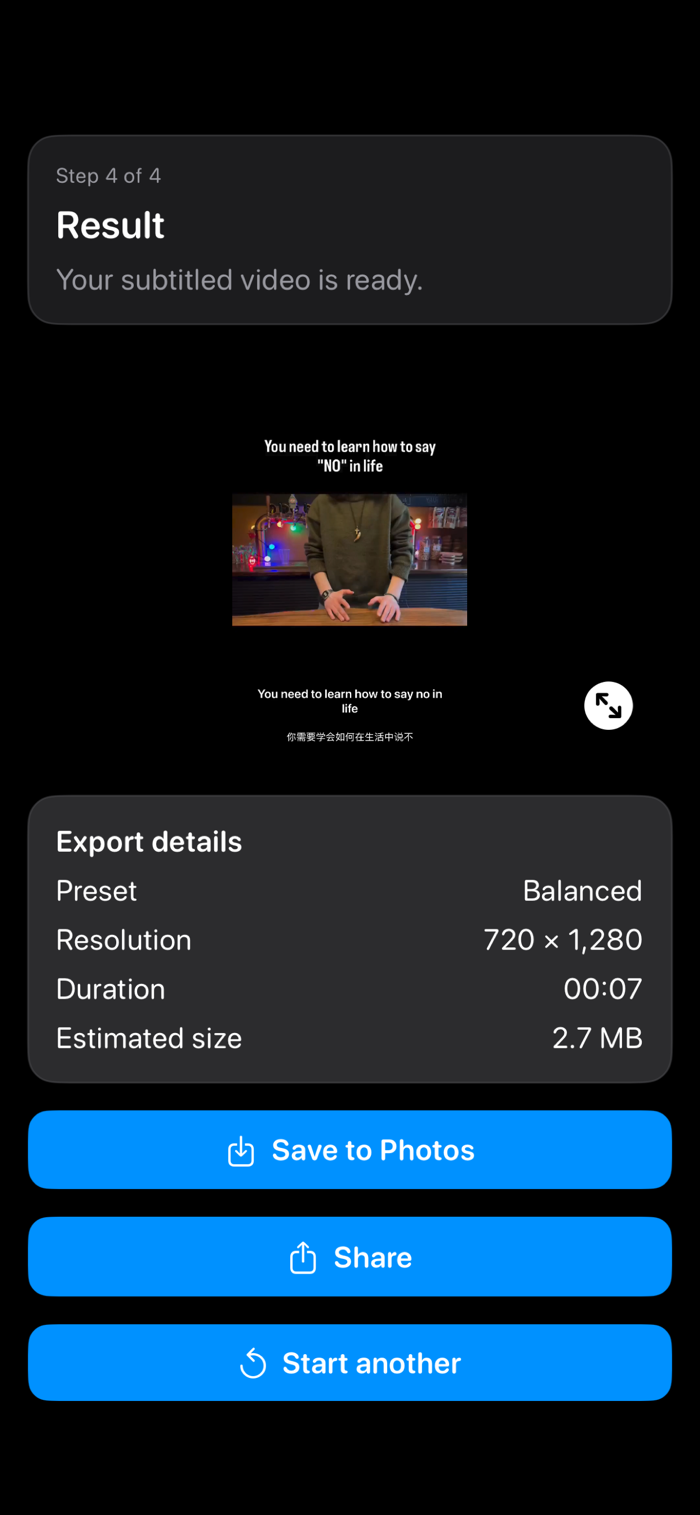
This app turns any video into a shareable version with clean, readable subtitles permanently burned in.
Select a video, choose the spoken audio language, and generate timed captions. Optionally add a second subtitle language to create bilingual subtitles, then export a new video that plays with subtitles everywhere—no special player required.
What you can do
• Transcribe speech to subtitles with timestamps.
• Translate subtitles to a second language when supported on your device.
• Burn one or two subtitle tracks directly into the video and export a new file.
• Preview, edit, and fix captions before exporting.
Designed for a smooth, guided workflow
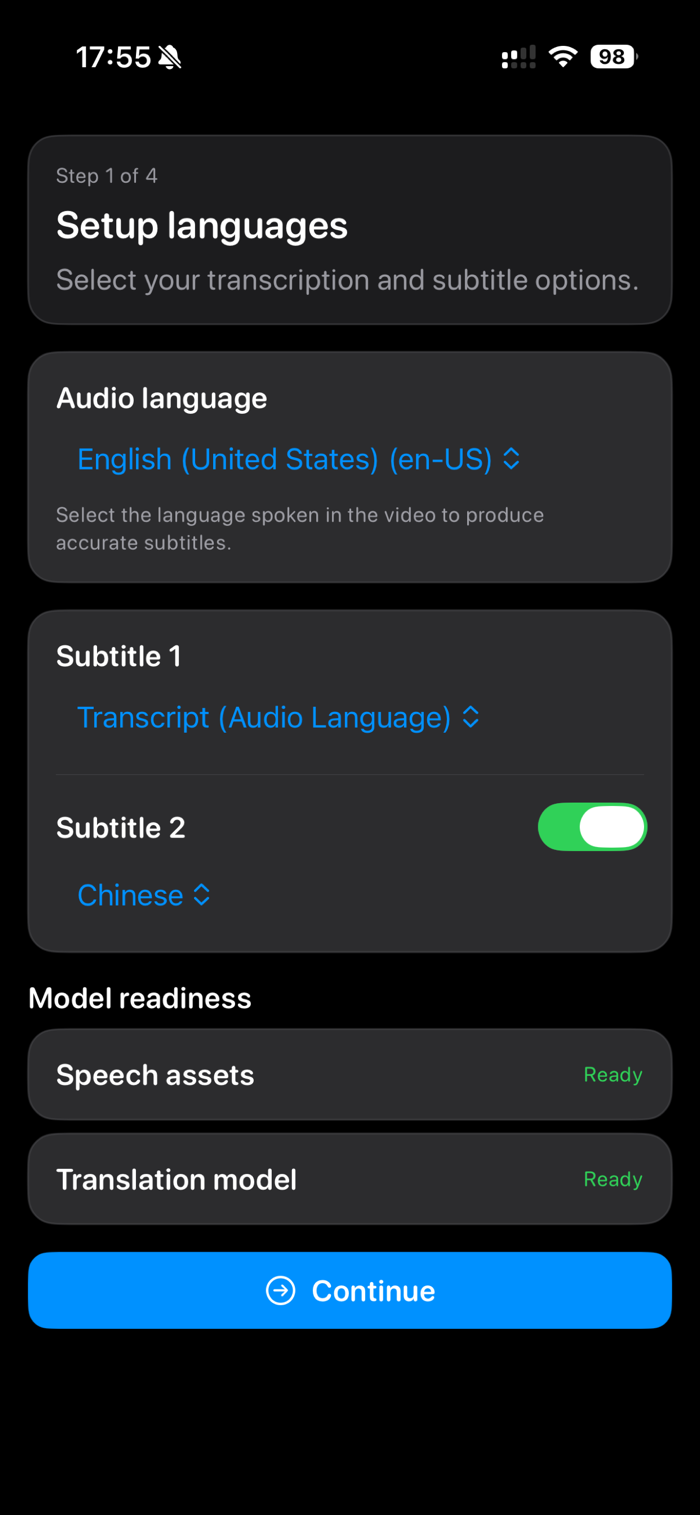
1. Choose the audio language for transcription.
2. Subtitle 1 (required) is the original transcript in the audio language and is always enabled.
3. Subtitle 2 (optional) is a translated track. The app only shows translation options that are available for the selected audio language, and can fall back to translating via English when a direct pair isn’t available.
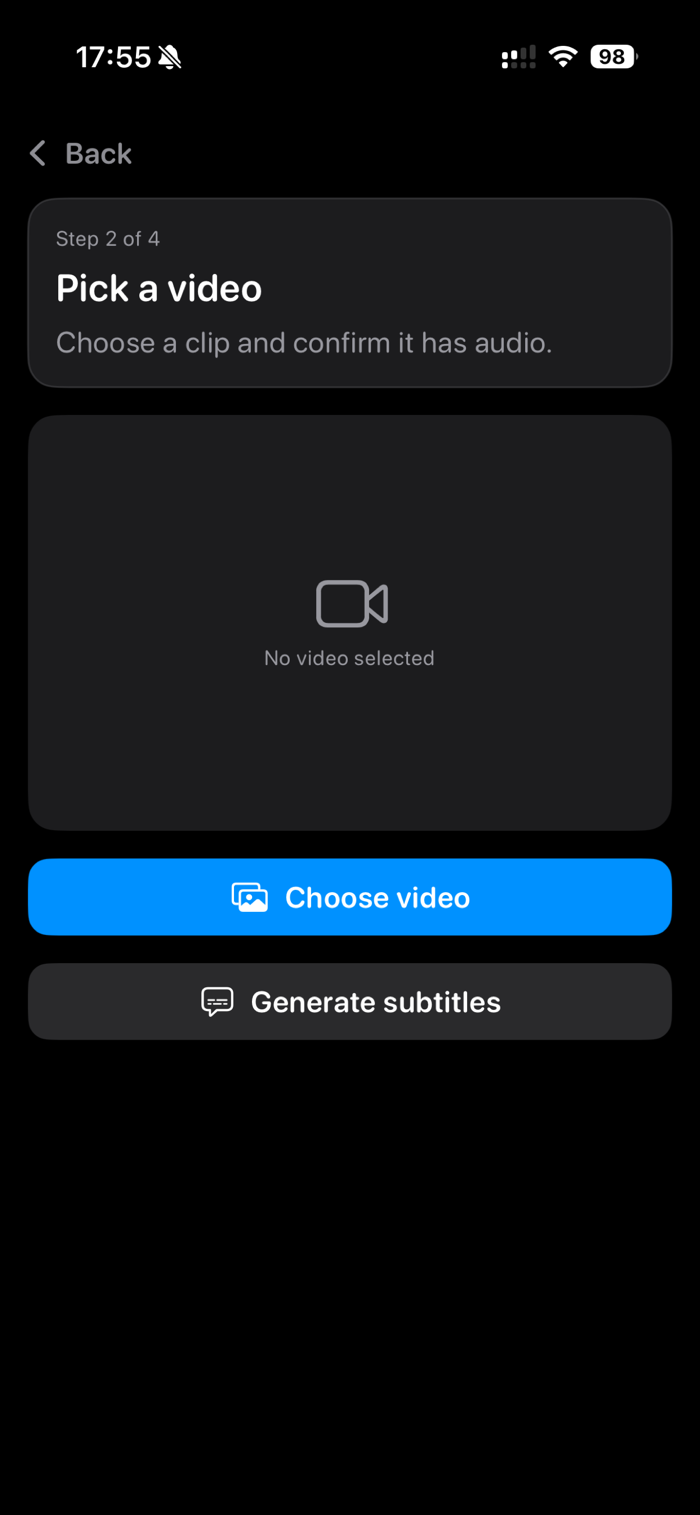
4. Generate subtitles, review them, and export.
Caption editing and readability
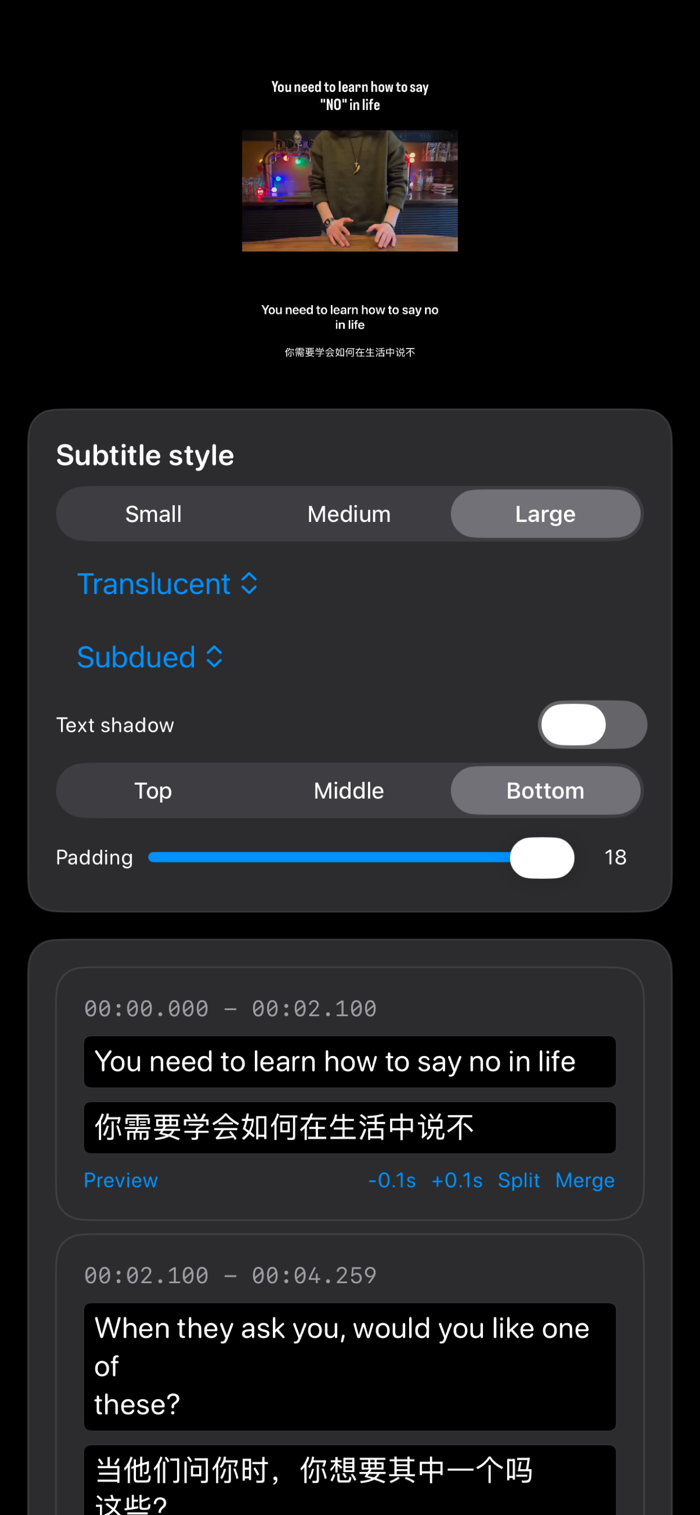
• Edit text, timing, and line breaks so subtitles match your video.
• Search within captions and quickly jump to a time range to make fixes.
• Choose subtitle position (bottom, lower-third), font size, and safe-area margins.
• Improve contrast with background box, shadow, or outline options.
• Bilingual layout options to keep two languages easy to read (stacked lines with spacing and alignment controls).
• Keep important content visible with adjustable maximum line length and wrapping behavior.
Export options that fit your needs
• Preserve the original audio.
• Choose export quality and resolution where available.
• Keep the look consistent with presets for single-language or bilingual captions.
• Save the exported video to Photos or share it directly to other apps.
Clear progress and reliability
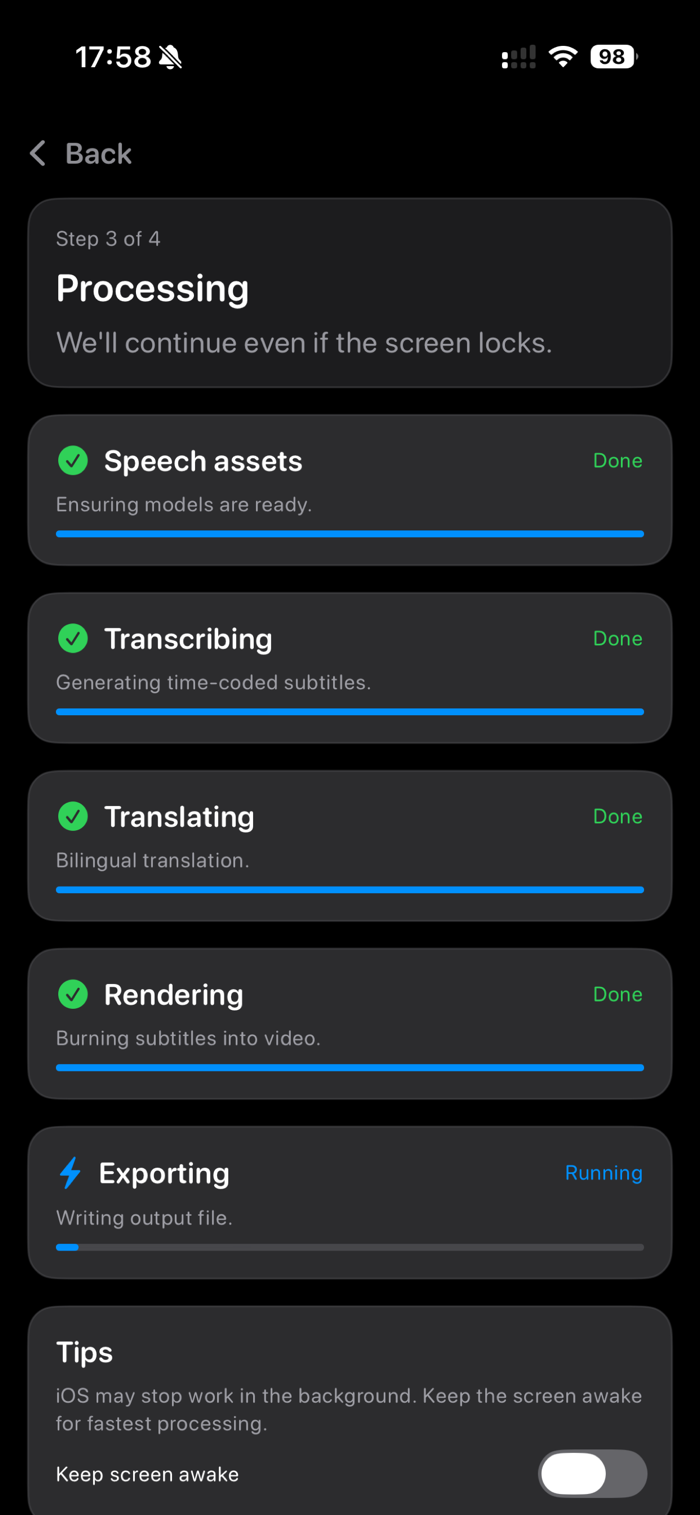
Long jobs can take time depending on video length. The app shows real progress for each step—language readiness, transcription, translation (if enabled), subtitle rendering, and export—so you always know what’s happening. You’ll also see reminders to keep the app active during export if your device requires it. If the app gets interrupted, you can return and continue from where you left off when possible.
Language support and availability
Speech recognition and translation language coverage varies by device and system support. Some languages or language pairs may require downloadable on-device assets. If something isn’t ready, the app will explain what’s missing and help you get set up before you start a long export. Translation doesn’t support every language combination, so the available Subtitle 2 choices depend on your selected audio language.
Tips for best results
• Pick the correct audio language for clearer transcription.
• Use caption editing to fix names, places, and technical terms.
• For bilingual subtitles, keep each line short and use the background box for readability.
• Longer videos take longer to process; exporting while plugged in is recommended.
Privacy
Your videos stay on your device. The app processes media locally and only asks for the permissions it needs, such as saving the exported video to your Photos library. If you allow Photos access, it’s used only to save your exported video.
Use cases
• Add captions for social posts and short videos.
• Create bilingual subtitles for family, friends, or classmates.
• Make videos easier to understand in noisy places or for accessibility.
• Prepare course demos, product walkthroughs, and tutorials with permanent subtitles.
• Capture meetings or lectures into readable subtitles you can replay anywhere.

 +100宝石


 分享
分享



















用户评价
立即分享产品体验
你的真实体验,为其他用户提供宝贵参考
💎 分享获得宝石
【分享体验 · 获得宝石 · 增加抽奖机会】
将你的产品体验分享给更多人,获得更多宝石奖励!
💎 宝石奖励
每当有用户点击你分享的体验链接并点赞"对我有用",你将获得:
🔗 如何分享
复制下方专属链接,分享到社交媒体、群聊或好友:
💡 小贴士
分享时可以添加你的个人推荐语,让更多人了解这款产品的优点!
示例分享文案:
"推荐一款我最近体验过的应用,界面设计很精美,功能也很实用。有兴趣的朋友可以看看我的详细体验评价~"
领取结果