It can be filled and signed, and truly blacked out. Black out the account number, sign, and then export a clean PDF. No ads, no watermarks, no cloud, no registration required.
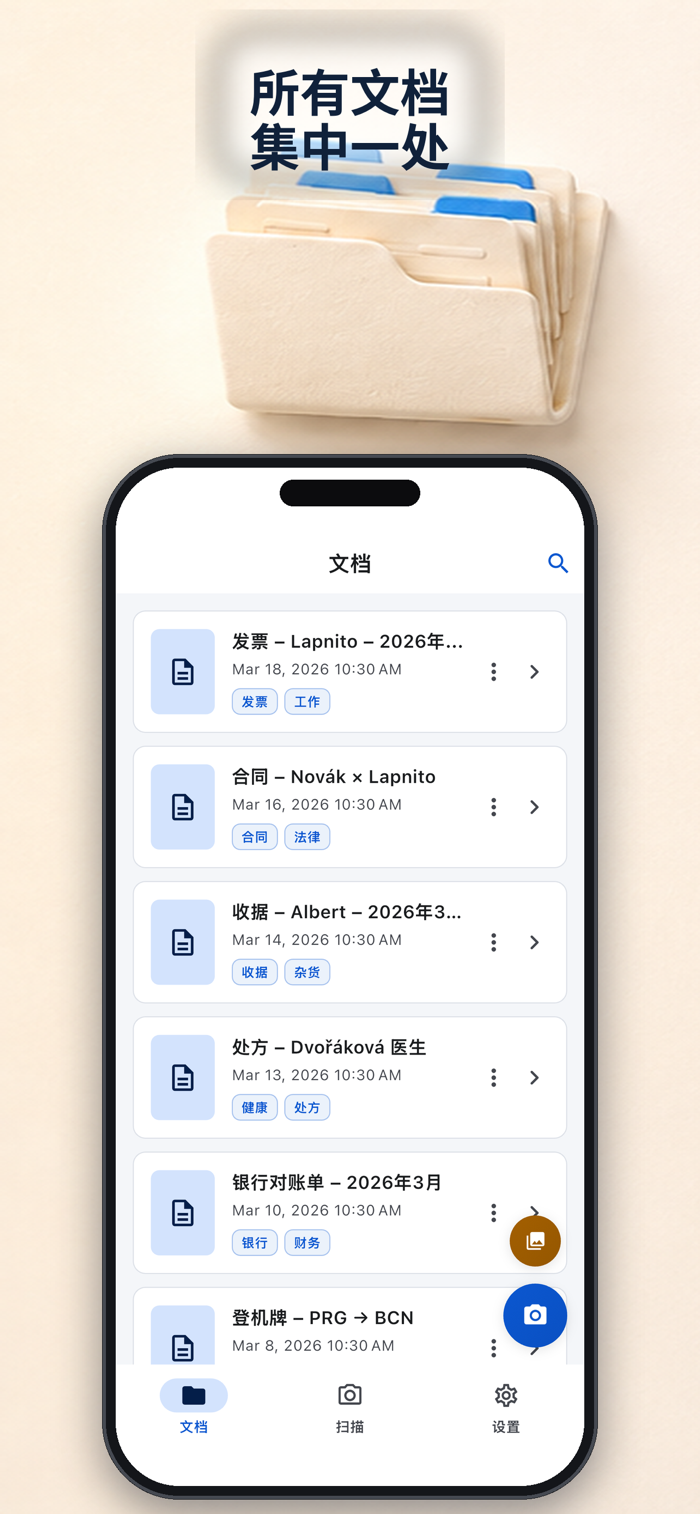
Scan any paper into PDF, fill and sign, and then black out the content that has nothing to do with others - all offline on iPhone.
No ads. No watermarks. No subscriptions. No accounts. The Apple privacy label on this page is very clear: no data is collected.
Truly black out the PDF
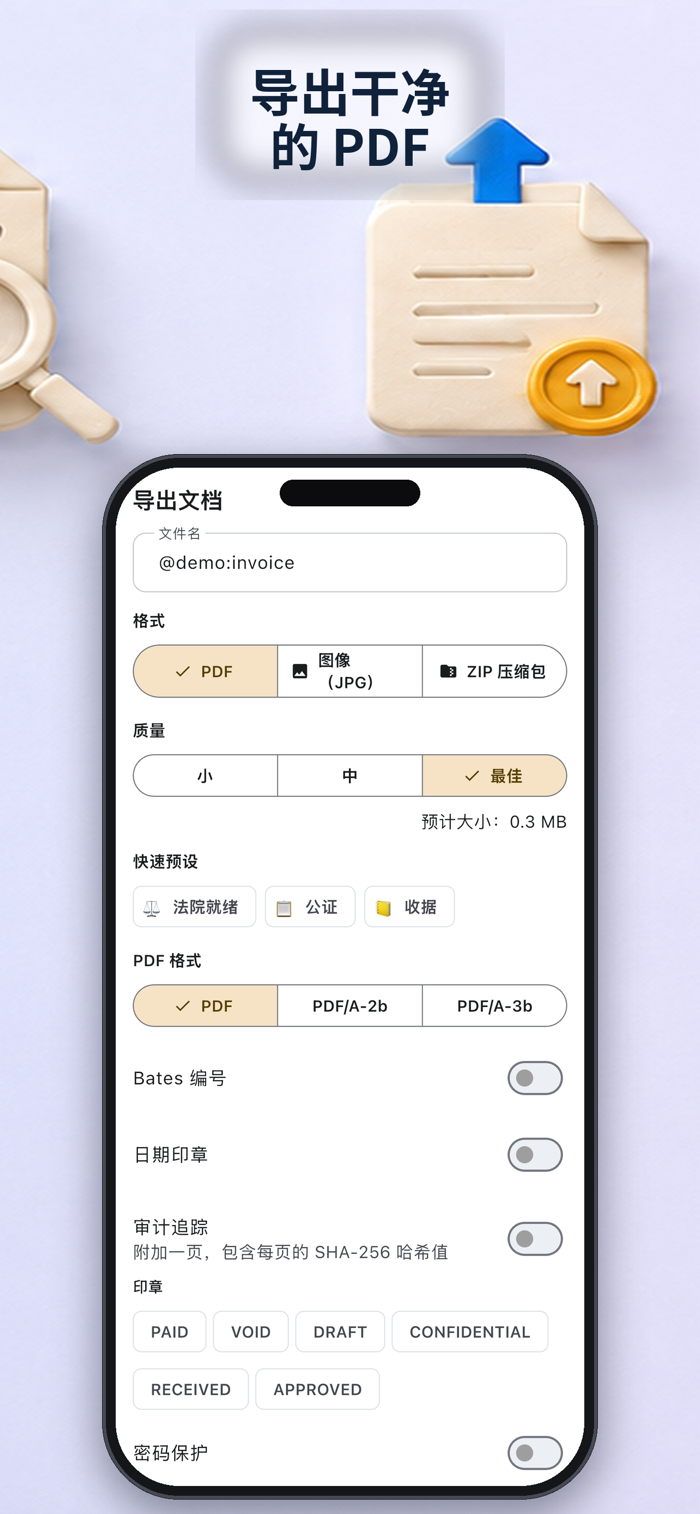
The real blackout will be burned into the exported PDF - not a layer that can be torn off. Before sharing, black out the account number on the bill, the amount on the payslip, and the personal information on the copy of the ID.
Fill and sign without printing
Sign on contracts, rental agreements, and school forms with your finger, place the signature precisely, export and send. No printer, no Docusign account required.
Underlying is a real scanner
• Automatic edge detection + perspective correction, manual adjustment of corners
• Batch scanning; add, delete, reorder pages
• Filters and brightness/contrast for faded receipts
• OCR text recognition and automatic naming
• Small size or high-quality PDF export; share or save to "Files"
• Local document library locked with Face ID
Designed to be private and offline from the start
Your files never leave your phone. No cloud, no upload, no tracking, no registration - and never any watermarks.


 +100宝石


 分享
分享














用户评价
立即分享产品体验
你的真实体验,为其他用户提供宝贵参考
💎 分享获得宝石
【分享体验 · 获得宝石 · 增加抽奖机会】
将你的产品体验分享给更多人,获得更多宝石奖励!
💎 宝石奖励
每当有用户点击你分享的体验链接并点赞"对我有用",你将获得:
🔗 如何分享
复制下方专属链接,分享到社交媒体、群聊或好友:
💡 小贴士
分享时可以添加你的个人推荐语,让更多人了解这款产品的优点!
示例分享文案:
"推荐一款我最近体验过的应用,界面设计很精美,功能也很实用。有兴趣的朋友可以看看我的详细体验评价~"
关注 Mergeek 公众号
领奖遇到问题?联系小门助手