Loop any moment of any video on the web - right inside Safari.
VideoLoop turns Safari into a video looper. Replay a chorus, repeat a dance step, drill a sentence in a language you're learning, or just keep a video playing forever. It works on YouTube, Vimeo, X, TikTok web, and pretty much any site that plays HTML5 video.
HOW IT WORKS
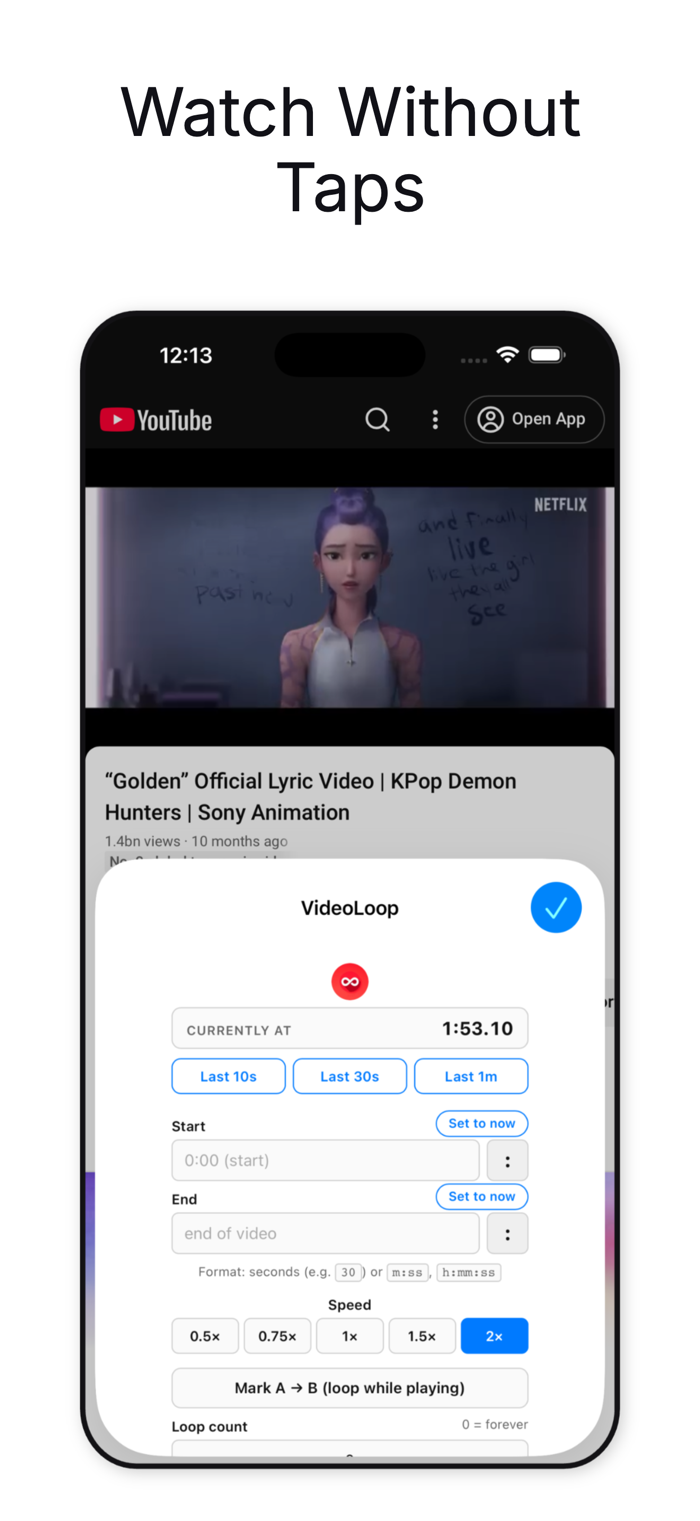
1. Enable VideoLoop in Safari Settings > Extensions > All Websites > Allow.
2. Open any video.
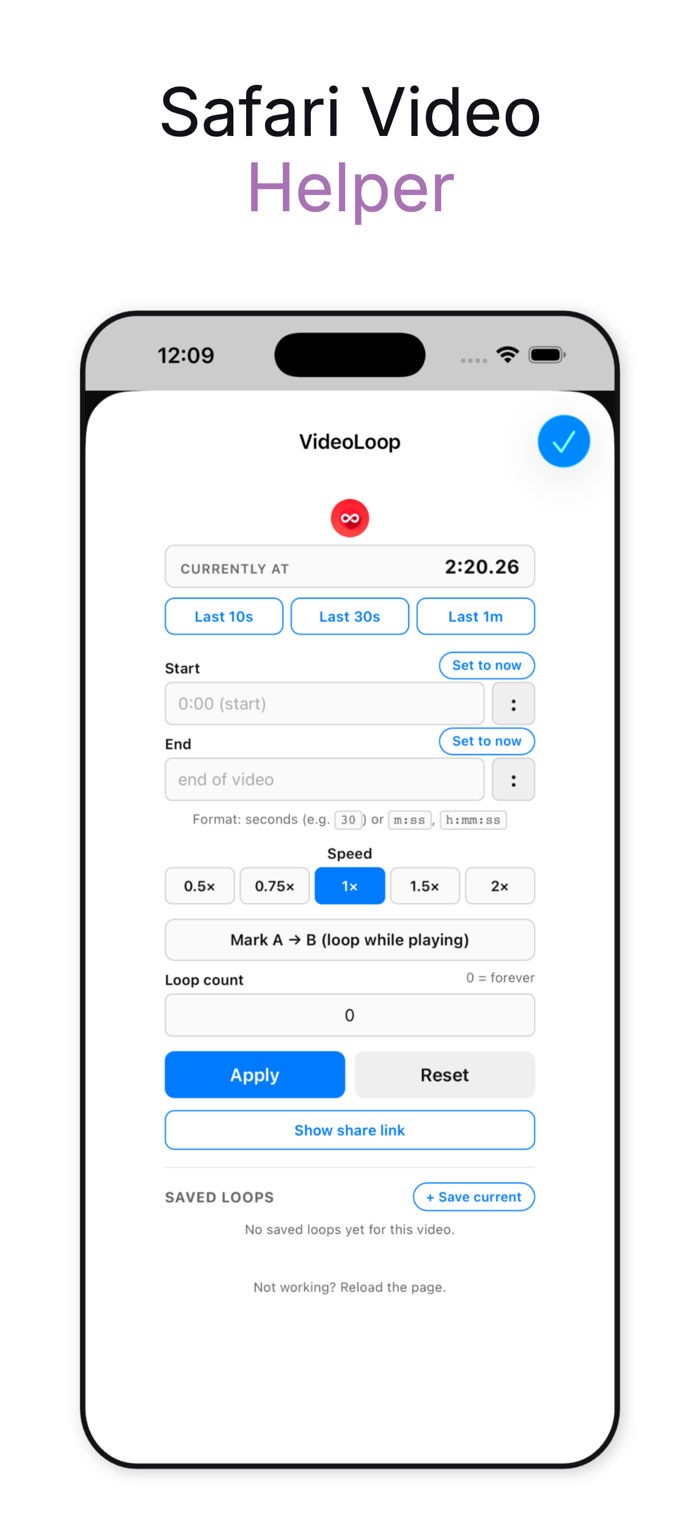
3. Tap the toolbar icon, set a Start and End time, or hit "Mark A to B" while it plays.
EVERYTHING YOU CAN DO
- Loop the whole video automatically - no more tapping replay.
- Loop a custom range. Type a time or tap "Set to now" to grab the current playback position.
- A to B repeat. One tap to mark A while the video plays, second tap to mark B. Loop starts immediately.
- Playback speed: 0.5x, 0.75x, 1x, 1.5x, 2x. Perfect for music, dance, and language practice.
- Quick loops: last 10 seconds, 30 seconds, or 1 minute - one tap.
- Save named loops per video. Long-press a saved loop to rename.
- iCloud sync. Saved loops follow you across iPhone, iPad, and Mac.
- Loop count limiter. Loop 5 times, 10 times, until you say stop.
- Shareable loop links. Send a friend the exact moment, with the loop pre-set.
- Per-video memory. Your loop and speed are restored next time you visit.
- Reliable on YouTube - no more auto-advance, no more page freezes.
PERFECT FOR
• Musicians learning a song<...


 +100宝石


 分享
分享

















用户评价
立即分享产品体验
你的真实体验,为其他用户提供宝贵参考
💎 分享获得宝石
【分享体验 · 获得宝石 · 增加抽奖机会】
将你的产品体验分享给更多人,获得更多宝石奖励!
💎 宝石奖励
每当有用户点击你分享的体验链接并点赞"对我有用",你将获得:
🔗 如何分享
复制下方专属链接,分享到社交媒体、群聊或好友:
💡 小贴士
分享时可以添加你的个人推荐语,让更多人了解这款产品的优点!
示例分享文案:
"推荐一款我最近体验过的应用,界面设计很精美,功能也很实用。有兴趣的朋友可以看看我的详细体验评价~"
关注 Mergeek 公众号
领奖遇到问题?联系小门助手