Nobody reads these. You scrolled the screenshots and already decided. So, the short version.
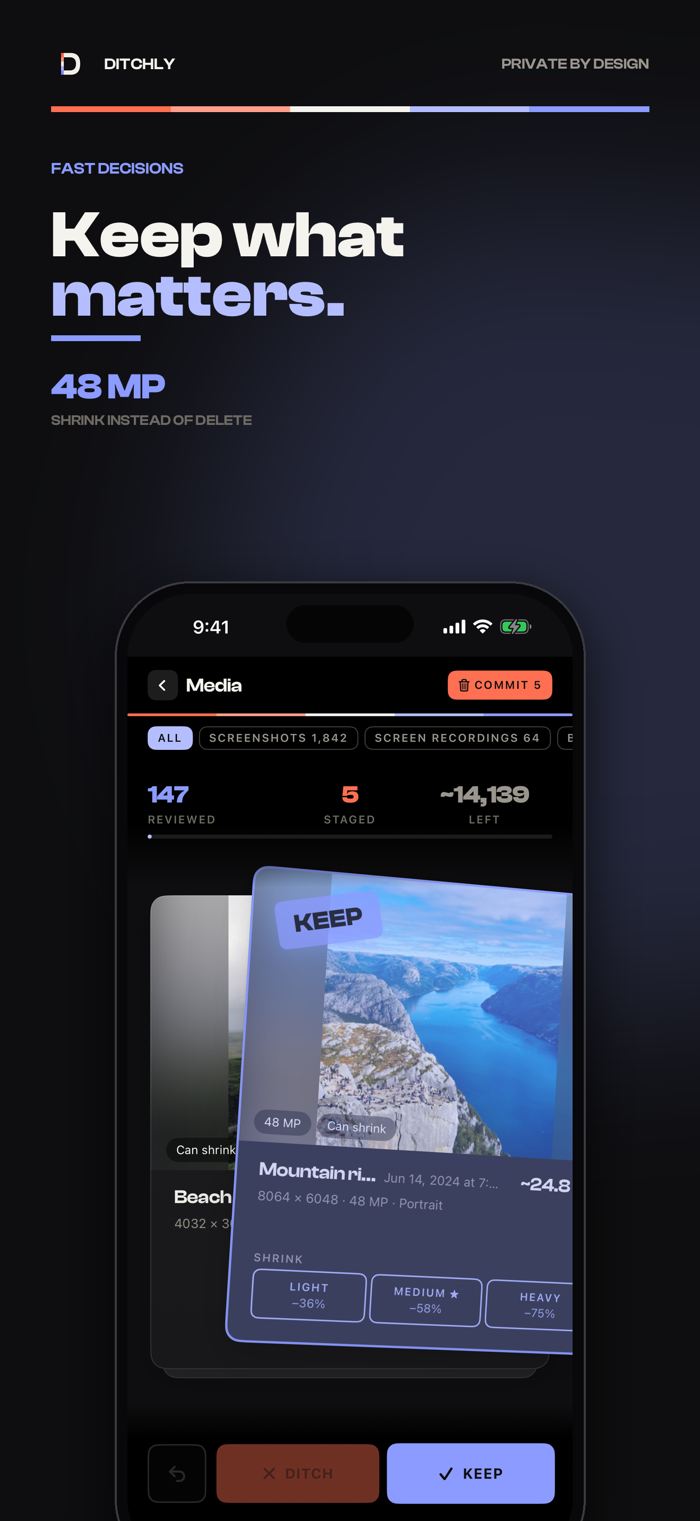
Your phone is full of things you'd never miss. Ditchly shows them to you one at a time. Swipe left to ditch, right to keep. That's the app.
Two decks:
Media — screenshots, screen recordings, and the enormous old ones first, so the easy wins come first.
Contacts — half-finished records and likely duplicates, long before anyone you actually call.
Some photos don't need to go, just to lose weight. Shrink them light, medium, or heavy, and see the megabytes you'll save before you commit to anything. Share sits on the card if someone else should have it first.
Nothing vanishes the moment you swipe. Staged items wait in a review screen until you say go, and undo is always one tap back. Photos land in Recently Deleted, where iOS holds them for 30 days. Contact deletions are permanent — read that sentence again.
Every session ends with a tally of what you cleared. Lifetime totals live in Settings, for the kind of person who is still reading an App Store description.
No account. No sign-in. Nothing tracked. Your photos and contacts never leave the phone, because they were never ours to move.
Free to start: 50 ditches, then 25 a day. Keeping is never limited. Unlimited ditching and photo shrink come with a yearly subscription or a one-time lifetime unlock.
You'll need Photos or Contacts access for the match...


 +100宝石


 分享
分享










用户评价
立即分享产品体验
你的真实体验,为其他用户提供宝贵参考
💎 分享获得宝石
【分享体验 · 获得宝石 · 增加抽奖机会】
将你的产品体验分享给更多人,获得更多宝石奖励!
💎 宝石奖励
每当有用户点击你分享的体验链接并点赞"对我有用",你将获得:
🔗 如何分享
复制下方专属链接,分享到社交媒体、群聊或好友:
💡 小贴士
分享时可以添加你的个人推荐语,让更多人了解这款产品的优点!
示例分享文案:
"推荐一款我最近体验过的应用,界面设计很精美,功能也很实用。有兴趣的朋友可以看看我的详细体验评价~"
关注 Mergeek 公众号
领奖遇到问题?联系小门助手