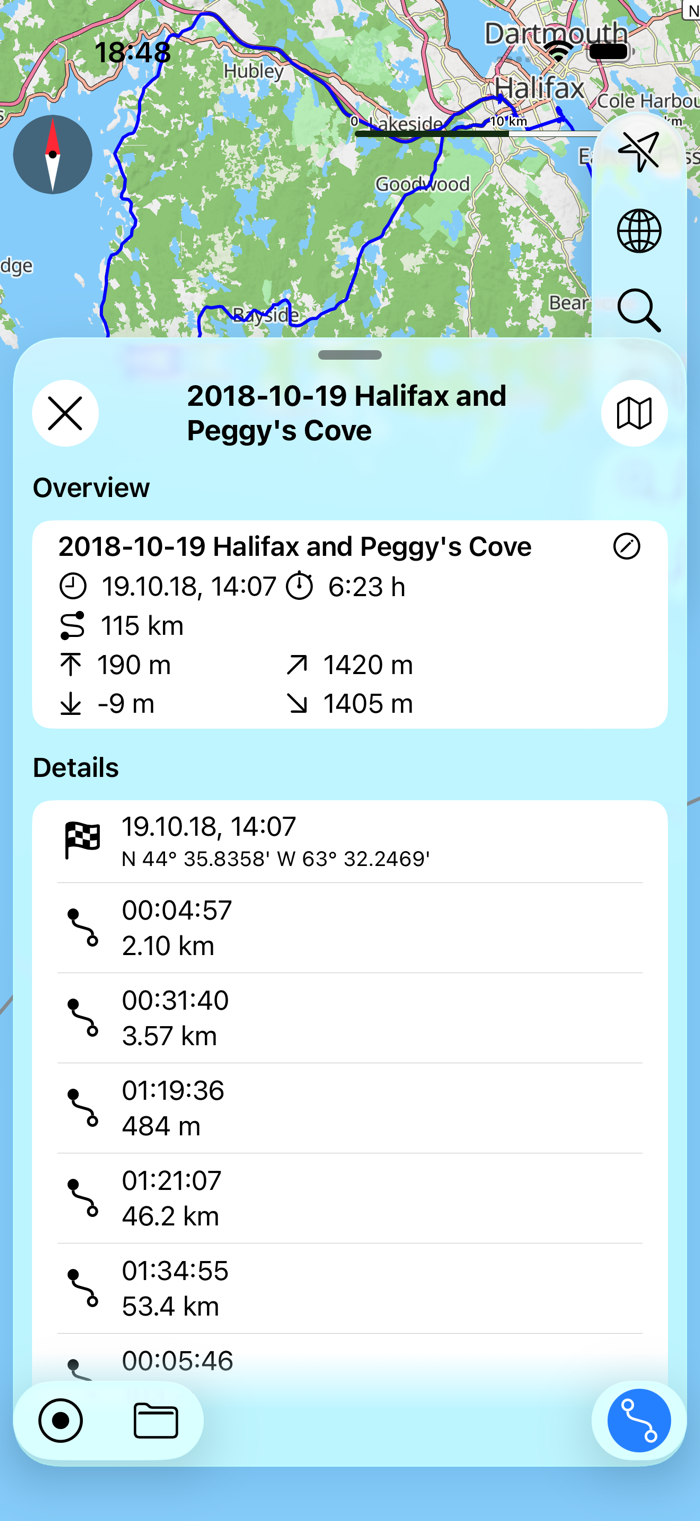
myTracks turns your iPhone or Apple Watch into a fully functional GPS logger. The GPS recordings can be displayed on various maps, which are also available offline when needed. During a recording, you can set waypoints and give them a name to mark important locations. In addition to waypoints, you can also take photos in myTracks that are then directly linked to the GPS track. GPS tracks are stored exclusively on your iPhone, meaning you don't need to register or sign in anywhere. If you'd like, you can sync all your GPS tracks via iCloud across your devices (iOS and macOS).
You can start and stop GPS recordings individually, or use the battery-saving journal mode, where myTracks automatically creates a single track with the most important locations for each day. You can conveniently manage your GPS tracks in the track library. From there, you can export tracks or their associated photos — for example, by email — and share them on social media.
The built-in Apple Watch app displays information about the current GPS recording, including the start time, distance traveled, current altitude, minimum and maximum altitude, and the current map view. You can start and stop the iPhone's GPS recording from your Apple Watch and add waypoints. Since myTracks 5, you can also record tracks directly with your Apple Watch.
myTracks Features:
- Record GPS tracks with iPhone or Apple Watch
- Display tracks on a variety of maps
- Maps are optionally availa...


 +100宝石


 分享
分享














用户评价
立即分享产品体验
你的真实体验,为其他用户提供宝贵参考
💎 分享获得宝石
【分享体验 · 获得宝石 · 增加抽奖机会】
将你的产品体验分享给更多人,获得更多宝石奖励!
💎 宝石奖励
每当有用户点击你分享的体验链接并点赞"对我有用",你将获得:
🔗 如何分享
复制下方专属链接,分享到社交媒体、群聊或好友:
💡 小贴士
分享时可以添加你的个人推荐语,让更多人了解这款产品的优点!
示例分享文案:
"推荐一款我最近体验过的应用,界面设计很精美,功能也很实用。有兴趣的朋友可以看看我的详细体验评价~"
关注 Mergeek 公众号
领奖遇到问题?联系小门助手