Most screen time apps are easy to dismiss.
A tap. A passcode you set yourself.
An exception you grant in three seconds.
You already know this. You've tried them all.
Sentence works differently.
To unlock a blocked app, you write a sentence by hand — on paper — and scan it with your camera. Every time. No bypass. No exceptions.
No "ignore for today."
That moment of friction is the whole point.
Most of the time, it's enough to make you put the phone down.
HOW IT WORKS
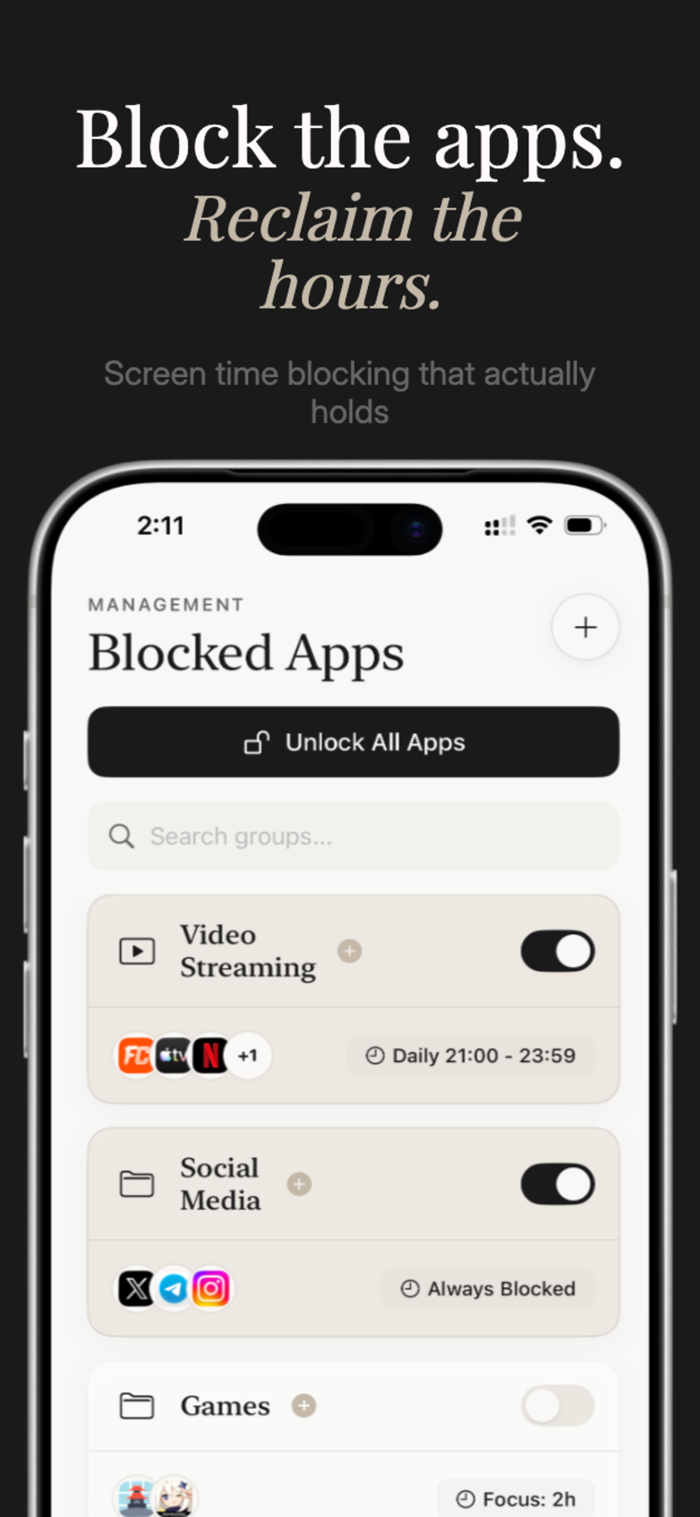
1. Block any app or category — social media, streaming, games, news, anything.
2. Set your schedule — always on, a specific time window or a particular limit.
3. When you try to open a blocked app, you see a screen. Tap "Write Sentence." Sentence opens.
4. Write the sentence on paper. Hold it up. Scan it. The block lifts — for that session.
5. Tomorrow, you write it again.
THE RITUAL
Choose what you write each time you unlock:
· Enquiry — why are you reaching for your phone right now? Answer honestly.
· Affirmations — reinforce the person you're trying to become.
· Literature — Seneca. Thoreau. Orwell. One line that reframes the moment.
· Roasting — brutal honesty about what you're about to do with the next hour.
· Custom — write your own sentence. Your commitment, your words.
BLOCK ON YOUR TERMS
· Block specific apps or entire categories
· Time-based schedules — morning, night, all...

 +100宝石


 分享
分享




















用户评价
立即分享产品体验
你的真实体验,为其他用户提供宝贵参考
💎 分享获得宝石
【分享体验 · 获得宝石 · 增加抽奖机会】
将你的产品体验分享给更多人,获得更多宝石奖励!
💎 宝石奖励
每当有用户点击你分享的体验链接并点赞"对我有用",你将获得:
🔗 如何分享
复制下方专属链接,分享到社交媒体、群聊或好友:
💡 小贴士
分享时可以添加你的个人推荐语,让更多人了解这款产品的优点!
示例分享文案:
"推荐一款我最近体验过的应用,界面设计很精美,功能也很实用。有兴趣的朋友可以看看我的详细体验评价~"
领取结果