Privio is the offline PDF toolkit for lawyers, accountants, real estate professionals, and anyone who handles documents that should not be uploaded to a stranger's server.
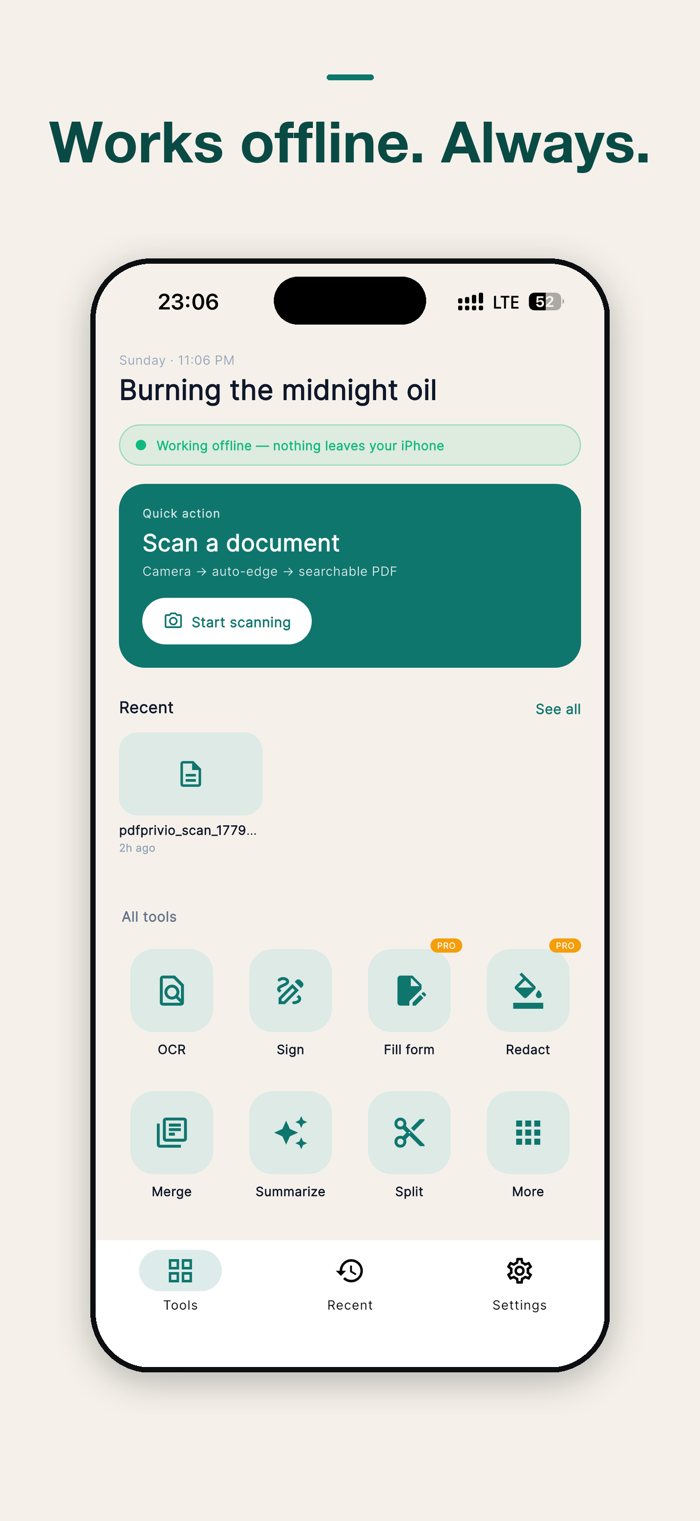
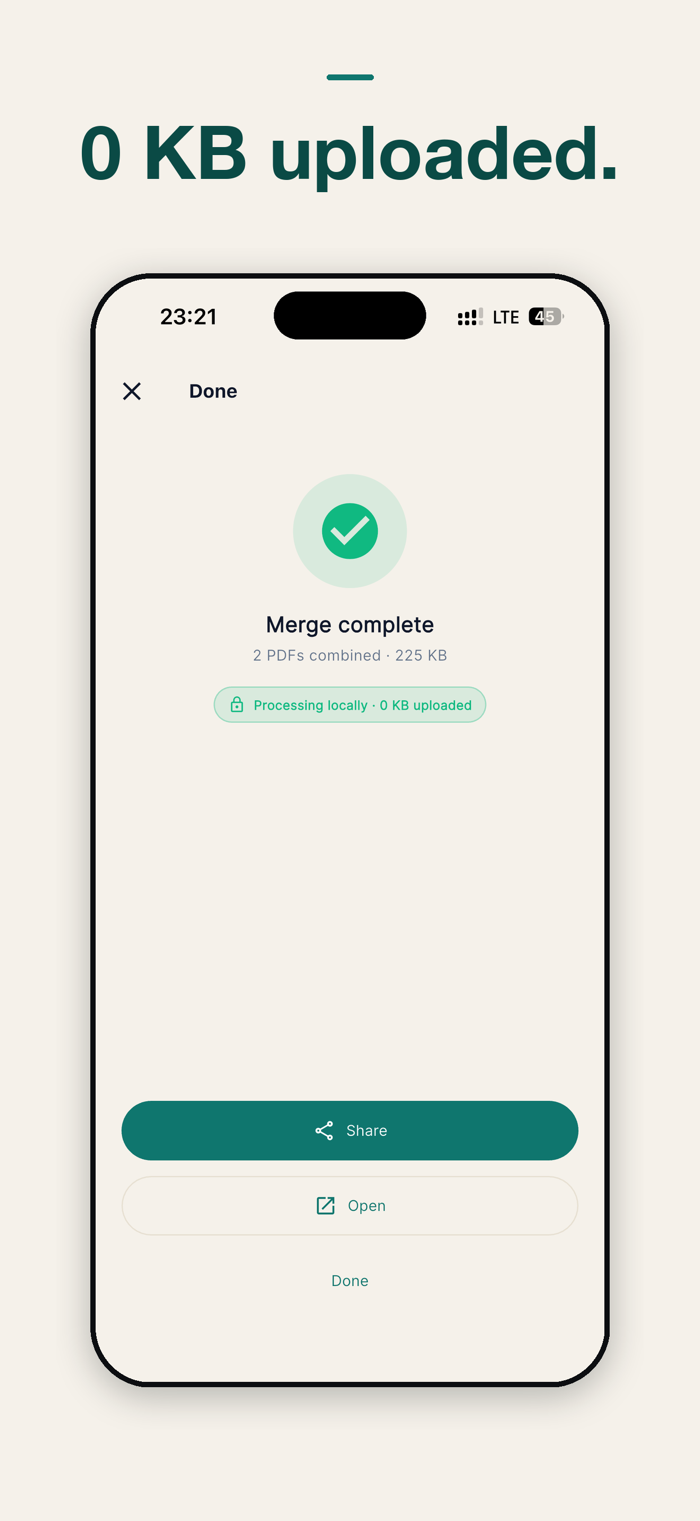
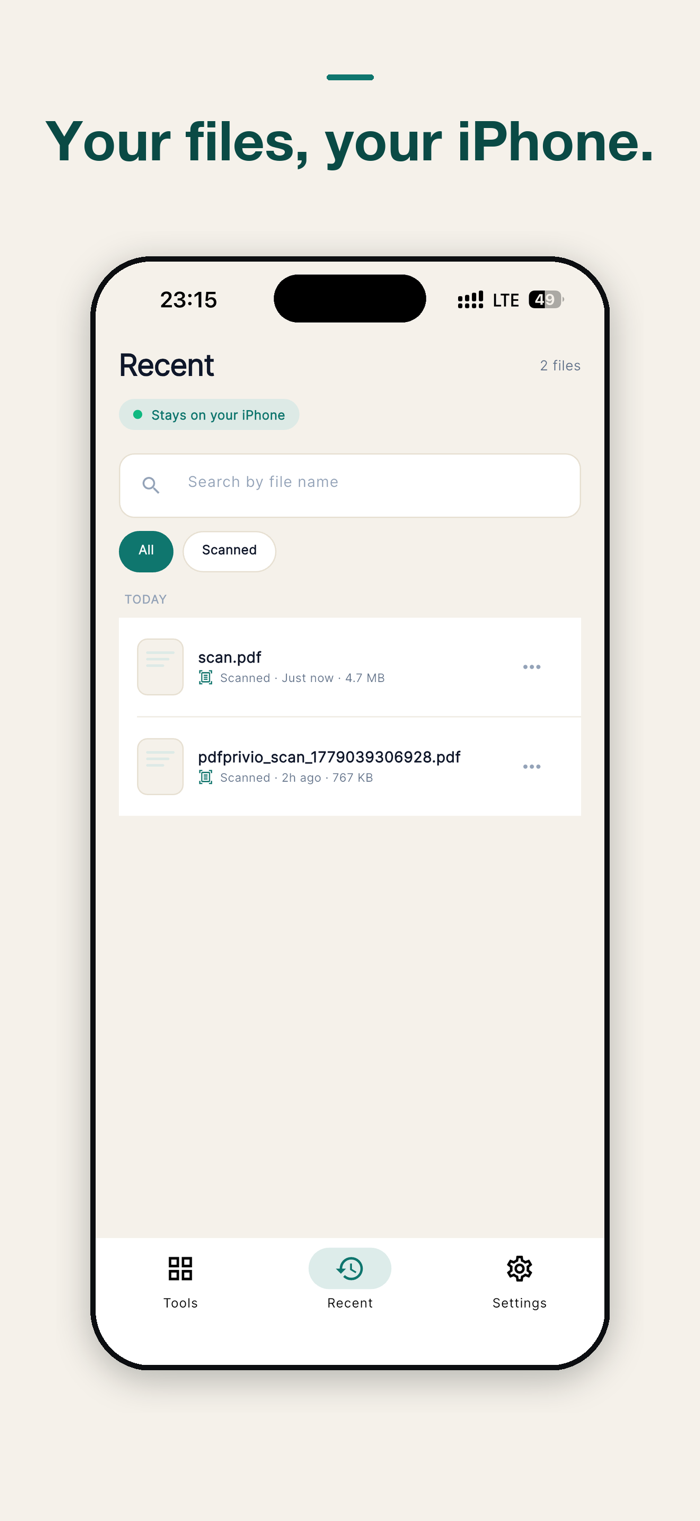
Every operation — scan, OCR, redact, sign, summarise with Apple Intelligence, capture receipts — runs locally on your iPhone. Your PDFs never leave this device. The App Privacy Report shows zero outbound traffic for your files.
THE 23 TOOLS
Document intake
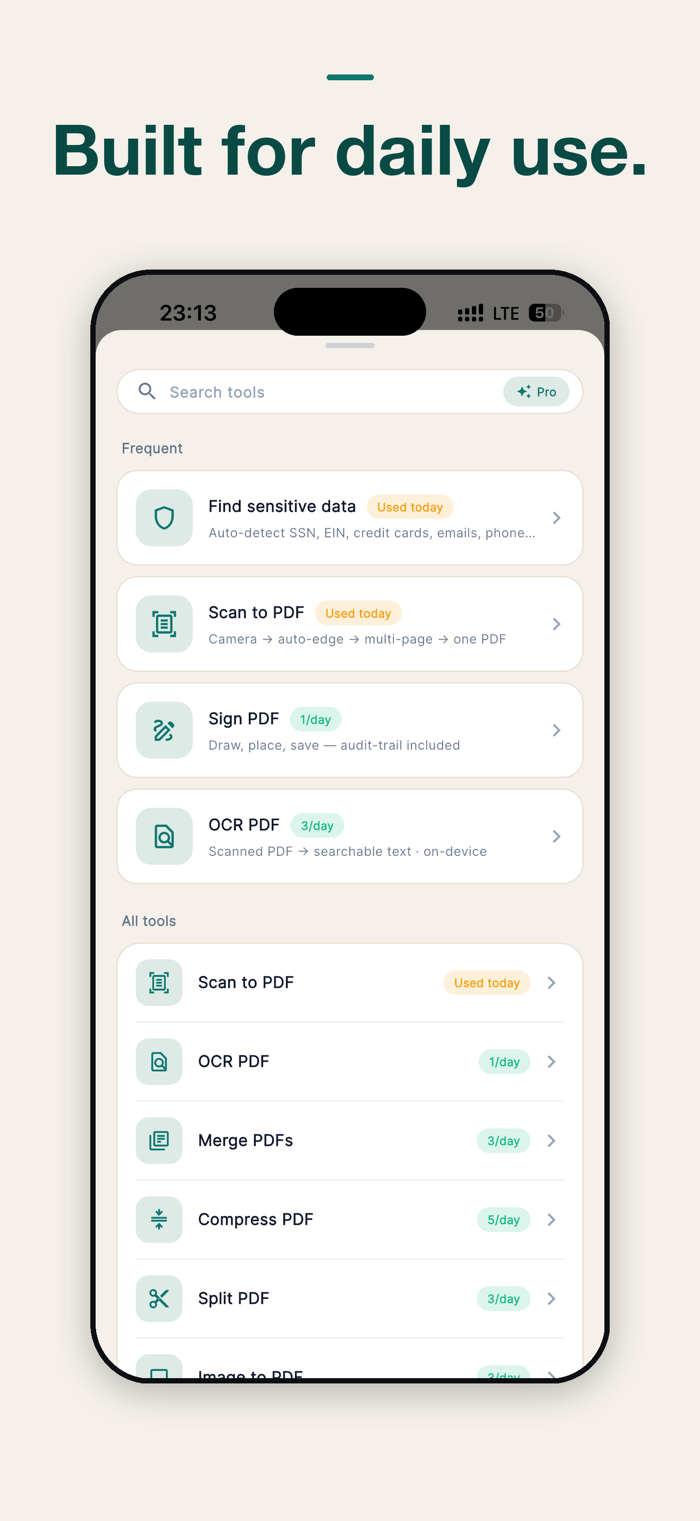
• Scan to PDF — Apple VisionKit edge detection, multi-page capture
• OCR PDF — Apple Vision recognizes text on scanned PDFs and adds a searchable text layer
• Image to PDF — photos, receipts, screenshots into one PDF
• Merge PDFs — combine document-level or hand-pick pages
• Compress PDF — shrink for email without visible quality loss
• Split PDF — extract page ranges, every Nth page, or N equal parts
Editing
• Rotate pages — fix sideways scans
• Delete pages — drop what you don't need
• Sign PDF — finger or stylus signature with SHA-256 audit footer
• Fill form (Pro) — IRS, USCIS, court motion forms with flatten-on-save
• Page numbers — four formats, five positions, custom start
• Bates numbering (Pro) — legal discovery standard
• Password protect — AES-256 encrypt or unlock
Review
• Watermark — CONFIDENTIAL, DRAFT, custom text in three layouts
• Extract text — pull clean text out of any born-digital PDF
• Compare PDFs — redline two versions, added and removed text
• Bookmarks / TOC — jump to any chapter in long briefs and depositions
• Find sensitive data — auto-detect SSN, EIN, credit cards (Luhn validated), IBANs, emails, phone numbers
• Redact (Pro) — search words, render-and-flatten removes them from the data stream
AI + receipts + batch (Pro on the last two)
• Summarize PDF — Apple Intelligence on-device summary (iOS 26+)
• Live Text view — Apple Live Text + Visual Look Up + Markup
• Batch operations (Pro) — compress, watermark, or rotate a stack of PDFs in one pass
• Receipt scanner (Pro) — auto-extract date / vendor / total / tax → QuickBooks-friendly CSV
iOS INTEGRATION
Home Screen widget (Small + Medium) plus three Lock Screen accessory families. iOS 18 Control Center / Lock Screen scan control. Action Button binding for iPhone 15 Pro and later. Siri, Shortcuts, Files Provider, Share Sheet, Action Extension. iPad Stage Manager + Split View.
PRIVACY POSITIONING
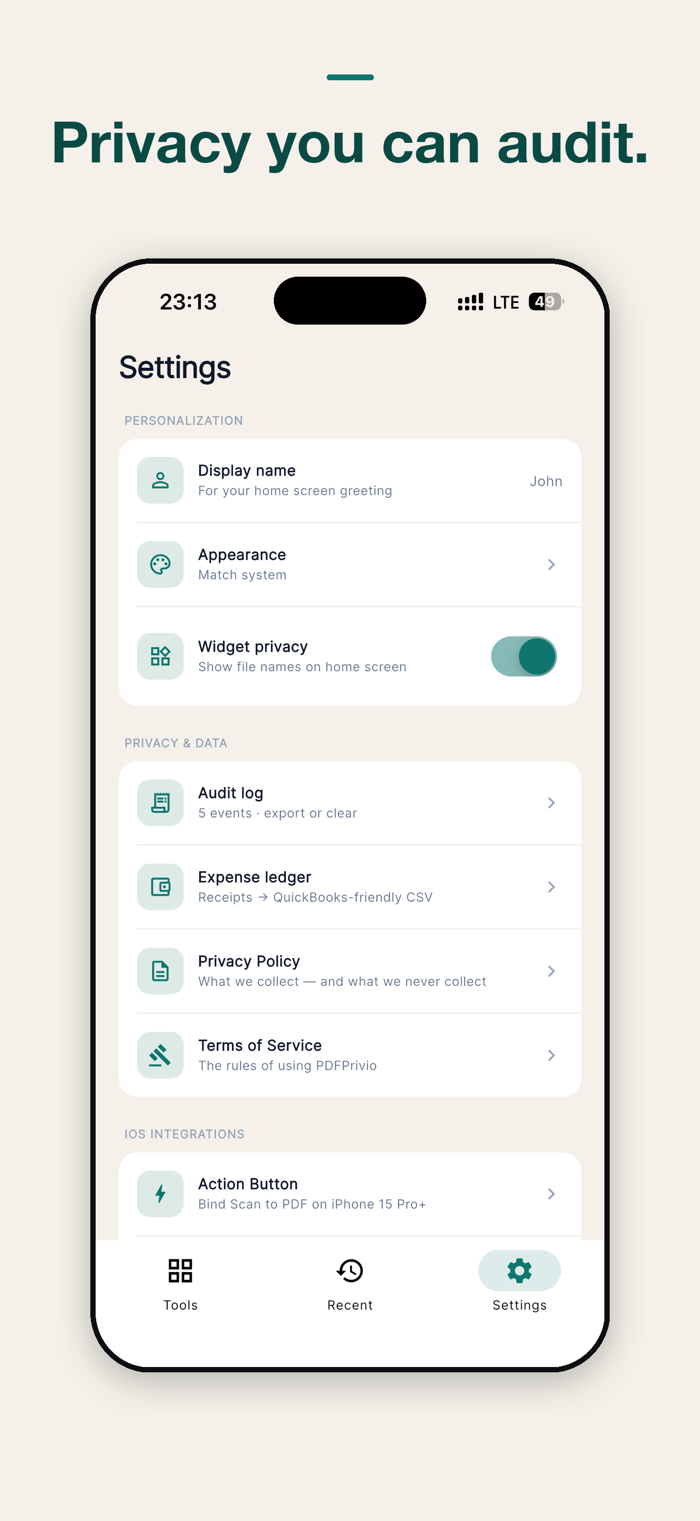
Other PDF apps upload your file to "process" it in the cloud — meaning their staff, their server logs, and their attackers could all see your documents. Privio was built so the lawyer-client privilege, the accountant-client confidentiality, and your personal data stay where they belong: on your phone.
Privio is built with Apple's own frameworks — VisionKit for scanning, Apple Vision for OCR, Apple Intelligence for summarisation, PDFKit for assembly. There are no third-party analytics, no crash-reporting SDK, no advertising SDK, no tracking, no account. The app shows "Data Not Collected" on its App Store privacy page.
PRICING
18 of 23 tools work for free (15 with daily caps, 3 unlimited). Pro removes the caps and unlocks Fill form, Bates numbering, Redact, Batch operations, and Receipt scanner:
• Monthly — $4.99
• Yearly — $39.99 (best value)
• Lifetime — $79.99 (one-time, no renewal)
There are no ads in any tier — Privio contains zero advertising SDKs.
MADE BY EREK STUDIO
Built by an independent developer in Istanbul. No VC, no growth team, no dark patterns. If a feature is missing or a bug bites you, email mustafasalimerek@gmail.com and you'll hear back from a human within a day.
Designed for iPad: native sidebar navigation, 19 tools at a glance on a 5×4 grid, landscape support for Magic Keyboard, and centered reading layouts.
Privacy Policy: https://mustafasalimerek-bit.github.io/pdfprivio/privacy/
Terms of Use: https://mustafasalimerek-bit.github.io/pdfprivio/terms/


 +100宝石

 分享
分享













用户评价
立即分享产品体验
你的真实体验,为其他用户提供宝贵参考
💎 分享获得宝石
【分享体验 · 获得宝石 · 增加抽奖机会】
将你的产品体验分享给更多人,获得更多宝石奖励!
💎 宝石奖励
每当有用户点击你分享的体验链接并点赞"对我有用",你将获得:
🔗 如何分享
复制下方专属链接,分享到社交媒体、群聊或好友:
💡 小贴士
分享时可以添加你的个人推荐语,让更多人了解这款产品的优点!
示例分享文案:
"推荐一款我最近体验过的应用,界面设计很精美,功能也很实用。有兴趣的朋友可以看看我的详细体验评价~"
关注 Mergeek 公众号
领奖遇到问题?联系小门助手