



 +100宝石


产品功能
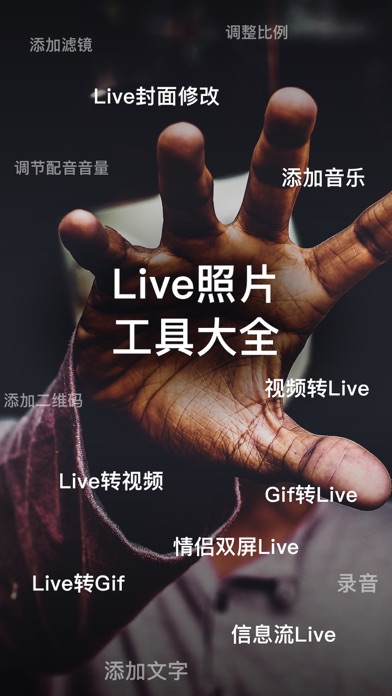
imgLive is a very easy-to-operate live photo (Live) picture editor. With imgLive, you can create live photos of any content without using a camera. After creating the live photos, you can use them to set the lock screen wallpaper of your mobile phone or share them with your friends through social software that supports live photo sharing.
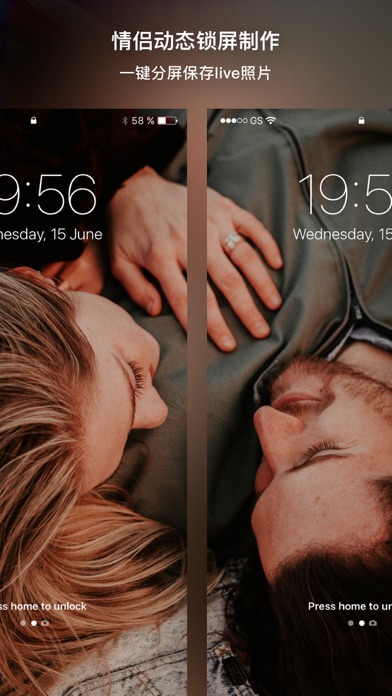
Couple Dual-Screen Wallpaper Mode Live Photo Making
• The dual-screen mode only supports selecting videos for editing.
• You can freely adjust the split-screen content to be cut.
• One key to switch the dual-screen size ratios of different devices, supporting most mobile phone models.
• Support applying filter effects.
• Support adding background music.
• Support adjusting the volume of the video and background music.
• Export 2 cut Live wallpapers at one time.
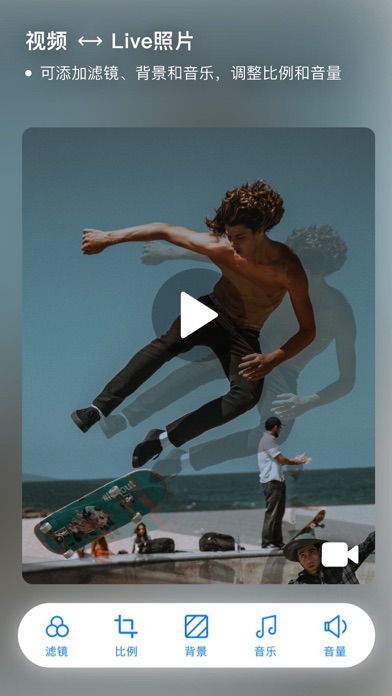
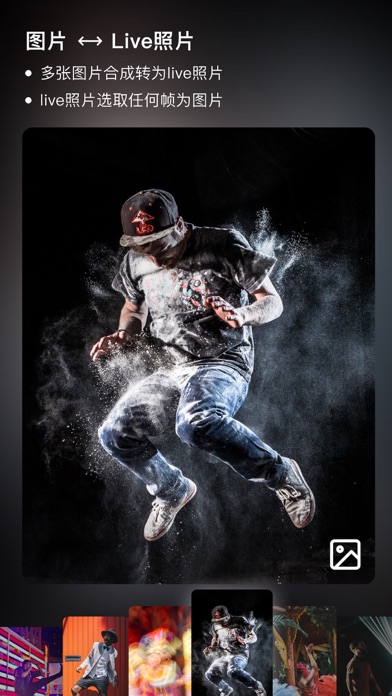
Multiple Photos/Video to Live Photo
• Support editing up to 30 seconds of video and 30 photos at most.
• Can clip any segment of video content.
• Support applying video filter effects, with more than 50 filter effects built-in.
• Edit the size ratio of the Live photo, and select the video content scaling mode.
• In the picture mode, you can adjust the picture playback speed.
• When the Live photo content is selected for scaling adaptation, you can change the background color.
• Can import music from the music library into the video.
• One key to adjust the volume of the video and background music. Edit the Live photo cover.
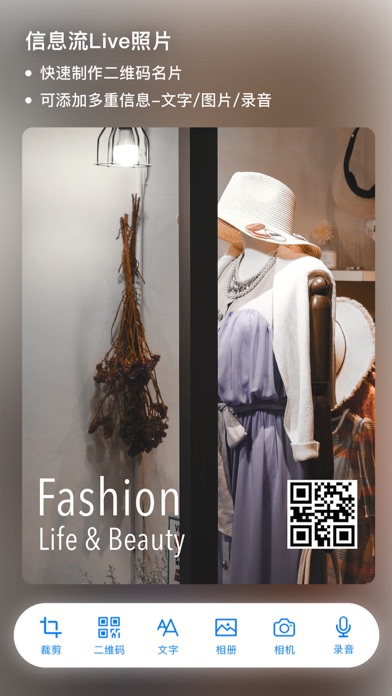
Info Live Photo Maker
• Pin the shared data on the lock screen and display it using 3D Touch.
• Support adding content such as QR codes, texts, photos, etc.
• Support the recording function, with a maximum recording time of 10 seconds.
• Adapt to the screen size.
• One key to preview and export.
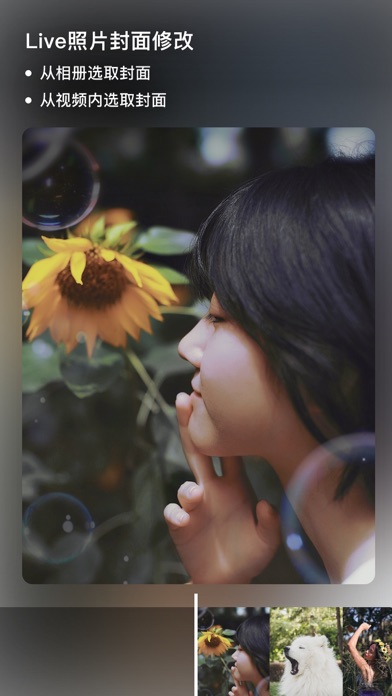
Live Photo Cover Editing
• Modify the cover of the existing Live photo.
• Can extract content from the album or the video of the Live photo as the cover.
Live Photo to Video
• Extract the video content of the Live photo and export it.
• Support video cropping.
• Support applying filters.
• Support adding background music.
• Support adjusting the volume of the video and background music.
• Support batch video conversion.
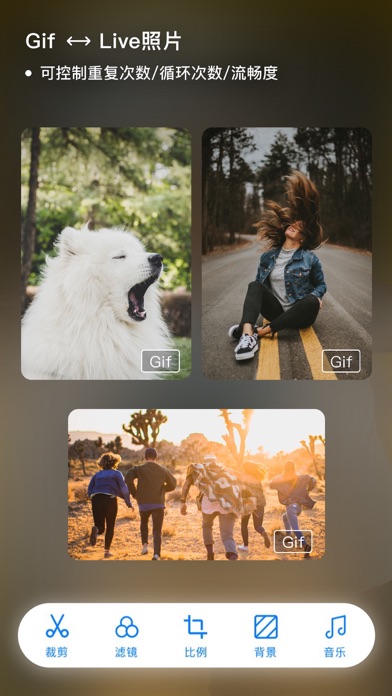
Live Photo to Gif
• Convert Live photos to Gifs, and can crop any content.
• Select the loop mode for exporting the Gif: normal, reverse, loop play.
• Adjust the video frame rate and export quality of the output Gif.
Live Photo to Picture
• Export any one picture content from the Live dynamic photo.
* imgLive requires iOS 9.1 or above. Hurry up and download it to try!
Regarding Auto-Subscription
The subscription fee is charged through your iTunes account when you confirm the purchase. The subscription will be automatically renewed unless you cancel the renewal at least 24 hours before the current subscription period ends. Your account will be charged the renewal fee according to your package within 24 hours before the end of the current subscription period. After purchase, you can manage or turn off auto-renewal at any time in the Apple ID account settings.
分享「」体验,参与「」抽奖!
分享 1~3 张你对这个产品最满意的截图或效果图
分享「」体验,参与「」抽奖!
用你的故事点亮社区✨!你的真实体验,将会永久展示在 官方主页 📌,为其他朋友提供宝贵参考 💡。立即分享吧!🚀
请为产品评分
请选择问题回答,为大家提供宝贵参考
选择要回答的问题
温馨提示
你尚未上传产品截图。
上传截图可立即获得宝石积分奖励!
如果你赶时间,也可稍后修改评论,补上截图领取宝石。
温馨提醒
你尚未添加产品截图
⚠️ 不添加截图将降低抽奖权重

感谢参加,你已成功参加!
为了确保你能及时收到审核结果和领奖码通知

扫描二维码关注 Mergeek 公众号
在后台回复 「获奖通知」
完成上述操作,即可保障奖励发放成功











用户评价
立即分享产品体验
你的真实体验,为其他用户提供宝贵参考
💎 分享获得宝石
【分享体验 · 获得宝石 · 增加抽奖机会】
将你的产品体验分享给更多人,获得更多宝石奖励!
💎 宝石奖励
每当有用户点击你分享的体验链接并点赞"对我有用",你将获得:
🔗 如何分享
复制下方专属链接,分享到社交媒体、群聊或好友:
💡 小贴士
分享时可以添加你的个人推荐语,让更多人了解这款产品的优点!
示例分享文案:
"推荐一款我最近体验过的应用,界面设计很精美,功能也很实用。有兴趣的朋友可以看看我的详细体验评价~"
关注 Mergeek 公众号
领奖遇到问题?联系小门助手