Koho Keyboard – A custom iOS keyboard with advanced typing features, special character transformations, haptic feedback, and a modern design.
Koho Keyboard
Koho Keyboard is a powerful and elegant custom keyboard extension for iOS that brings advanced typing capabilities to your device. With a modern, glassy interface that matches iOS design standards, Koho Keyboard delivers intelligent character transformations, smooth performance, and an exceptional typing experience.
Key Features
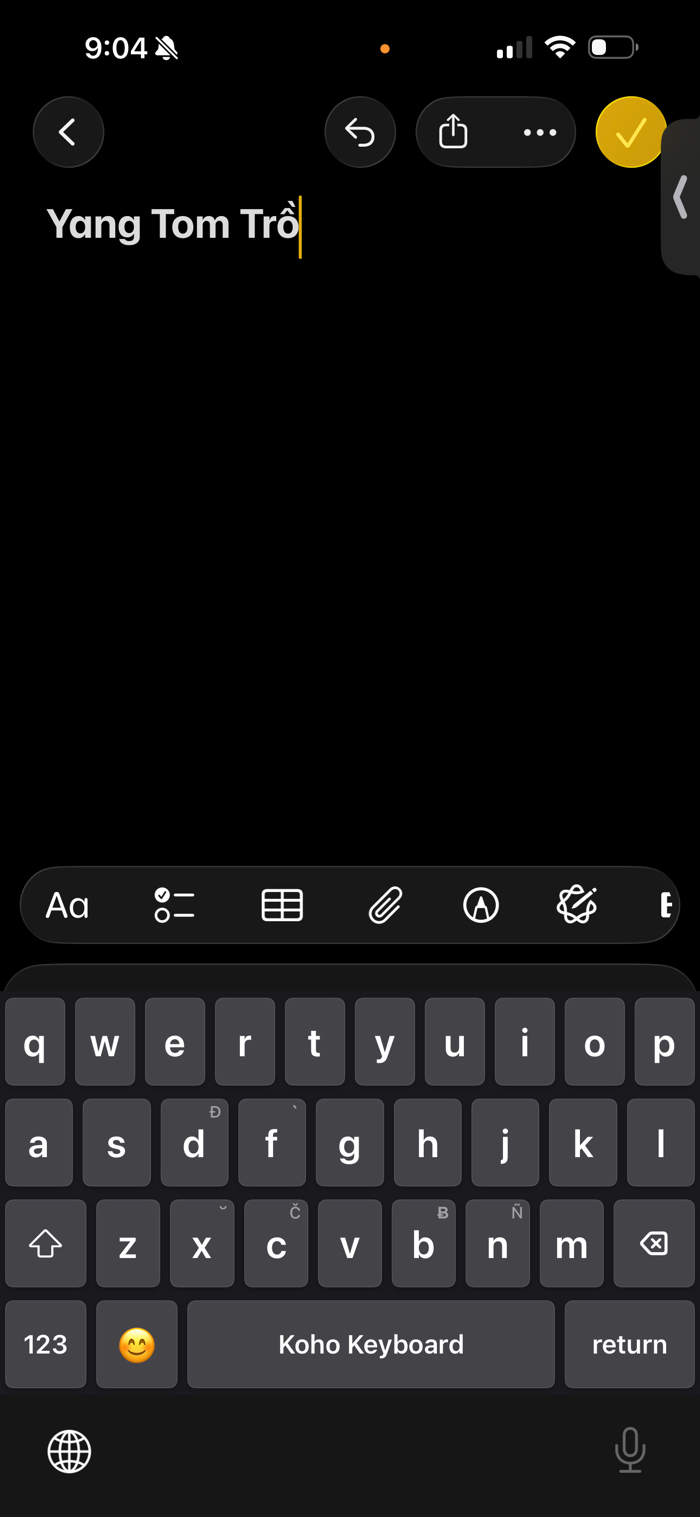
Advanced Typing Logic Type special characters effortlessly using intuitive key combinations. Koho Keyboard automatically transforms your input into the correct diacritics, including breve marks, circumflex accents, horn vowels, and grave accents.
Special Character Transformations
Breve vowels: vowel + x → ă, ĕ, ĭ, ŏ, ŭ
Circumflex vowels: type the vowel twice → â, ê, ô
Horn vowels: o + w → ơ, u + w or u + u → ư
Grave accent: vowel + f → à, è, ì, ò, ù
Special consonants: double the consonant → č, đ, ƀ, ñ
Supports combined characters even when a vowel already has a diacritic
Modern Design A clean, glassy interface that integrates seamlessly with iOS. Automatically adapts to light and dark mode for a consistent, native look and feel.
Performance Optimized Built for speed and responsiveness. Zero‑delay character transformations, instant shift response, and smooth animations ensure a fast and fluid typing experience.
Haptic Feedback Provides satisfying tactile feedback on every keypress. Medium‑intensity haptics enhance the typing feel. Full Access is required for haptic feedback.
Privacy First Koho Keyboard operates entirely offline. No data collection, no tracking, and no internet access. All typing stays on your device. Full Access is required only for haptic feedback and advanced features, never for data collection.
Smart Features
Auto‑capitalization
Double‑space for period insertion
Smart keyboard switching
Context‑aware capitalization
Caps lock via double‑tap
Emoji keyboard support
Numbers and symbols mode
Perfect For
Users who type special characters and diacritics
Anyone looking for a modern, elegant keyboard alternative
Privacy‑focused users who prefer offline functionality
People who enjoy haptic feedback while typing
Getting Started
Install Koho Keyboard from the App Store
Open Settings > General > Keyboard > Keyboards
Tap Add New Keyboard and select Koho Keyboard
Tap Koho Keyboard again and enable Allow Full Access for haptic feedback
Start typing with advanced character transformations
Privacy and Security Koho Keyboard does not collect, store, or transmit any personal data. All typing happens locally on your device. The keyboard does not access the internet or share any information. Full Access is required only for haptic feedback and advanced features.
Support For questions, feedback, or support, please contact us through the app or visit our support page.
Version 1.0 Initial release with full feature set, including advanced character transformations, haptic feedback, and a modern UI design.

 +100宝石


 分享
分享




















用户评价
立即分享产品体验
你的真实体验,为其他用户提供宝贵参考
💎 分享获得宝石
【分享体验 · 获得宝石 · 增加抽奖机会】
将你的产品体验分享给更多人,获得更多宝石奖励!
💎 宝石奖励
每当有用户点击你分享的体验链接并点赞"对我有用",你将获得:
🔗 如何分享
复制下方专属链接,分享到社交媒体、群聊或好友:
💡 小贴士
分享时可以添加你的个人推荐语,让更多人了解这款产品的优点!
示例分享文案:
"推荐一款我最近体验过的应用,界面设计很精美,功能也很实用。有兴趣的朋友可以看看我的详细体验评价~"
关注 Mergeek 公众号
领奖遇到问题?联系小门助手