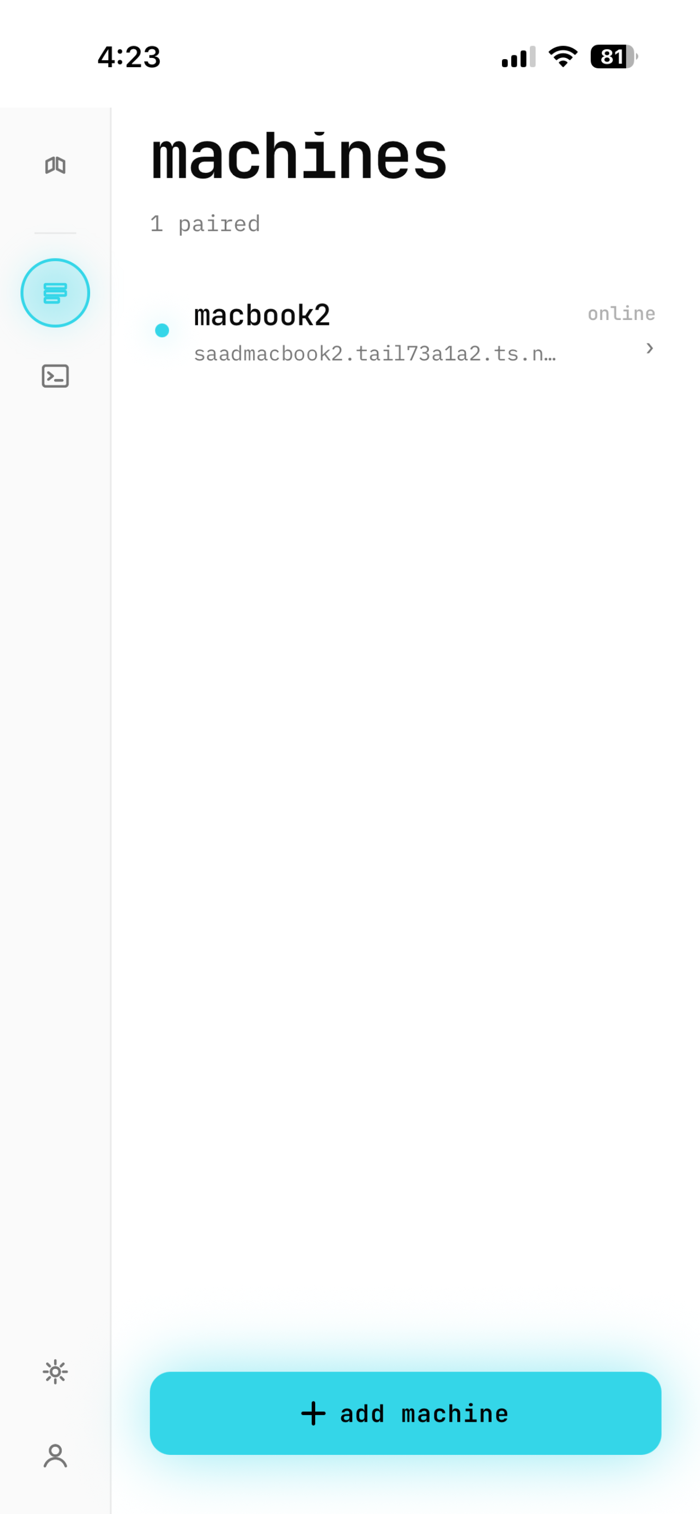
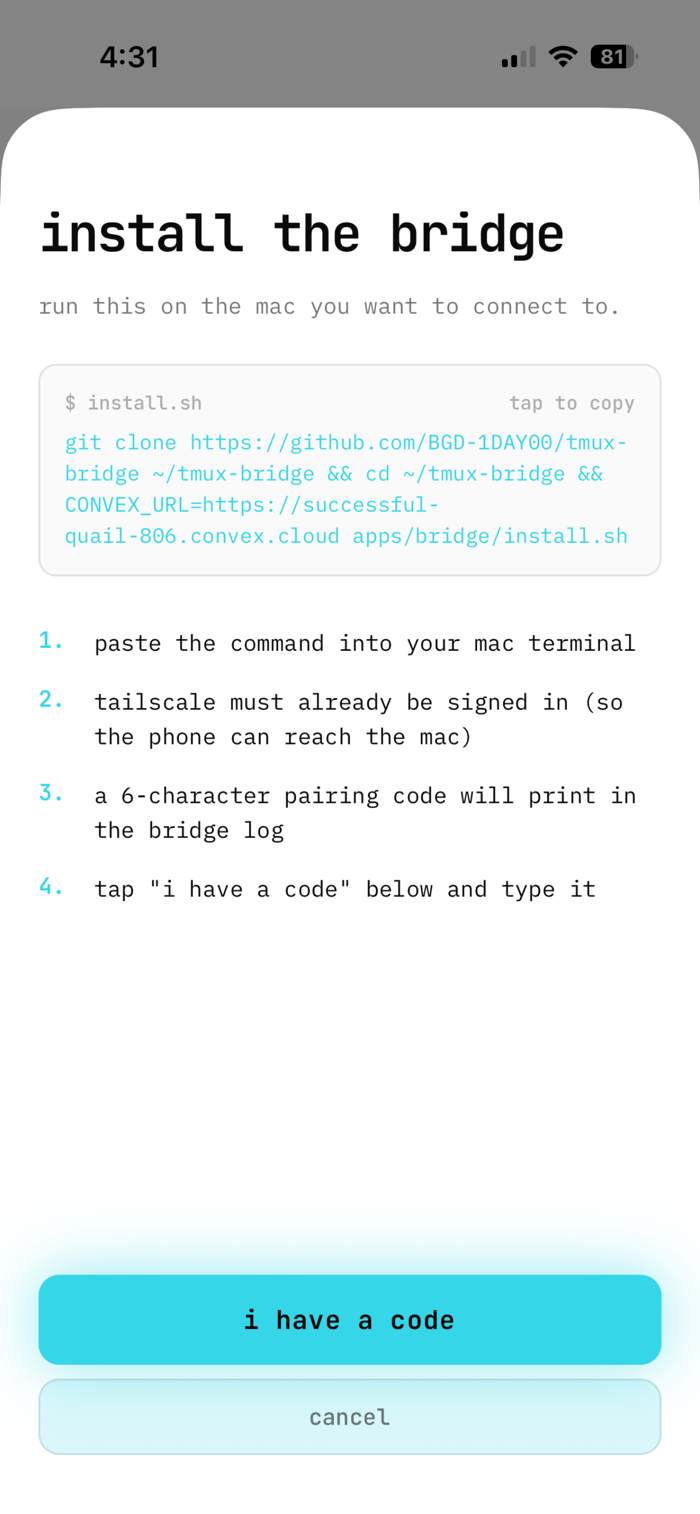
Tmux Bridge is a phone-native window into the tmux sessions running on your own Mac. Sign in with an email code, pair your laptop with a six-character code, and your iPhone becomes a real terminal — not a web shell, not a relay, not a hosted IDE.
Your sessions never leave your tailnet. tmuxbridge talks directly to a small daemon running on your laptop over Tailscale, terminated with a real Let's Encrypt certificate. There is no middleman tmux server and no cloud terminal to compromise.
FEATURES
- Real xterm.js terminal embedded in the app
- Multiple Macs, fan-out from one phone
- Email-OTP sign-in with self-issued, short-lived tokens
- Six-character pair codes; revoke a machine anytime from Settings
- Mobile keyboard accessory: Esc, Tab, arrows, Ctrl-C, Ctrl-B
- Auto-reconnecting WebSocket; survives bad cell signal
REQUIREMENTS
- A Mac you can install the tmux-bridge daemon on (one-line installer)
- Tailscale installed and signed in on the phone AND the Mac
- tmux installed on the Mac
tmuxbridge is open source under the MIT license. The full source for the iOS app, the Mac daemon, and the backend is available on GitHub.


 +100宝石

 分享
分享



















用户评价
立即分享产品体验
你的真实体验,为其他用户提供宝贵参考
💎 分享获得宝石
【分享体验 · 获得宝石 · 增加抽奖机会】
将你的产品体验分享给更多人,获得更多宝石奖励!
💎 宝石奖励
每当有用户点击你分享的体验链接并点赞"对我有用",你将获得:
🔗 如何分享
复制下方专属链接,分享到社交媒体、群聊或好友:
💡 小贴士
分享时可以添加你的个人推荐语,让更多人了解这款产品的优点!
示例分享文案:
"推荐一款我最近体验过的应用,界面设计很精美,功能也很实用。有兴趣的朋友可以看看我的详细体验评价~"
关注 Mergeek 公众号
领奖遇到问题?联系小门助手