











加入 Mergeek 福利群
扫码添加小助手,精彩福利不错过!
若不方便扫码,请在 Mergeek 公众号,回复 群 即可加入
- 精品限免
- 早鸟优惠
- 众测送码
 Tuniversal
 5.0
5.0
At last, a tuner app and practise tool that does not assume we are all guitar players!
Tuniversal has been crafted to meet the needs of players of woodwind and brass instruments.
No ads, sign-up or in app purchases!
Tuniversal has 6 modes: (1) automatic tuner, (2) scale practise, (3) long note practise, (4) intervals practice, (5) metronome and (6) pitch pipe.
Tuner:
* Play a note, and Tuniversal will automatically detect the note you are playing and show if you are sharp or flat
* Swipe between graphs showing the frequency of your note and the volume
* Use this mode when you want Tuniversal to show if you are in tune.
Scales, arpeggios, thirds and intervals:
* Choose any key and scale type (major, harmonic minor, melodic minor, natural minor or chromatic)
* Choose your practise mode (scales, thirds, arpeggios, intervals) and start note within the key
* Tuniversal will count you in, show your chosen scale or notes, and track your pitch as you play
* When you have finished, Tuniversal will score you for accuracy
* You can also listen to your selected scale, thirds, intervals or arpeggio - great for training your ear. Just long press the play button!
Long note practise:
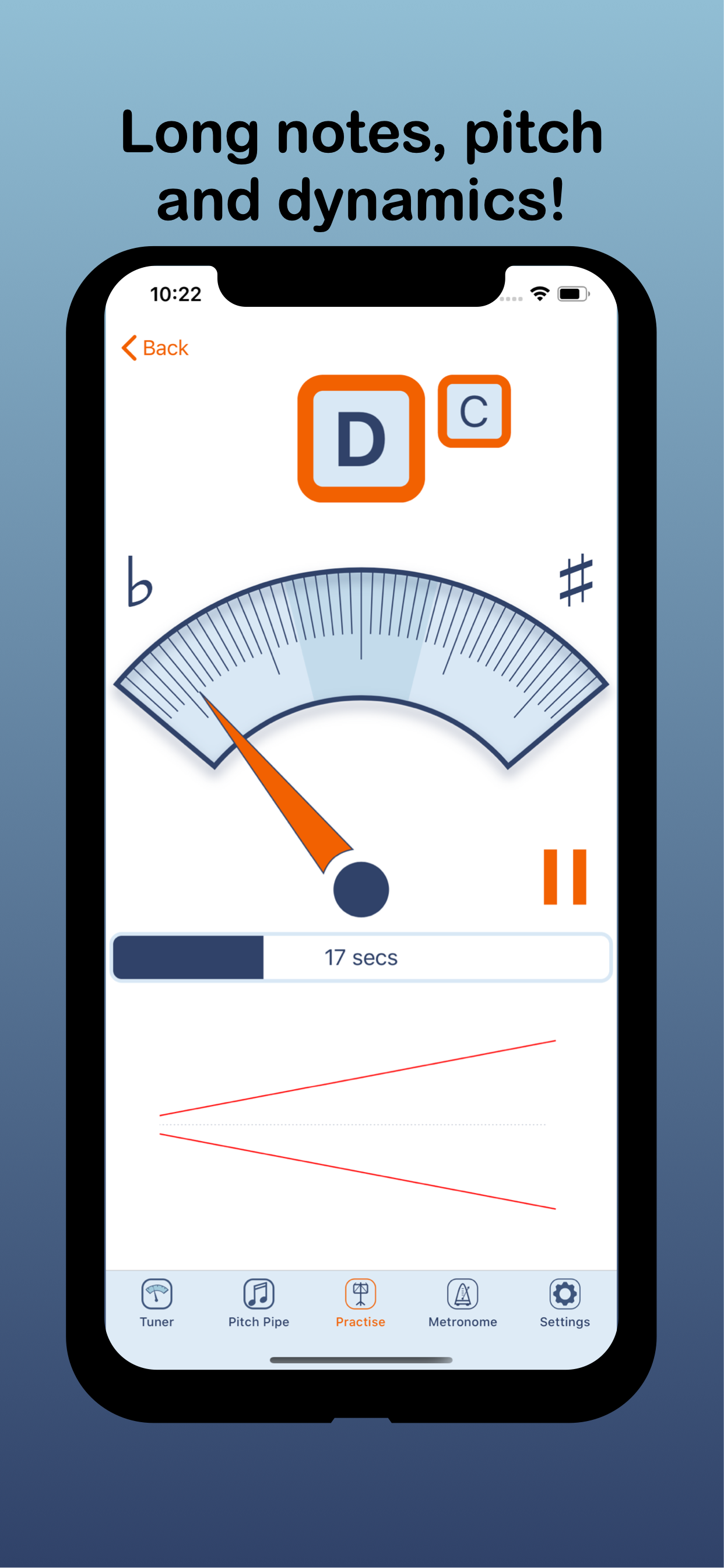
* Choose a note, the time you want to hold the note and dynamics (crescendo, decrescendo, swell or constant volume)
* When you finish playing, Tuniversal will score you for accuracy in both dynamics and pitch!
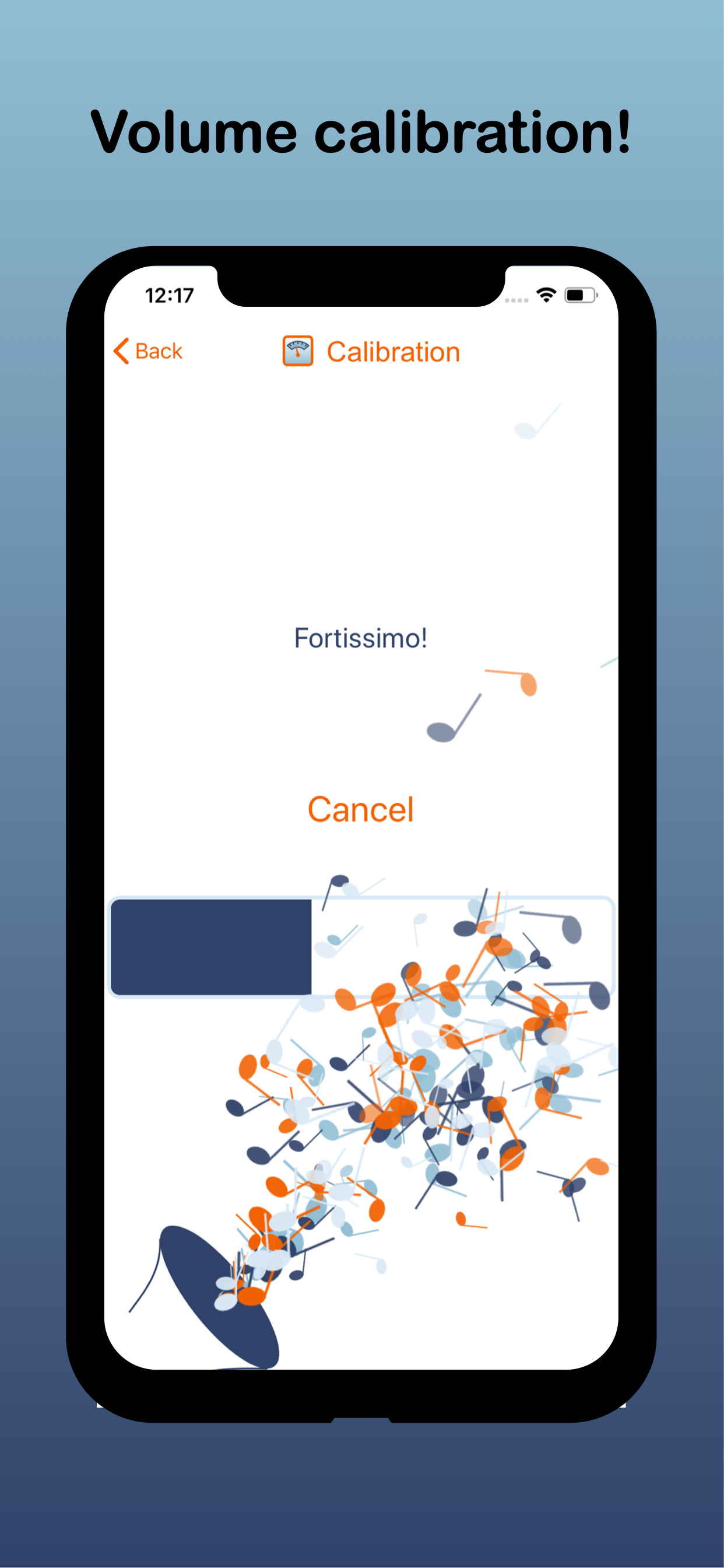
* Important: for best results, calibrate your loud and soft notes using the volume calibration feature under "settings"
* Aim to keep your volume within the lines shown, whilst maintaining accurate pitch and a great tone.
Pitch pipe: swipe to choose a note on the staff, and hit play to hear it. Use this mode to tune by ear.
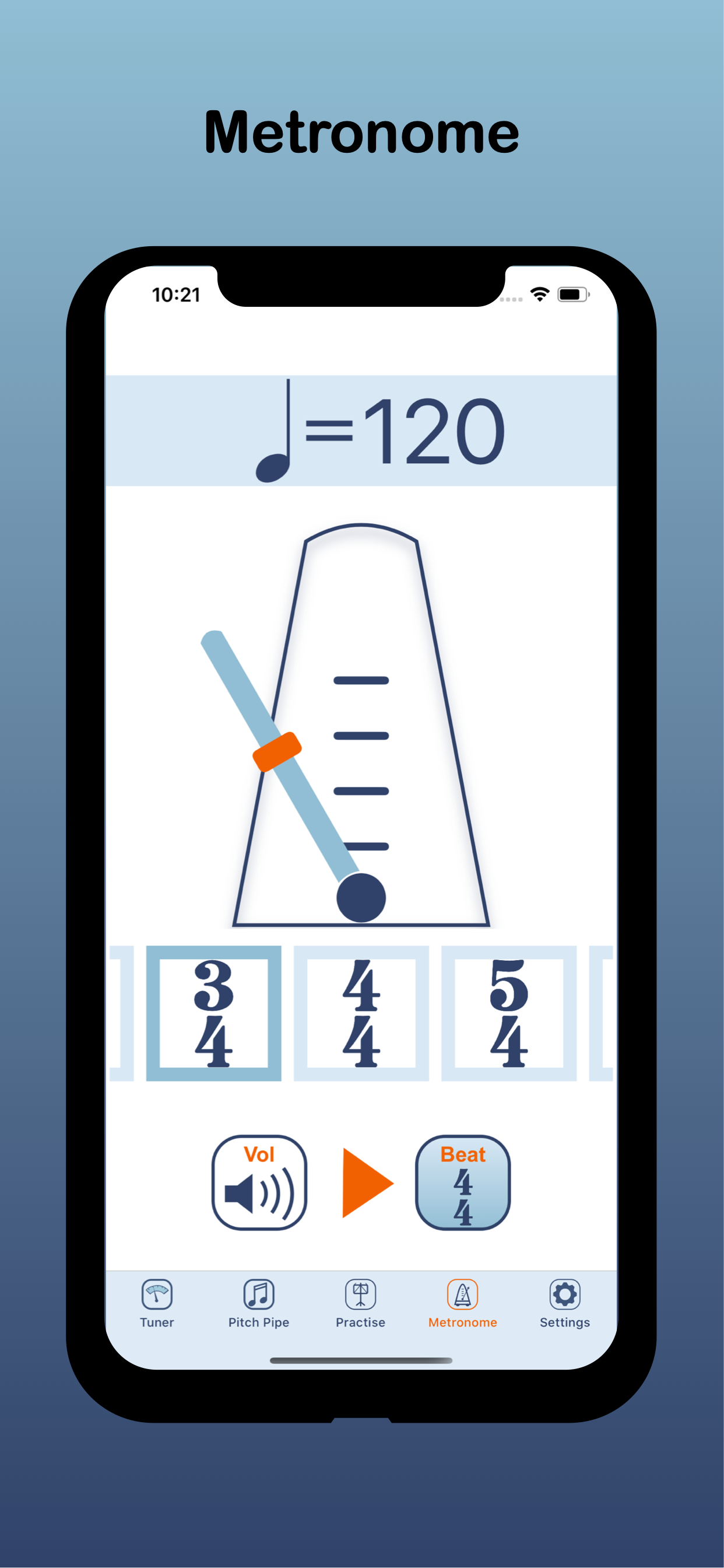
Metronome: set tempo using slider or tapping on the screen. Choose between traditional swinging metronome display or flashing metronome
Settings: You can adjust:
* Frequency of A: use this if your band or orchestra tunes to a frequency other than standard A440. You might also adjust the frequency of A if you are playing with a piano that has been tuned sharp or flat.
* Your instrument : Tuniversal will automatically transpose the note played, based on your instrument choice. If you select a transposing instrument, the concert pitch note is also shown. Tuniversal will automatically adjust to the range and clef of your chosen instrument.
* Volume calibration: Tuniversal will calculate the volume of your loud and soft notes, and use this information to score your long note practise
* Tuning system: equal temperament or just intonation. See our website for more information!
* Microphone sensitivity: Adjust to select how loud you must play for Universal to track your pitch. Set to “high” or “very high” if Tuniversal does not detect your playing. In noisy settings you might want to select “low” or “very low”.
* Player skill: adjust to your ability. For beginners, Tuniversal will score your playing leniently. But for professionals, Tuniversal expects a high level of accuracy!
* Centre frequency graph: You can tap on the frequency graph in tuner mode to clear and re-centre the graph. The graph will automatically centre on the frequency played, or tap to re-centre the graph on the note you have selected in "settings".
* Force dark mode: You can choose to run the app in dark or light mode.
* Headset mic: If you use Tuniversal with a headset, select whether you want to use the device mic or headset mic
* Reset to defaults: Resets all settings
At last, a tuner app and practise tool that does not assume we are all guitar players!
Tuniversal has been crafted to meet the needs of players of woodwind and brass instruments.
No ads, sign-up or in app purchases!
Tuniversal has 6 modes: (1) automatic tuner, (2) scale practise, (3) long note practise, (4) intervals practice, (5) metronome and (6) pitch pipe.
Tuner:
* Play a note, and Tuniversal will automatically detect the note you are playing and show if you are sharp or flat
* Swipe between graphs showing the frequency of your note and the volume
* Use this mode when you want Tuniversal to show if you are in tune.
Scales, arpeggios, thirds and intervals:
* Choose any key and scale type (major, harmonic minor, melodic minor, natural minor or chromatic)
* Choose your practise mode (scales, thirds, arpeggios, intervals) and start note within the key
* Tuniversal will count you in, show your chosen scale or notes, and track your pitch as you play
* When you have finished, Tuniversal will score you for accuracy
* You can also listen to your selected scale, thirds, intervals or arpeggio - great for training your ear. Just long press the play button!
Long note practise:
* Choose a note, the time you want to hold the note and dynamics (crescendo, decrescendo, swell or constant volume)
* When you finish playing, Tuniversal will score you for accuracy in both dynamics and pitch!
* Important: for best results, calibrate your loud and soft notes using the volume calibration feature under "settings"
* Aim to keep your volume within the lines shown, whilst maintaining accurate pitch and a great tone.
Pitch pipe: swipe to choose a note on the staff, and hit play to hear it. Use this mode to tune by ear.
Metronome: set tempo using slider or tapping on the screen. Choose between traditional swinging metronome display or flashing metronome
Settings: You can adjust:
* Frequency of A: use this if your band or orchestra tunes to a frequency other than standard A440. You might also adjust the frequency of A if you are playing with a piano that has been tuned sharp or flat.
* Your instrument : Tuniversal will automatically transpose the note played, based on your instrument choice. If you select a transposing instrument, the concert pitch note is also shown. Tuniversal will automatically adjust to the range and clef of your chosen instrument.
* Volume calibration: Tuniversal will calculate the volume of your loud and soft notes, and use this information to score your long note practise
* Tuning system: equal temperament or just intonation. See our website for more information!
* Microphone sensitivity: Adjust to select how loud you must play for Universal to track your pitch. Set to “high” or “very high” if Tuniversal does not detect your playing. In noisy settings you might want to select “low” or “very low”.
* Player skill: adjust to your ability. For beginners, Tuniversal will score your playing leniently. But for professionals, Tuniversal expects a high level of accuracy!
* Centre frequency graph: You can tap on the frequency graph in tuner mode to clear and re-centre the graph. The graph will automatically centre on the frequency played, or tap to re-centre the graph on the note you have selected in "settings".
* Force dark mode: You can choose to run the app in dark or light mode.
* Headset mic: If you use Tuniversal with a headset, select whether you want to use the device mic or headset mic
* Reset to defaults: Resets all settings
第一时间掌握精选限免应用/游戏信息
自定义喜欢的应用/游戏的价格变动
了解内购应用/游戏的限免或降价活动
查看应用/游戏价格历史等待合适时机再出手
第一时间收到价格通知不错过省钱机会

扫码下载 Follow
 One Player
OnePlayer是一款本地离线音乐播放器,目前已经支持iPhone、iPad、Apple Watc...

 iPlayer
iPlayer 是一款强大的本地音乐播放器,兼容 iPhone、iPad 和 Mac,提供跨平台无缝...
 猫头鹰AI网页订阅
只需要一句话,就可以自动监控任何网页,订阅你想要的信息。
 68
68

OnePlayer是一款本地离线音乐播放器,目前已经支持iPhone、iPad、Apple Watc...
62
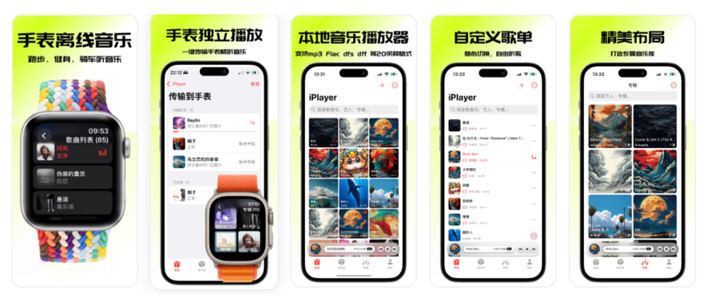

iPlayer 是一款强大的本地音乐播放器,兼容 iPhone、iPad 和 Mac,提供跨平台无缝...
9


只需要一句话,就可以自动监控任何网页,订阅你想要的信息。
天天发现优质应用
 到主屏幕
到主屏幕


产品名
这项是必须填的哦~可用平台
产品链接
这项是必须填的哦~产品一句话介绍
这项是必须填的哦~开发者邮箱
你也可以发送更多的产品故事到 hi@mergeek.com
我们会让你的产品被更多用户看到!
产品名
这项是必须填的哦~可用平台
产品链接
这项是必须填的哦~产品一句话介绍
这项是必须填的哦~开发者邮箱
你也可以发送更多的产品故事到 hi@mergeek.com
我们会让你的产品被更多用户看到!
已经成功发送到你的邮箱了,请注意查收
你成为这个产品的发现者啦,说说你的推荐语吧!