Track Tailor automatically builds and updates Apple Music playlists based on rules you define — so your music is always exactly where you want it.
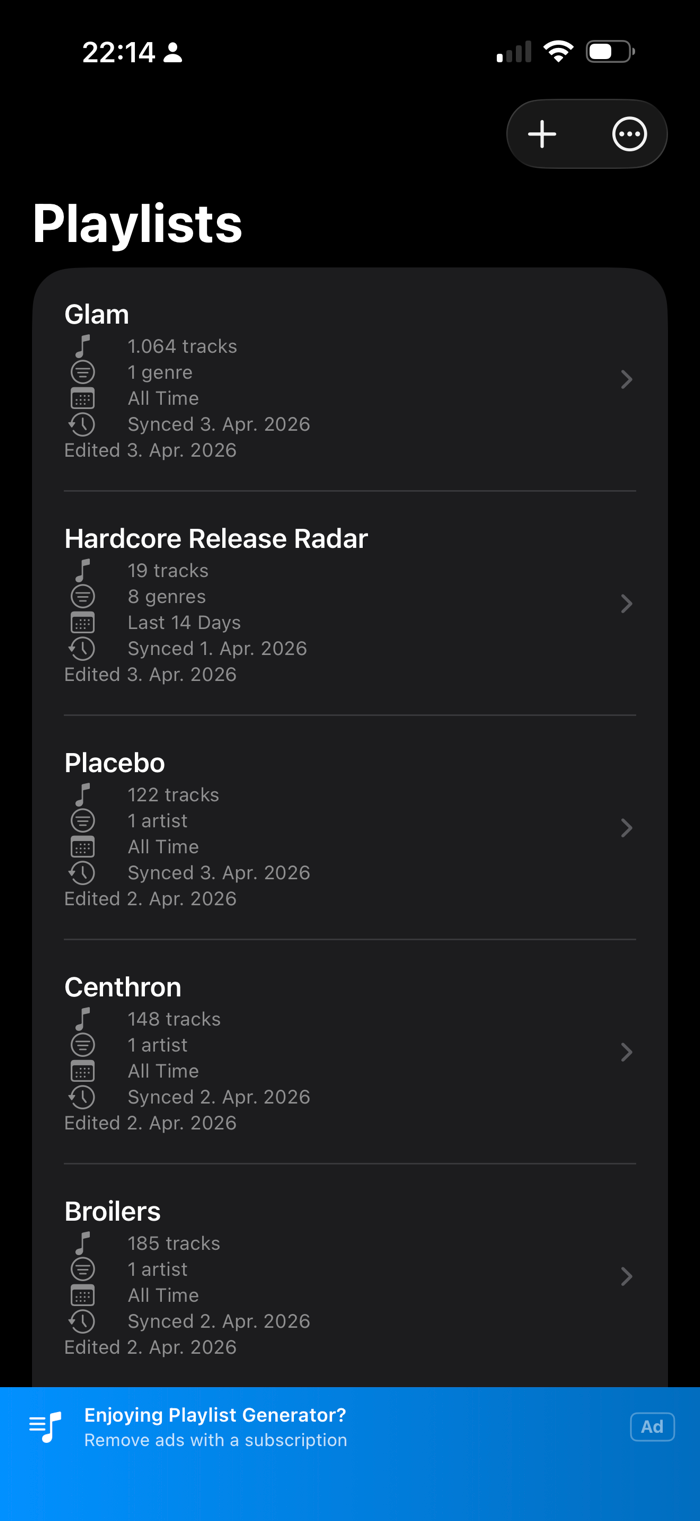
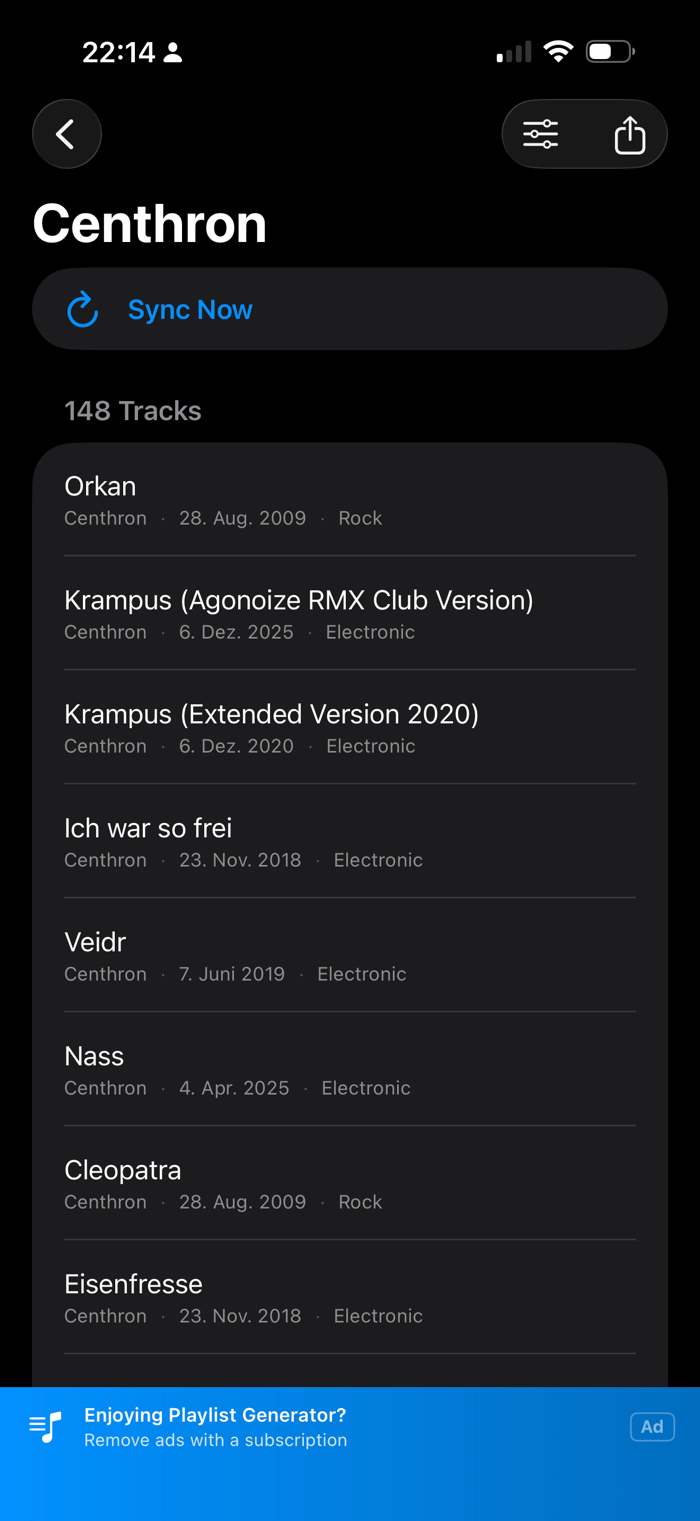
Set up a playlist once and the app keeps it fresh: by genre, artist, release year, or a rolling window like "the last 30 days." Syncs run in the background, even when your screen is locked.
What you can do:
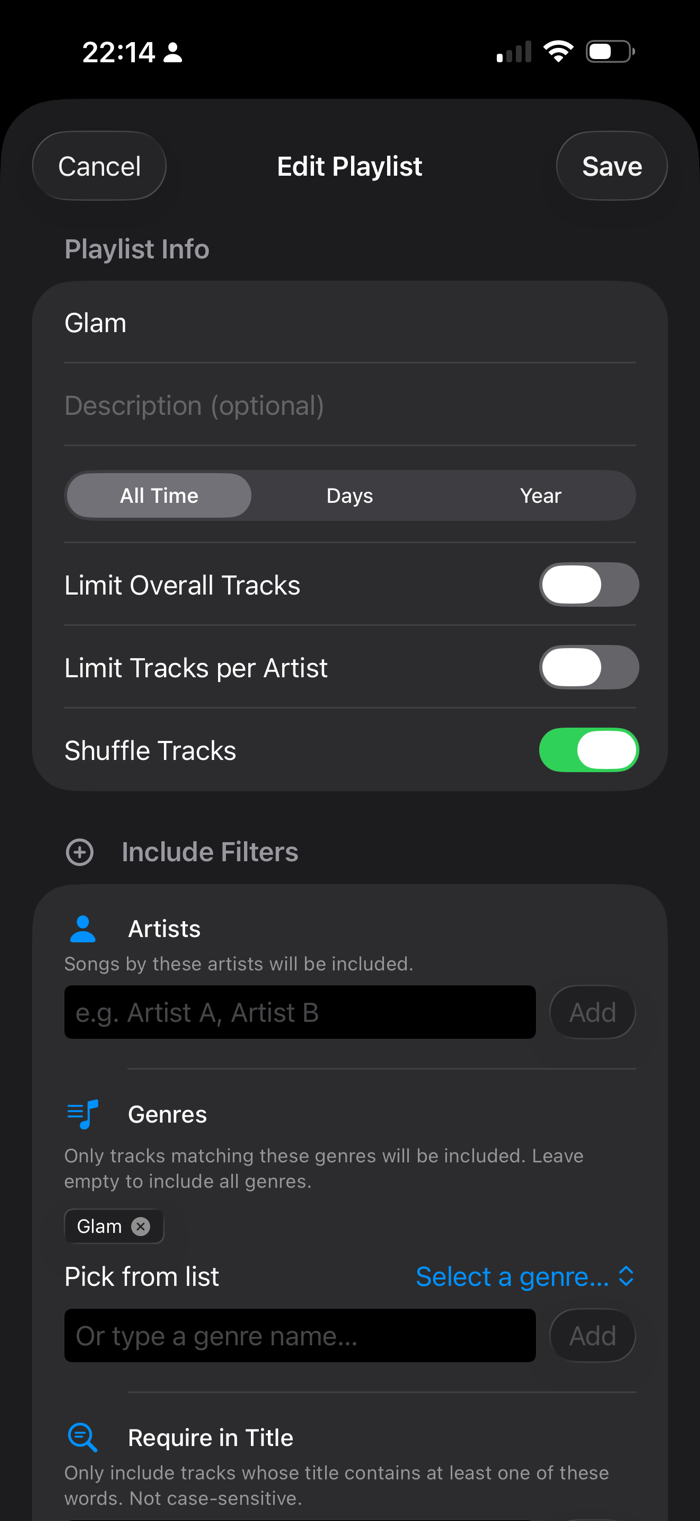
- Filter by genre, artist, date range, or title keywords
- Include and exclude rules — get what you want, skip what you don't
- Choose All Time, a specific year, or a rolling window (7, 30, or 90 days)
- Cap total tracks or per-artist track counts
- Shuffle for discovery, or sort chronologically
- Run multiple independent playlists, each with its own rules
- iCloud sync — configure once, works across all your devices
- Background sync with completion notifications
Tip: for large artist lists, keeping the app open with the screen active gives the most reliable sync — battery optimization can end long background runs early.
About genre search:
Genre search uses a built-in curated list of ~70 genres with hand-picked artists — works offline, no account needed. For genres not in the list, the app falls back to MusicBrainz, a free community music database. Niche, regional, or very new genres may not always be found.
Richer sources like Spotify, Last.fm, and Discogs may be added in a future update.
What you cannot do:
- Manage or edit playlist...


 +100宝石

 分享
分享

















用户评价
立即分享产品体验
你的真实体验,为其他用户提供宝贵参考
💎 分享获得宝石
【分享体验 · 获得宝石 · 增加抽奖机会】
将你的产品体验分享给更多人,获得更多宝石奖励!
💎 宝石奖励
每当有用户点击你分享的体验链接并点赞"对我有用",你将获得:
🔗 如何分享
复制下方专属链接,分享到社交媒体、群聊或好友:
💡 小贴士
分享时可以添加你的个人推荐语,让更多人了解这款产品的优点!
示例分享文案:
"推荐一款我最近体验过的应用,界面设计很精美,功能也很实用。有兴趣的朋友可以看看我的详细体验评价~"
关注 Mergeek 公众号
领奖遇到问题?联系小门助手