产品功能

应用市场介绍

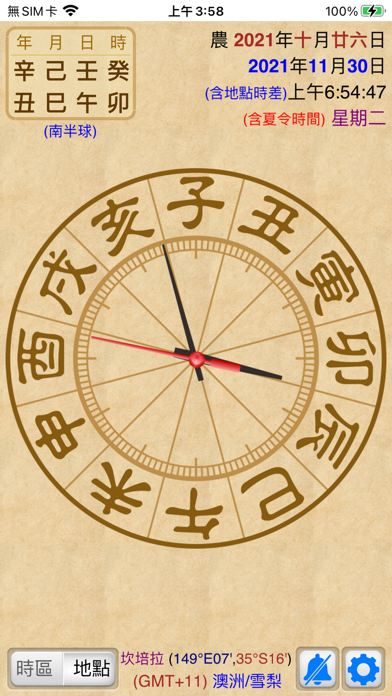
The "Stem-Branch Clock" provides instant "Stem-Branch" information and a "pointer" clock, and can specify the "time zone" or "location" to display the current time of that time zone location. The functions are as follows:

》Julian calendar operation core:
● Based on the currently set time zone,推算二十四节气的精确交接时间(月柱)、朔月时间(朔月确定农历大小月)、无中气置闰 using an ephemeris table.
● Note: Therefore, the lunar month sizes and month pillars in each time zone will be slightly different. If compared with a general Julian calendar on the market based on 120 degrees east longitude, there will be slight differences, which is not an error.

》Provides two clock styles:
● General clock: The clock face shows the large characters 1 to 12 o'clock, and the small characters show 13 to 23 o'clock. The inner circle shows the twelve Earthly Branches for reference.
● Twelve-hour clock: The clock face shows the twelve two-hour periods, making it convenient to view the current period. Each pointer represents the following:
 ● The "hour hand" takes exactly one day to go around, with twelve two-hour periods, and one two-hour period is two hours.
 ● The "minute hand" takes exactly one two-hour period to go around, which is two hours and requires 120 minutes, with 120 scales.
 ● The "second hand" takes one minute to go around, that is, 60 seconds, the same as a general clock.
● You can click on the clock to switch between the above two clock styles.

》Time zone location:
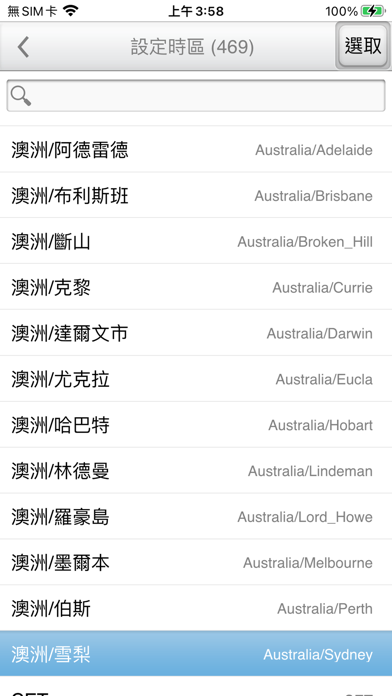
● Time zone setting: Provides the names of global time zones, which can be searched and set.
● Location setting: Enter a place name or address, and the time zone and the longitude and latitude of the location can be automatically set through the network (requires an internet connection).

》Date display:
● Displays the comparison of the current "lunar calendar" and "solar calendar" dates, the instant "digital time" and "weekday".
● Click on the "Lunar/Solar" in the upper right corner to enter a specified date (after specifying the date, you can click on the clock to display the current time).
● Displays the current "time zone".
● Displays the current "location" and longitude and latitude (if true solar time is set, a prompt will be shown).
● Note: If both the time zone and the location are displayed, it means it is the location time currently. If only the time zone is displayed, it represents only the time zone time.

》Preference settings:
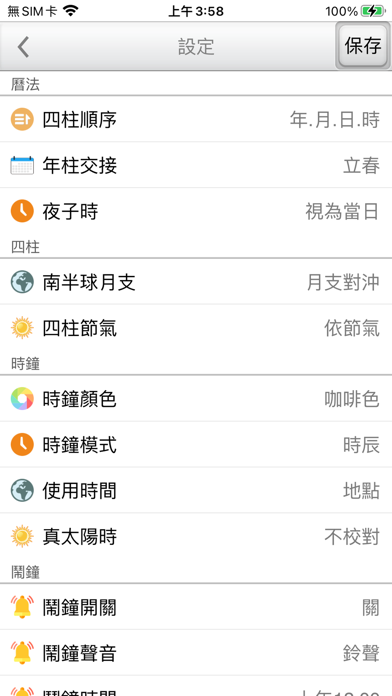
● Four Pillars order: Set the display order of the Four Pillars.
● Year Pillar transition: Set the transition point of the Year Pillar solar terms.
● Night子时: Provide the setting for night子时.
● Southern Hemisphere month branch: Set whether to对冲 or not对冲 with the Northern Hemisphere month branch.
● Four Pillars solar terms: Set whether the Four Pillars should follow the solar terms.
● Use time: Set to use the time zone time or the location time.
● True solar time: Set whether the Four Pillars should be adjusted for true solar time.
● Alarm switch: Set the alarm to on or off.
● Alarm sound: Set the alarm sound.
● Alarm time: Set the alarm time.
● Language region: Switch the interface language at any time, providing Traditional Chinese and Simplified Chinese.
● Interface font: Provide font size adjustment.
● Screen lock: Can be used for a long time without locking, and the screen will not turn off.

● The Julian calendar provides: From 1600 to 2023 AD.
● Operation interface: Traditional Chinese, Simplified Chinese.
● Also supports display in any orientation on the large iPad screen.

收起

用户评价

立即分享产品体验

你的真实体验,为其他用户提供宝贵参考

宝石
评论可得 100 宝石
宝石随心兑换应用高级会员,每周更新 前往查看 >>
活动动态 0 人参加
查看更多评论