Fiber Color Chart
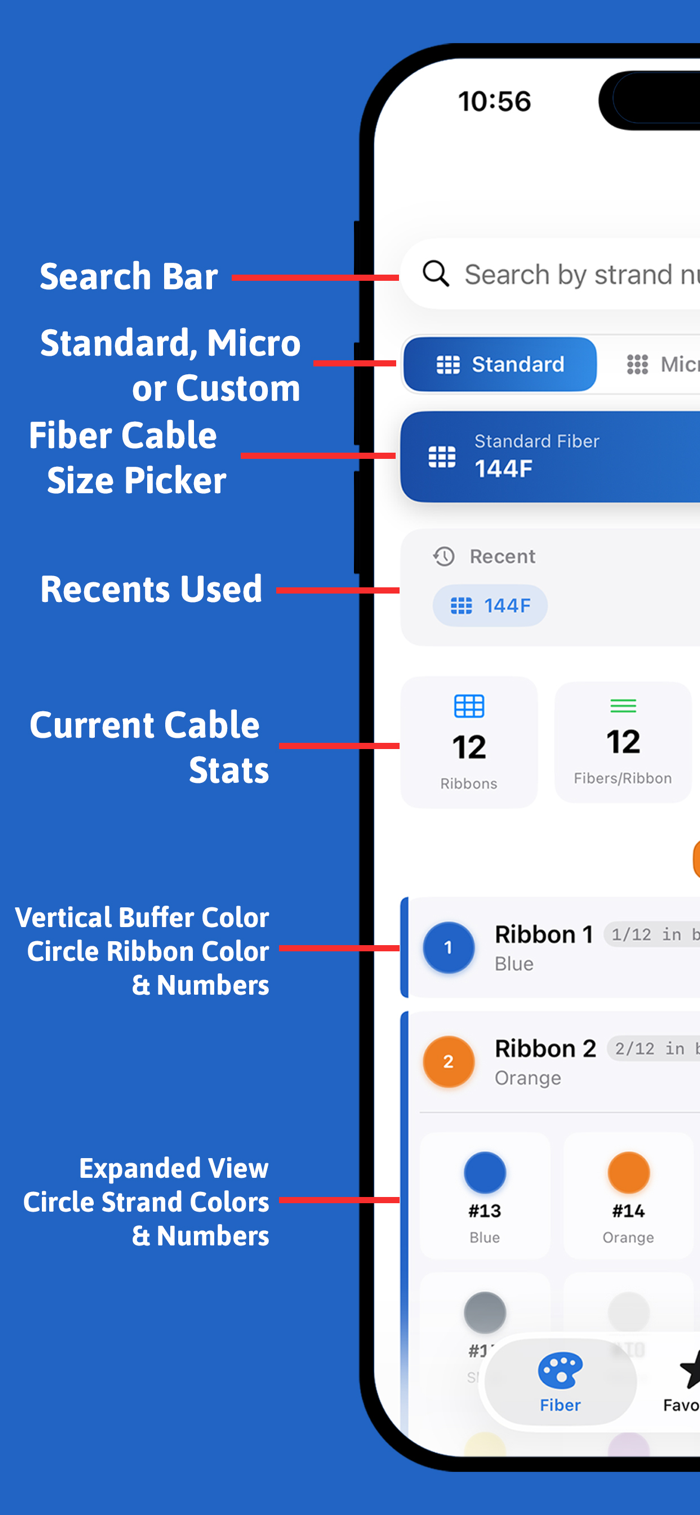
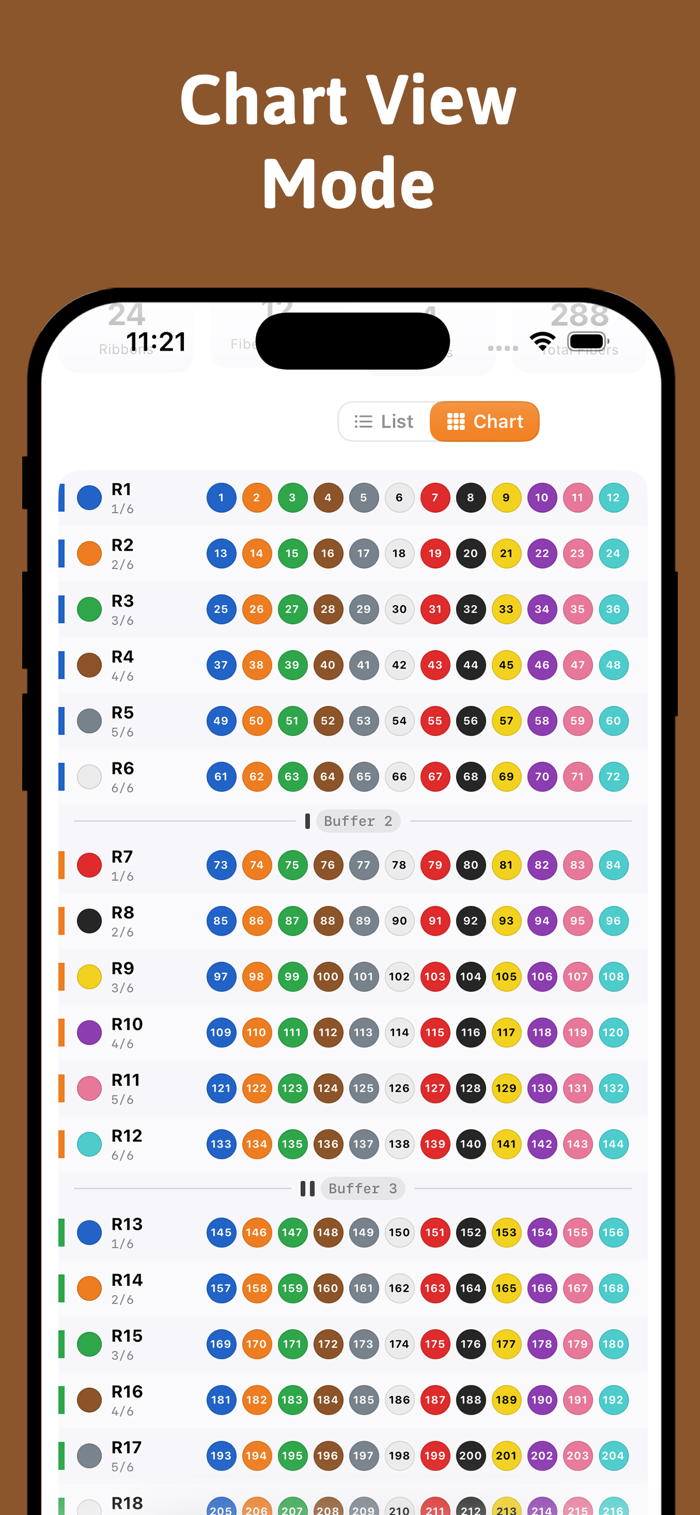
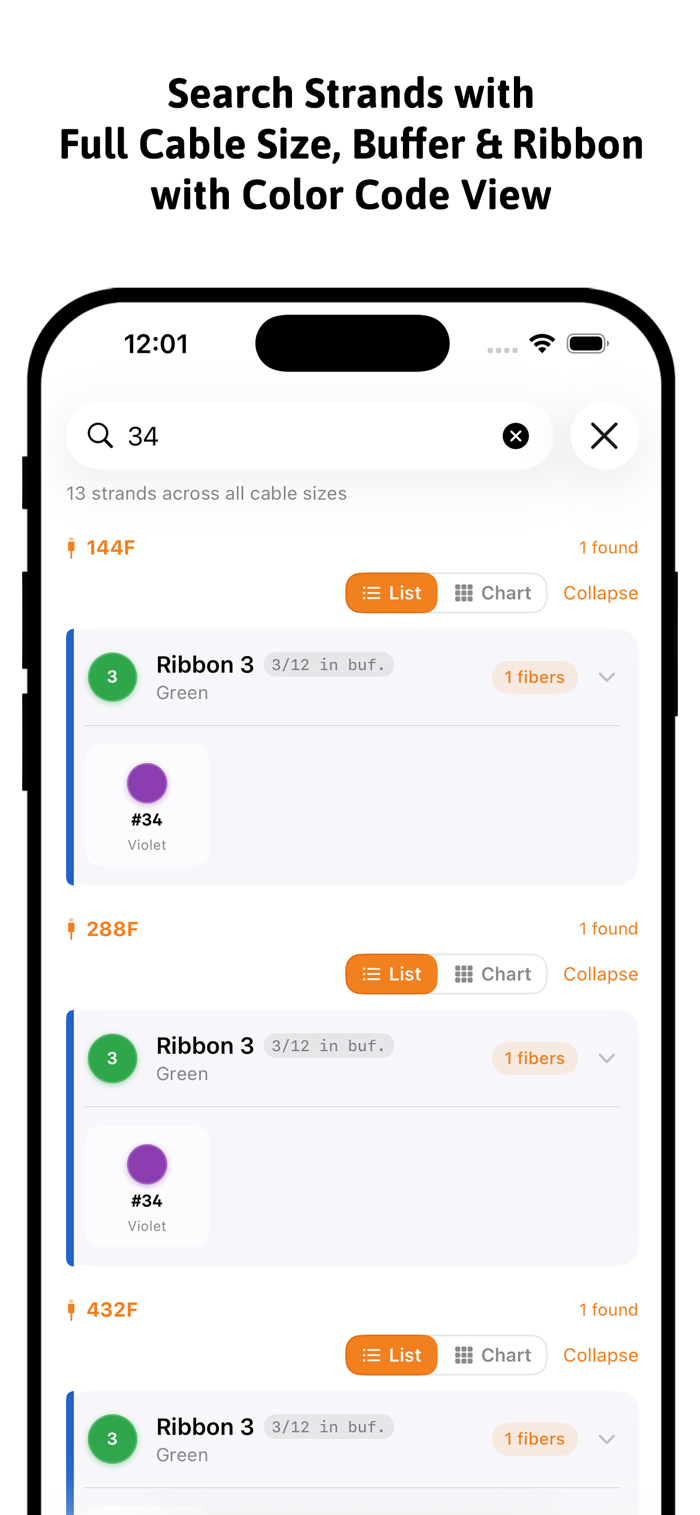
The Fiber Color Chart tab is the fastest way to identify any strand in a ribbon fiber cable — no laminated card, no guessing, no wasted time on the job.
Instant Strand Lookup Select your cable size from the picker at the top and every tube, ribbon, and strand maps out instantly below. Standard ribbon cables from 144F to 1728F are fully supported, as are high-density Micro Fiber cables from 12F to 864F. Need a non-standard count? Build a Custom Cable by entering any total fiber count and buffer configuration — the chart generates on the fly.
Search by Strand Number Type any strand number into the search bar and the app pinpoints exactly which tube and ribbon it lives in — not just for the current cable, but across every standard and micro cable size simultaneously. Results show the tube color, ribbon position, and strand color following TIA-598 conventions, with the matching cell highlighted and scrolled into view automatically.
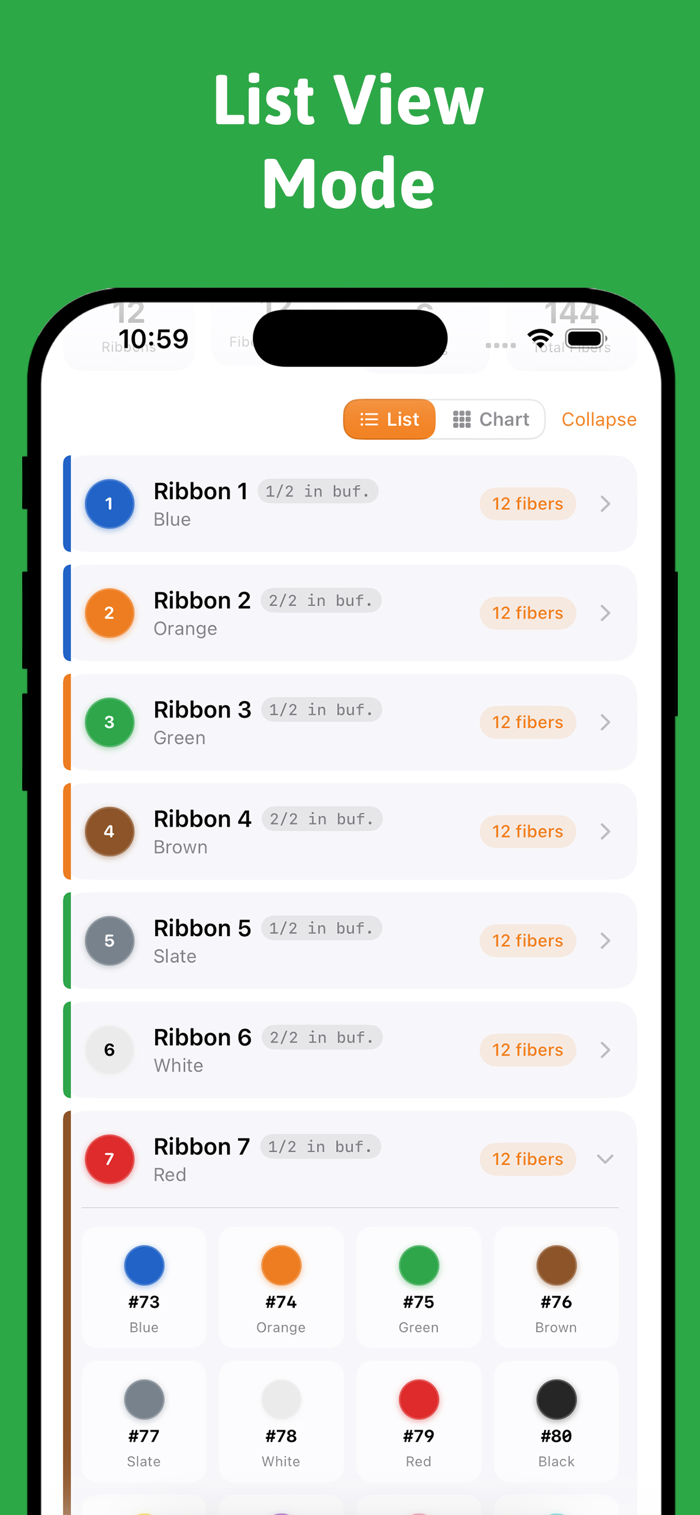
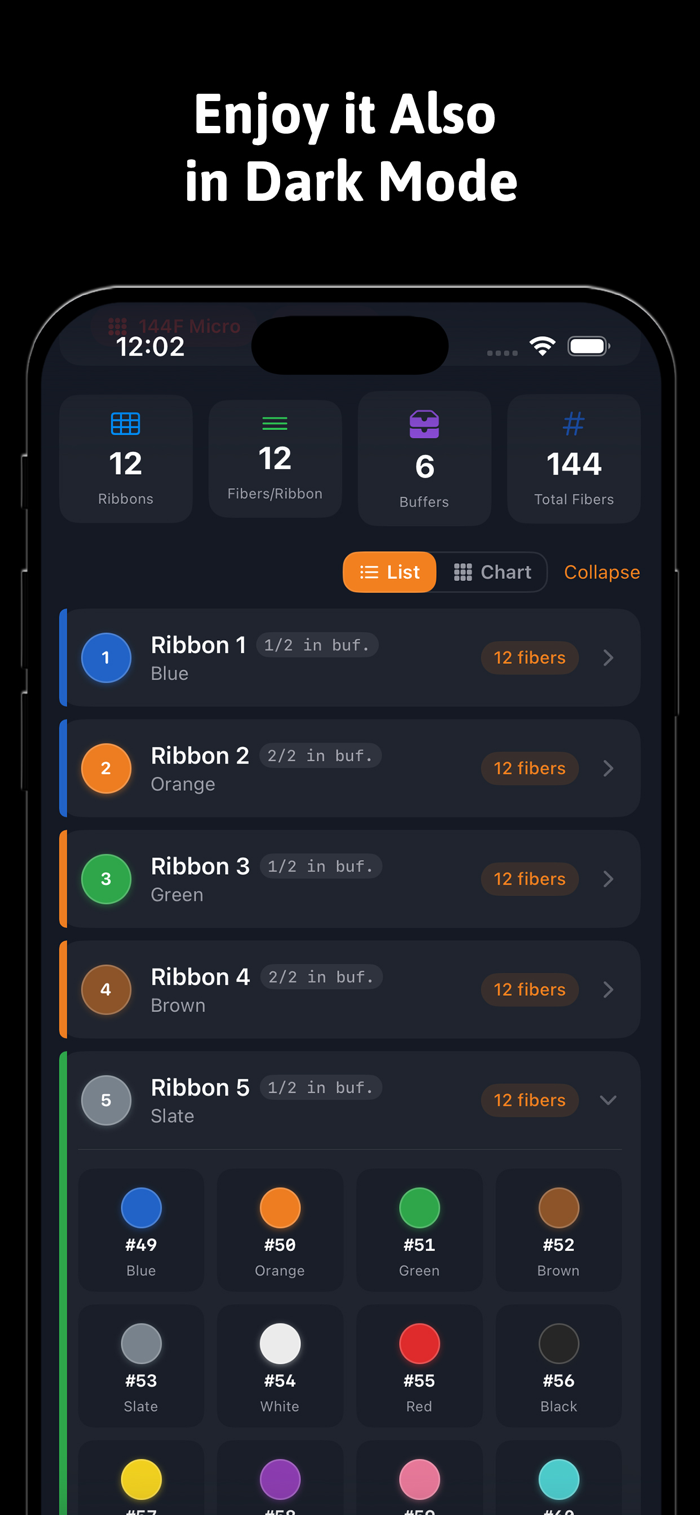
Color-Coded Tube Cards Each buffer tube is displayed as a card showing its TIA-598 color identity, black-stripe count (for tubes beyond the first 12), and a full ribbon breakdown. Tubes collapse and expand individually so you can focus on the buffer you care about. On iPad, the cable picker and stats panel sit side-by-side with the tube list for a true two-column workflow.
At-a-Glance Stats Below the cable picker, a stats row shows the total fiber count, number of ribbons, buffer count, and...

 +100宝石

 分享
分享


















用户评价
立即分享产品体验
你的真实体验,为其他用户提供宝贵参考
💎 分享获得宝石
【分享体验 · 获得宝石 · 增加抽奖机会】
将你的产品体验分享给更多人,获得更多宝石奖励!
💎 宝石奖励
每当有用户点击你分享的体验链接并点赞"对我有用",你将获得:
🔗 如何分享
复制下方专属链接,分享到社交媒体、群聊或好友:
💡 小贴士
分享时可以添加你的个人推荐语,让更多人了解这款产品的优点!
示例分享文案:
"推荐一款我最近体验过的应用,界面设计很精美,功能也很实用。有兴趣的朋友可以看看我的详细体验评价~"
关注 Mergeek 公众号
领奖遇到问题?联系小门助手