产品功能

应用市场介绍

Precise 2D Vector Drawing and Design Tools for iPad and iPhone
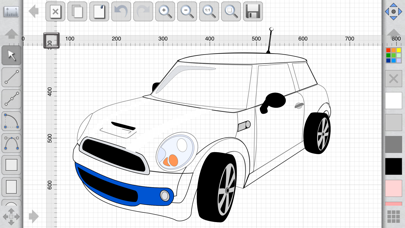
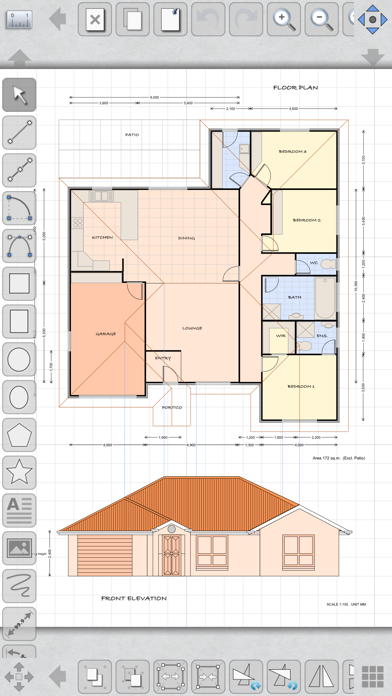
After much anticipation, now you can create professional-level designs, drawings, and mechanical diagrams with just a few finger taps, anytime, anywhere! iDesign includes a range of unique features and offset controls to ensure your fingers don't block your view while drawing.
Fully compatible with the Mac version of XDesign (available for purchase in the Mac App Store) and automatically syncs your work via iCloud, keeping your Mac, iPad, and iPhone in sync at all times.
User Guide (PDF) available at www.touchaware.com/apps/idesign/userguide
Features
- Universal app for iPad and iPhone, automatically adjusts the interface according to screen size.
- Fully compatible with the Mac version of XDesign, allowing you to enjoy the large screen of your Mac, as well as a traditional keyboard and mouse.
- Icon-based user interface closely linked to context, practical yet unobtrusive, with a full-screen drawing board view
- Design list displayed as preview thumbnails for easy storage and management of design files
- Toolbars and panels with common functions make the workflow more efficient
- Fast and smooth multi-touch infinite zoom function makes images clear and sharp
Standard Tools and Functions
- Tools for various shapes such as lines, polylines, squares, rectangles, circles, arcs, ellipses, polygons, stars, and paths
- Copy and paste selected shapes and groups
- Group and ungroup shapes hierarchically to help you create more complex designs
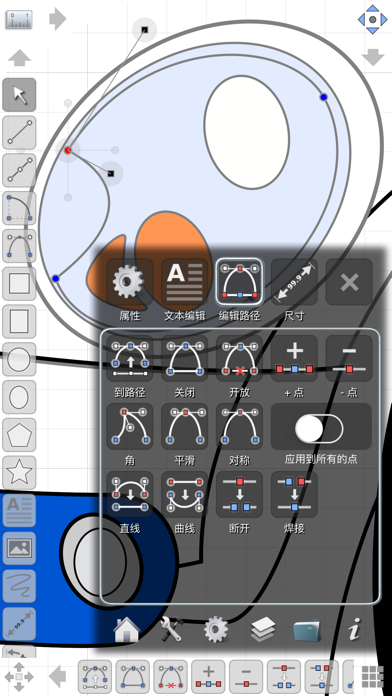
- Edit points, convert shapes to paths, close shapes, add and remove points, break, weld, explode, and connect functions
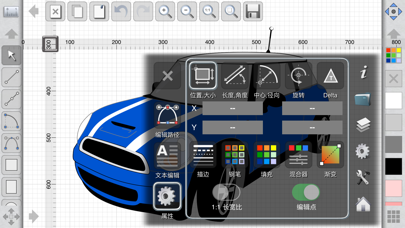
- Enter shape properties and dimension values using the keyboard
- Precise rotation and allows users to customize the rotation center
- Object alignment tools
- Fill colors and pen palettes using opacity controls and a customizable RGB mixer
- Edit stroke width, line style, line endpoints, corner join styles, arrow endpoints, and dashed patterns
- Insert text and adjust font, style, size, paragraph elements, language options, rotation, etc.
- Set background patterns for tracing or marking
- Insert images, copy, paste, move, resize, and position
- All editing operations can be undone and redone multiple times
- Undo and redo can be done for a single point, allowing you to adjust previous points when creating multi-segment lines and paths
- All operations are automatically saved to ensure your work is safe
- Connector tools for drawing diagrams and flowcharts
Layers
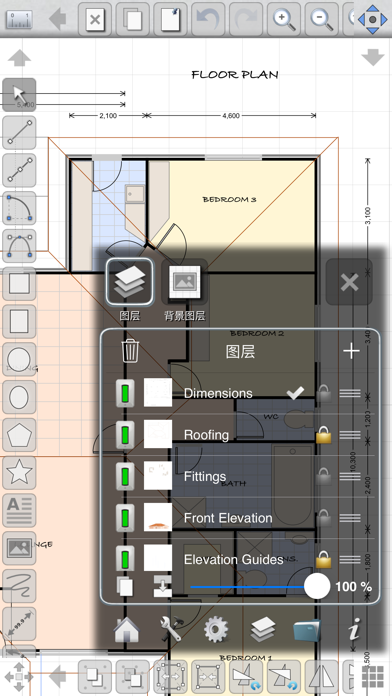
- Create multiple layers to better organize and separate design components
- Add, remove, merge, rearrange, lock, and hide layers
- Set layer transparency
Unique Features Based on Touch Editing
- Offset handles for easy movement and positioning without being blocked by fingers
- Precise movement of selected shapes or points using nudge controls
- Use the keyboard to apply Delta transformation operations such as incremental movement, resizing, and rotation
Advanced Tools for Image Design
- Advanced path editing options designed specifically for corners, smooth points, symmetric points, and straightening and curving line segments
- Convert text to paths
- Boolean operations such as union, intersection, subtraction, and exclusion for shapes
- Freehand drawing function with automatic path smoothing
- Gradients and color mixing
Advanced Tools for Mechanical Drawing
- Circle and arc tools with freely customizable centers, start points, end points, radii, or arc angles
- Dimension tools with customizable settings, suitable for horizontal, vertical, or angular measurements
- Supports American and old-style unit systems with feet + inches + fractions (e.g., 12' 3 1/4") - Dynamic grids support unit systems such as feet, inches, and inch fractions at different zoom levels
Unit and Drawing Board Settings
- Supports standard drawing board sizes (A1 to A5, B4, B5, letter, and tabloid, etc.) and customizable drawing board sizes.
- Adjust the drawing scale up to 10,000 times the screen size with precision up to the fourth decimal place
- Includes a complete set of standard unit systems: points, inches, feet, millimeters, centimeters, and meters, etc.
- Grids that adjust according to units, with customizable grid line and division settings
- Align to grid, align to object or point, rotate alignment, and customizable alignment allow you to precisely adjust positions
- Rulers that adjust according to units
Export, Import, and Print

收起

用户评价

立即分享产品体验

你的真实体验,为其他用户提供宝贵参考

宝石
评论可得 100 宝石
宝石随心兑换应用高级会员,每周更新 前往查看 >>
活动动态 0 人参加
查看更多评论