The 'Timer with Sections' supports you during your performance (e.g., a talk or keynote speech, a seminar or lecture, a workout) by providing intuitively visualized timing information. It allows you to structure time into 'sections'.
[ Demo video available at: http://tinyurl.com/iphonetimer ]
During your performance, you can easily adjust the schedule by moving time across sections, with a swipe gesture (e.g., when feedback from the audience requires you to skip or intensify a section of your performance) or by pressing the pause button (e.g., when answering a question from the audience requires some extra time).
Features:
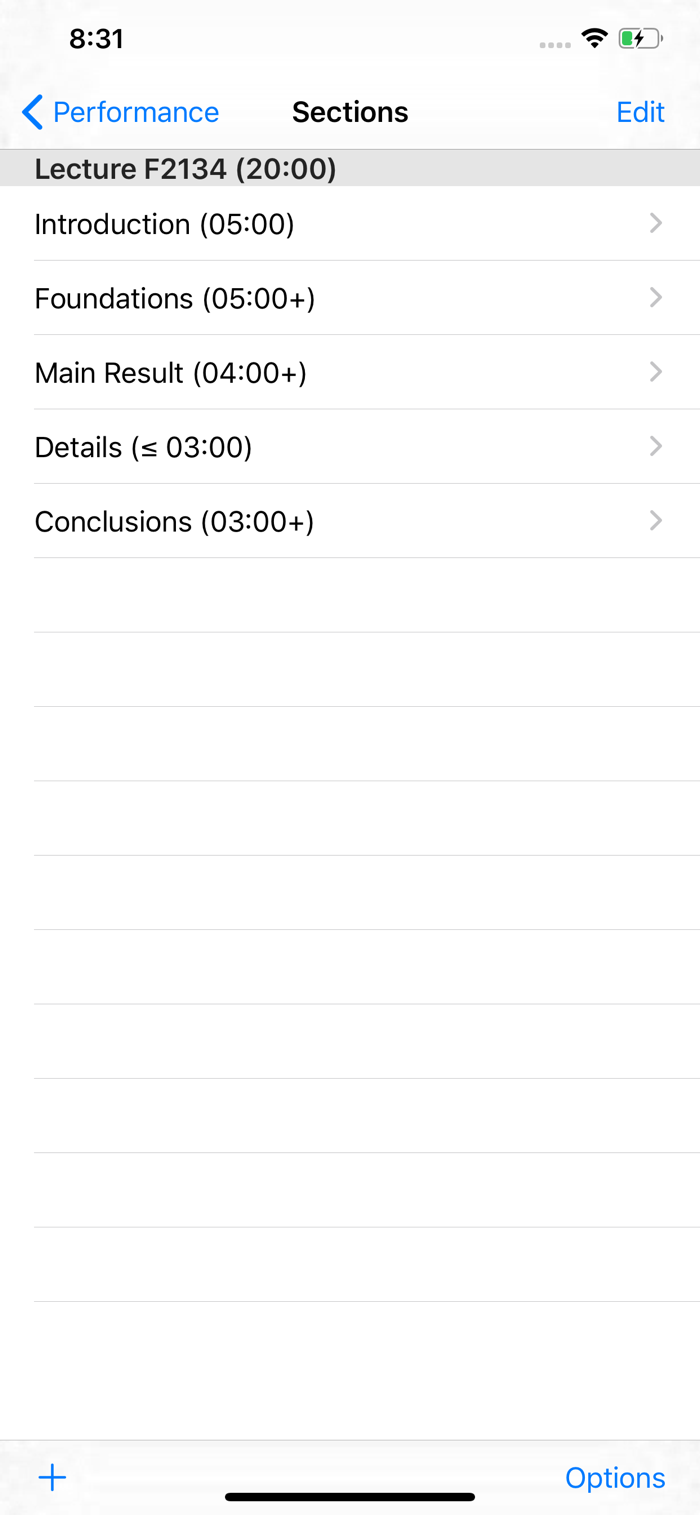
Structuring a Performance: Available time can be divided into sections.
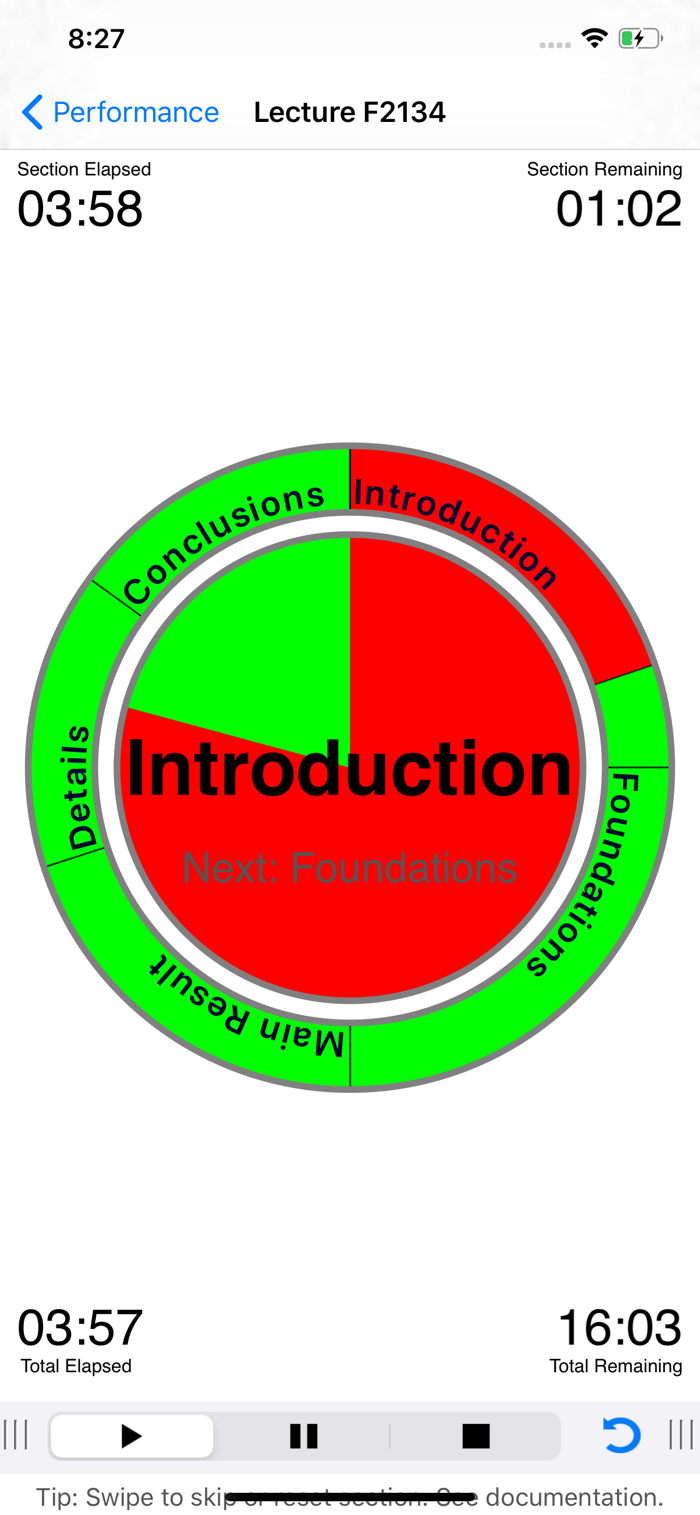
Visualization of Time: The performance assistant view intuitively visualizes the remaining and elapsed time, both for the current section and the whole performance. Elapsed time is depicted in red, remaining time in green. An inner disc represents the used and remaining time for the current section. The section title is displayed in the center. An outer ring represents the used and remaining time for the whole performance. The segments of the ring represent the individual sections. Paused time (see below on the concept of pause) will is depicted in dark red. Extra time obtained by skipping parts of a section (see below on the concept of skipping) will be depicted in dark green.
Alarm Option: Optionally, you can set an alarm at t...


 +100宝石


 分享
分享
















用户评价
立即分享产品体验
你的真实体验,为其他用户提供宝贵参考
💎 分享获得宝石
【分享体验 · 获得宝石 · 增加抽奖机会】
将你的产品体验分享给更多人,获得更多宝石奖励!
💎 宝石奖励
每当有用户点击你分享的体验链接并点赞"对我有用",你将获得:
🔗 如何分享
复制下方专属链接,分享到社交媒体、群聊或好友:
💡 小贴士
分享时可以添加你的个人推荐语,让更多人了解这款产品的优点!
示例分享文案:
"推荐一款我最近体验过的应用,界面设计很精美,功能也很实用。有兴趣的朋友可以看看我的详细体验评价~"
关注 Mergeek 公众号
领奖遇到问题?联系小门助手