AI tools generate markdown. Pixley makes it interactive.
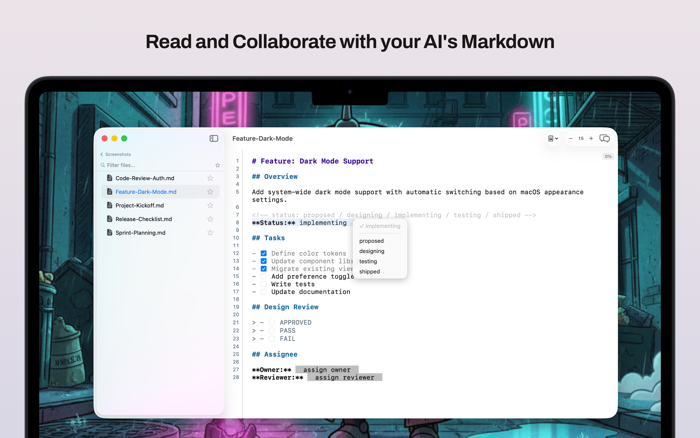
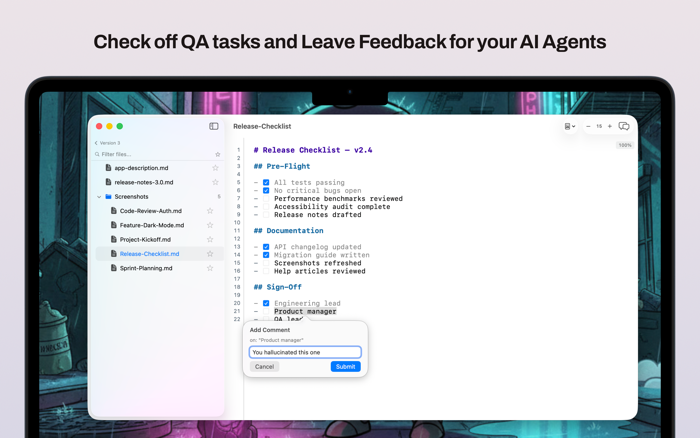
Open a file or browse a folder of markdown documents in a clean sidebar. Pixley converts plain text into interactive controls — checkboxes you can click, radio groups for choices, fill-in fields, status pipelines, inline comments, suggested edits, and review gates. Seven control types, all rendered from standard markdown syntax that works in any editor.
Every response saves back to the .md file. The AI that generated it can read what you chose. Your files stay compatible with every other markdown tool.
INTERACT
- 7 interactive control types: checkboxes, choices, fill-ins, status, reviews, comments, suggested edits
- Click to respond — every change writes back to the file
- AI agents can generate these patterns using standard markdown syntax
- Enhanced mode for visual controls, Plain mode for raw markdown
BROWSE
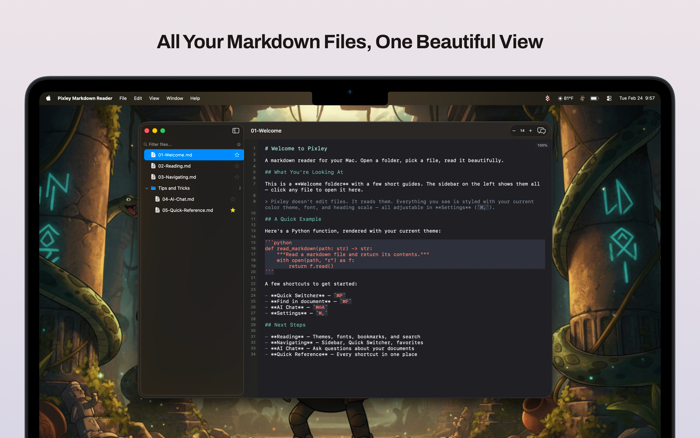
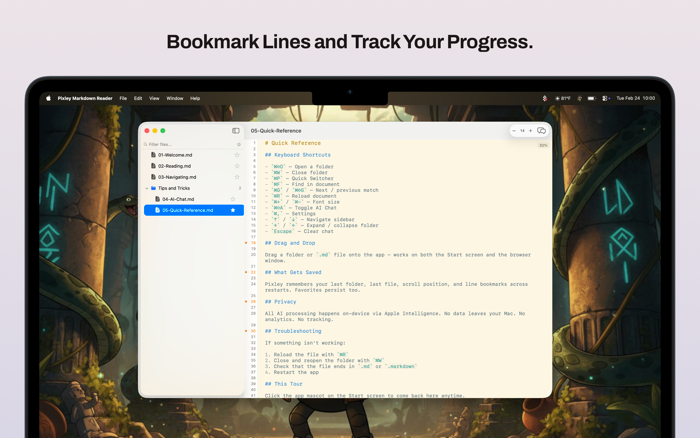
- Folder tree sidebar with search and filtering
- Quick Switcher to jump to any file
- Recent folders remembered across sessions
- Multi-window support — each window is independent
- Drag and drop to open
- Line numbers with bookmark and comment support
READ
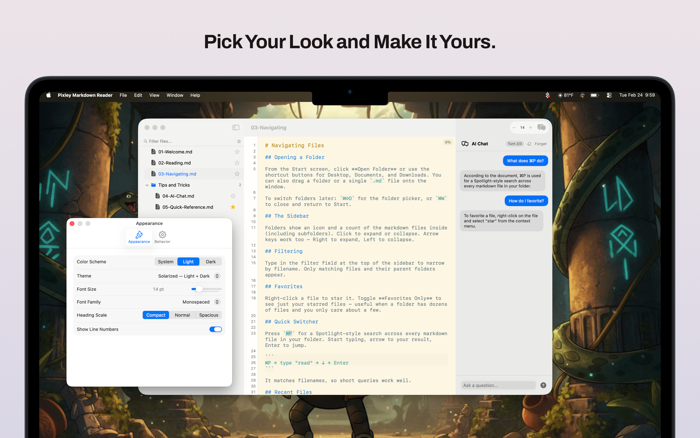
- 10+ color themes including Solarized, Dracula, Nord, One Dark, and GitHub
- Adjustable fonts, sizes, and heading styles
- File watching with reload indicator
- Scroll position saved per file
- Search within documents
ASK
- Built-in AI chat p...

 +100宝石


 分享
分享



















用户评价
立即分享产品体验
你的真实体验,为其他用户提供宝贵参考
💎 分享获得宝石
【分享体验 · 获得宝石 · 增加抽奖机会】
将你的产品体验分享给更多人,获得更多宝石奖励!
💎 宝石奖励
每当有用户点击你分享的体验链接并点赞"对我有用",你将获得:
🔗 如何分享
复制下方专属链接,分享到社交媒体、群聊或好友:
💡 小贴士
分享时可以添加你的个人推荐语,让更多人了解这款产品的优点!
示例分享文案:
"推荐一款我最近体验过的应用,界面设计很精美,功能也很实用。有兴趣的朋友可以看看我的详细体验评价~"
关注 Mergeek 公众号
领奖遇到问题?联系小门助手