Converge is the fastest way to see what you're thinking. Swipe down to add an idea. Swipe right to branch out. Drag to reorganize. No menus, no toolbars — just your thoughts taking shape on a beautiful canvas.
SWIPE TO THINK
Ideas come faster than you can type them. In Converge, every action is a gesture. Swipe down to add a new idea below. Swipe right to add one alongside. Swipe left to collapse a branch. Drag any idea to move it somewhere new. Tap to select, tap again to edit. That's it.
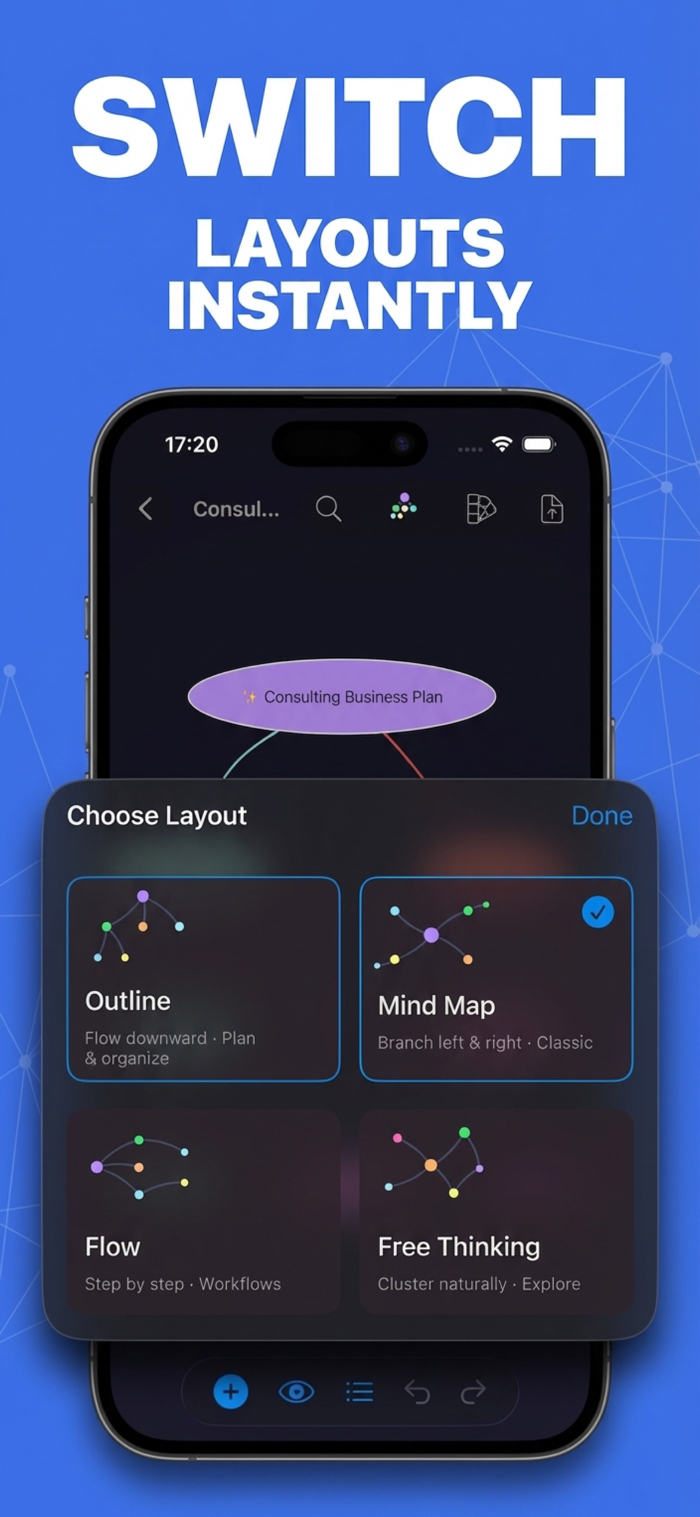
FOUR WAYS TO SEE YOUR IDEAS
The same map, four different layouts, with smooth animated transitions between them.
• Mind Map — the classic horizontal view, ideas branching out to both sides.
• Outline — a clean top-down hierarchy, perfect for plans and notes.
• Flow — left-to-right steps for workflows and processes.
• Free Thinking — organic clusters that follow your mind, no grid required.
TURN DOCUMENTS INTO MIND MAPS
Drop in a PDF or text file and our cloud AI pulls the key ideas into a structured map in seconds. Perfect for research papers, meeting notes, long articles, or any document you need to make sense of quickly.
TEN BEAUTIFUL THEMES
Light, dark, minimalist, vibrant — Converge ships with ten hand-crafted themes, from crisp black-and-white to warm daylight, moody midnight to electric neon. Each has its own palette, node shapes, and edge styles, so every map you make looks polished by default.
EXPORT ANYWHERE
Save your maps as PDF for sharing and print, PNG for presentations and slides, or Markdown for any text workflow. One tap, done.
FOCUS MODE
Zero in on a single branch and let the rest fade away. On iPhone, work one branch at a time. On iPad, everything else dims while you think.
ALSO IN THE BOX
• Cross-links to connect ideas beyond the tree
• Full undo and redo — two-finger tap anywhere to undo
• Real-time search across every node
• Eight starter templates: Blank, SWOT, Project Plan, Meeting Notes, Pros & Cons, Book Notes, Weekly Plan, and Brainstorm
• A one-minute interactive tutorial that teaches every gesture
• Keyboard shortcuts on iPad
MADE FOR iPhone AND iPad
One app, one purchase. Streamlined focus on iPhone, full canvas and shortcuts on iPad.
Terms of Use (EULA): https://www.apple.com/legal/internet-services/itunes/dev/stdeula


 +100宝石

 分享
分享














用户评价
立即分享产品体验
你的真实体验,为其他用户提供宝贵参考
💎 分享获得宝石
【分享体验 · 获得宝石 · 增加抽奖机会】
将你的产品体验分享给更多人,获得更多宝石奖励!
💎 宝石奖励
每当有用户点击你分享的体验链接并点赞"对我有用",你将获得:
🔗 如何分享
复制下方专属链接,分享到社交媒体、群聊或好友:
💡 小贴士
分享时可以添加你的个人推荐语,让更多人了解这款产品的优点!
示例分享文案:
"推荐一款我最近体验过的应用,界面设计很精美,功能也很实用。有兴趣的朋友可以看看我的详细体验评价~"
关注 Mergeek 公众号
领奖遇到问题?联系小门助手