Frame Grab makes it easy to capture and share any moment from videos stored on your device as still images in JPEG format. It supports not only videos stored in the Photos app, but also those in the Music, Podcasts, and TV apps, as long as they are downloaded to your device.
◇◇◇ How to Use ◇◇◇
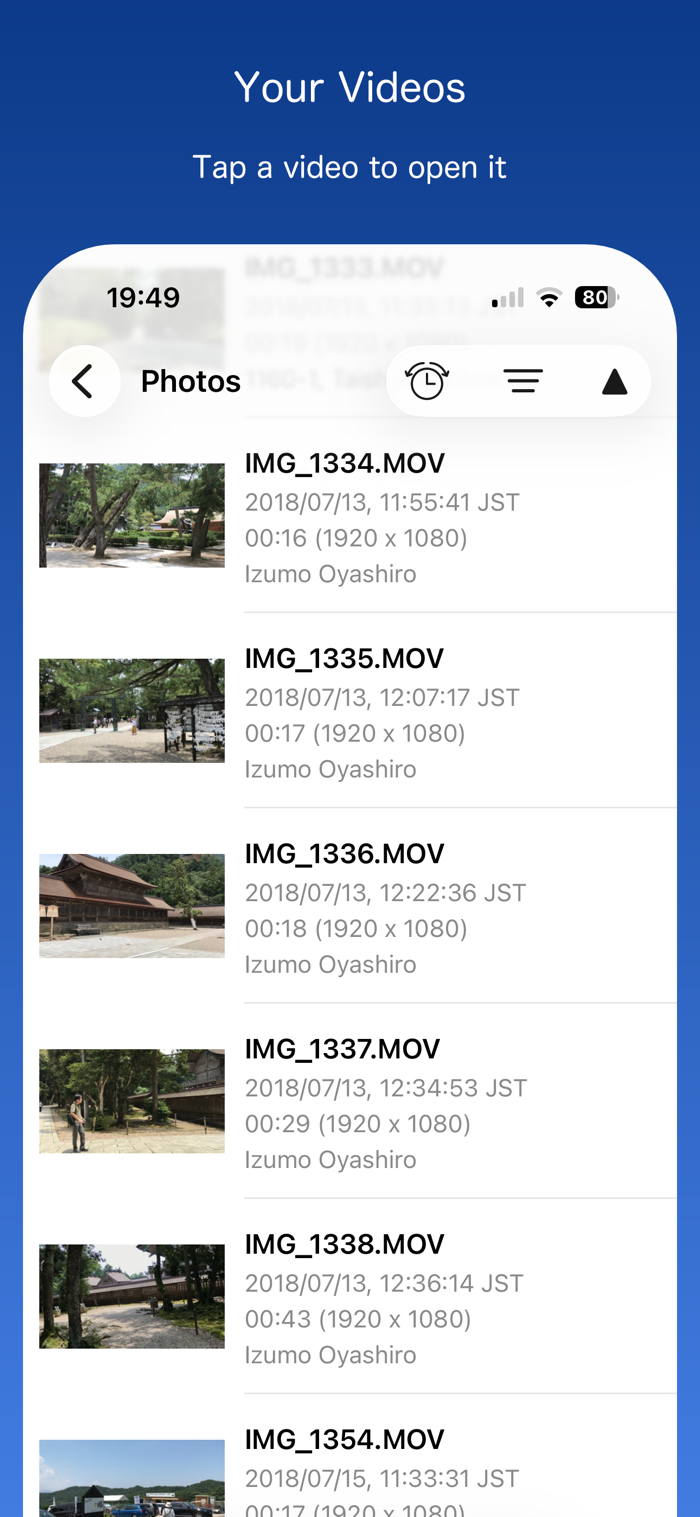
◆When you launch the app, a list of video categories appears: Photos, Live Photos, Music Videos, Home Videos, Movies, TV Shows, and Podcasts.
◆Tap a category to view its videos, then tap a video to open the player view.
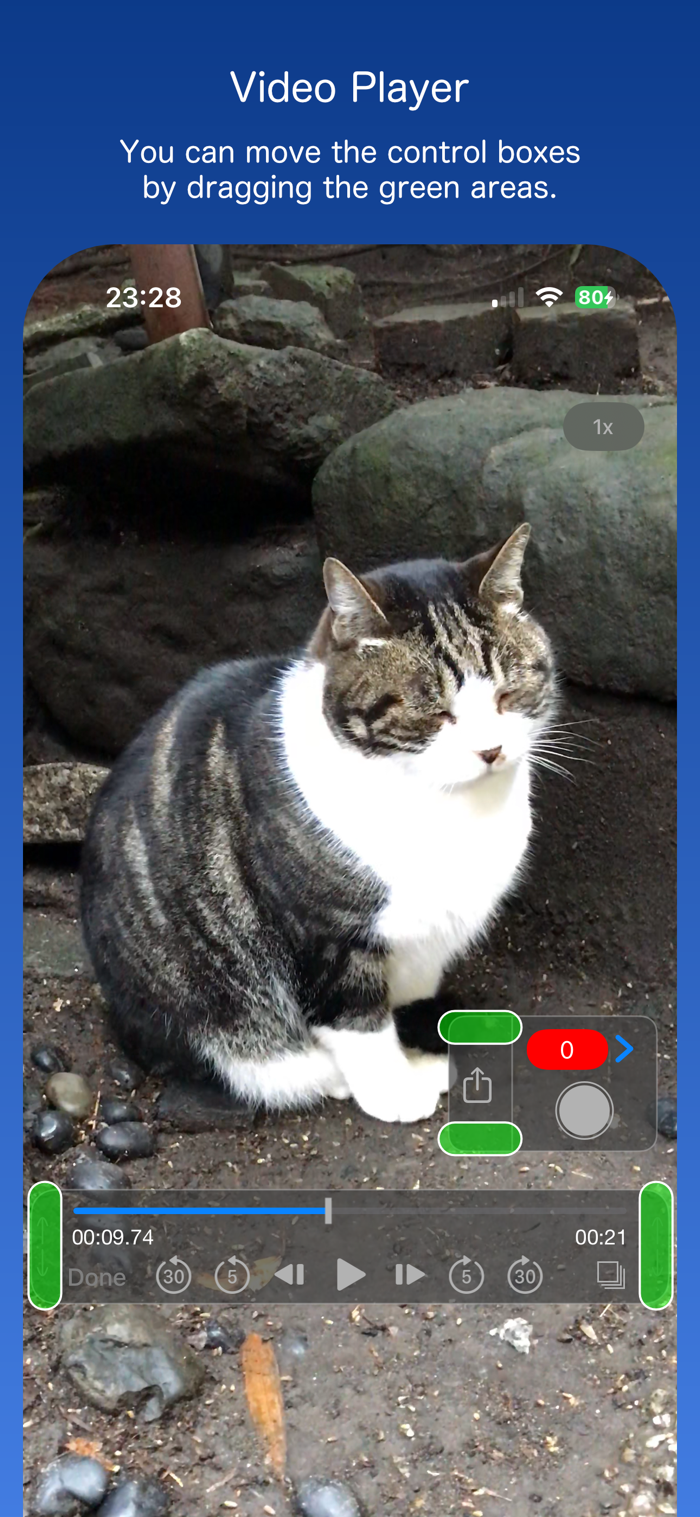
◆Move the playhead to the desired frame. Use the buttons on either side of the play button to step forward or backward one frame at a time.
◆Save Option 1:
Tap the Share button to save the displayed frame to the Photos app, or share it with other apps and services.
◆Save Option 2:
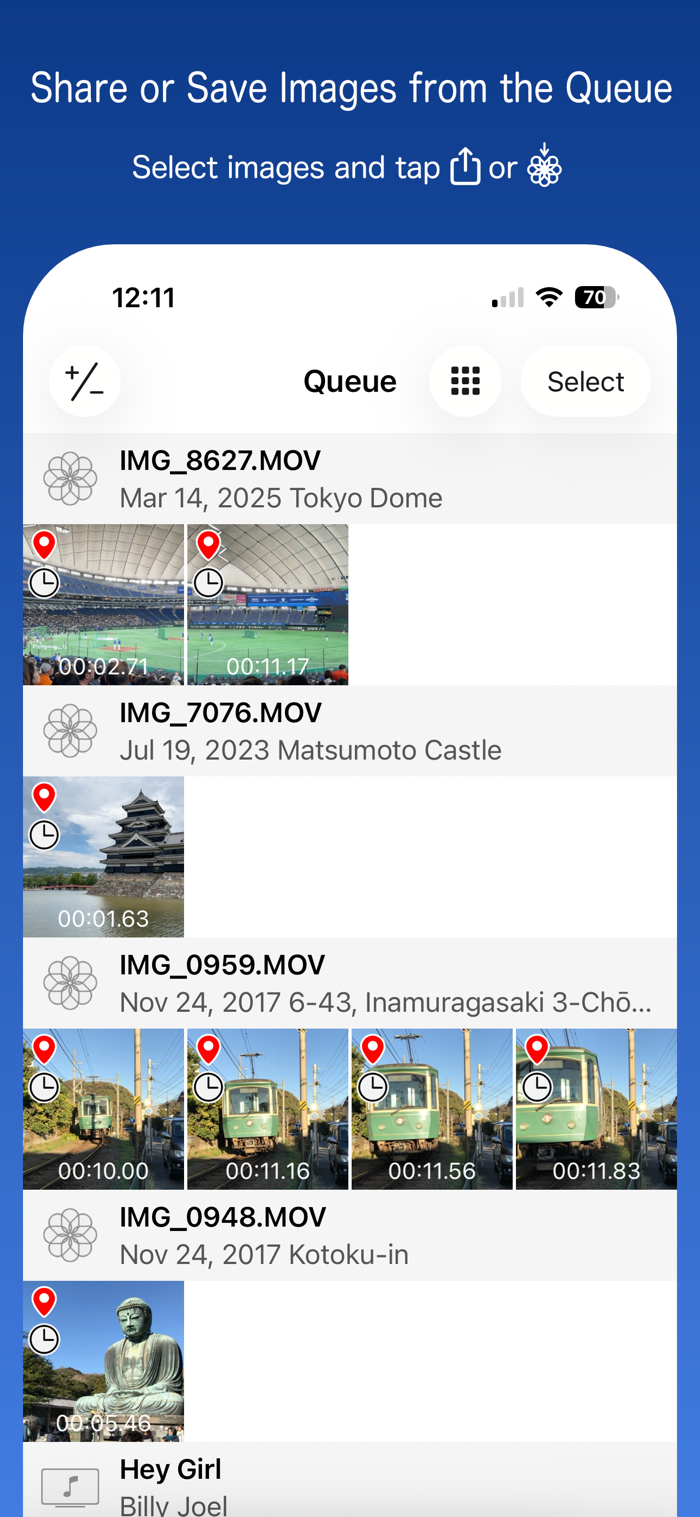
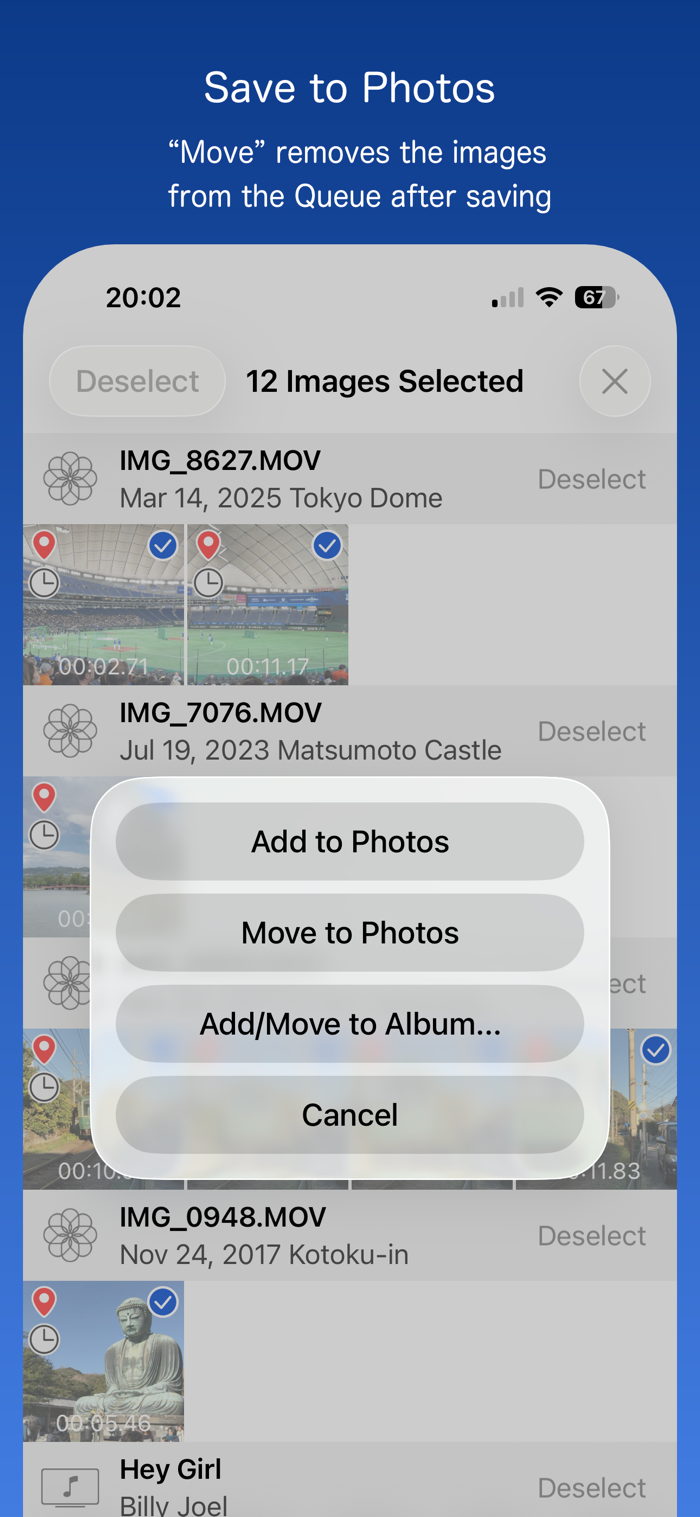
Tap the gray circle button to temporarily save the displayed frame to the Queue. Repeat this for other frames as needed. When you’re ready, tap the red badge showing the number of queued items to open the Queue and save multiple frames at once to the Photos app, or share them with other apps and services.
◇◇◇ Settings ◇◇◇
◆Live Photos:
Choose whether to show Live Photos videos.
◆Quality:
Low, Low-Mid, Hi-Mid, High
◆Size:
Actual size of original video
Half size of original video
Maximum 1920, 960 or 640 pixels
◆Location Info:
Choose whether to embed location data as Exif metadata in the extracted photos. Applie...

 +100宝石


 分享
分享





















用户评价
立即分享产品体验
你的真实体验,为其他用户提供宝贵参考
💎 分享获得宝石
【分享体验 · 获得宝石 · 增加抽奖机会】
将你的产品体验分享给更多人,获得更多宝石奖励!
💎 宝石奖励
每当有用户点击你分享的体验链接并点赞"对我有用",你将获得:
🔗 如何分享
复制下方专属链接,分享到社交媒体、群聊或好友:
💡 小贴士
分享时可以添加你的个人推荐语,让更多人了解这款产品的优点!
示例分享文案:
"推荐一款我最近体验过的应用,界面设计很精美,功能也很实用。有兴趣的朋友可以看看我的详细体验评价~"
关注 Mergeek 公众号
领奖遇到问题?联系小门助手