ibis Paint is a popular multi-functional drawing application. As a series, the total number of downloads has exceeded 400 million times. It provides more than 47,000 types of brushes, more than 21,000 types of materials, more than 2,100 types of fonts, 84 filters, 46 types of halftones, 27 blending modes, the function of recording the drawing process, the stroke stabilization function, various ruler functions such as the radial line ruler or the symmetry ruler, and the clipping mask function.
*Drawing Lectures YouTube Channel
Drawing courses are available on the YouTube channel where we distribute many useful methods of using ibis Paint.
Please register.
https://youtube.com/ibisPaint
*Concept · Features
- A real drawing application that surpasses PC illustration software!
- Using OpenGL technology, it has a smooth and high-speed operation that feels great!
- It is capable of storing the drawing process as a video!
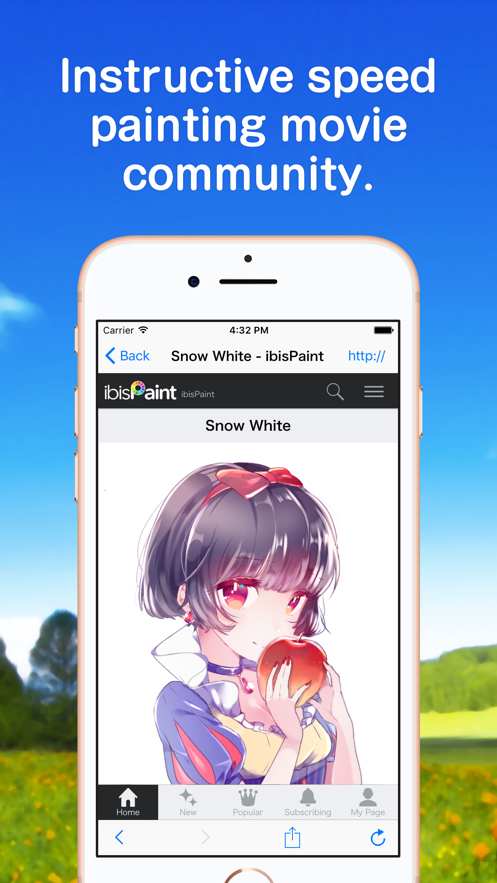
- A drawing application with SNS functions to learn how to draw pictures!
*Voices of Users
We have received a lot of happy voices from users.
- I thought I couldn't take nice photos with my smartphone until now!
- The easiest-to-use drawing application!
- I don't have a Mac/PC, but now I can draw digital pictures!
*Functions
While focusing on sharing videos during the process of drawing pictures, we have also enhanced the functions as a drawing application.
[Brushing Function]
- Smooth, up to 120 fps brush
- More than 47,000 brush patterns such as G-pen, pen, digital pen, airbrush, round brush, flat brush, pencil, oil paint, charcoal, crayon, stamp, etc.
- Various brush parameters such as start/end thickness, start/end opacity, and initial/final brush angle
- Quick sliders for easy operation of brush thickness and brush opacity
- Brush preview that can be checked in real time
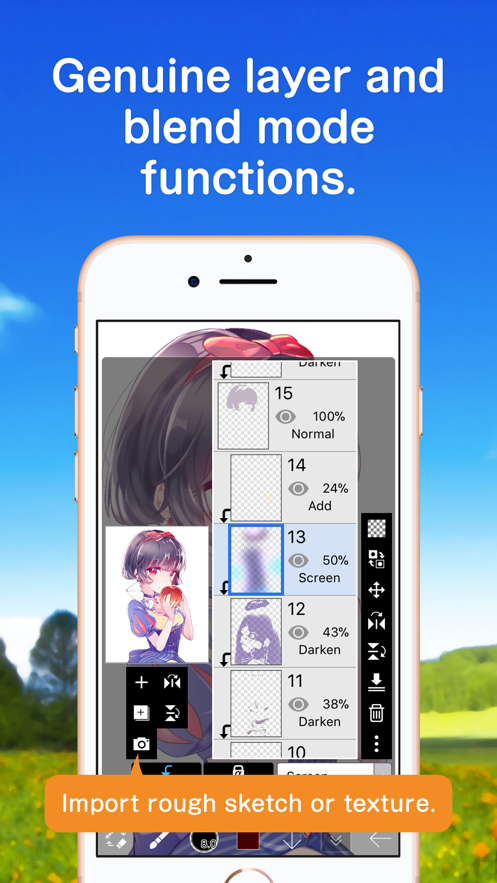
[Layer Function]
- Layer function that can be added infinitely
- Blending modes such as per-layer opacity, alpha blending, addition, subtraction, multiplication
- Clipping function for easy image cropping
- Various layer commands such as layer duplication, import from photo library, left/right inversion, upside-down, layer rotation, movement, scaling
- Layer name setting function for layer identification
[Comic Function]
- Full-text tool function that supports vertical writing, horizontal writing, trimming, font selection, multiple texts
- 46 types of screen tone functions such as dots, noise, horizontal, vertical, diagonal, cross, square, etc.
[Selection Range Function]
- Selection range, 256 levels per pixel (selection layer)
- Flip, move, rotate, enlarge, reduce within the selection range
- Brushing, filling, copying layers, combining layers, moving layers, rotating, scaling, considering the selection range
[Color Function]
- Select from the color palette with no limit on the registered quantity, select from the hue circle, select from HSB, select from RGB, rich color selection
- Save by dragging and dropping into the color palette
- Click and hold the eyedropper function
[General Drawing Function]
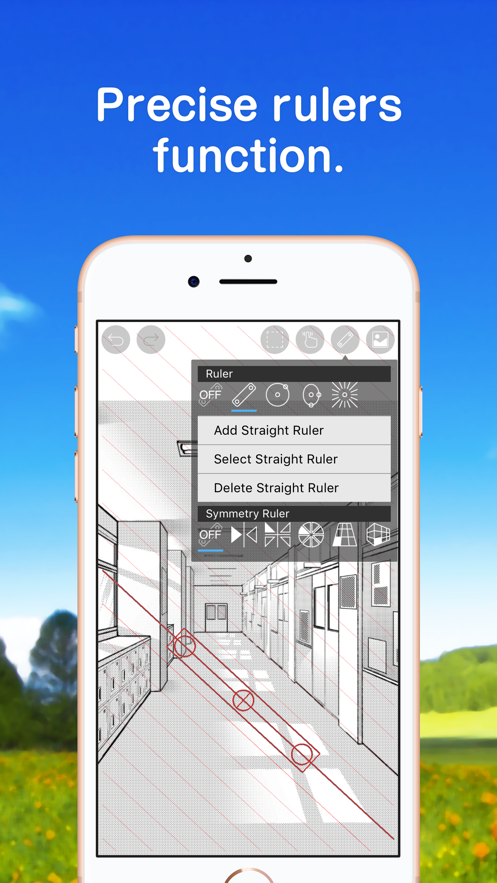
- Ruler tool function for drawing graphics etc. (previous ruler, circular ruler, elliptical ruler, density line ruler)
- Filter functions including brightness/contrast, color balance, line extraction, grayscale, gradient, blur, gradient, animation background, comic background, color aberration
- Material tool function with a lot of textures and tones
- Optional canvas size specification function in addition to various canvas sizes such as SD, HD, X (old Twitter) header, postcard
- Arbitrary rotation function of the canvas
- Background color (white, bright transparent, dark transparent) setting function
- "Cancel" "Undo" function up to 100 steps or more (depending on the available storage space.)
- Brush, eraser, fingertip tool, blur tool, fill, and eyedropper functions
- Quick and smooth pan and zoom functions
[Supported Digital Stylus Pens]
- Apple Pencil (2nd generation)
- Apple

 +100宝石


 分享
分享




















用户评价
立即分享产品体验
你的真实体验,为其他用户提供宝贵参考
💎 分享获得宝石
【分享体验 · 获得宝石 · 增加抽奖机会】
将你的产品体验分享给更多人,获得更多宝石奖励!
💎 宝石奖励
每当有用户点击你分享的体验链接并点赞"对我有用",你将获得:
🔗 如何分享
复制下方专属链接,分享到社交媒体、群聊或好友:
💡 小贴士
分享时可以添加你的个人推荐语,让更多人了解这款产品的优点!
示例分享文案:
"推荐一款我最近体验过的应用,界面设计很精美,功能也很实用。有兴趣的朋友可以看看我的详细体验评价~"
关注 Mergeek 公众号
领奖遇到问题?联系小门助手